ARC Hover Sidebar
 suoyuanxi31 downloads
An ARC-browser-style sidebar: sweep the mouse to the left edge of the window and the sidebar slides out, and it slides back when you swipe past its right edge.
- Overview
- Scorecard
- Updates4
An ARC-browser-style sidebar for Obsidian: sweep the mouse to the left edge of the window and the sidebar slides out; swipe right and it slides back.
Demo
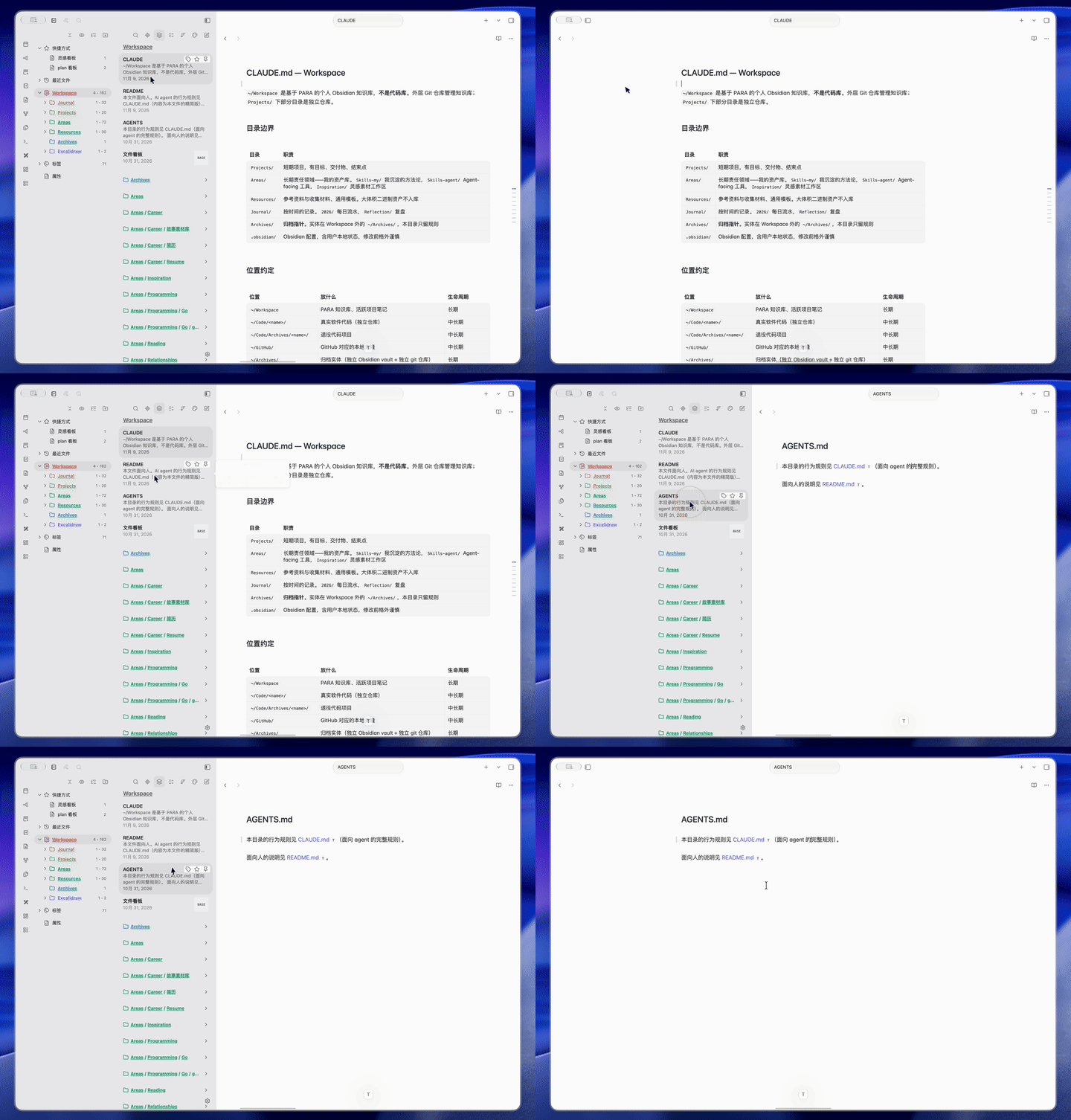
What it does
| How the sidebar was opened | How it closes |
|---|---|
Mouse touches the left edge of the window (within edgeZone, 5px by default) |
The mouse moves horizontally past the sidebar's right edge |
| Opened manually via hotkey / button, with Unified open/close enabled | The mouse moves onto the sidebar and then back out again (while the pointer stays outside the sidebar, you can move freely without it closing) |
| Opened manually via hotkey / button, with Unified open/close disabled | It is not closed automatically — you close it yourself |
The sidebar is opened and collapsed through Obsidian's own leftSplit.expand() / collapse() API — not faked with CSS — so its width, colours and content layout are exactly the same as when you open it yourself.
It also reuses the theme's built-in "hover to reveal the ribbon" behaviour (by overriding a single CSS variable, leaving your theme files untouched).
Installation
Manual
- Download
main.jsandmanifest.jsonfrom this repository. - Put them in
<vault>/.obsidian/plugins/arc-hover-sidebar/. - Add
"arc-hover-sidebar"to<vault>/.obsidian/community-plugins.json. - Reload Obsidian and enable the plugin under Settings → Community plugins.
BRAT
BRAT can install it from this repository: add
https://github.com/goodends/arc-hover-sidebar in BRAT's plugin list.
Settings
Settings → Community plugins → ARC Hover Sidebar
- Enable hover sidebar — master switch. When off, the plugin stops interfering with the sidebar entirely.
- Unified open/close — when on, a sidebar you opened yourself is also managed by the plugin, and always closes the same way: swipe horizontally past the sidebar's right edge.
- Sync ribbon — when on, the ribbon (the icon bar on the left) is hidden and shown together with the sidebar.
Tunable parameters (getters at the top of main.js)
| Parameter | Default | Meaning |
|---|---|---|
edgeZone |
5px | Width of the left-edge trigger zone |
ribbonTrigger |
24px | Width of the ribbon trigger band (overrides the theme's --hover-sidedock-trigger-area) |
panelRight() |
right edge + 30px | Threshold for "the mouse has left the sidebar", with 30px of slack so the resize handle stays usable |
Implementation notes
- The trigger is purely geometric — no velocity check (like ARC):
- position: the mouse enters the leftmost
edgeZonepixels of the window; - path: this frame moved leftwards and the path crossed the trigger zone (covers the case where the mouse crosses the whole zone within a single frame).
- position: the mouse enters the leftmost
- Singleton guard: if a stale instance is still around when the plugin loads, it is unloaded first. Two instances fighting over the sidebar make it flicker open and closed.
- Cold-start guard:
leftSplitdoes not exist before the layout is ready, so.collapsedmust not be read inonload— doing so throws and the plugin fails to load. - Polling fallback:
expand()/collapse()take effect asynchronously and may not emit events around the transition, so a 400ms poll keeps the state in sync. - Drag guard: the sidebar is not collapsed while you are dragging its resize handle — otherwise you could never resize it.
- Blur guard: switching to another application collapses the sidebar, and no hover expansion happens while the window is unfocused.
Known trade-offs
- Any mouse movement within
edgeZoneof the left edge pops the sidebar out. If you only wanted to click a ribbon icon, the sidebar comes out too — reduceedgeZone. - A larger trigger zone means fast strokes near the left edge trigger it more easily: it is a trade-off between the hot zone and sensitivity.
- Desktop only (
isDesktopOnly: true).
Development
There is no build step — main.js is the entire plugin. For local development, symlink the repository's main.js and manifest.json into <vault>/.obsidian/plugins/arc-hover-sidebar/; changes take effect after disabling and re-enabling the plugin in Obsidian.
Development conventions are described in CLAUDE.md.