AIMETON Cloud Bridge
 Dimar471367 downloads
Browse and transfer files between your vault and Yandex Disk, with previews, progress, bilingual UI, and desktop proxy support.
- Overview
- Scorecard
- Updates1

Obsidian plugin for working with Yandex Disk cloud storage directly from Obsidian.
Browse cloud folders, upload files from your vault, download files back into the vault, preview images, and use desktop proxy modes — all without leaving Obsidian.
English
What it is
AIMETON Cloud Bridge is a community plugin for Obsidian that connects your vault to Yandex Disk cloud storage.
It lets you work with Yandex Disk from inside Obsidian:
- browse Yandex Disk folders in a dedicated side panel;
- upload local vault files to Yandex Disk;
- download cloud files back into the vault;
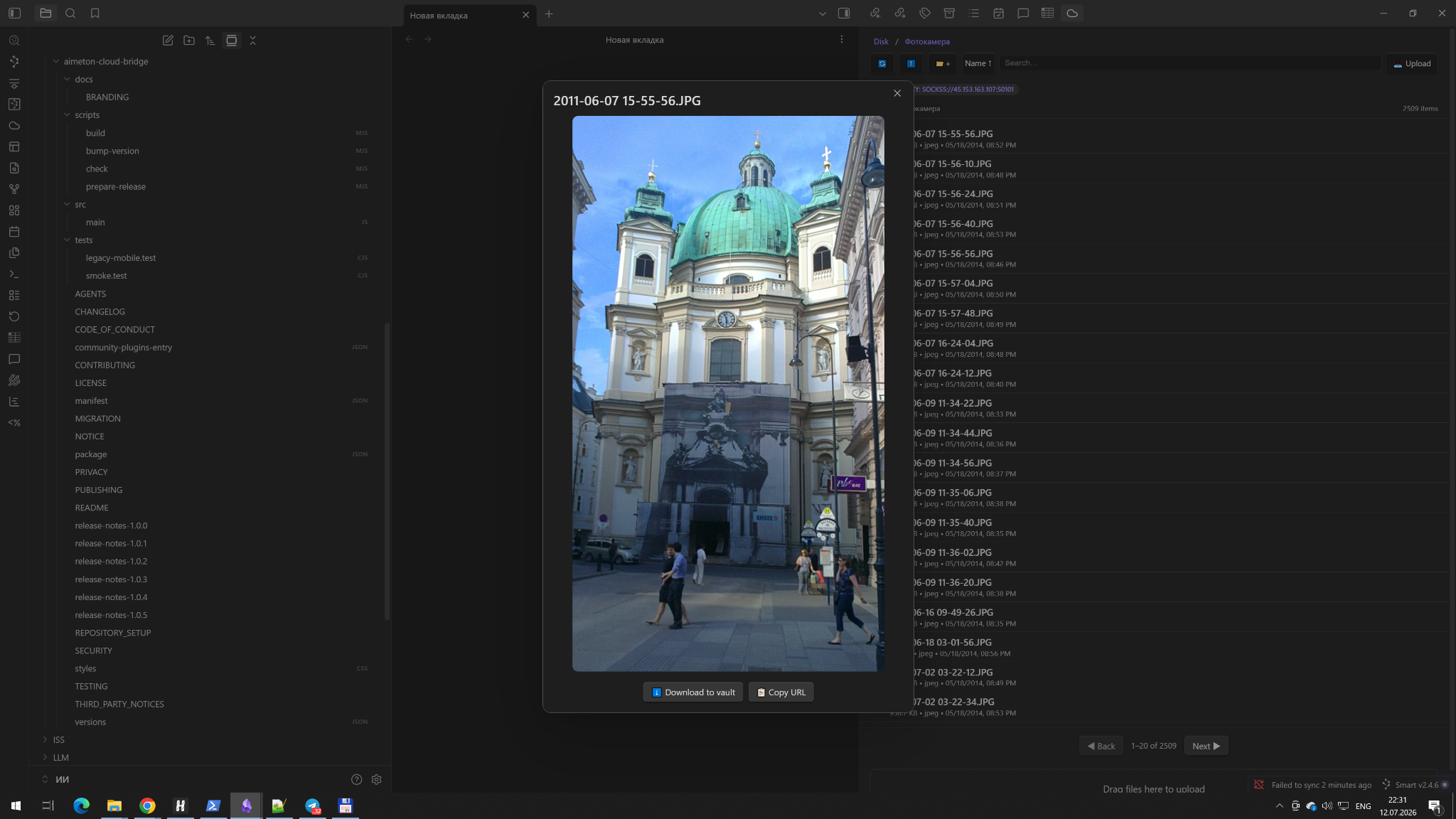
- preview supported images;
- monitor upload and download progress;
- use the plugin in Russian or English;
- route desktop traffic through HTTP CONNECT, HTTPS CONNECT, or SOCKS5 proxies.
Why it is useful
If you keep documents, images, archives, or project files in Yandex Disk, this plugin gives you a direct bridge between Obsidian and the Yandex Disk cloud. Instead of switching between apps, you can access cloud files from your knowledge workspace.
Key features
- Obsidian-first workflow for Yandex Disk.
- Dedicated browser panel inside Obsidian.
- Upload and download support.
- Image preview.
- Progress indicators.
- Russian and English UI.
- Light, dark, and system theme compatibility.
- Desktop proxy support: HTTP CONNECT, HTTPS CONNECT, SOCKS5.
- Mobile networking through the system connection, VPN, or TUN.
Screenshots
Image preview inside Obsidian
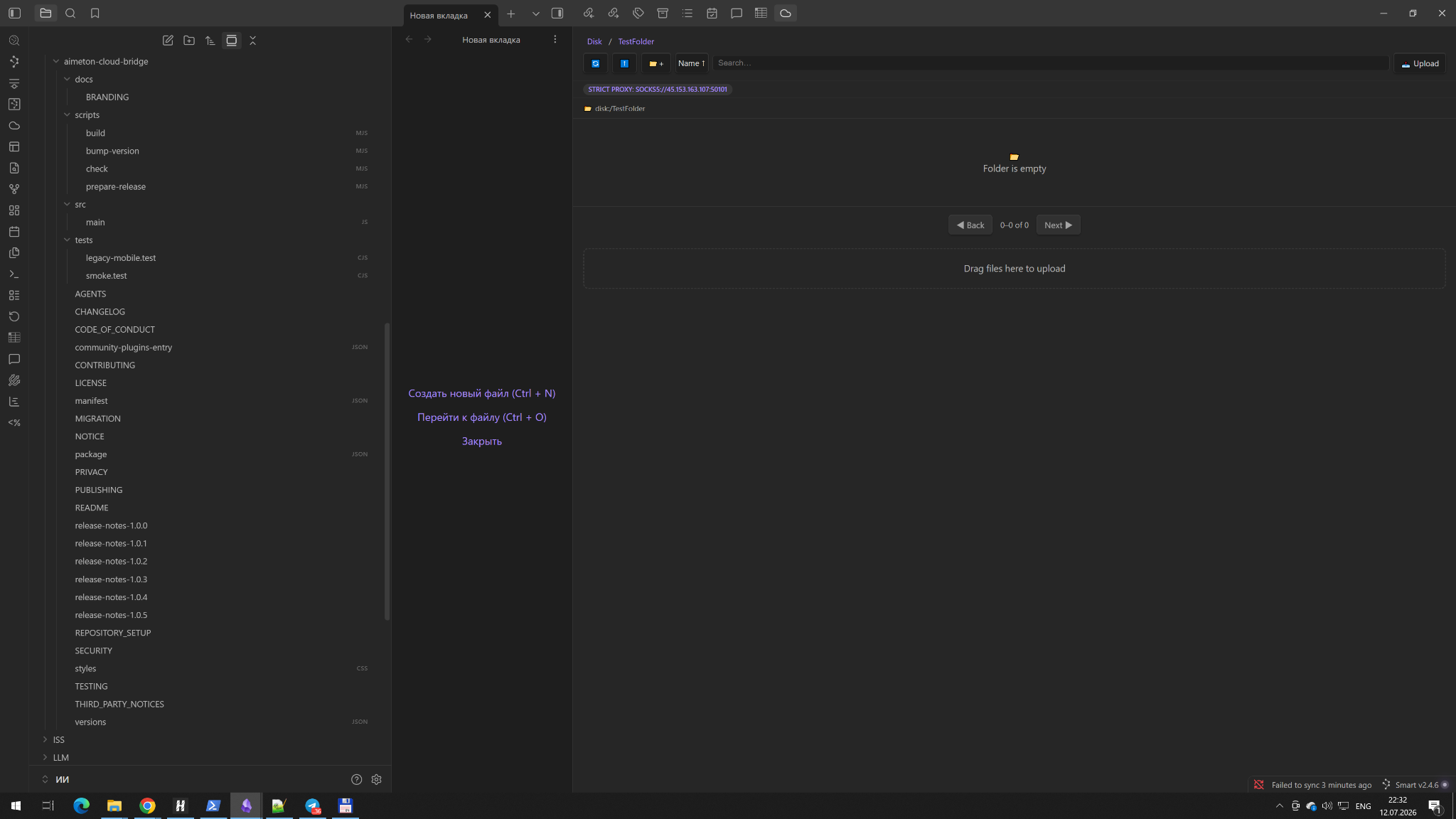
Empty folder view inside Obsidian
Tested release
Version 1.0.5 is the current release candidate.
Verified scenarios:
- Android: startup, upload, download, image preview, Russian and English UI, dark theme.
- Desktop with system networking: upload, download, preview, Russian and English UI, light, dark, and system themes.
- Desktop with manual proxy: HTTP CONNECT and SOCKS5.
- Error banners can be dismissed and auto-hide.
- Directory listings refresh after delete, create, move, and copy operations.
Installation from a release
Copy these files from the matching GitHub release into:
<Vault>/.obsidian/plugins/aimeton-cloud-bridge/
Required files:
main.jsmanifest.jsonstyles.css
The file path must be exactly:
<Vault>/.obsidian/plugins/aimeton-cloud-bridge/main.js
Authentication and local storage
The plugin uses a Yandex Disk OAuth token supplied by the user. In version 1.0.5, the OAuth token and optional proxy password are stored locally in the plugin's data.json. They are not sent to the plugin author.
Do not publish, commit, or share data.json. Protect access to the device, vault configuration directory, and user account.
The settings include a collapsible How to get an OAuth token guide with links to official Yandex documentation.
Privacy
The plugin has no author-controlled backend and does not collect analytics or telemetry. See PRIVACY.md.
Independence notice
This is an independent community project. It is not affiliated with, endorsed by, sponsored by, or supported by Yandex LLC or Dynalist Inc. See NOTICE.md.
License and authorship
Created and maintained by Dimar4713 as part of the AIMETON ecosystem.
Copyright © 2026 Dmitry Marareskul.
Licensed under the MIT License.
Русский
Что это
AIMETON Cloud Bridge — это community-плагин для Obsidian, который связывает ваше хранилище заметок с облачным Яндекс.Диском.
Он позволяет работать с Yandex Disk прямо из Obsidian:
- просматривать папки Яндекс.Диска в отдельной боковой панели;
- загружать файлы из vault на Яндекс.Диск;
- скачивать файлы из облака обратно в vault;
- просматривать изображения;
- видеть ход загрузки и скачивания;
- использовать интерфейс на русском или английском языке;
- на компьютере работать через прокси HTTP CONNECT, HTTPS CONNECT и SOCKS5.
Зачем нужен плагин
Если ваши документы, изображения, архивы или рабочие файлы лежат в облаке Yandex Disk, этот плагин даёт прямой мост между Obsidian и Яндекс.Диском. То есть работать с облачными файлами можно из вашего рабочего пространства знаний, не переключаясь между приложениями.
Основные возможности
- Работа с Яндекс.Диском из Obsidian.
- Отдельная панель браузера файлов внутри Obsidian.
- Загрузка и скачивание файлов.
- Предпросмотр изображений.
- Индикаторы прогресса.
- Русский и английский интерфейс.
- Совместимость со светлой, тёмной и системной темой.
- Поддержка прокси на компьютере: HTTP CONNECT, HTTPS CONNECT, SOCKS5.
- На мобильных устройствах — работа через системное соединение, VPN или TUN.
Скриншоты
Предпросмотр изображения внутри Obsidian
Пустая папка внутри Obsidian
Протестированная версия
Версия 1.0.5 сейчас является актуальным release candidate.
Подтверждённые сценарии:
- Android: запуск, загрузка, скачивание, предпросмотр изображения, русский и английский интерфейс, тёмная тема.
- Компьютер, системная сеть: загрузка, скачивание, предпросмотр, русский и английский интерфейс, светлая, тёмная и системная темы.
- Компьютер, ручной прокси: HTTP CONNECT и SOCKS5.
- Сообщения об ошибках можно закрыть вручную, и они скрываются автоматически.
- Список файлов корректно обновляется после удаления, создания, перемещения и копирования.
Установка из релиза
Скопируйте файлы из соответствующего GitHub Release в папку:
<Vault>/.obsidian/plugins/aimeton-cloud-bridge/
Обязательные файлы:
main.jsmanifest.jsonstyles.css
Путь должен быть именно таким:
<Vault>/.obsidian/plugins/aimeton-cloud-bridge/main.js
Аутентификация и локальное хранение
Плагин использует OAuth-токен Яндекс.Диска, который задаёт сам пользователь. В версии 1.0.5 OAuth-токен и необязательный пароль прокси хранятся локально в файле data.json плагина. Автору плагина эти данные не отправляются.
Не публикуйте, не коммитьте и не передавайте файл data.json. Защищайте доступ к устройству, каталогу настроек vault и своей учётной записи.
В настройках есть раскрывающаяся подсказка «Как получить OAuth-токен» со ссылками на официальную документацию Яндекса.
Конфиденциальность
Плагин не использует сервер, контролируемый автором, и не собирает аналитику или телеметрию. См. PRIVACY.md.
Независимость проекта
Это независимый community-проект. Он не аффилирован с Yandex LLC и Dynalist Inc., не спонсируется и не поддерживается ими. См. NOTICE.md.
Лицензия и авторство
Создан и поддерживается Dimar4713 как часть экосистемы AIMETON.
Copyright © 2026 Dmitry Marareskul.
Лицензия: MIT License.