AI Translation
 Caoshengzhao14 downloads
Lightweight translation plugin supporting DeepSeek, Tongyi Qianwen, Doubao, Google Gemini, and arbitrary custom models. Select English text and translate with one click, inserting below the original.
- Overview
- Scorecard
- Updates1
English
Introduction
AI Translation is a lightweight, multi-model AI translation plugin designed specifically for Obsidian. It natively connects to major global and domestic LLM providers as well as any OpenAI-compatible API endpoints, allowing you to translate selected text with one click and automatically insert the translated result directly below the original text.
✨ Key Features
- Multi-Model Support: Native integrations with DeepSeek, Tongyi Qianwen (Qwen), Doubao, Google Gemini, OpenAI, Anthropic Claude, SiliconFlow, Moonshot (Kimi), Zhipu (GLM), OpenRouter, Groq, and custom API endpoints.
- One-Click Translation & Insertion: Select any text in your note, right-click or press a hotkey, and the translation is inserted neatly beneath the selection.
- Custom System Prompts: Customize translation tone, academic style, and context with full control over the system prompt.
- Multi-Language Targeting: Supports translating into Chinese, English, Japanese, French, German, and any other target languages.
- Zero Heavy Dependencies: Pure Obsidian native implementation using
requestUrl— lightweight, fast, and fully cross-platform (desktop & mobile).
📥 Installation
From Obsidian Community Plugins (Recommended once listed)
- In Obsidian, open Settings > Community plugins.
- Click Browse and search for AI Translation.
- Click Install, then Enable.
Via BRAT (Beta Reviewers Auto-update Tester)
- Install the BRAT plugin in Obsidian.
- In BRAT settings, choose Add Beta plugin.
- Enter repository URL:
https://github.com/Wolframscs/obsidian-AI-Translation - BRAT will automatically download the plugin and keep it updated.
Manual Installation
- Download
main.js,manifest.json, andstyles.cssfrom the latest GitHub Release. - Create a folder named
ai-translationinside your vault's.obsidian/plugins/directory. - Place the downloaded files into that folder.
- Reload plugins in Obsidian settings and toggle on AI Translation.
⚙️ Configuration & Supported Providers
In Obsidian Settings > AI Translation:
- AI Provider: Choose your preferred AI service.
- API Key: Enter your API key for the chosen provider.
- Model Selection: Choose from preset models or enter any custom model ID.
- Target Language: Specify the output language (e.g.,
Chinese,English,Japanese). - System Prompt: Customize translation instructions or use the built-in translation prompt.
- Test Connection: Click the Test Connection button to verify network and credentials.
Custom API / Local Ollama Support
Compatible with any OpenAI-standard endpoint:
- Provider:
Custom API - URL: e.g.,
http://localhost:11434/v1/chat/completions(for local Ollama) orhttps://api.your-proxy.com/v1/chat/completions - Model: e.g.,
llama3,deepseek-r1, etc.
🚀 Usage
- Context Menu: Select text in editor -> right click -> Translate Selection.
- Command Palette: Select text ->
Ctrl/Cmd + P-> runTranslate Selection (Insert Below). - Hotkey: Assign a custom shortcut (e.g.
Alt + TorCtrl + T) under Settings > Hotkeys > searchTranslate Selection.
Obsidian - Translation 插件说明文档
本插件是一款为 Obsidian 开发的轻量级多模型翻译辅助工具。支持对接国内外主流大语言模型服务及符合 OpenAI 规范的自定义 API 接口,可实现选中文本的一键翻译与自动插入对照。
📥 安装与启用
安装
- 下载本插件的最新发布版本。
- 打开 Obsidian,进入 设置 -> 第三方插件,点击 打开插件文件夹 按钮。
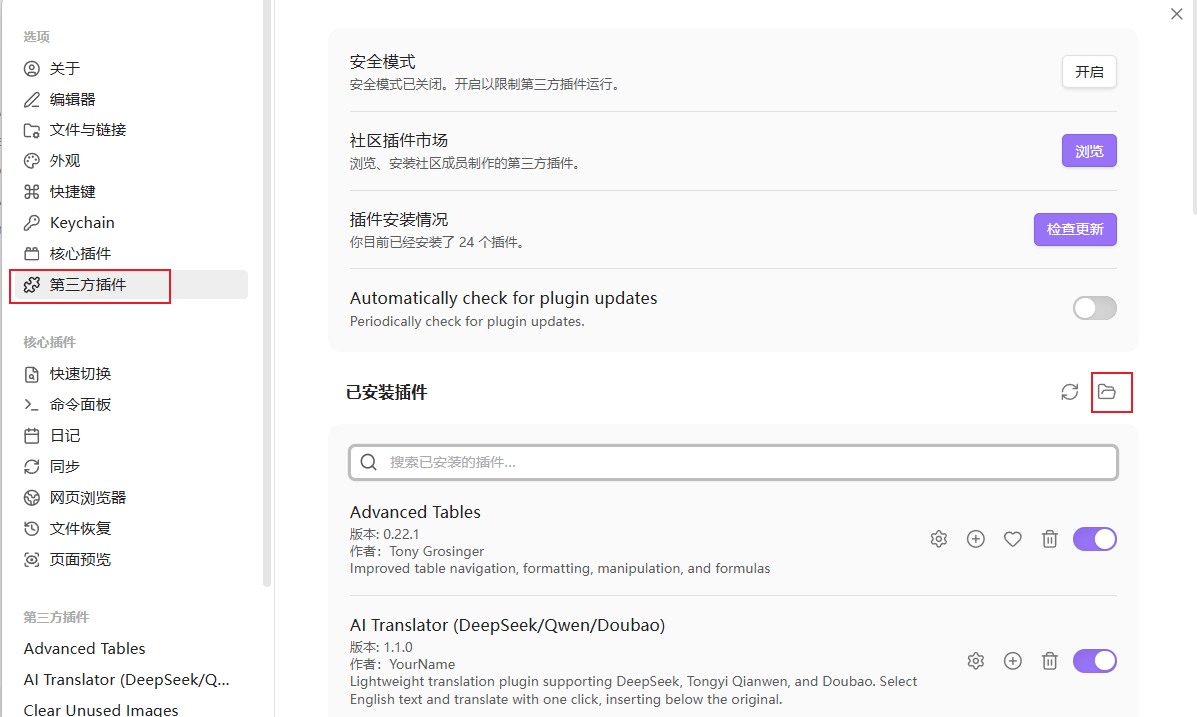
- 将解压后的插件文件夹放入您的 Obsidian 库的
.obsidian/plugins/目录下。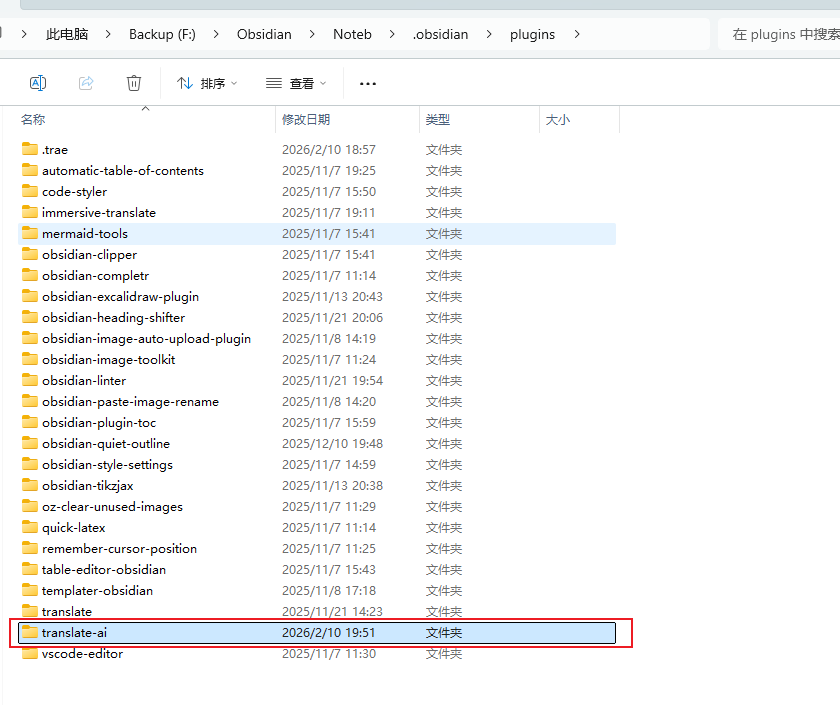
- 重启 Obsidian,或在 第三方插件 配置页中点击 重新加载插件。
启用
- 打开 Obsidian 设置。
- 进入 第三方插件 选项卡。
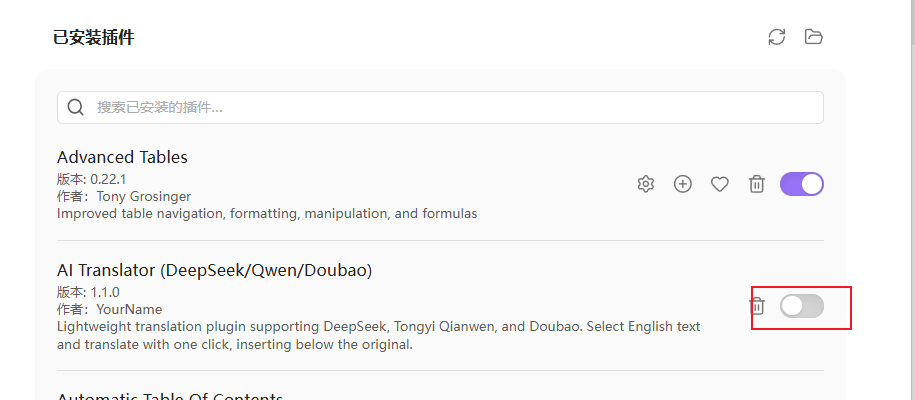
- 找到 Obsidian - Translation (显示为 AI Translator) 并开启启用开关。

⚙️ 配置与 API 接入
启用插件后,在 Obsidian 设置 -> Obsidian - Translation (或 AI Translator) 界面选择所需的翻译服务商并配置参数。
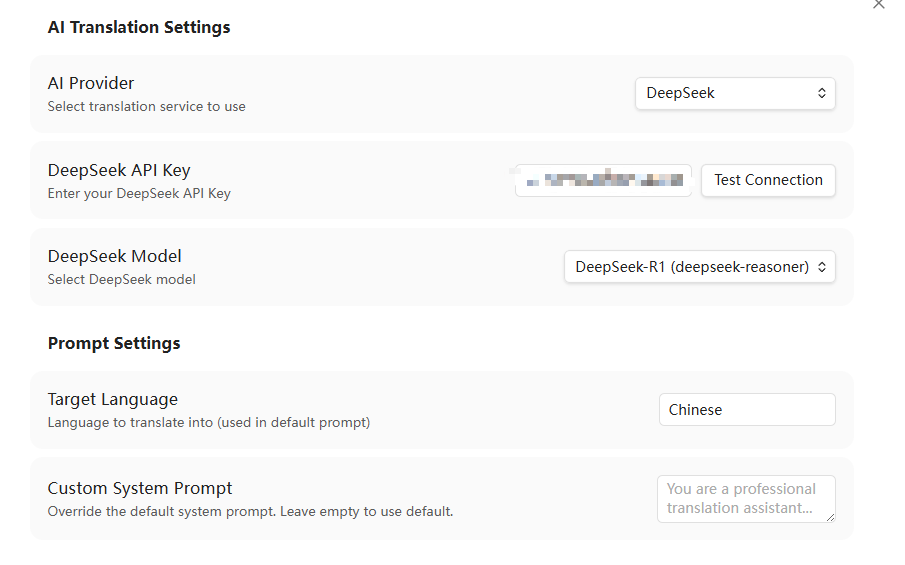
1. DeepSeek 配置
- AI Provider: 选择
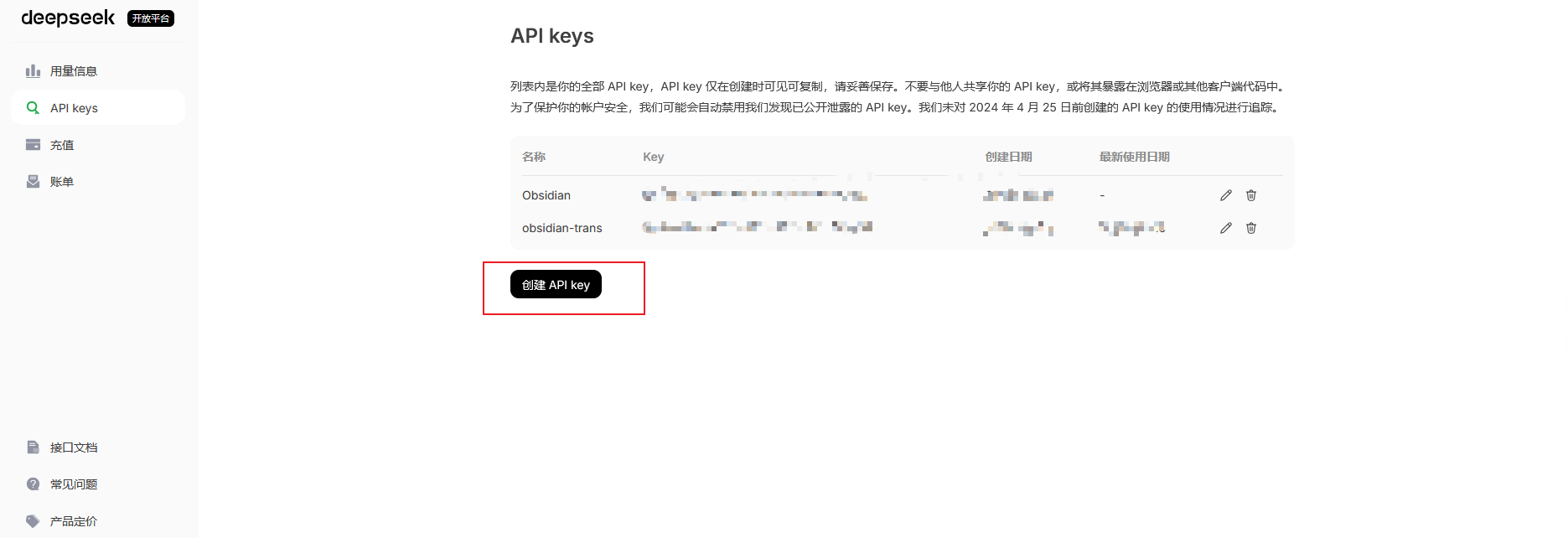
DeepSeek。 - API Key: 输入您的 DeepSeek API Key(可在 DeepSeek 开放平台 获取)。
- Model: 选择所需的预设模型(例如
deepseek-chat)。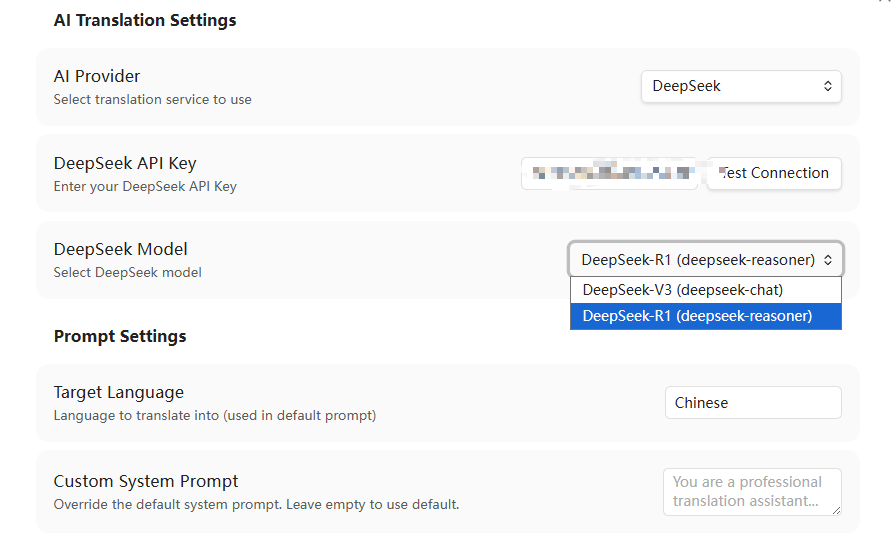
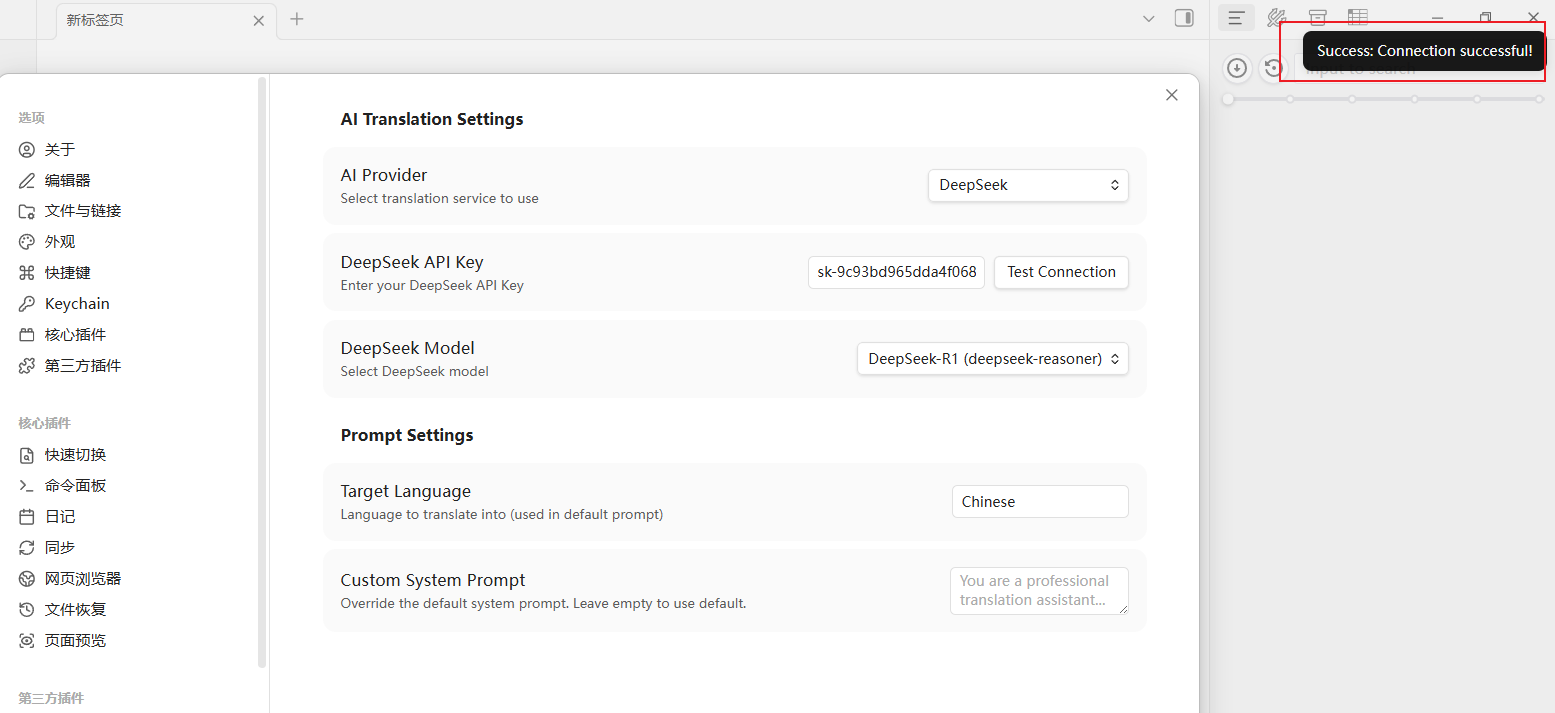
- 测试连接: 点击 Test Connection 按钮,若连接成功,会弹出 Success 提示。
2. 通义千问 (Qwen) 配置
- AI Provider: 选择
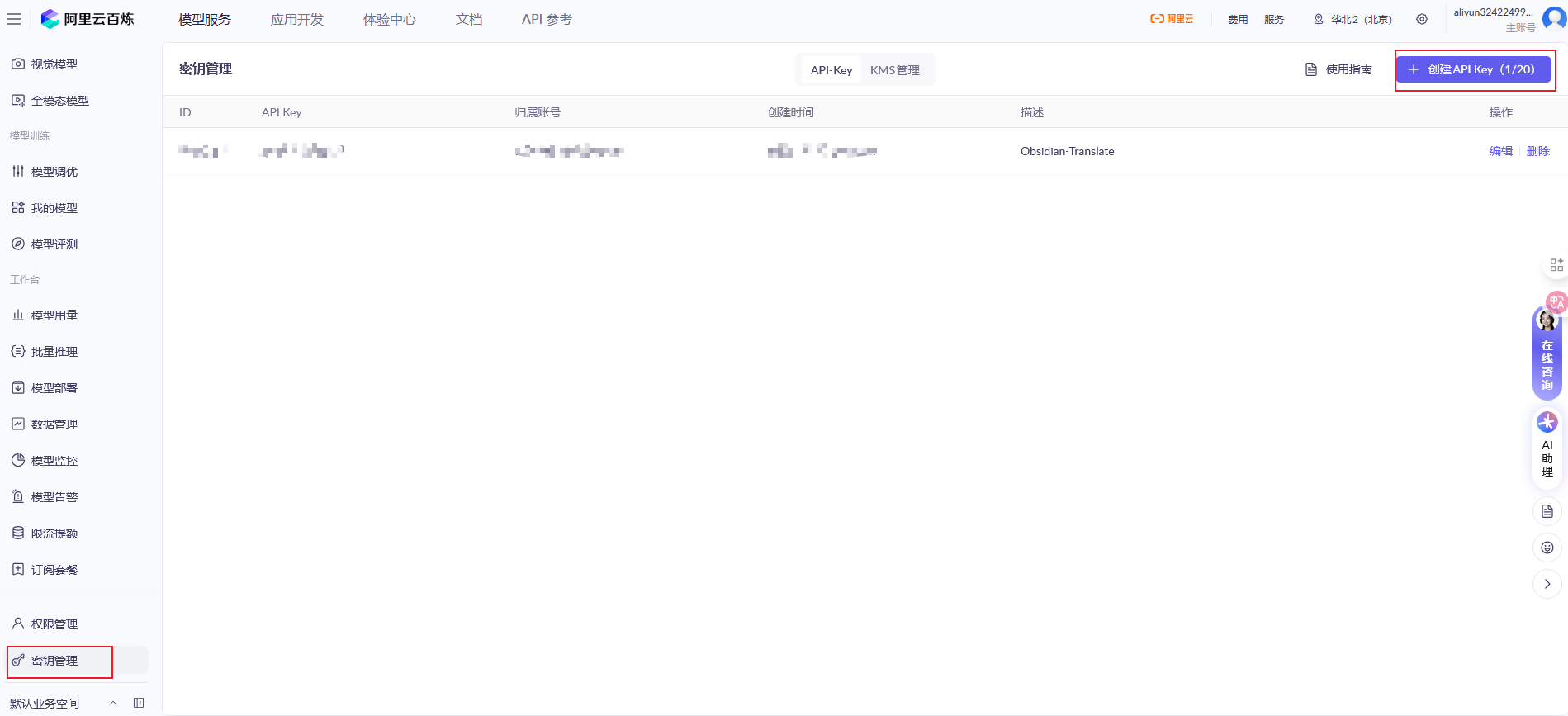
Tongyi Qianwen (Qwen)。 - API Key: 输入阿里云 DashScope API Key(可在 阿里云百炼平台 获取)。
- Model: 选择预设模型(如
qwen-plus)。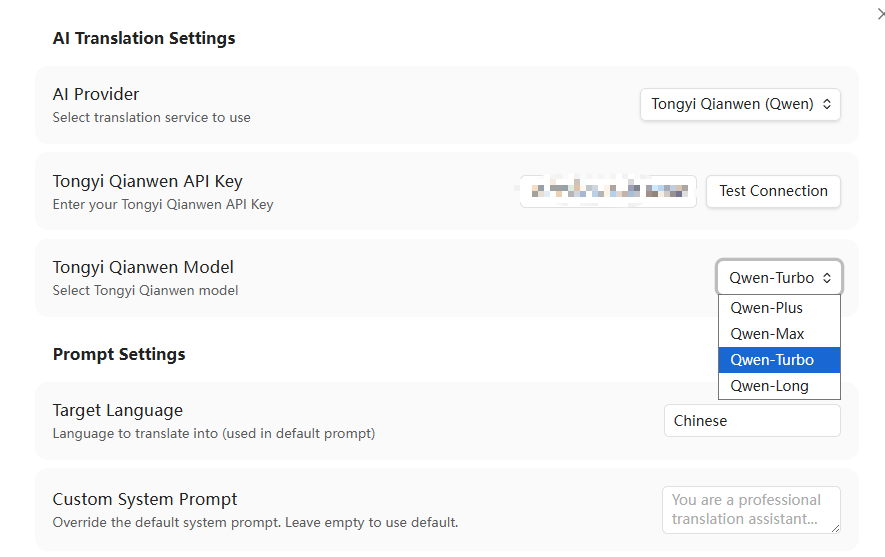
- 测试连接: 点击 Test Connection 验证接口可用性。
3. 豆包 (Doubao) 配置
- AI Provider: 选择
Doubao。 - API Key: 输入火山引擎方舟平台的 API Key。
- Model: 填入在火山引擎控制台创建的 终端节点 ID (Endpoint ID,格式类似于
ep-202406xxxxxxxxxx)。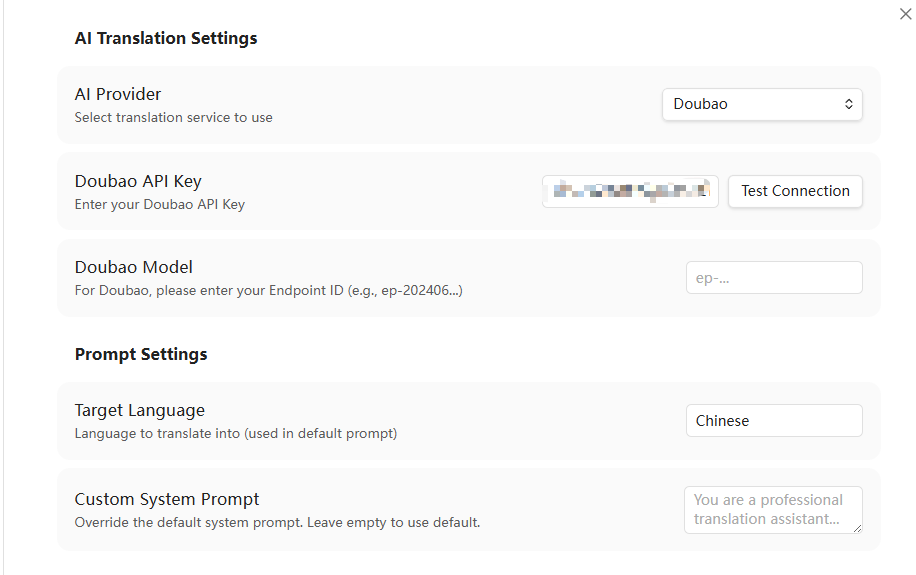
- 测试连接: 点击 Test Connection 验证可用性。
4. 其他预设大模型配置
对于以下预设模型,请输入对应的 API Key 并选择或指定模型:
- OpenAI: 支持
gpt-4o、gpt-4o-mini等模型。 - Anthropic Claude: 支持
claude-3-5-sonnet-latest等模型(支持 Claude 独有的 API 规范和系统提示词格式)。 - Google Gemini: 支持
gemini-2.5-flash、gemini-2.5-pro等模型。 - 硅基流动 (SiliconFlow): 支持
deepseek-ai/DeepSeek-V3、deepseek-ai/DeepSeek-R1等。 - 月之暗面 (Kimi): 支持
moonshot-v1-8k等。 - 智谱清言 (GLM): 支持
glm-4-flash等。 - OpenRouter: 支持多种聚合模型。
- Groq: 提供极速推理服务,支持 Llama 3.3 等。
5. 自定义接口 (Custom API) 配置示例
本插件支持任意兼容 OpenAI 规范的自定义接口(如本地部署的 Ollama 或第三方中转代理)。
本地 Ollama 部署
- AI Provider:
Custom API (自定义 API) - Custom API URL:
http://localhost:11434/v1/chat/completions - Custom API Key: 留空
- Custom Model ID:
llama3(或本地已下载的其他模型名称)
第三方兼容代理
- AI Provider:
Custom API (自定义 API) - Custom API URL: 填写您的代理 API 完整端点地址(例如
https://api.example.com/v1/chat/completions) - Custom API Key: 填写对应的 API 密钥
- Custom Model ID: 填写对应模型的 ID(如
gpt-4o)
🚀 使用方法
配置完成后,您可以通过以下任一方式使用翻译功能:
1. 右键菜单
- 在 Obsidian 编辑器中选中需要翻译的文本。
- 点击鼠标右键,在弹出的菜单中选择 Translate Selection。
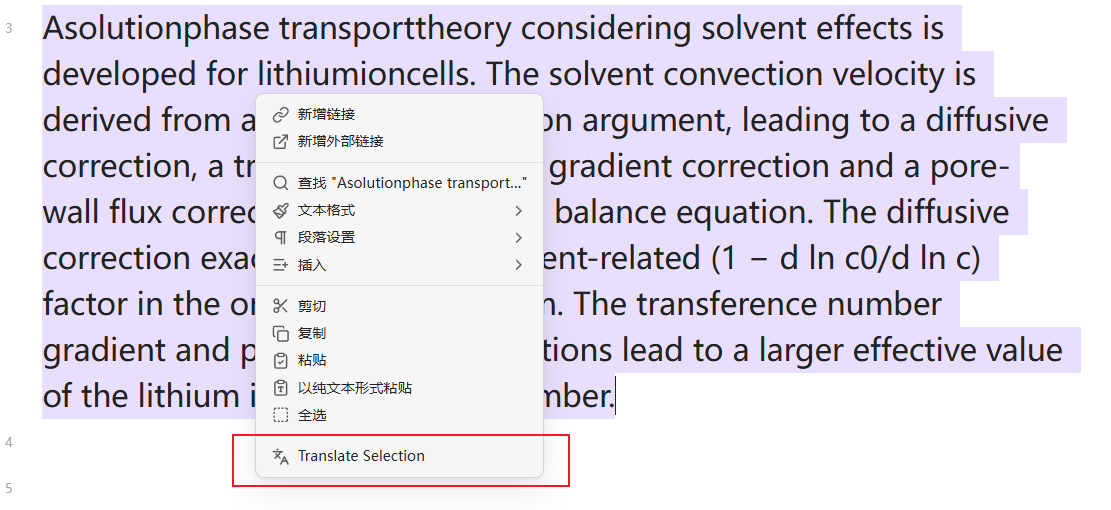
- 状态栏将显示 “Translating...”,翻译完成后,结果会自动插入到选中文本的下方。
2. 命令面板
- 选中需要翻译的文本。
- 按下
Ctrl/Cmd + P打开命令面板。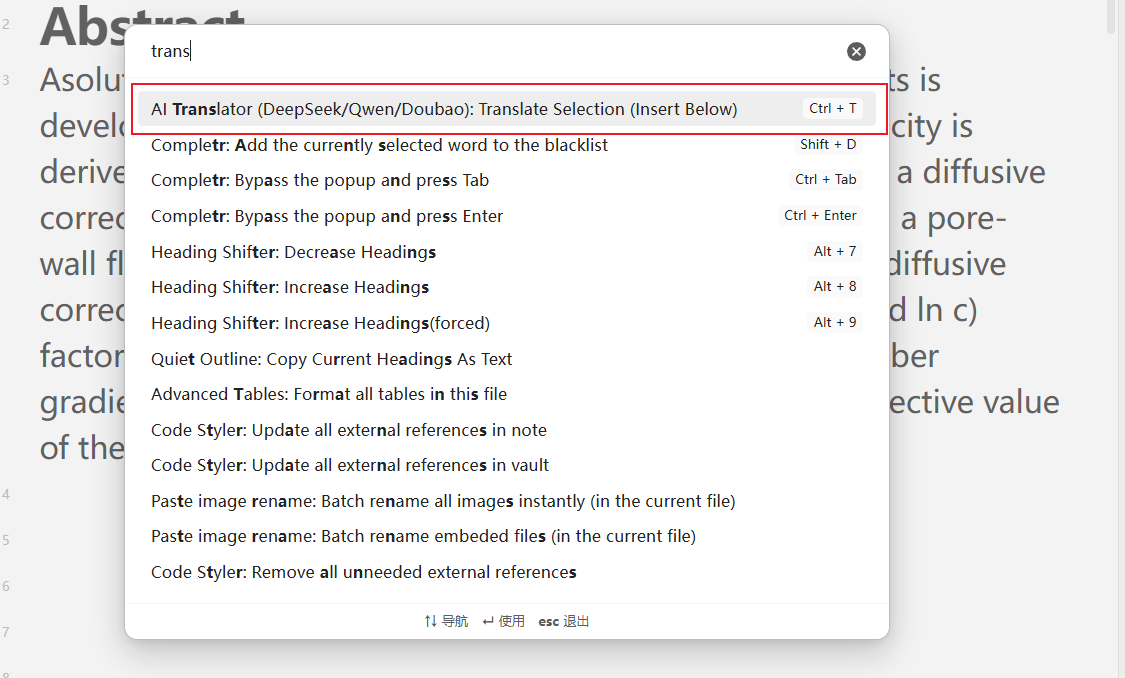
- 输入
Translate并选择Translator: Translate Selection (Insert Below)。
3. 自定义快捷键
- 进入 Obsidian 设置 -> 快捷键。
- 搜索
Translate Selection。 - 为
Translator: Translate Selection (Insert Below)命令设置一个快捷键(例如Ctrl + T)。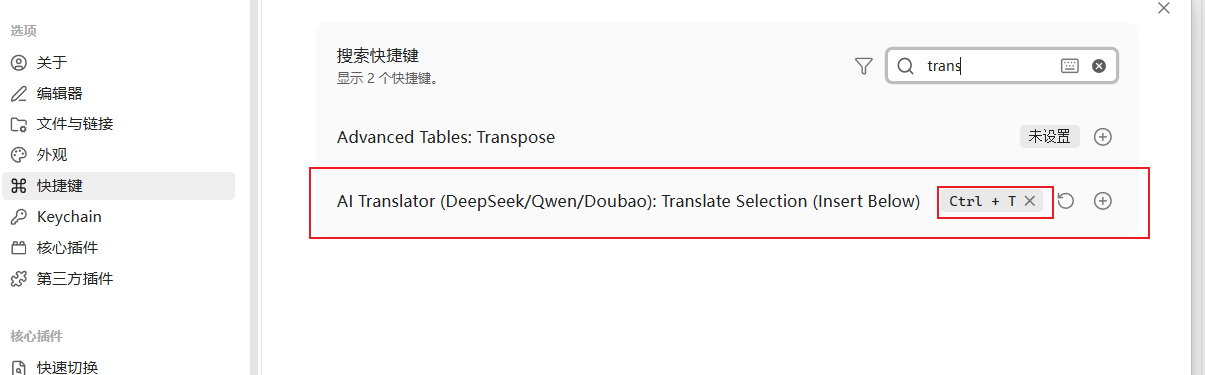
- 选中文本后,按下设置的快捷键即可直接触发翻译。
🔧 进阶配置与疑难解答
修改目标语言
- 默认翻译目标语言为中文 (
Chinese)。如需翻译成其他语言(如英文、日文等),请在插件设置的 Target Language 字段中直接修改(例如输入English,Japanese等)。
自定义系统提示词 (System Prompt)
- 您可以在 Custom System Prompt 输入框中填写专属的系统提示词,以改变翻译的语气或场景(如“请将以下文本翻译为严谨的学术中文,保持专业词汇准确”)。
- 当此输入框为空时,插件将默认使用内置的翻译提示词。输入框的 Placeholder 中会动态显示当前默认提示词的内容。
常见问题排查
若翻译失败,请检查以下内容:
- API Key: 确保填写的 API Key 正确无误且未超出账单限额。
- 网络连通性: 确保您的网络能够正常请求对应服务商的 API 端点。
- 火山引擎豆包: 确认填写的 Model 字段是有效的 终端节点 ID (Endpoint ID),而不是模型通用名称。
- 自定义端点: 使用自定义 API 时,请确保填写的 URL 是包含路径的完整地址(例如必须以
/chat/completions结尾)。