AI Notes Summary
 irbull5k downloads
Use OpenAI to generate a summary of referenced notes.
- Overview
- Scorecard
- Updates7
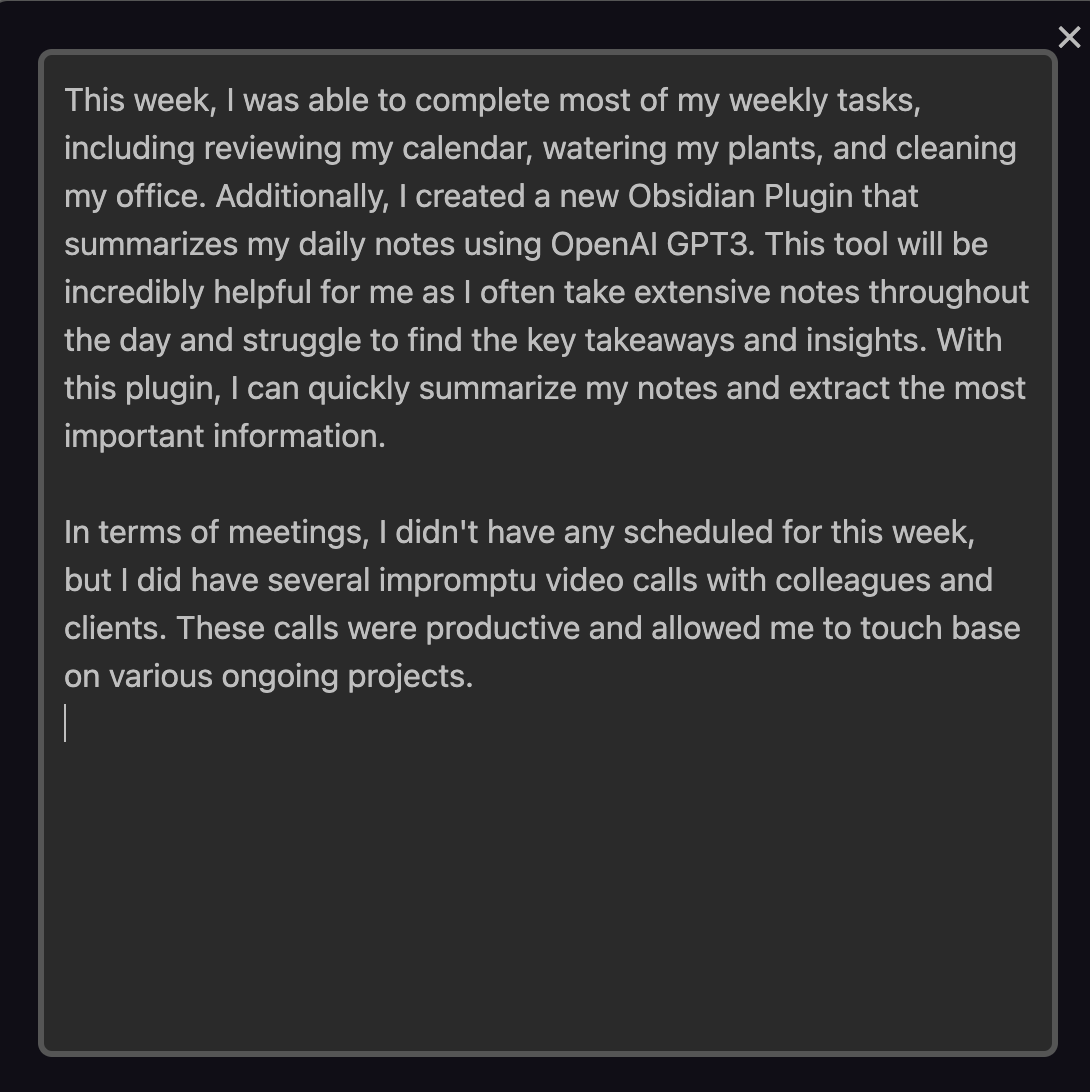
A plugin for Obsidian that uses OpenAI's GPT-3 to generate summaries of your notes. The plugin will look in the current note and find all the links to other notes. It will then generate a summary of each linked note and present it in a dialog. The plugin does not update your existing notes. It only generates a summary and presents it in a dialog. You can then copy the summary and paste it into your note.
The Prompt can be specified in the Front Matter of the note. If no prompt is specified, the plugin will use the default prompt specified in the settings.
This plugin is particularly useful for generating weekly (and monthly) summaries of your notes.
🚀 Installation & Setup
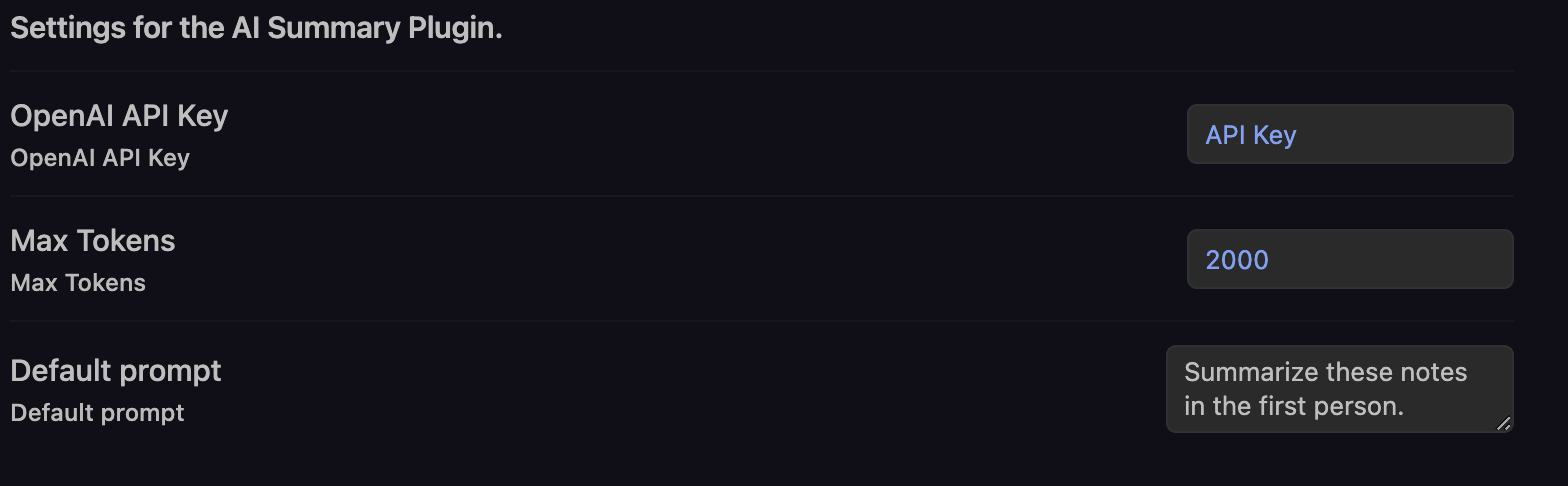
To use this plugin, you will need to have an OpenAI API key. You can get one from OpenAI. Once you have your key, you can enter it in the plugin settings. You can also specify a default prompt in the settings and maximum number of tokens to generate.
Once installed and configured, open a note with links to other notes. Then select the Summarize referenced notes command from the command palette.
Local Installation & Development
To run this plugin locally, follow these steps:
- Clone this repository.
- Run
npm installto install the dependencies. - Run
npm run buildto build the plugin. - Copy the
main.js,manifest.jsonfile to your.obsidian/plugins/obsidian-ai-summarydirectory. (If you are not sure where to put it, create a new folder calledobsidian-ai-summaryin your.obsidian/pluginsdirectory, or copy this repo to your.obsidian/pluginsdirectory and runnpm run build) - Restart Obsidian.
- Open plugin settings and turn on the plugin.
- Try it out!
In obsidian, you can use Ctrl+Shift+I (Windows/Linux) or Cmd+Option+I (macOS) to open the developer console.
💪 Example Usage
The Obsidian AI Summary Plugin can be used to generate weekly summaries of your note. For example, if you create a weekly note called 2023-W01 with the following content:
---
Prompt: Write me a 2-3 paragraph summary of the work I completed this week in the first person. The work completed is below the '# 🚀 Work Completed' section.
---

# 🚀 What Did I Do This Week 2023/2023-W01

# 📅 Daily Notes

- [[2023-01-02]]
- [[2023-01-03]]
- [[2023-01-04]]
- [[2023-01-05]]
- [[2023-01-06]]
You can use the plugin to summarize those daily notes.