agentcairn
 Charles C. Figueiredo465 downloads
See and navigate your AI agent's long-term memory — a graph of memories with provenance and currency.
- Overview
- Scorecard
- Updates11
See, filter, and navigate your agentcairn agent-memory vault — provenance, currency, and a memory graph — right inside Obsidian.
agentcairn stores your coding agent's memory as plain Markdown in a vault you own. This plugin adds an interactive Memory view over that vault: it's read-only and vault-native — it reads only Obsidian's own metadata, never writes to your notes, and never touches agentcairn's DuckDB index.
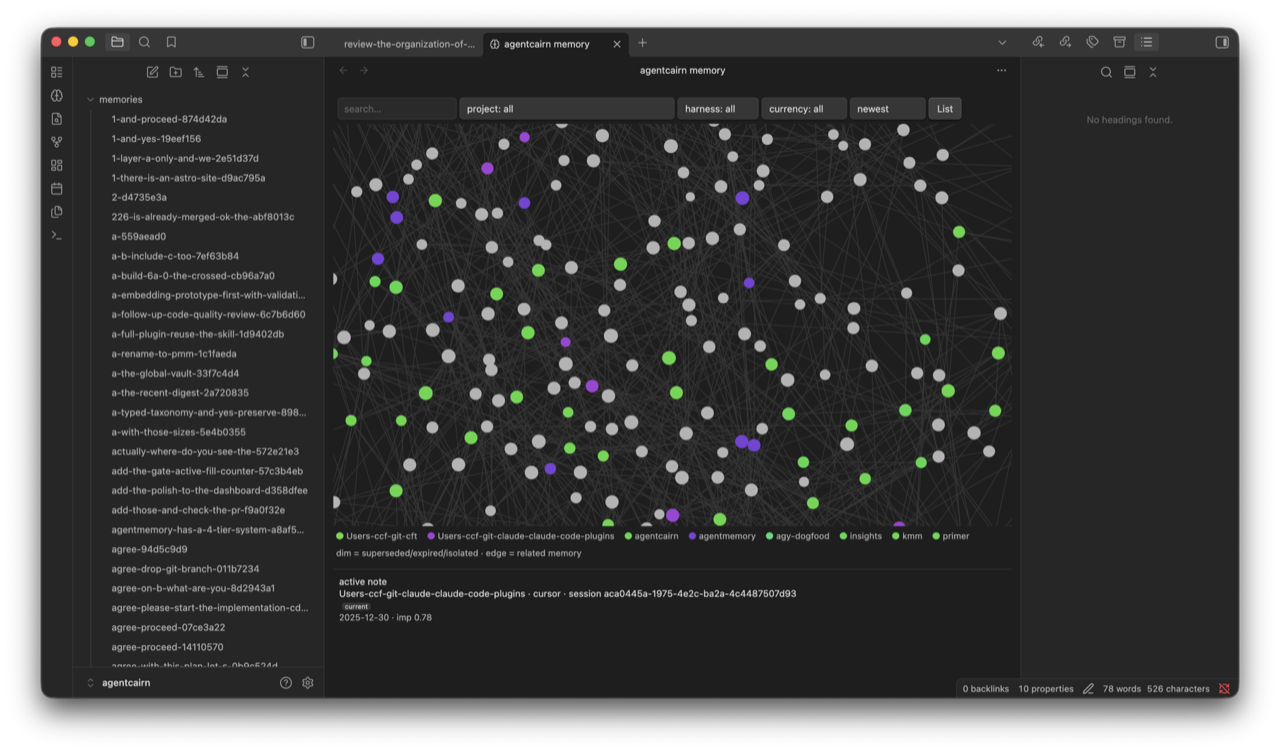
Memory graph — related memories wired by [[wikilinks]], colored by project, sized by importance, with provenance and currency.
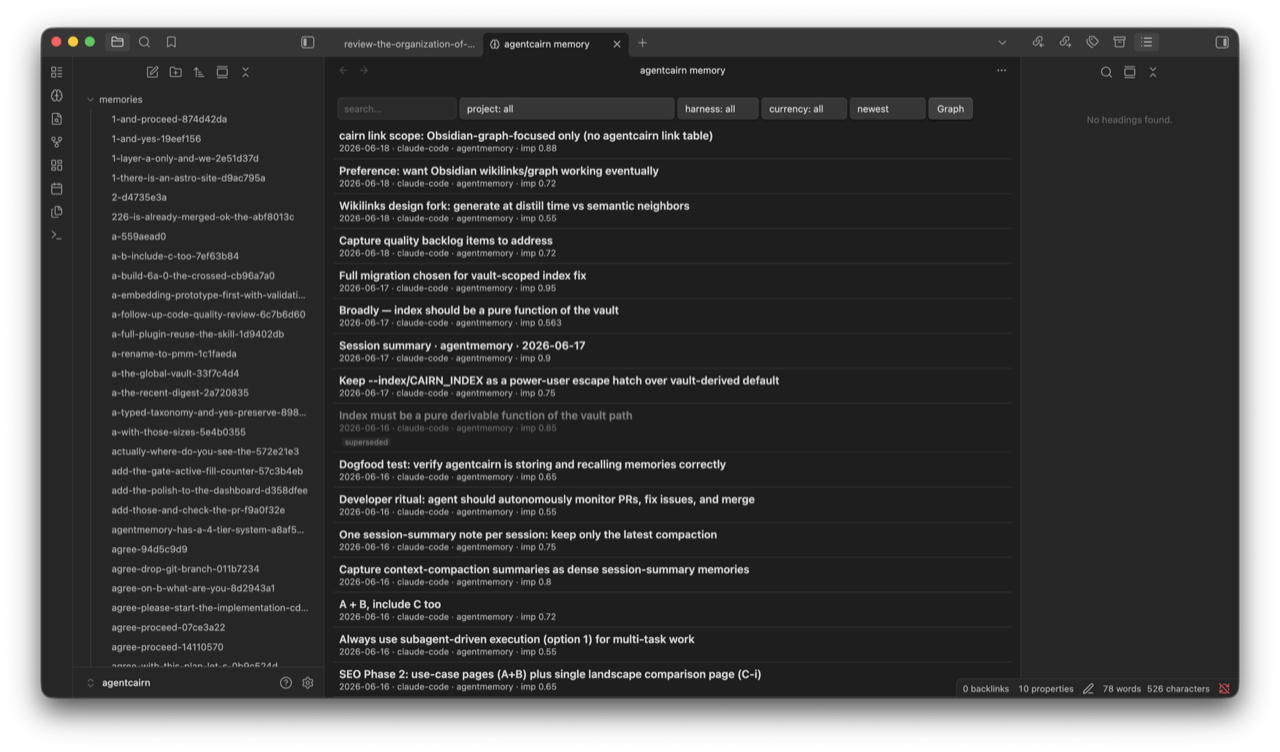
List view — filter by project, harness, or currency; superseded memories dimmed and badged.
Features
- Memory list — every memory note, with keyword search and filters by project, harness, currency, and tag, sortable by newest or importance. Click a row to open the note.
- Provenance panel — for the active memory note, see where it came from: origin project, harness, and session, plus an importance and a currency badge.
- Currency awareness — superseded and expired memories are dimmed and badged, matching how agentcairn's recall demotes them (
current/superseded/expired/not_yet_valid). - Memory Graph — a d3-force graph view of the
related:edges written bycairn link. Toggle between List and Graph with the buttons at the top of the view. Nodes are colored by project, sized by importance, and dimmed by currency. Isolated notes (no edges) are parked aside rather than scattered. A legend identifies the color coding. Click any node to open it and drive the provenance panel. The graph can group byproject,harness, ortag— facet hub nodes appear with related memories clustered around them; click a hub to filter the view to that value.
What it reads (frontmatter contract)
The plugin treats a note as memory when its frontmatter has type: memory. It reads: title, created, source (memory://session/<id>), importance, tags, valid_from, valid_until, superseded_by, project, harness — all produced by agentcairn's ingestion. Currency precedence mirrors agentcairn's validity_status (end-exclusive valid_until). See the design spec in the main repo: docs/specs/2026-06-15-obsidian-plugin-mvp-design.md.
Install
Community store (recommended): in Obsidian, open Settings → Community plugins → Browse, search for "agentcairn", install, and enable. View the listing →
Manual: download main.js, manifest.json, and styles.css from the latest release into <your-vault>/.obsidian/plugins/agentcairn/, then enable it in Settings → Community plugins.
Open the Memory view via the brain ribbon icon or the command "agentcairn: Open memory view".
Scope
This is the legibility surface. Semantic recall is intentionally not in the browser — it lives in the cairn CLI / MCP server (hybrid BM25 + vector + rerank over the same vault), because in-browser vector search isn't available. This plugin is the read/navigate layer; agentcairn's CLI/MCP is the recall layer.
Privacy & permissions
The plugin is read-only and local-only:
- It enumerates the vault's Markdown files (
getMarkdownFiles) to find notes whose frontmatter hastype: memory. There is no Obsidian API to query by frontmatter without enumerating, so this is inherent to building the list/graph. - It reads frontmatter only, via Obsidian's
metadataCache— never your note bodies. - It never writes to your vault, and makes no network requests. Nothing leaves your machine.
Development
npm install
npm test          # data-layer unit tests (vitest)
npm run build     # typecheck + bundle to main.js
The data layer (src/model.ts, src/query.ts, src/viz.ts) is pure and unit-tested; the Obsidian views (src/main.ts, src/view.ts, src/graph.ts) are validated manually in a dev vault. Populate the graph with cairn link before opening the Graph tab in a real vault.
License
Apache-2.0