Agenda Tasks
 elias-shalom844 downloads
Agenda provide intuitive task management interfaces and calendar views. Seamlessly integrate with your existing notes while organizing tasks across multiple views.
- Overview
- Scorecard
- Updates7
A comprehensive task management and calendar plugin for Obsidian
Overview
Agenda Tasks transforms your Obsidian vault into a powerful productivity system by providing intuitive task management interfaces and multiple calendar views. Seamlessly integrate with your existing Obsidian notes while organizing tasks across multiple views for maximum efficiency.
Key Benefits:
- 🎯 Multiple view types tailored to different workflows
- 🔄 Real-time synchronization with your notes
- 🏗️ Compatible with Obsidian Tasks plugin
- 🌐 Support for 6+ languages
- ⚙️ Highly customizable interface
📖 Table of Contents
- Features
- Screenshots
- Installation
- Quick Start
- Task Format
- Configuration
- Changelog
- Planned Features
- Support
- Contributing
✨ Features
📊 Available Views
Overview View
- Dashboard-style task summary with key metrics
- Statistics and progress tracking
- Quick access to upcoming deadlines
- Task distribution by project/folder
- Overdue task highlighting
- Customizable widgets
List View
- Customizable task listing with multiple columns
- Advanced filtering by date, project, priority, and tags
- Group tasks by date, folder, status, or custom attributes
- Inline task editing
- Collapsible task groups
- Bulk actions for multiple tasks
Table View
- Spreadsheet-style task management
- Customizable columns and layouts
- Sortable and resizable columns
- Quick entry and editing of task attributes
- CSV export capabilities
- Conditional formatting
Calendar View
- Multiple calendar layouts (day, week, work week, month, and year)
- Task visualization on calendar grid
- Mini-calendar for quick date navigation
- Task indicators showing busy days
- Quick task creation at specific times
- Syncs with native Obsidian daily notes
🔧 General Capabilities
- ✅ Parse and track tasks from your entire vault
- ✅ Compatible with Obsidian Tasks syntax
- ✅ Real-time task updates
- ✅ Customizable interface with themes support
- ✅ Keyboard shortcuts for common actions
- ✅ 6+ language support (English, Spanish, German, Portuguese, French, Italian)
📸 Screenshots
| View | Screenshot |
|---|---|
| Overview Dashboard | 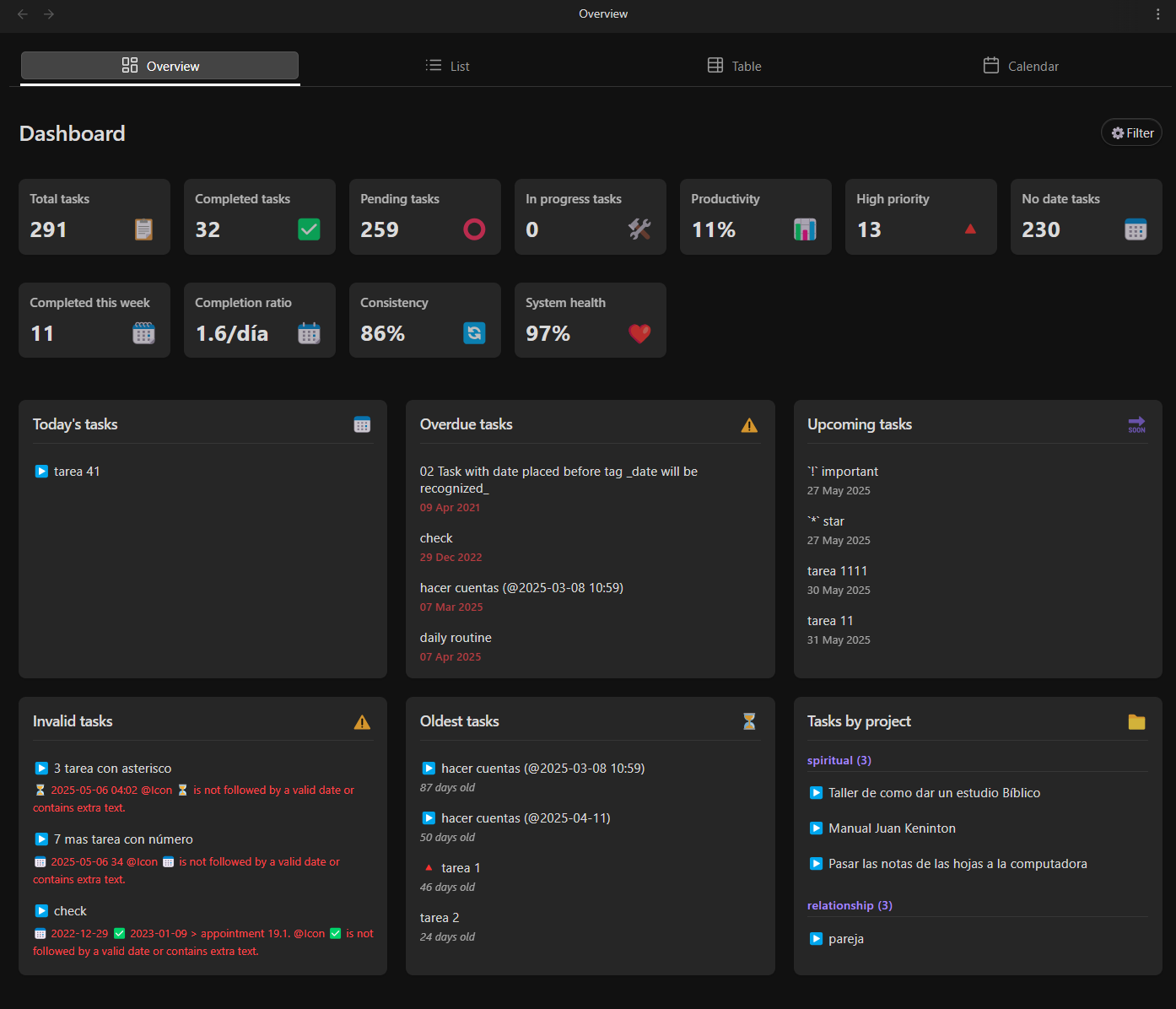 |
| List View | 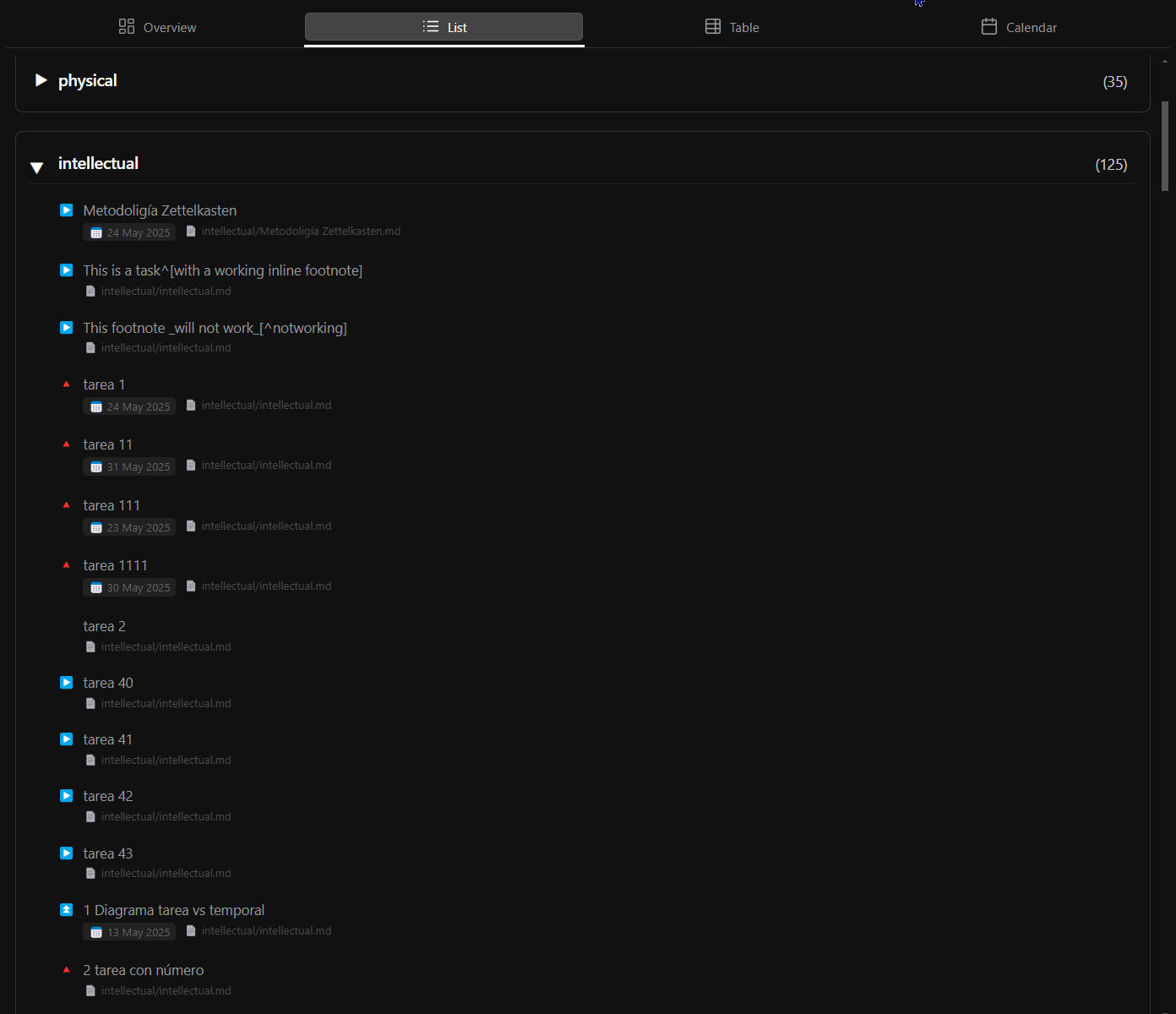 |
| Table View | 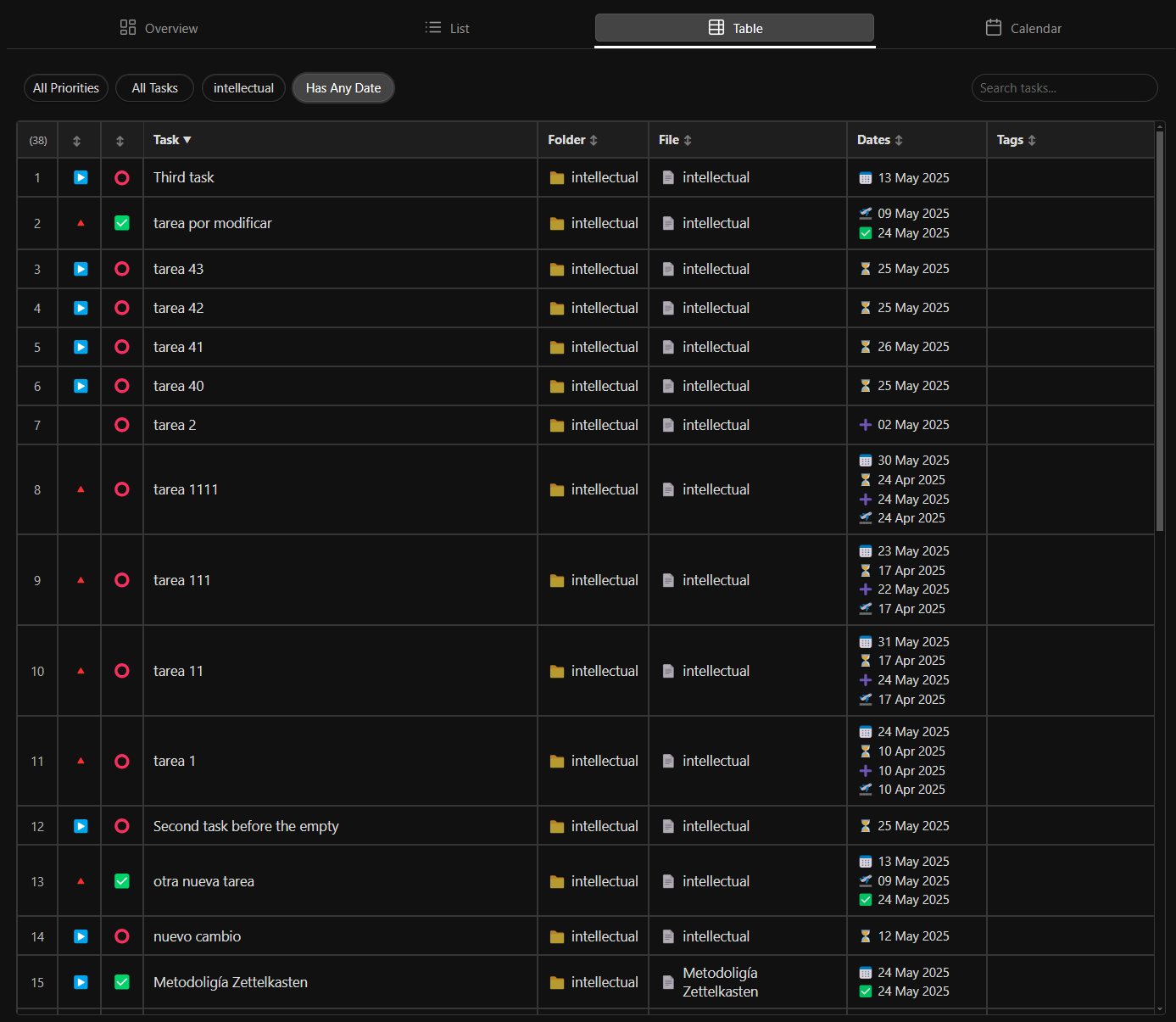 |
| Month Calendar | 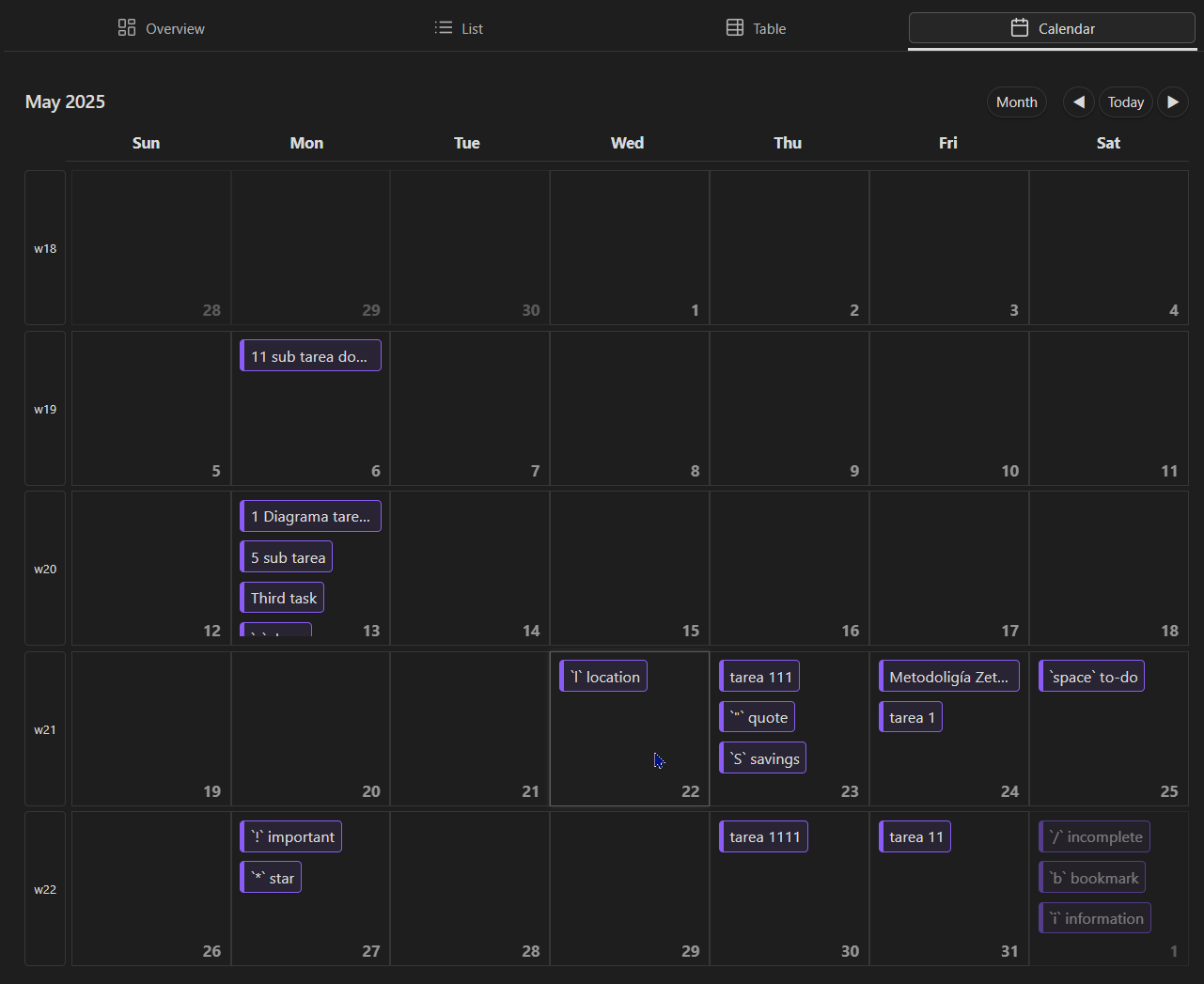 |
| Week Calendar | 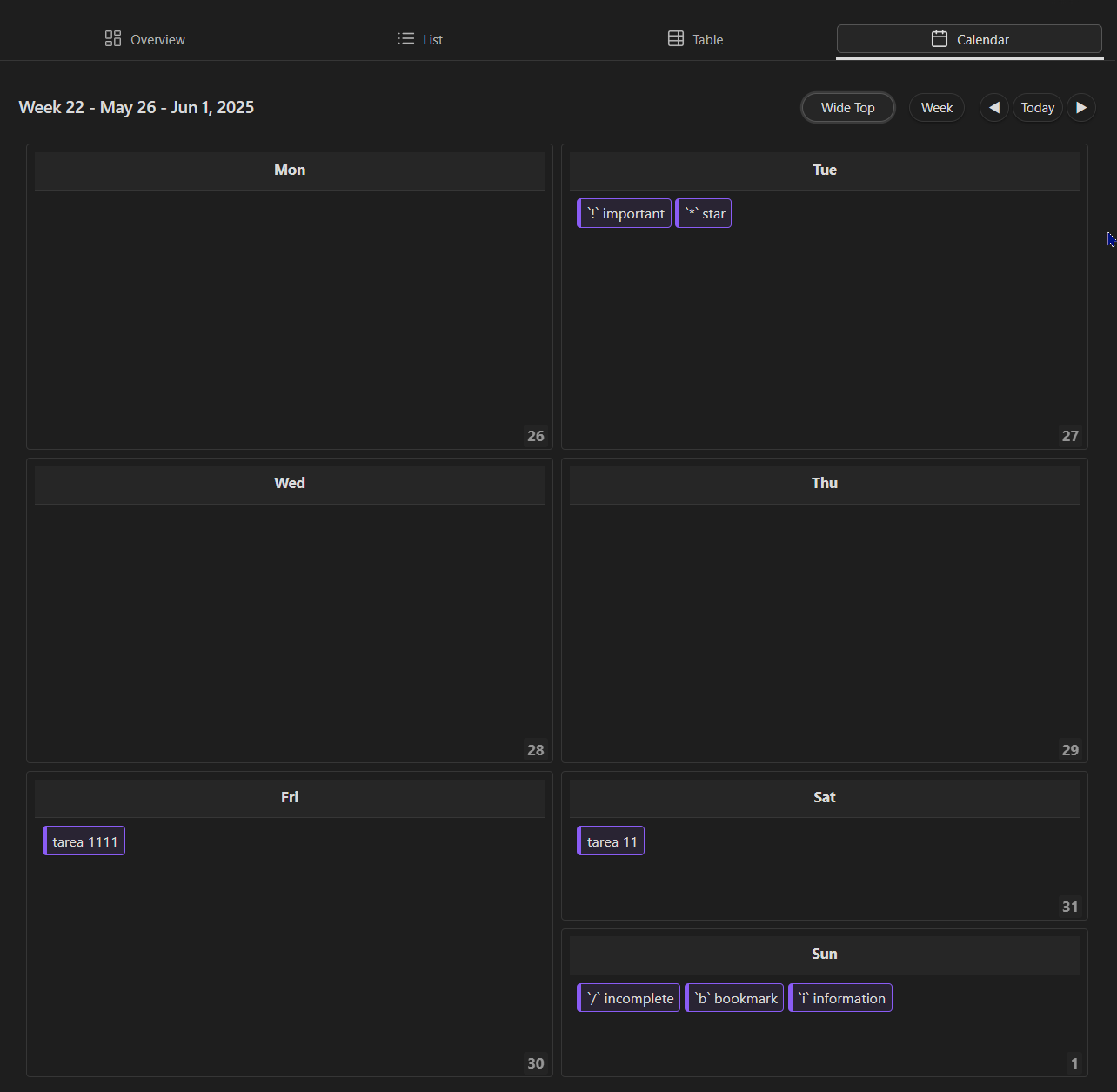 |
| Day View | 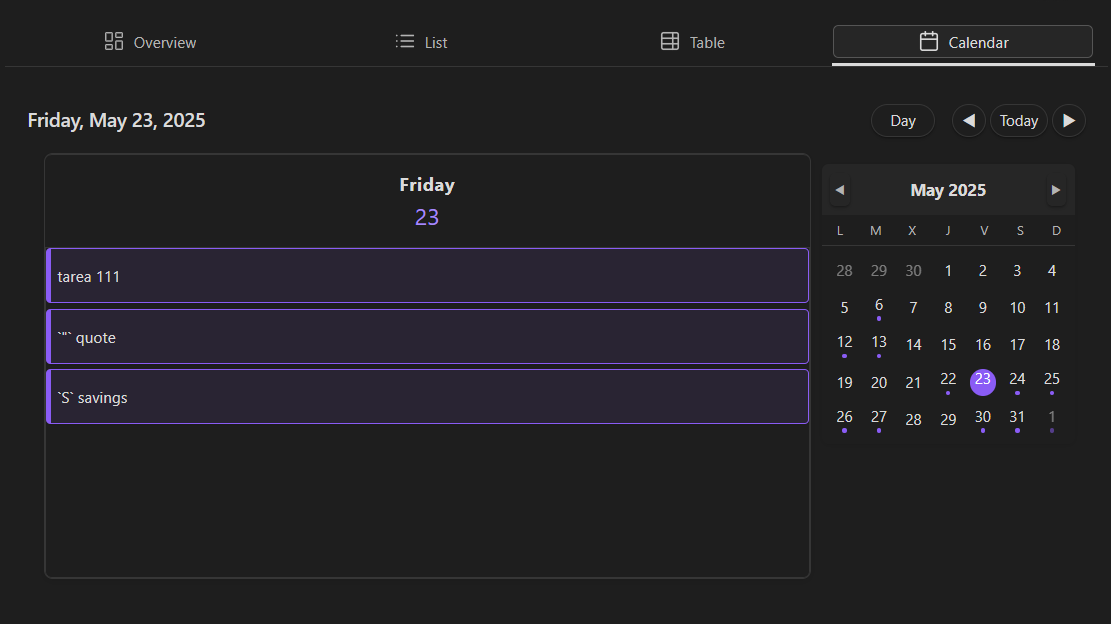 |
| View | Screenshot |
|---|---|
| Overview Dashboard | 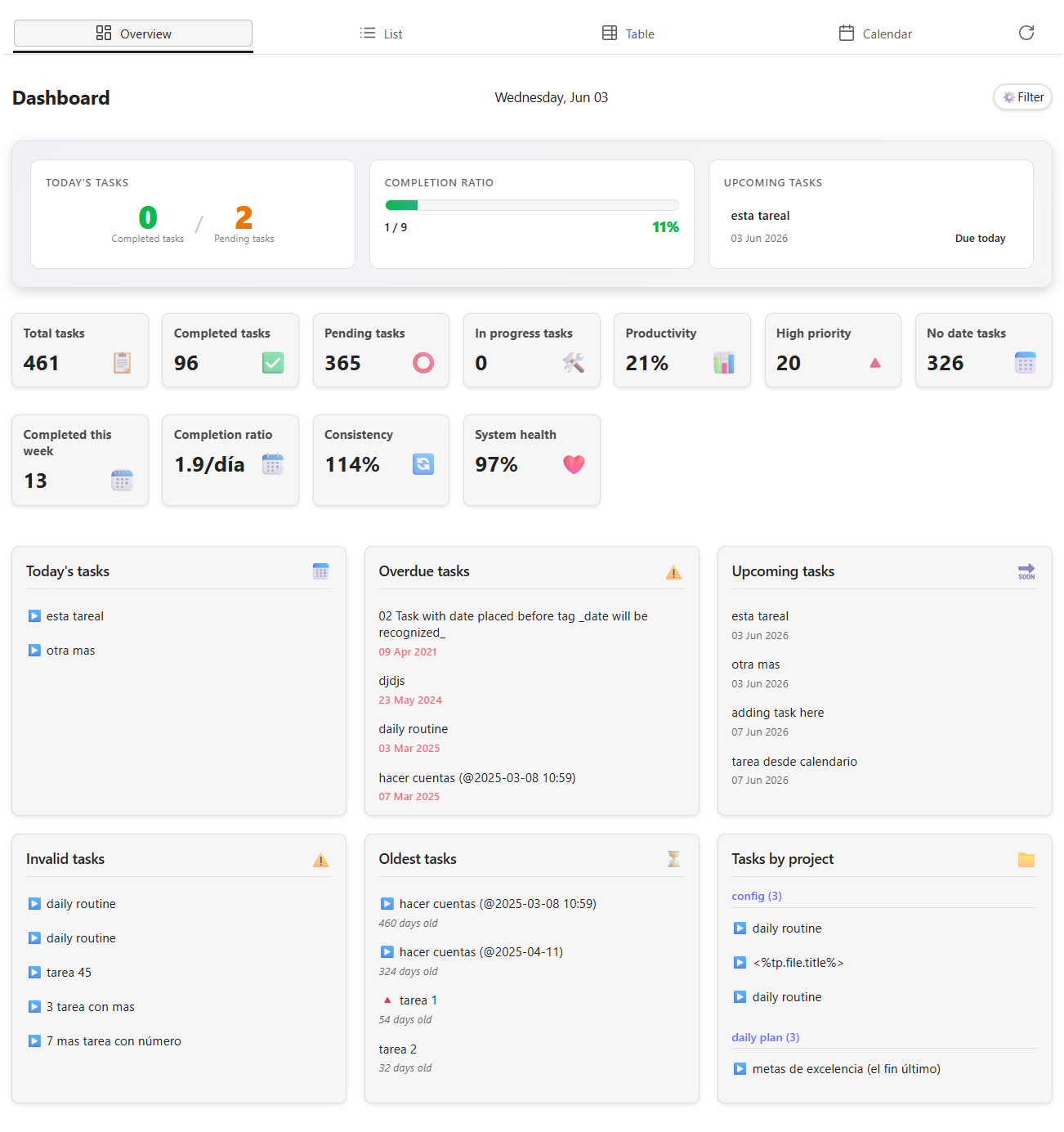 |
| List View | 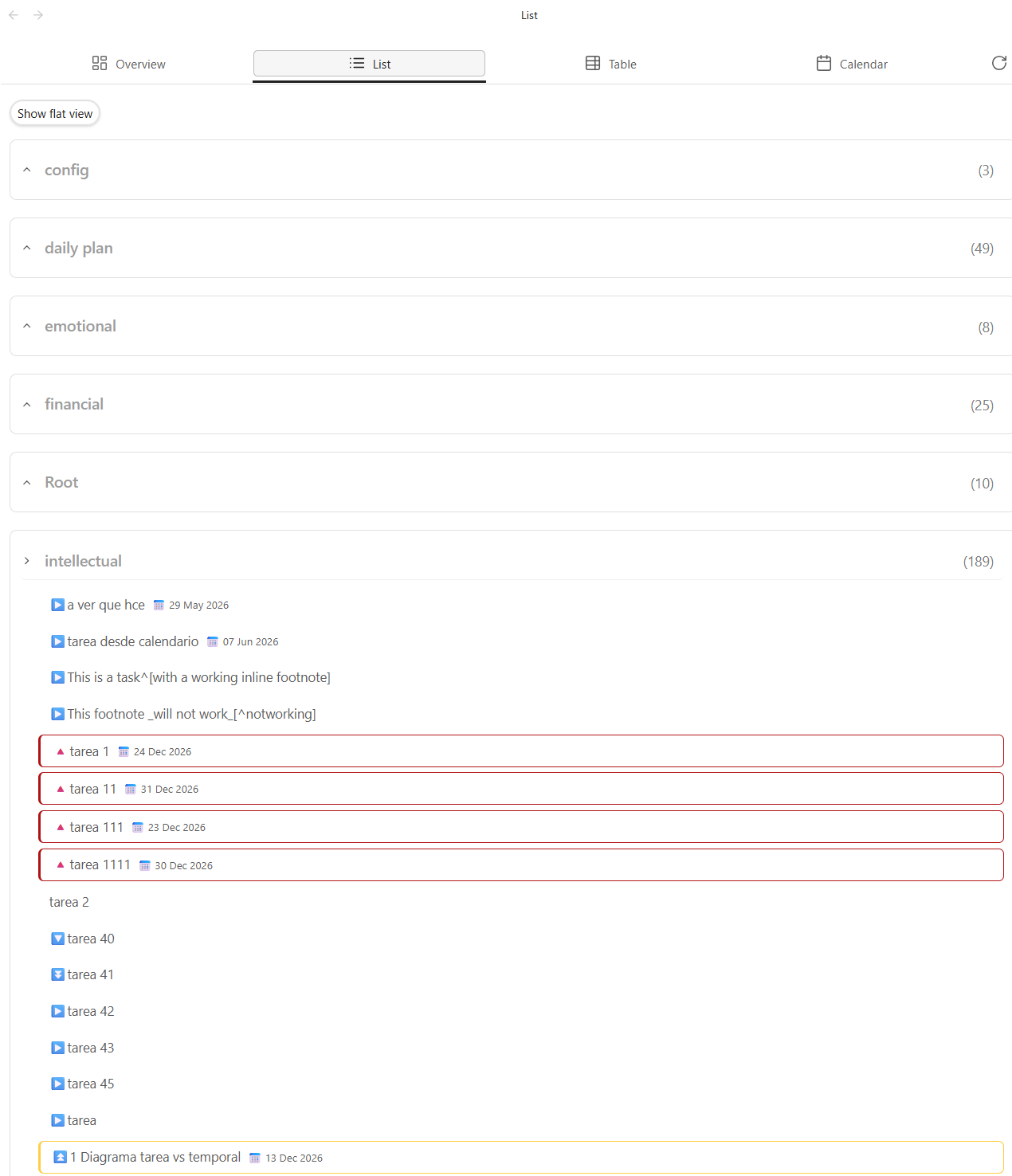 |
| Table View | 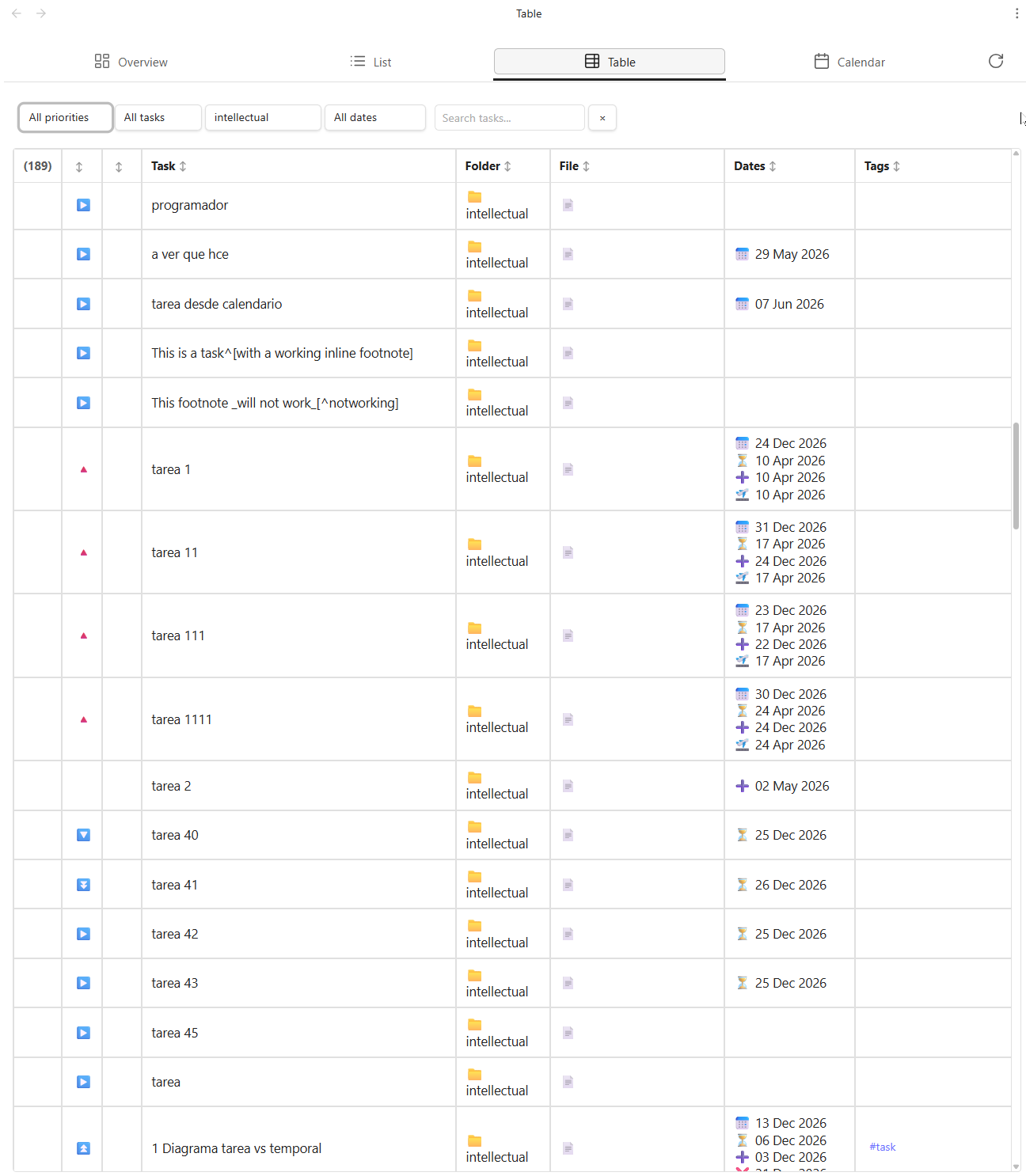 |
| Month Calendar | 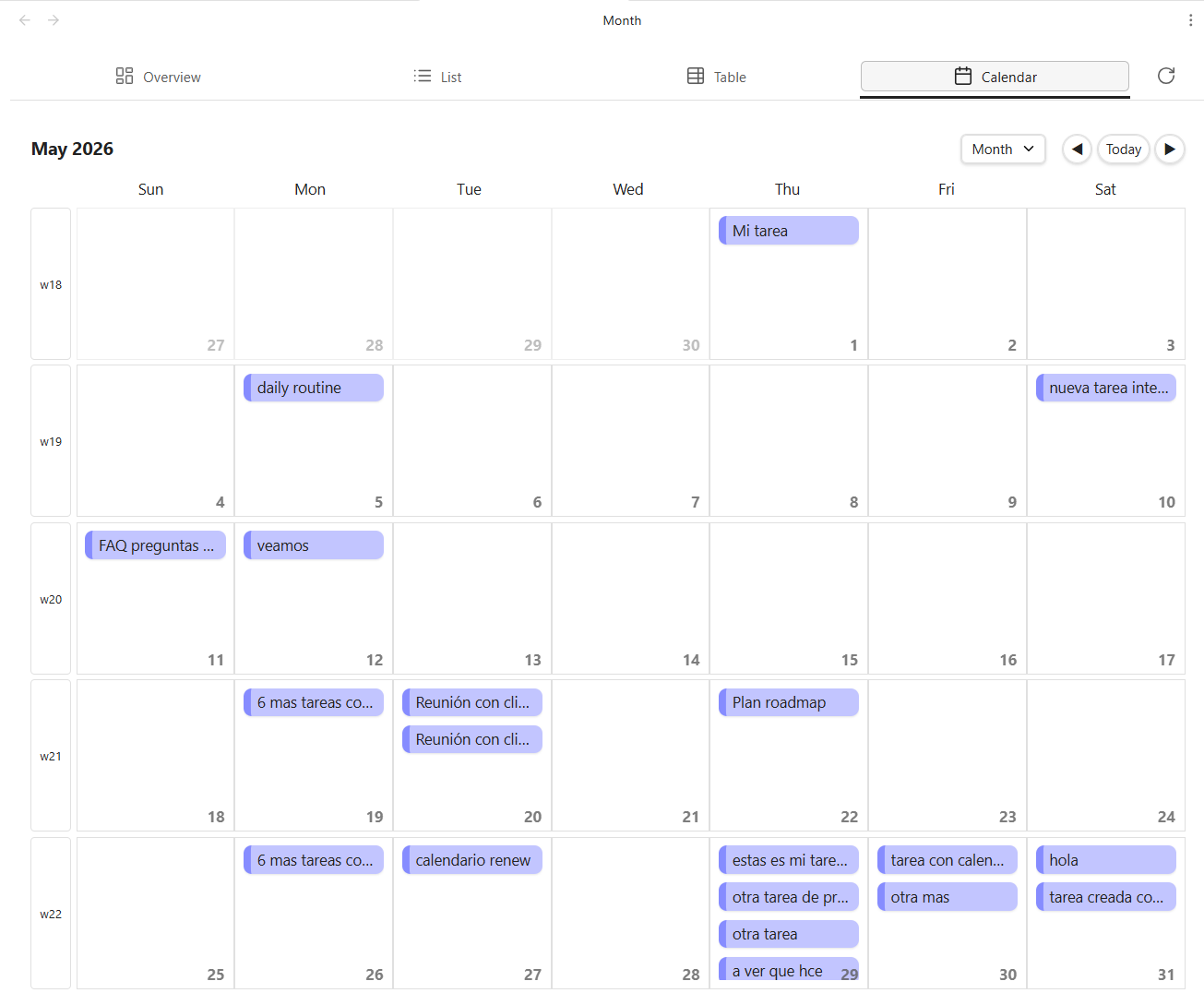 |
| Week Calendar | 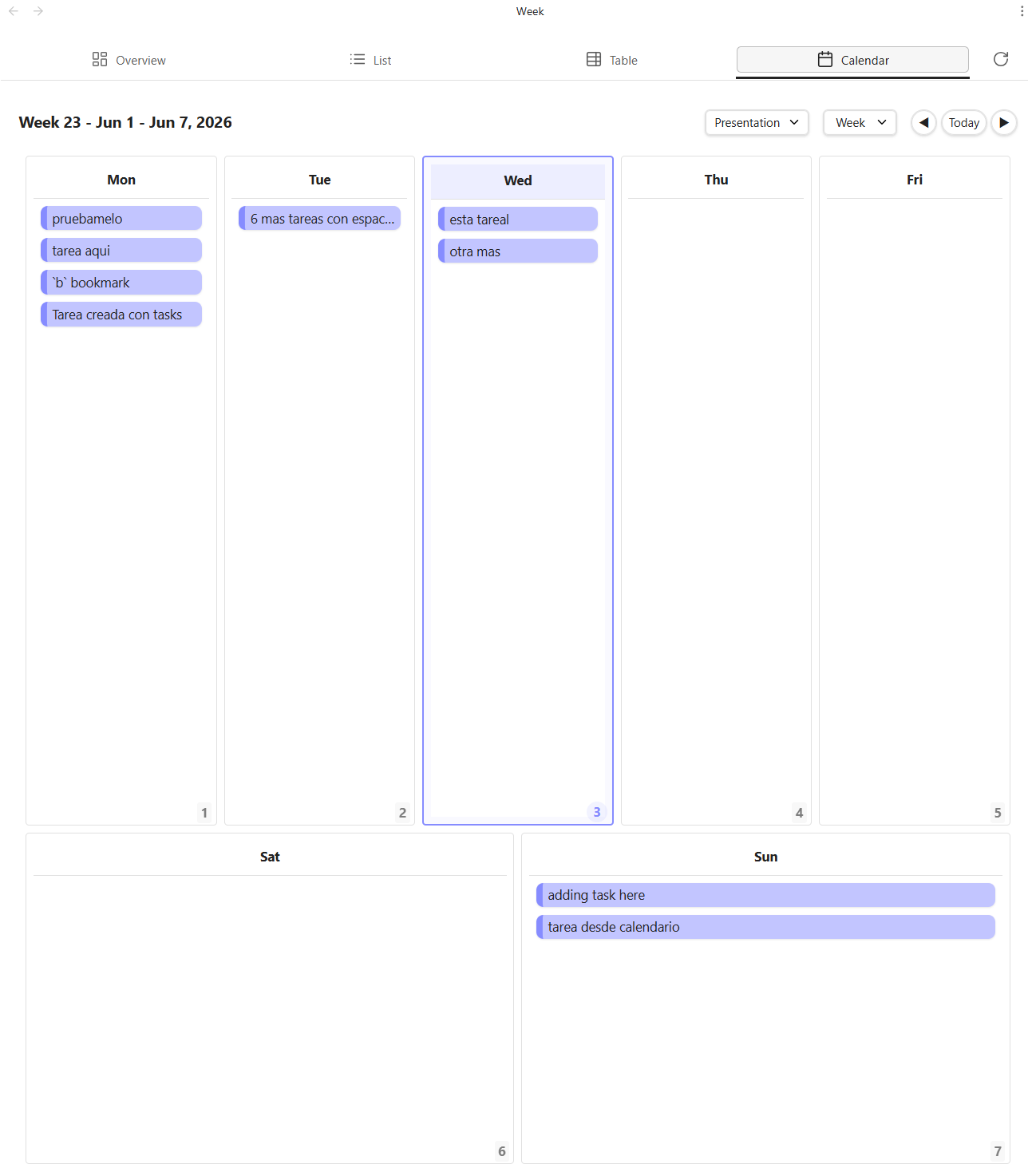 |
| Day View | 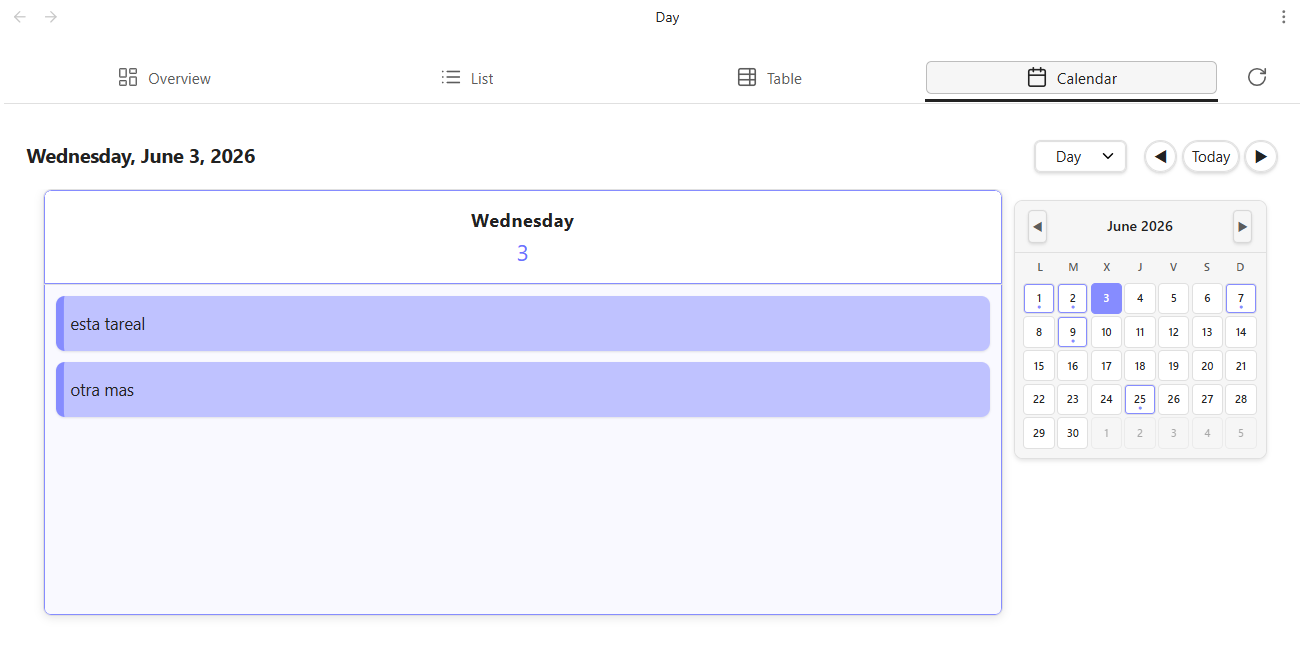 |
📥 Installation
From Obsidian Community Plugins (Recommended)
- Open Obsidian Settings
- Navigate to Community Plugins and disable Safe Mode
- Click Browse and search for "Agenda"
- Click Install and then Enable
Manual Installation
- Download the latest release from the releases page
- Extract the zip file to your vault's
.obsidian/plugins/obsidian-agenda/folder - Verify the following files are present:
main.jsstyles.cssmanifest.json
- Enable the plugin in Obsidian Settings → Community Plugins
Requirements:
- Obsidian v0.13.0 or higher
- No additional dependencies required
🚀 Quick Start
Creating Your First Agenda View
- Click the Agenda icon in the left sidebar ribbon
- Select your preferred view type:
- Overview - Dashboard with key metrics
- List - Detailed task list
- Table - Spreadsheet view
- Calendar - Calendar visualization
- Your tasks will automatically populate from your vault
Common Actions
- Filter tasks - Use the filter panel to narrow down tasks
- Create task - Use Ctrl+P or the create button
- Edit task - Click any task to edit inline or in modal
- Sort tasks - Click column headers to sort (List and Table views)
For comprehensive guides, visit the Wiki.
📝 Task Format and Compatibility
Agenda Tasks works seamlessly with tasks created using the standard Obsidian checkbox format (- [ ]) and is fully compatible with the popular Obsidian Tasks plugin.
Supported Metadata
The plugin recognizes and properly handles all standard Obsidian Tasks metadata:
| Metadata | Icon | Example |
|---|---|---|
| Due Date | 📅 | - [ ] Task 📅 2024-12-31 |
| Scheduled Date | ⏳ | - [ ] Task ⏳ 2024-06-15 |
| Start Date | 🛫 | - [ ] Task 🛫 2024-06-01 |
| Priority | ⏫⏬ | - [ ] Task ⏫ |
| Recurrence | 🔁 | - [ ] Task 🔁 every day |
| Tags | #tag |
- [ ] Task #project #urgent |
Example Task
- [ ] Complete project documentation 📅 2024-12-31 ⏫ #project #documentation
- [ ] Review pull requests ⏳ 2024-06-15 #code-review
- [x] Submit final report 🛫 2024-06-01 ✅
⚙️ Configuration
View Settings
- Tab Visibility - Choose which views to display in the header
- Default View - Set your preferred view on plugin load
- Theme Integration - Customize colors and appearance
Filtering & Sorting
- Date Filters - Filter by today, overdue, upcoming, or custom ranges
- Priority Filters - Show tasks by priority level
- Tag Filters - Filter by task tags
- Folder Filters - Organize by file location
Advanced Options
- Keyboard Shortcuts - Customize shortcuts for common actions
- Widget Configuration - Personalize dashboard widgets
- Display Preferences - Adjust how tasks are displayed
Access settings via: Obsidian Settings → Community Plugins → Agenda Tasks
📋 Changelog
Version 1.0.6
- Fix calentar weekday
Version 1.0.5 🎨
- Improved loading experience with skeleton loading (replaced spinner)
- Enhanced list view aesthetics and visual design
- Priority distinction and highlighting in list view
- New hero widget added to dashboard
- Various UI/UX improvements and polish
Version 1.0.4 ✨
- Native task creation from calendar views (add task to calendar)
- Command palette integration (Ctrl+P shortcut for task creation)
- Task reload button in toolbar
- Mouse over highlight in list view
- Alphabetical sorting in list view
- Day line indicator in month view
- Navigate to day view from year view
Version 1.0.3 🎨
- Configurable view header tabs
- Display today's date in Overview tab
- Week number display in header
Version 1.0.2 🐛
- Calendar view year view
- Various bug fixes and stability improvements
Version 1.0.1 🚀
- Enhanced compatibility with Tasks plugin dataview format
- Recursive/repeating tasks support (🔁)
- Mobile device support
Version 1.0.0 🎉
Included Features:
- Multiple task visualization views (Overview, List, Table, Calendar)
- Full compatibility with standard Obsidian task format
- Integration with Obsidian Tasks plugin metadata
- Advanced filtering, sorting, and grouping capabilities
- Customizable display options and themes
Known Limitations (at release):
- Task creation and editing requires Markdown files or Obsidian Tasks plugin
- Calendar view does not support time-of-day scheduling
- View-only functionality for most task operations
🗓️ Planned for Future Versions
- ⬜ Advanced task creation/editing UI
- ⬜ Time-of-day task scheduling
- ⬜ Custom status implementation
- ⬜ Time blocks and scheduling
- ⬜ Advanced dashboard widgets
- ⬜ Integration with external calendar services
🤝 Contributing
We welcome contributions! Whether it's bug reports, feature suggestions, or code improvements:
- Report Issues - GitHub Issues
- Submit PRs - Fork the repository and create a pull request
- Improve Translations - Help translate the plugin to more languages
Development Setup
# Clone the repository
git clone https://github.com/elias-shalom/obsidian-agenda.git
cd obsidian-agenda

# Install dependencies
npm install

# Start development
npm run dev

# Build for production
npm run build
💬 Support and Feedback
Getting Help
- 📖 Check the Wiki
- 🐛 Report bugs on GitHub Issues
- 💡 Suggest features via GitHub Discussions
Feedback
Your feedback helps us improve! Please share:
- Feature requests
- Bug reports
- Usage suggestions
- Translation improvements
⭐ Support Us
If you find this plugin useful, please consider:
- ⭐ Starring the GitHub repository
- 📢 Sharing it with others
- 💬 Reviewing the plugin in Obsidian Community
- 🐛 Reporting bugs and suggesting improvements on GitHub
- 🌍 Contributing translations to support more languages
📄 License
This project is licensed under the MIT License.
Made with ❤️ for the Obsidian community