Activity Map
 Zhuo300 downloads
Track trustworthy file activity and explore it by folder.
- Overview
- Scorecard
- Updates5

Local-first, trustworthy activity insights for your Obsidian vault.
Screenshots
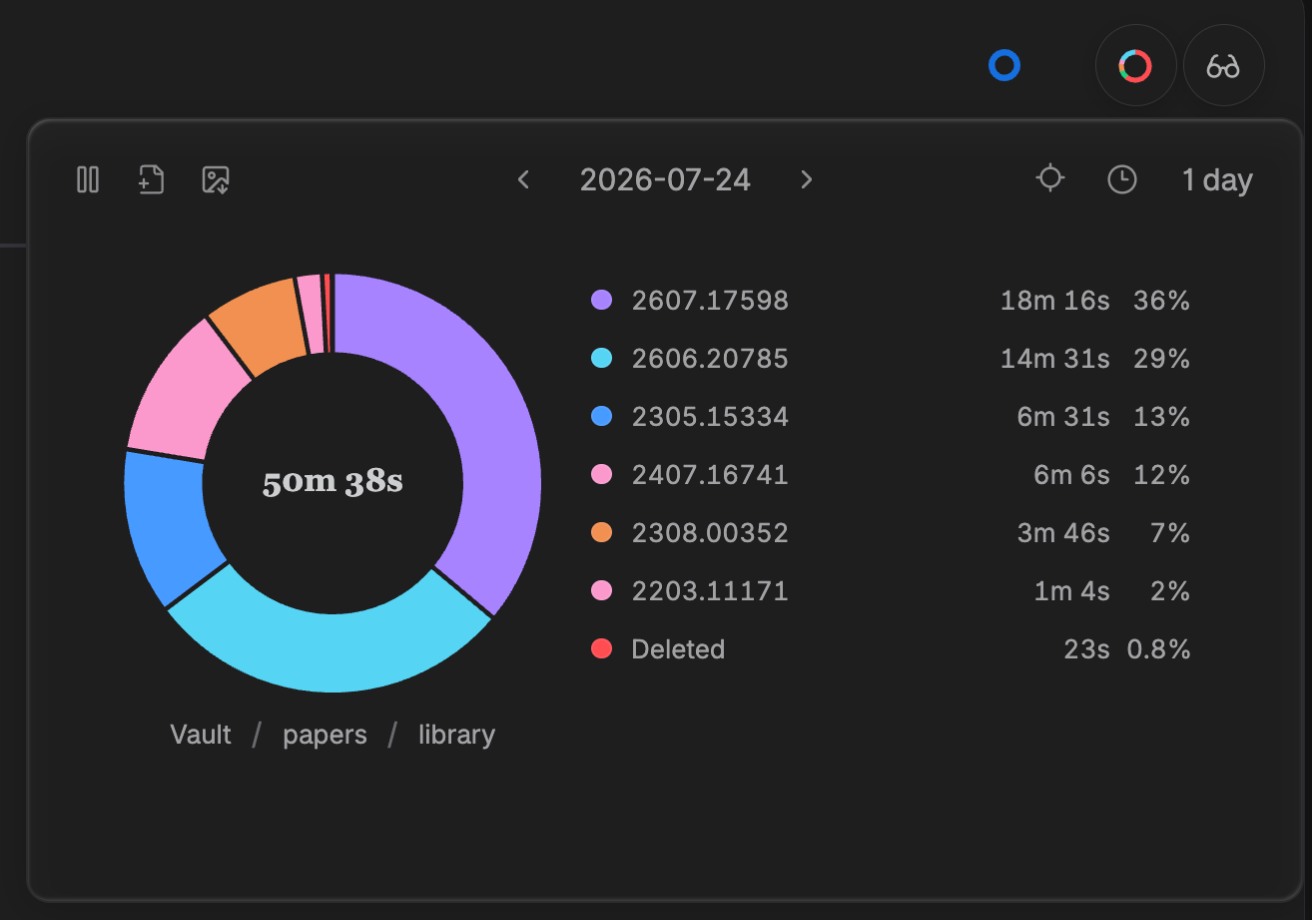 |
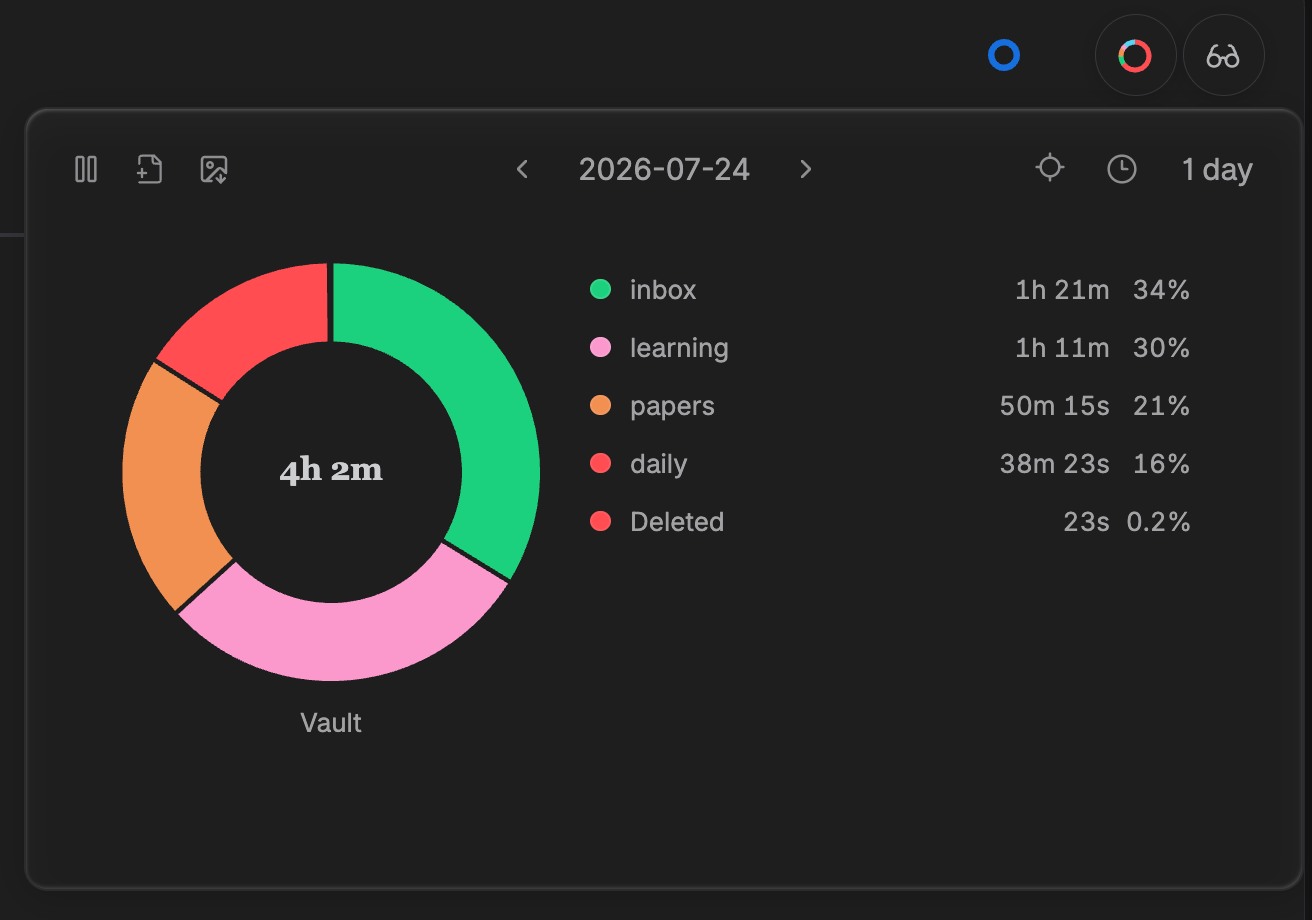 |
| Compare focused time for individual files. | Aggregate activity by folder, then drill into files. |
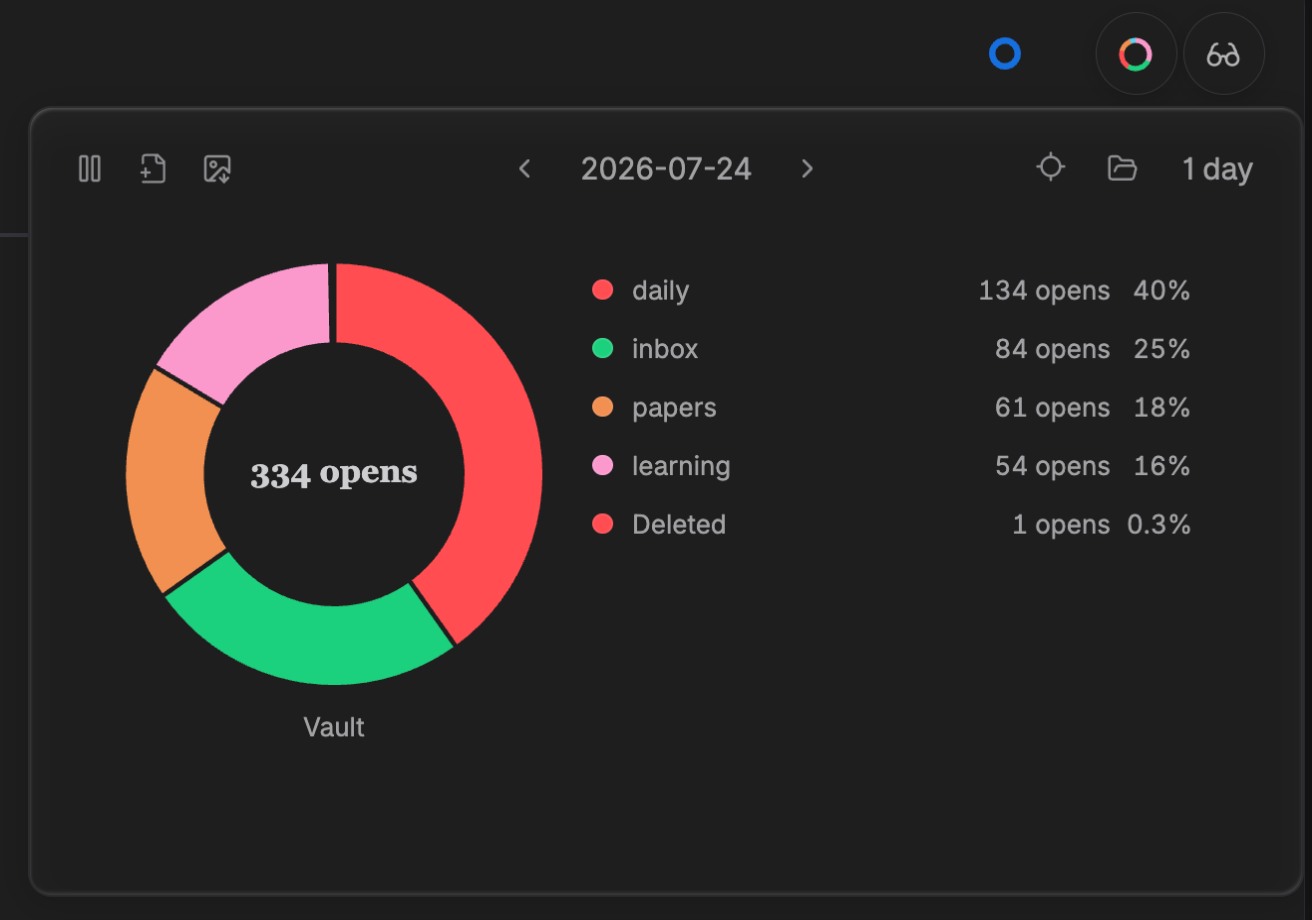 |
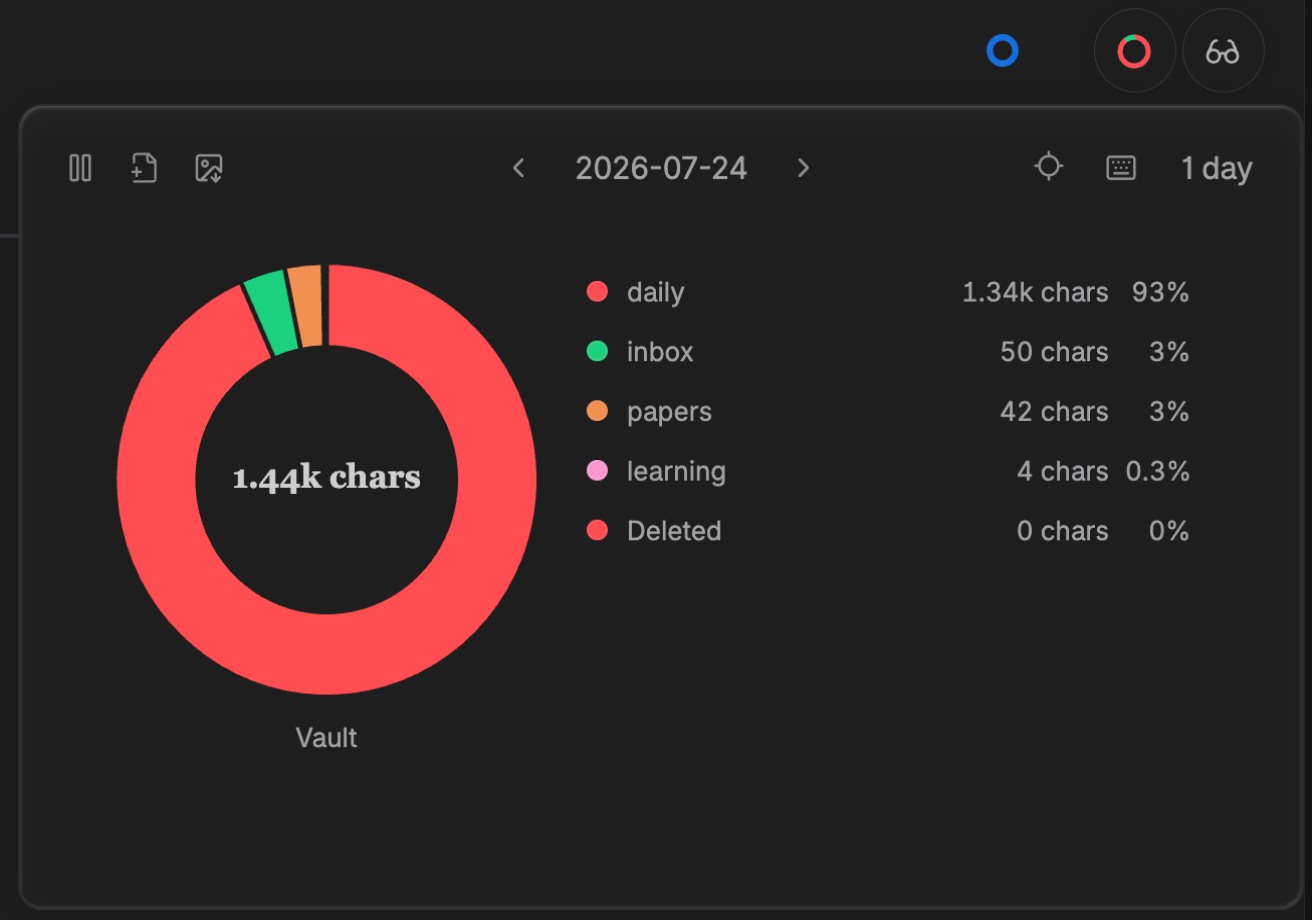 |
| Review file-open counts. | Inspect typed characters. |
English
Activity Map is an Obsidian plugin that shows how you spend focused time across the files and folders in your vault.
Features
- Per-file activity — Tracks active time, editing time, typed characters, and file-open counts for the file currently in focus.
- Idle-aware tracking — Excludes idle, sleep, and lock-screen gaps from focused activity.
- Explore by time and place — Inspect daily and historical activity, then drill from folders into files.
- Header summary — Open a compact, pinnable activity chart from eligible file headers. Reorder, move between either side of the fixed day navigation, or recoverably disable its six action controls in Settings or by long-pressing a control in the popover; the chart remains visible during direct editing. Locate follows the current workspace file; any present-file slice first locates its row, a second click opens it, and Cmd/Ctrl-click opens a new tab immediately. File opening pins the chart for continued exploration.
- Local poster export — Download the current result as a theme-matched PNG poster with an optional caption.
- Local settings — Configure excluded paths, timing thresholds, and the Header Popover control row; editing the row does not customize the poster-export dialog.
Install
1. From Obsidian Community Plugins
In Obsidian, open Settings → Community plugins → Browse, search for Activity Map, then select Install and Enable. Disable Restricted Mode first if Obsidian asks you to do so.
2. Manual installation from a GitHub Release
Alternatively, install manually from a GitHub Release.
Download these three release assets:
File Purpose main.jsCompiled plugin code manifest.jsonObsidian plugin metadata styles.cssPlugin styles Create this folder in your vault:
<vault>/.obsidian/plugins/activity-map/If your vault uses a custom Obsidian configuration directory, replace
.obsidianwith that directory name.Copy all three downloaded files into that
activity-mapfolder.Reload Obsidian, then enable Activity Map under Settings → Community plugins.
Requires Obsidian 1.7.2 or later.
Local development
Requirements: Node.js 20.11+ and npm.
npm install
npm run dev
npm run dev watches the source and writes main.js at the repository root. Copy main.js, manifest.json, and styles.css to your development vault’s plugins/activity-map/ folder, then reload Obsidian to test the change.
Data and privacy
Activity Map is local-first. It does not itself upload, sync, sell, or send your activity data anywhere.
- No account, telemetry, analytics, remote API, or network upload is included.
- Activity records stay in the plugin data directory inside your vault configuration directory.
- It stores activity metadata locally so it can build your statistics.
- It does not read or store note content, selected text, or the actual strings you type.
- Poster downloads are created and saved locally.
Contributing
See CONTRIBUTING.md for development, validation, and pull-request guidance.
License
简体中文
Activity Map 是一款本地优先的 Obsidian 活动统计插件。它帮助你了解自己在 vault 各文件和目录上的专注投入.
功能
- 逐文件活动统计:记录当前聚焦文件的活动时长、编辑时长、输入字符数和打开/切入次数。
- 识别空闲与休眠:空闲、休眠和锁屏间隔不会计入专注活动。
- 按时间与目录查看投入:查看每日和历史活动,并从目录逐层下钻到文件。
- 页眉统计入口:从符合条件的文件页眉打开可固定的紧凑活动图表;可在设置中或在浮层内长按某个控制按钮后,对六个动作排序、跨过固定的中心日期导航调整左右区域,或恢复性停用,直接编辑时图表继续显示。定位始终跟随当前激活的工作区文件。任意分组下的现存文件切片无修饰键首次点击定位列表行,再次点击在当前页面打开文件,
Cmd/Ctrl首次点击直接新建 tab;打开文件后图表自动固定,方便继续浏览。 - 本地海报导出:将当前结果下载为匹配主题的 PNG 海报,并可添加说明文字。
- 本地设置:可设置排除路径、时间阈值和 Header Popover 控制行;控制行编辑不定制海报导出 modal。
安装
1. 从 Obsidian 插件市场安装
在 Obsidian 中打开 设置 → 第三方插件(Community plugins)→ 浏览,搜索 Activity Map,然后点击 安装 并 启用。如果 Obsidian 提示,请先关闭受限模式(Restricted Mode)。
2. 从 GitHub Release 手动安装
也可以从 GitHub Release 手动安装。
下载 Release 中的三个文件:
main.js、manifest.json和styles.css。在 vault 中创建目录:
<vault>/.obsidian/plugins/activity-map/如果 vault 使用了自定义 Obsidian 配置目录,请将
.obsidian替换为实际目录名。将这三个文件全部复制到
activity-map目录。重载 Obsidian,在 设置 → 第三方插件(Community plugins) 中启用 Activity Map。
需要 Obsidian 1.7.2 或更高版本
本地开发
环境要求:Node.js 20.11+、npm。
npm install
npm run dev
npm run dev 会监听源代码并在仓库根目录生成 main.js。将 main.js、manifest.json 和 styles.css 复制到开发 vault 的 plugins/activity-map/ 目录,再重载 Obsidian 即可测试。
数据与隐私
Activity Map 坚持本地优先:插件自身不会上传、同步、出售或向任何地方发送你的活动数据。
- 不包含账号体系、遥测、分析服务、远程 API 或网络上传。
- 活动记录保存在 vault 配置目录下的插件数据目录中。
- 插件只在本地保存构建统计所需的活动元数据。
- 不读取或保存笔记正文、选中文本,也不保存你实际输入的字符串。
- 海报只在本机生成和保存。
参与贡献
开发、验证和 Pull Request 说明见 CONTRIBUTING.md。