Academic PDF
 Giacomo Berti38 downloads
Export notes as LaTeX quality PDF s: academic typography, theorem and algorithm blocks, Booktabs tables, table of contents, and live paginated preview.
- Overview
- Scorecard
- Updates2
LaTeX-quality PDFs straight from Obsidian: Computer Modern typography, theorems and algorithms, Booktabs tables and a table of contents, with no LaTeX to install.
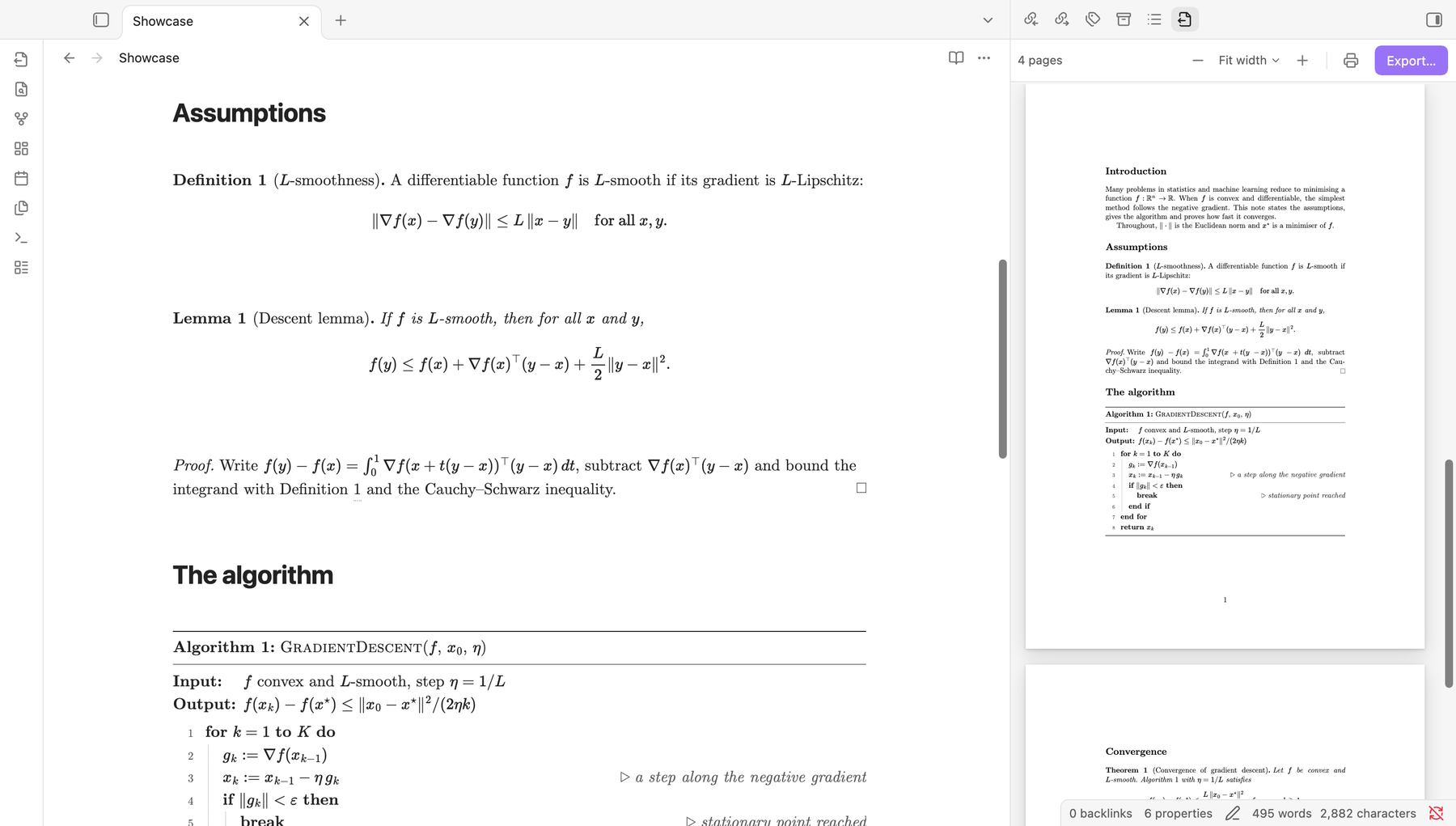
Academic PDF turns a Markdown note into a document that looks typeset with LaTeX. Notes stay plain Markdown: academic structures are ordinary fenced code blocks, readable without the plugin. The preview, the exported PDF and Obsidian's live preview show the same thing.
Desktop only. The PDF is made by the desktop app's print engine (Electron).
Academic PDF is based on Advanced PDF Export by ShrekBytes. See Credits.
Features
- LaTeX typography. Computer Modern (CMU Serif and CMU Typewriter, bundled), justified text with hyphenation in the note's language, LaTeX heading sizes and spacing, and no line break between a formula and the word or punctuation next to it.
- Theorems and algorithms.
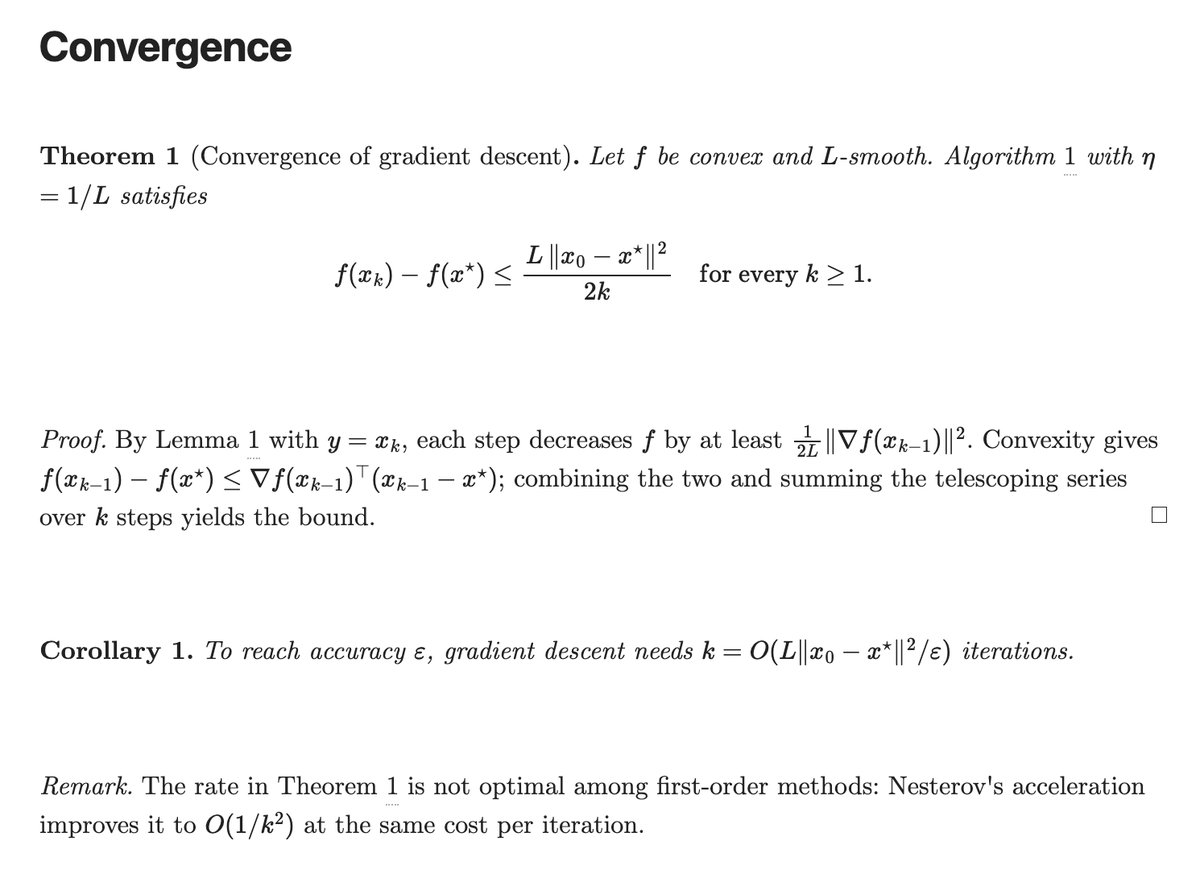
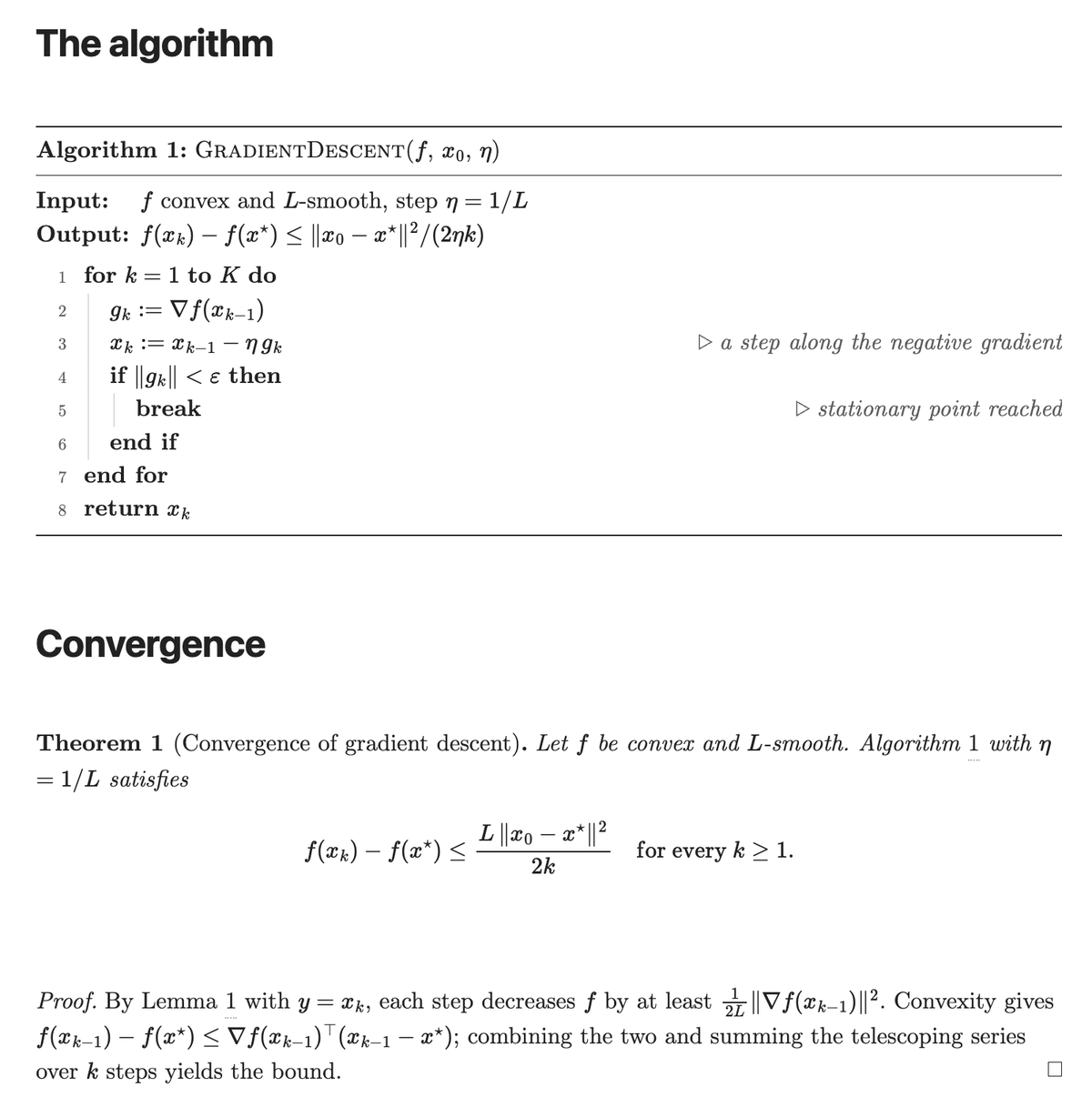
theorem,lemma,corollary,definition,remarkandproofblocks, numbered like LaTeX;algorithmblocks in the style of algorithm2e, with keywords, line numbers and comments; six coloured boxes. They look the same in live preview as in the PDF. - Cross-references.
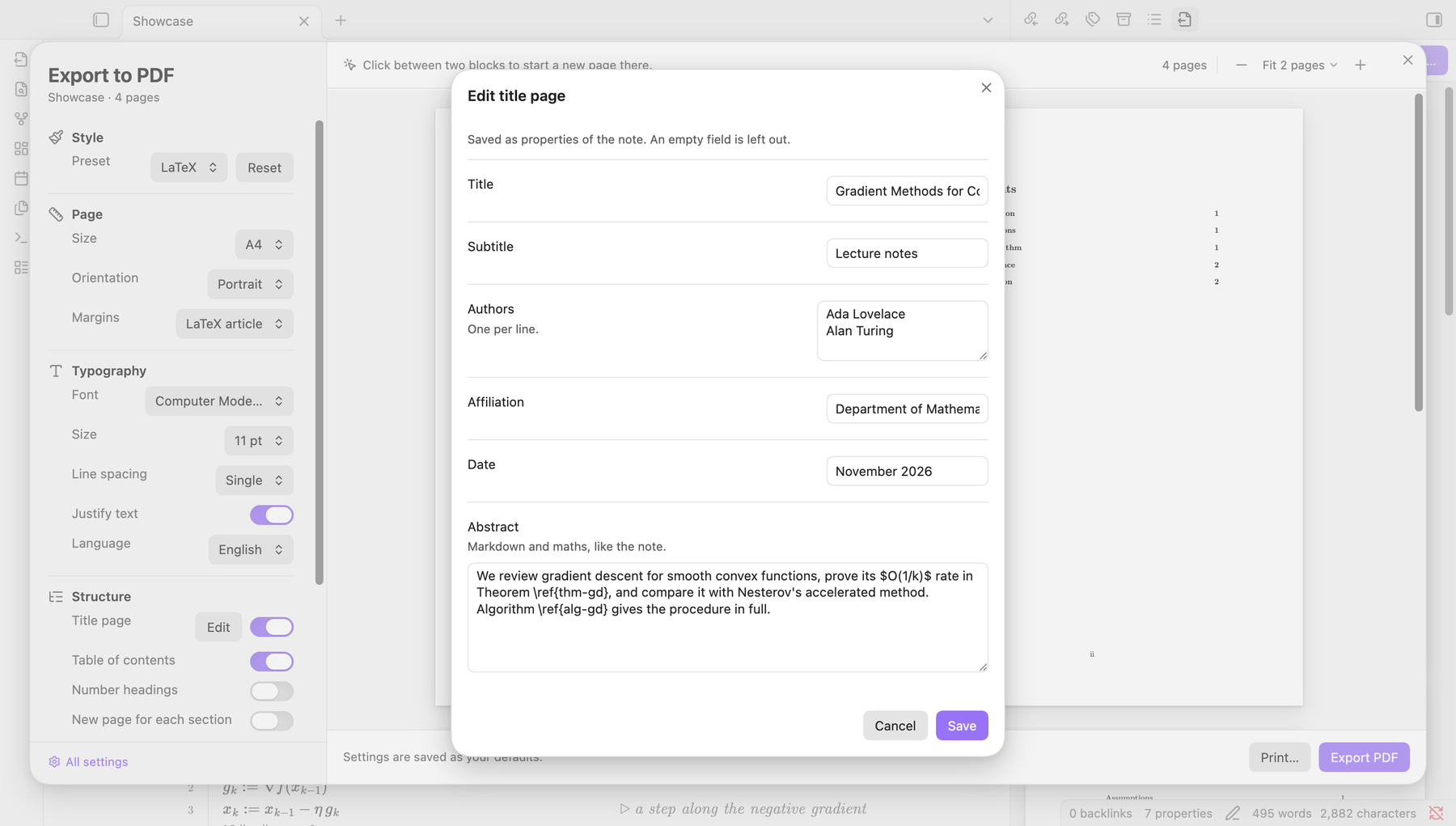
\ref{label}points to any labelled theorem or algorithm and becomes "Theorem 2" or "Algorithm 1", in the note and in the PDF. - Title page. Title, authors, affiliation, date and abstract come from the frontmatter, and can be edited from the export window with Edit title page.
- Table of contents and numbering. Numbered sections (1, 1.1, 1.1.1), a table of contents over as many pages as it needs, and front pages numbered i, ii, iii with the body from 1. PDF readers show the same page labels and a bookmark outline.
- Booktabs tables. Three rules, no vertical lines, columns sized to their content, long tables split across pages with the header repeated.
- Live PDF preview. A pane beside the note shows the paginated pages and updates as you type, re-laying out only the pages that changed. Long notes show real progress.
- Page breaks where you want them. Hover between two blocks in the preview and click New page here. The note gets a
%% page break %%comment, invisible in reading view. - Export or print. Save a PDF next to the note, or send it to any printer.
Screenshots
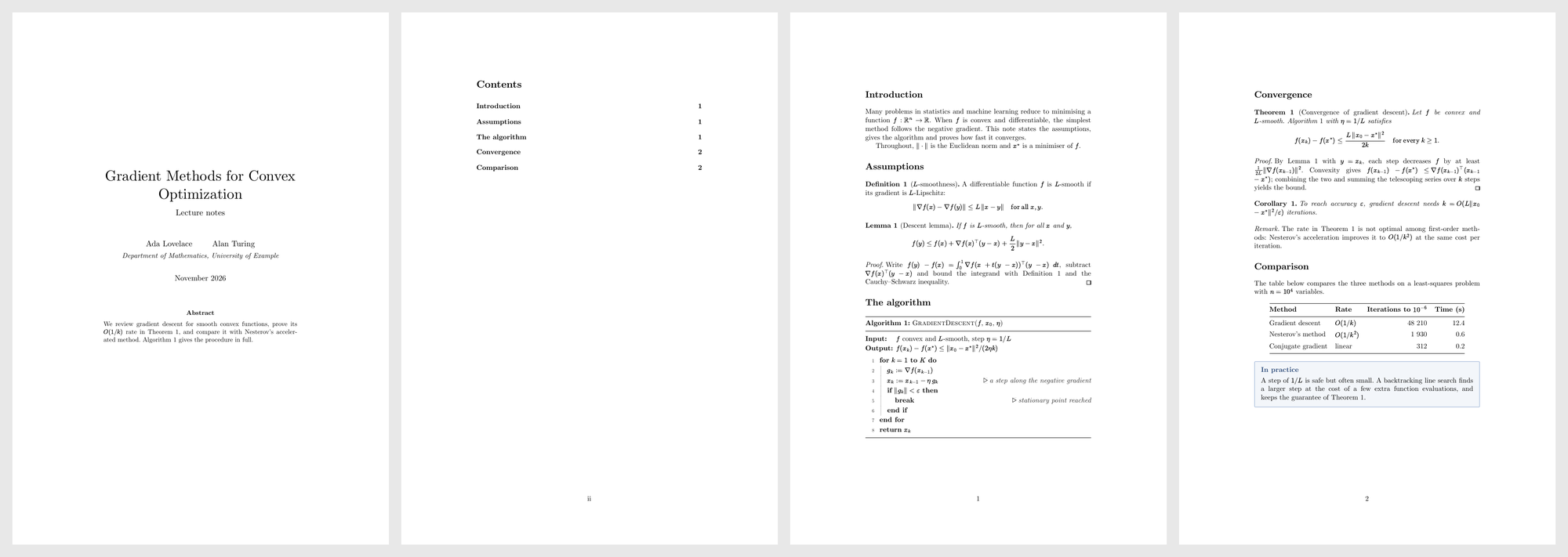
A whole document. Title page and abstract from the frontmatter, table of contents with roman page numbers, then the body:
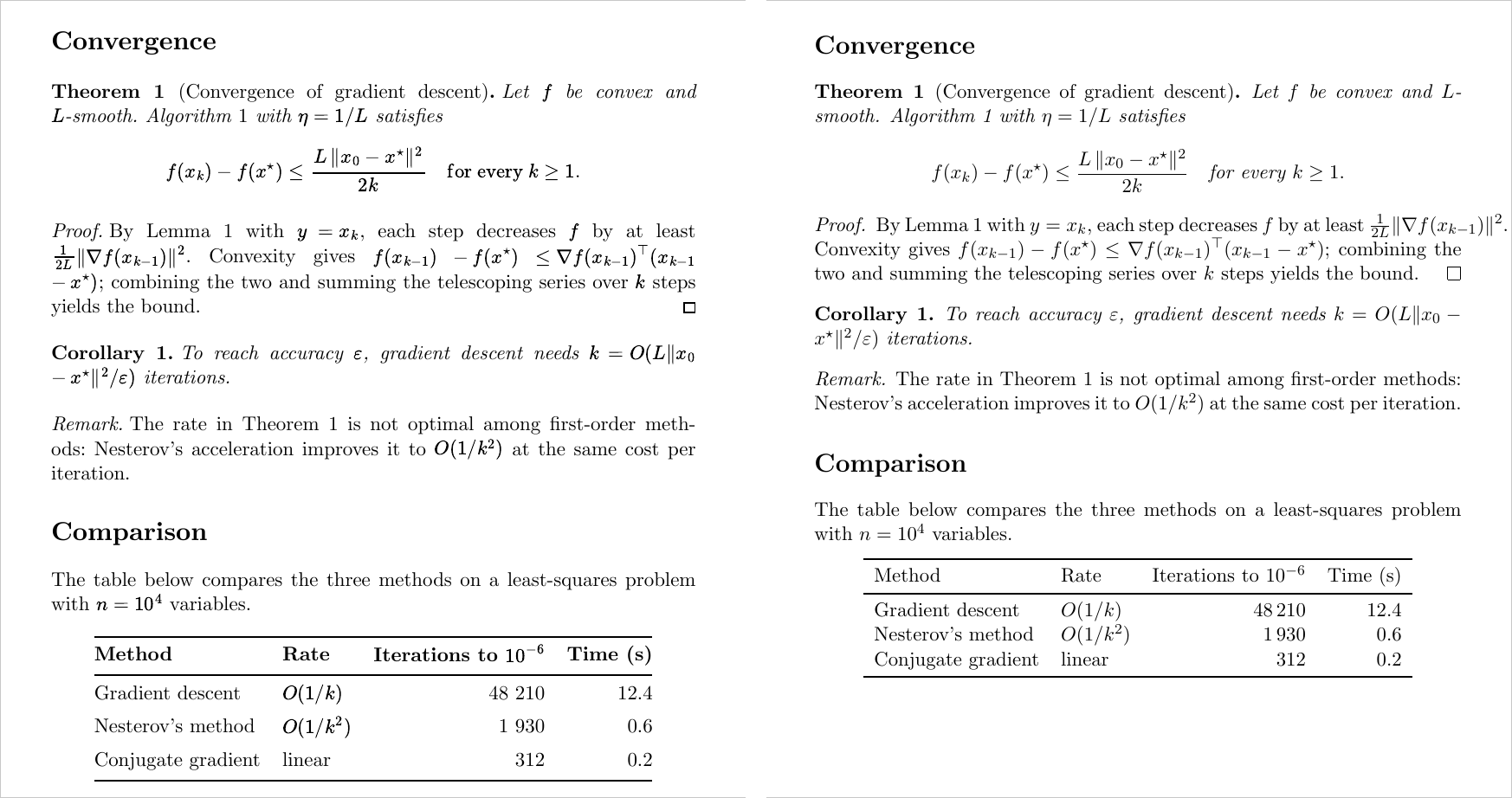
Next to LaTeX. The same section through Academic PDF (left) and a standard LaTeX article with amsthm and booktabs (right):
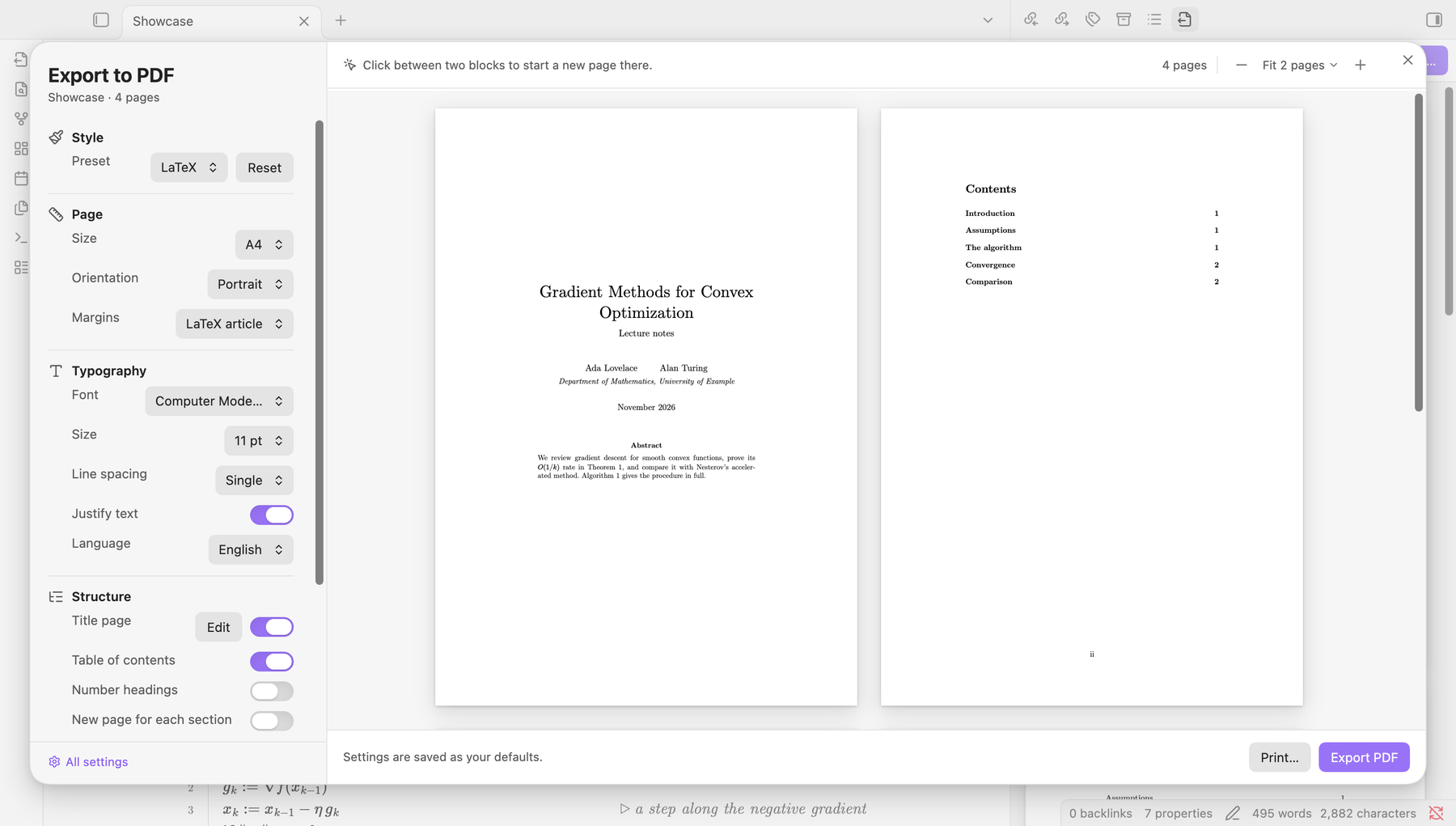
The export window. Settings on the left, the pages side by side on the right. Edit title page writes the fields back to the note's properties:
Blocks in live preview. Theorems, proofs and algorithms render in the editor as they will in the PDF, with working \ref numbers:
 |
 |
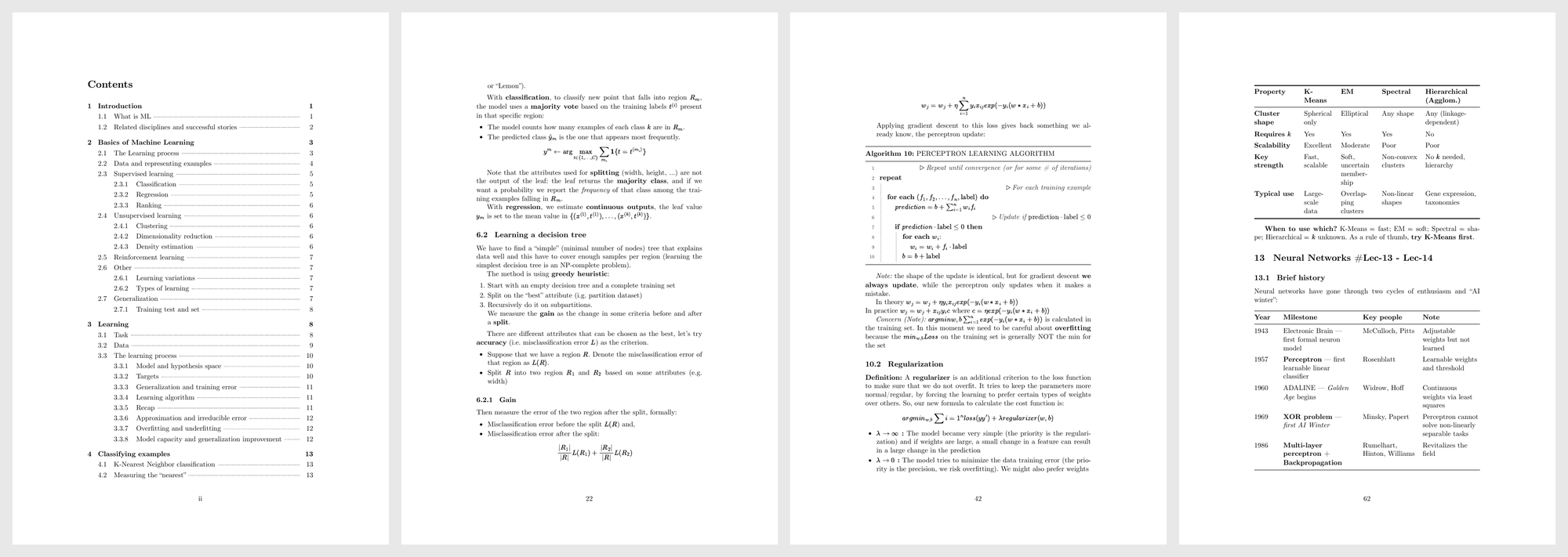
Long notes. A 101-page course note: numbered sections, a multi-page table of contents, algorithms and Booktabs tables:
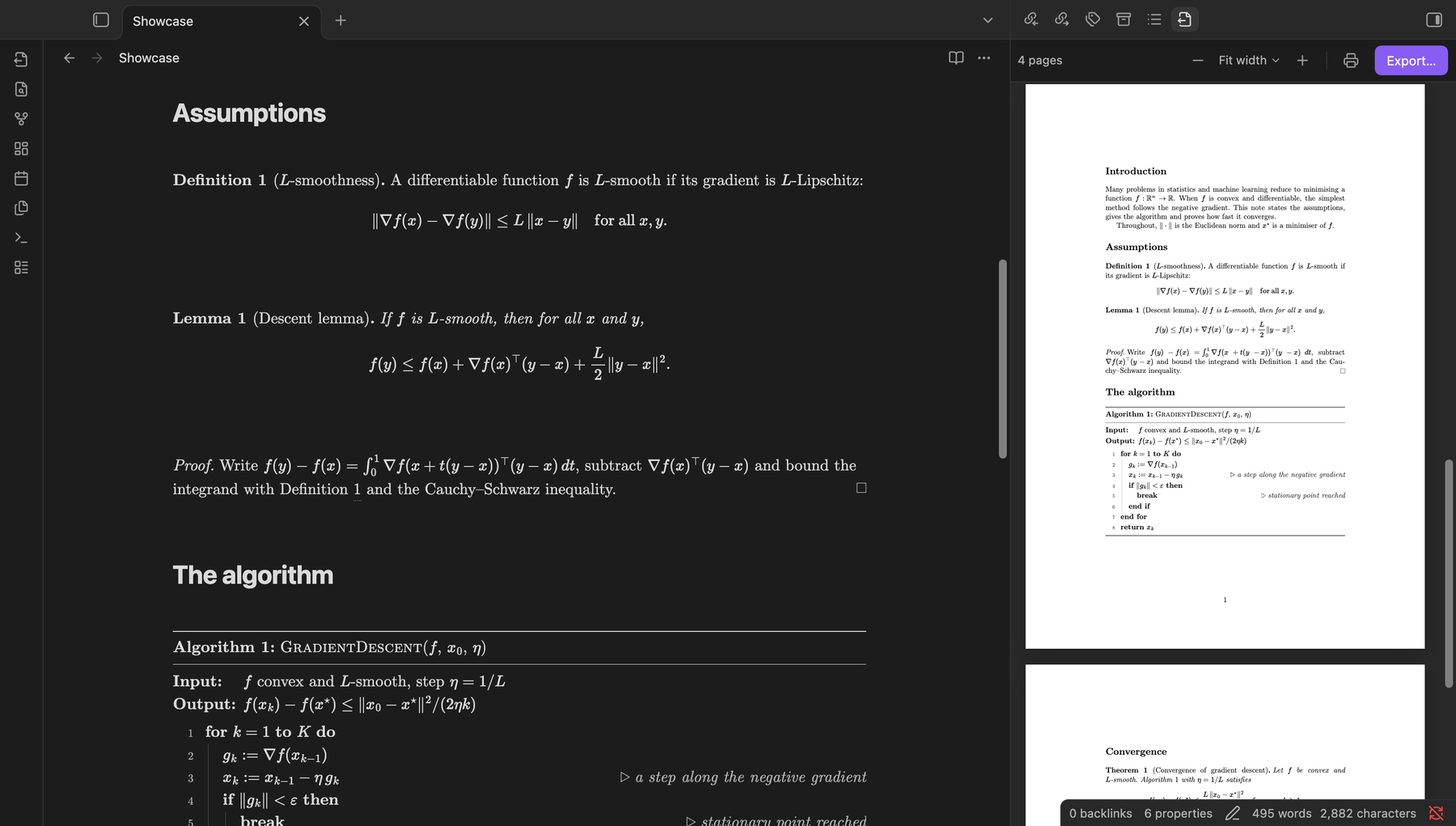
Dark theme. The interface follows the Obsidian theme; the pages stay white:
Installation
From Obsidian: open Settings → Community plugins → Browse, search for Academic PDF, then install and enable it.
By hand: download main.js, manifest.json and styles.css from the latest release into <vault>/.obsidian/plugins/academic-pdf/, reload Obsidian and enable Academic PDF under Settings → Community plugins.
Usage
- Preview: click the ribbon icon or run Academic PDF: Open PDF preview. The pane follows the active note.
- Export: run Export current note to PDF, choose Export to PDF… from a note's file menu, or click the export icon in the preview. The export window has the most-used settings beside the pages; Export PDF opens the save dialog in the note's folder.
- Print: run Print current note, or use Print… in the export window.
- Insert a block: run Insert academic block or right-click in the editor and choose Insert academic block….
Academic blocks
```theorem
title: Convergence of gradient descent
label: thm-gd
Let $f$ be convex and $L$-smooth. With step $\eta = 1/L$,
$$f(x_k) - f(x^*) \le \frac{\|x_0 - x^*\|^2}{2\eta k}.$$
```

By Theorem \ref{thm-gd}, the error decreases as $O(1/k)$.

```algorithm
label: alg-search
BinarySearch(A, target)
Input: sorted array $A[1 \ldots n]$
  low := 1
  high := n
  while low <= high do
    mid := floor((low + high) / 2)
    if A[mid] == target then
      return mid // found
    end if
  end while
  return -1
Output: the index of $target$, or $-1$
```
| Fence | What it is |
|---|---|
theorem, lemma, corollary, definition, remark |
Numbered statements. The optional title: and label: lines go first. |
proof |
A proof, ended by a square. |
algorithm |
Pseudocode. The first line is the name and arguments; Input:, Output:, Require: and Ensure: lines are optional; // starts a comment; font: mono switches to typewriter style. |
box-blue, box-teal, box-green, box-purple, box-amber, box-red |
Coloured boxes, with an optional title:. |
Frontmatter
When Title page is on, these frontmatter keys make the title page (or a title block on the first page when it is off):
---
title: On the convergence of gradient methods
subtitle: Lecture notes
author: Ada Lovelace and Alan Turing   # or a list under "authors"
affiliation: Department of Mathematics
date: November 2026
lang: en                      # hyphenation language for this note
abstract: >
  Markdown, with maths and \ref, rendered like the body.
---
Keys are case-insensitive. When the frontmatter has none of these keys, the PDF shows it as a code block, unless Hide frontmatter is on.
Settings
Everything is under Settings → Academic PDF, and the most-used settings are also in the export window:
- Page: size, orientation, margins.
- Typography: font (Computer Modern by default, or any installed font), size, line spacing, code font, justification, hyphenation language.
- Structure: title page, table of contents, numbered headings, a new page for each section.
- Academic: numbering of theorems and algorithms, a paper look for blocks in the editor.
- Header and footer: page numbers and their format, a running head with
{{title}}and{{date}}. - Export: PDF bookmarks, file name as title, where to save.
Privacy and permissions
- Files outside the vault: to save the PDF where you choose in the save dialog, the plugin writes that one file with Node's
fsmodule. It reads notes only through Obsidian's API and writes nothing else outside the vault. - Clipboard: when a preview fails, Copy details puts the error message on the clipboard. Nothing is read from the clipboard.
- Network: no requests of its own, no telemetry, no accounts. The fonts are bundled; images linked from your notes load as they do in Obsidian.
Credits
Academic PDF is a modified version of Advanced PDF Export 4.8.0 by ShrekBytes, released under the GNU GPL v3. Its pagination engine, Electron export pipeline, PDF outline, MathJax and Mermaid handling are the foundation this plugin is built on.
Modified in November 2026 by Giacomo Berti, who added:
- Look: a LaTeX stylesheet with bundled Computer Modern fonts.
- Academic blocks: theorem-family, algorithm and box blocks, rendered in Obsidian's live preview and reading view as well as in the PDF.
- Cross-references:
\ref{}with LaTeX-style numbering. - Document structure: title page from the frontmatter (editable in the export window), multi-page table of contents, numbered headings, roman and arabic page numbers with PDF page labels, running heads.
- Tables and figures: Booktabs tables with proportional column widths; images that shrink to fit what is left of a page; figure captions.
- Typography: justification with language-aware hyphenation, no line breaks next to inline maths, break points in long URLs.
- Interface: a live preview pane beside the note with incremental re-layout and progress, the export window, click-to-insert page breaks, commands and menus.
License
GNU General Public License v3.0. Copyright © ShrekBytes (Advanced PDF Export) and Giacomo Berti (Academic PDF).
The bundled Computer Modern Unicode fonts (CMU 0.7.0, by Andrey V. Panov) are licensed under the SIL Open Font License 1.1: see src/academic/fonts/OFL.txt.