
- Overview
- Scorecard
- Updates1
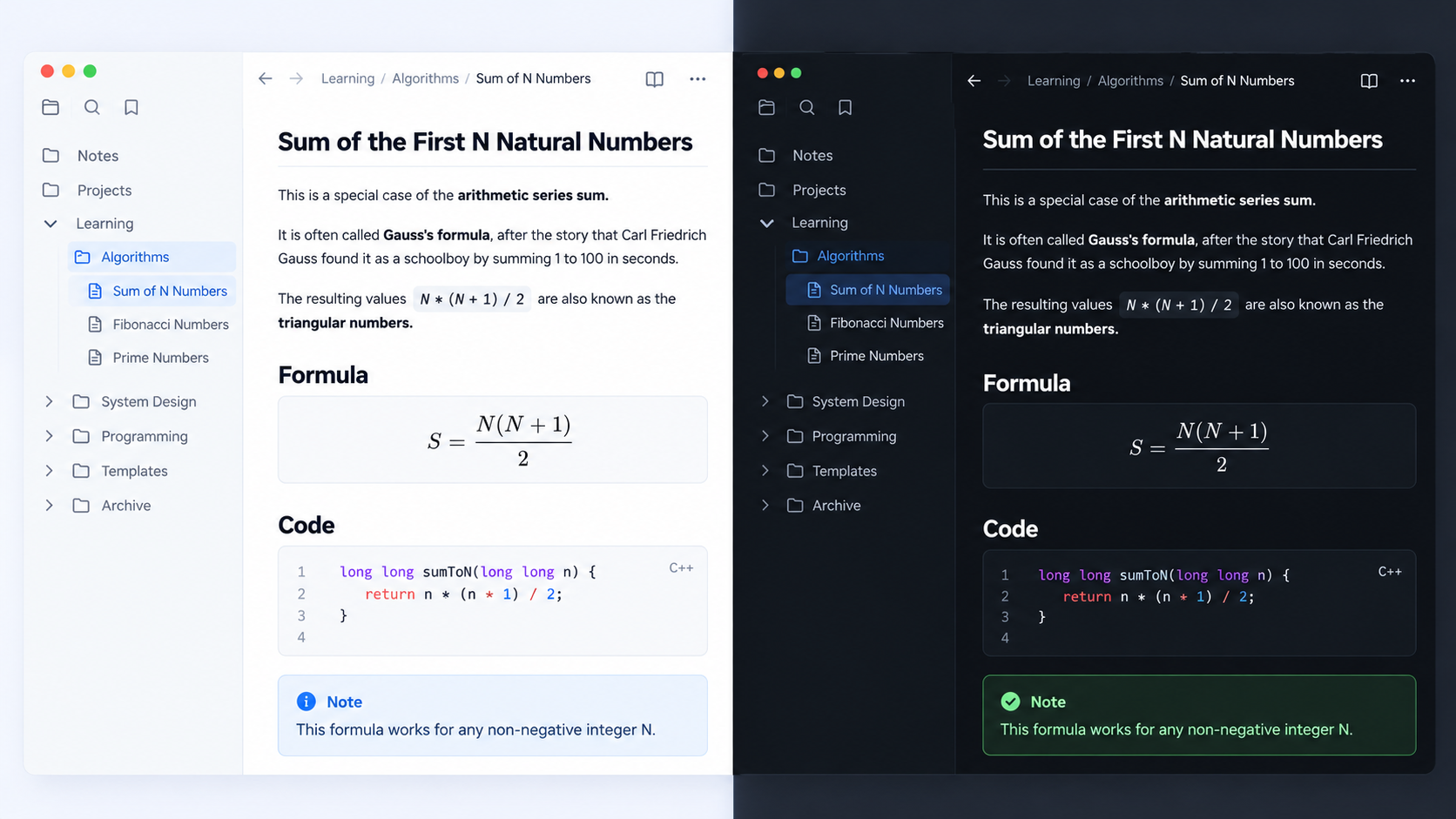
A clean, code-friendly theme for Obsidian. By default it uses GitHub's light colors in light mode and Atom One Dark in dark mode, for both the interface and syntax highlighting. Palettes from the Zed editor (Gruvbox and One) are available as options.
- Notes in the Lilex monospace font and the interface in IBM Plex Sans, like Zed (
brew install --cask font-lilex font-ibm-plex-sans). Without them the system fonts are used. - Underlined H1/H2, 1.65 line height
- The same syntax colors in reading mode (Prism) and live preview / source (CodeMirror 6)
- Code blocks with a border, rounded corners and a subtle copy button
- Callouts in the style of GitHub alerts (
note,tip,important,warning,caution, …) - Zebra-striped tables, GitHub-style
kbd, tags shown as labels - Respects the accent color you pick in Obsidian
Install (development)
./install.sh /path/to/your/vault          # symlink, so edits show up live
./install.sh /path/to/your/vault --copy   # or copy the files
Then go to Settings → Appearance → Themes and pick Zencode. Open sample.md in the vault to see every element.
When you edit theme.css, Obsidian usually reloads it automatically. If it doesn't, switch themes and switch back, or run Reload app without saving from the command palette.
Options
If you have the Style Settings plugin, you can change:
- the color palette: GitHub light + Atom One Dark (default), GitHub light/dark, Zed Gruvbox or Zed One
- monospace or sans-serif note text
- the readable line width
- the code font size
- whether H1/H2 are underlined
- whether code blocks have a border
- whether tables are zebra-striped
Structure
| File | Purpose |
|---|---|
manifest.json |
Theme metadata (the name is the folder name) |
theme.css |
Everything else |
sample.md |
A note for checking how the theme looks |
License
HealthExcellent
ReviewSatisfactory
About
Apply a clean, code-focused theme using GitHub Light (light) and Atom One Dark (dark) for both interface and syntax highlighting. Keep identical syntax in reading and live preview, pick Zed palettes and Lilex/IBM Plex Sans fonts, and get underlined H1/H2, rounded code blocks with a subtle copy button, GitHub-style callouts, zebra tables and tag labels.Details
Current version
1.0.0
Last updated
5 days ago
Created
Last week
Updates
1 release
Downloads
163
License
MIT