LYT Mode
 Nick Milo78k downloads
LYT Mode is for "Linking Your Thinking". It invokes sensemaking and lateral thinking.
- Overview
- Scorecard
- Updates31
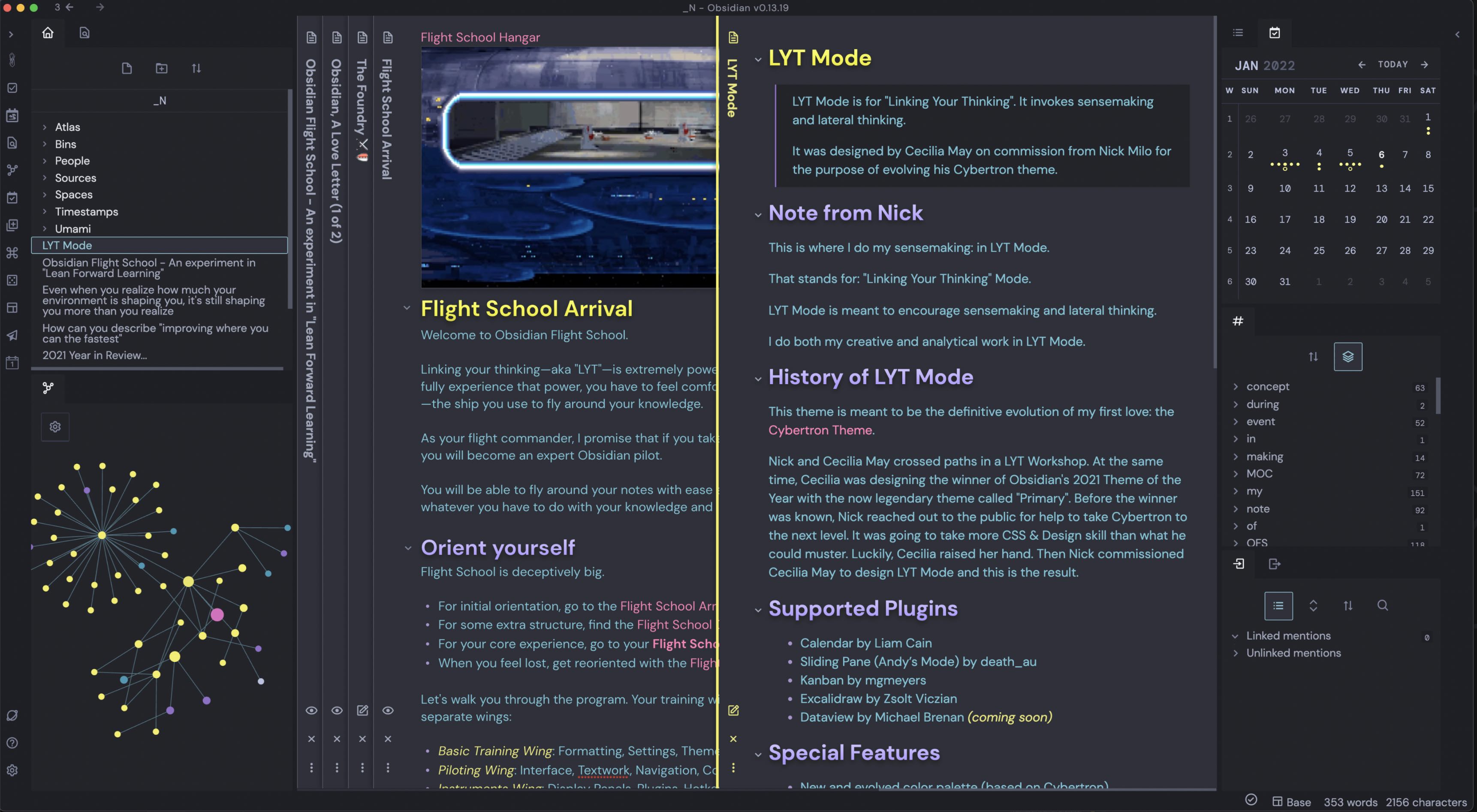
LYT Mode
LYT Mode is for "Linking Your Thinking".
It invokes sensemaking and lateral thinking.
This is where I do my sensemaking: in LYT Mode.
LYT actually stands for: "Linking Your Thinking" Mode.
It's meant to encourage sensemaking and lateral thinking.
For me, I do both my creative and analytical work in LYT Mode.
Enjoy!
Nick
Why Use LYT Mode?
When a theme puts extra emphasis on making its formatting elements distinct (like bold and italics), it has a better chance at improving sensemaking.
This is because the more visually striking an image is, the more the user has to latch onto. Thinking and learning shift from being so abstract (words only). Instead, they more deeply engage the senses.
Each visually distinct word or phrase acts as another piece of an ever-evolving scaffolding from which we simultaneous shape and extract meaning.
And that is why my favorite theme is LYT Mode (the evolution of Cybertron).
How to Use LYT Mode
Make sure you're in dark mode. I know, it's ironically called "LYT" mode.
Features
- Evolved color palette from Cybertron comparison
- Special Colors for Markdown Emphasis
- Beautiful readable fonts originally made for each other: DM Sans & DM Mono
- Support for both Mobile and Desktop
- Support for all Obsidian views: Legacy, Live Preview, and Reading
- Custom Icons
- Minimal animation for more focused work
- LYT Mode Syntax Highlighting
- Tighter Sidebar Line Height** spacing to allow you to see more notes, tags, and links
- Grayed out Markdown Formatting (except for headers)
- Bigger Popovers
- Design Support for Callouts
- Support for Slides
- Support for Publish
Supported Plugins
LYT Mode should work with most plugins but this list shows plugins given extra love or design support.
- Calendar by Liam Cain
- Dataview by Michael Brenan
- Hover Editor by nothingislost
- Excalidraw by Zsolt Viczian
- Kanban by mgmeyers
Other Stuff
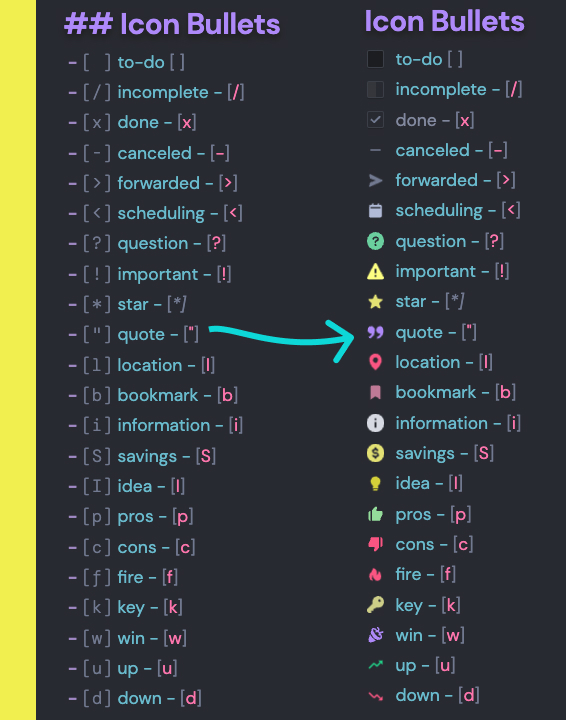
Icon Bullets
LYT Mode also offers additional syntax for Icon Bullets (aka Alternative Checkboxes). These act like bullet journaling “legends”.
Enjoy!