Search...Search plugins and themes...
⌘K
Sign in
  • Get started
  • Download
  • Pricing
  • Enterprise
  • Account
  • Obsidian
  • Overview
  • Sync
  • Publish
  • Canvas
  • Mobile
  • Web Clipper
  • CLI
  • Learn
  • Help
  • Developers
  • Changelog
  • About
  • Roadmap
  • Blog
  • Resources
  • System status
  • License overview
  • Terms of service
  • Privacy policy
  • Security
  • Community
  • Plugins
  • Themes
  • Discord
  • Forum / 中文论坛
  • Merch store
  • Brand guidelines
Follow us
DiscordTwitterBlueskyThreadsMastodonYouTubeGitHub
© 2026 Obsidian

Sequoia

Micheal AndreuzzaMicheal Andreuzza327 downloads

Sequoia theme for Obsidian — community listing. Source: Sequoia-Theme/obsidian

Add to Obsidian
Sequoia screenshot
  • Overview
  • Scorecard
  • Updates1

Sequoia

Sequoia for Obsidian

Elegant, minimal, and clean color palette for your tools.

See other interfaces at the official website.

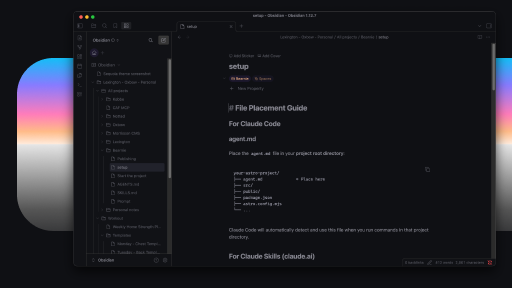
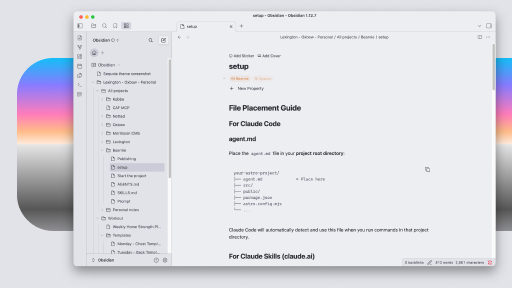
Preview

Sequoia Moonlight Dark Sequoia Moonlight Light

Available themes

  • Moonlight Dark — dark
  • Moonlight Light — light
  • Monochrome Dark — dark
  • Monochrome Light — light
  • Retro Dark — dark
  • Retro Light — light

Installation

Community theme (recommended)

Install Sequoia from Obsidian Settings → Appearance → Manage → Community themes, or browse from community.obsidian.md.

The community theme ships Sequoia Moonlight Light (light mode) and Sequoia Moonlight Dark (dark mode) in theme.css.

Extra variants (CSS snippets)

Copy files from variants/ into .obsidian/snippets/ and enable in Appearance → CSS snippets. Only enable one dark snippet at a time.

Available: variants/sequoia-monochrome-dark.css, variants/sequoia-monochrome-light.css, variants/sequoia-retro-dark.css, variants/sequoia-retro-light.css.

CSS snippets (single variant)

Copy a CSS file into .obsidian/snippets/ and enable in Appearance → CSS snippets.

Available files: sequoia-moonlight-dark.css, sequoia-moonlight-light.css, sequoia-monochrome-dark.css, sequoia-monochrome-light.css, sequoia-retro-dark.css, sequoia-retro-light.css.

See COMMUNITY.md for publishing and release steps.

Created by

Micheal Andreuzza

96%
HealthExcellent
ReviewSatisfactory
About
Apply an elegant, minimal theme with a clean color palette and coordinated Moonlight light and dark styles. Switch to monochrome or retro variants as CSS snippets to change the visual tone.
Details
Current version
1.0.1
Last updated
3 weeks ago
Created
3 weeks ago
Updates
1 release
Downloads
327
License
MIT
Report bugRequest featureReport theme
Author
Micheal AndreuzzaMicheal Andreuzzamichael-andreuzza
GitHubmichael-andreuzza
  1. Community
  2. Themes
  3. Sequoia

Related themes

ITS Theme screenshot

ITS Theme

Minimal screenshot

Minimal

Things screenshot

Things

Wasp screenshot

Wasp

Cupertino screenshot

Cupertino

Prism screenshot

Prism

Baseline screenshot

Baseline

Reverie screenshot

Reverie

Transparent screenshot

Transparent

Flexoki screenshot

Flexoki