Seamless View
 gustavosz1243k downloads
Obsidian CSS Theme that aims matching live preview mode and read mode
- Overview
- Scorecard
- Updates6
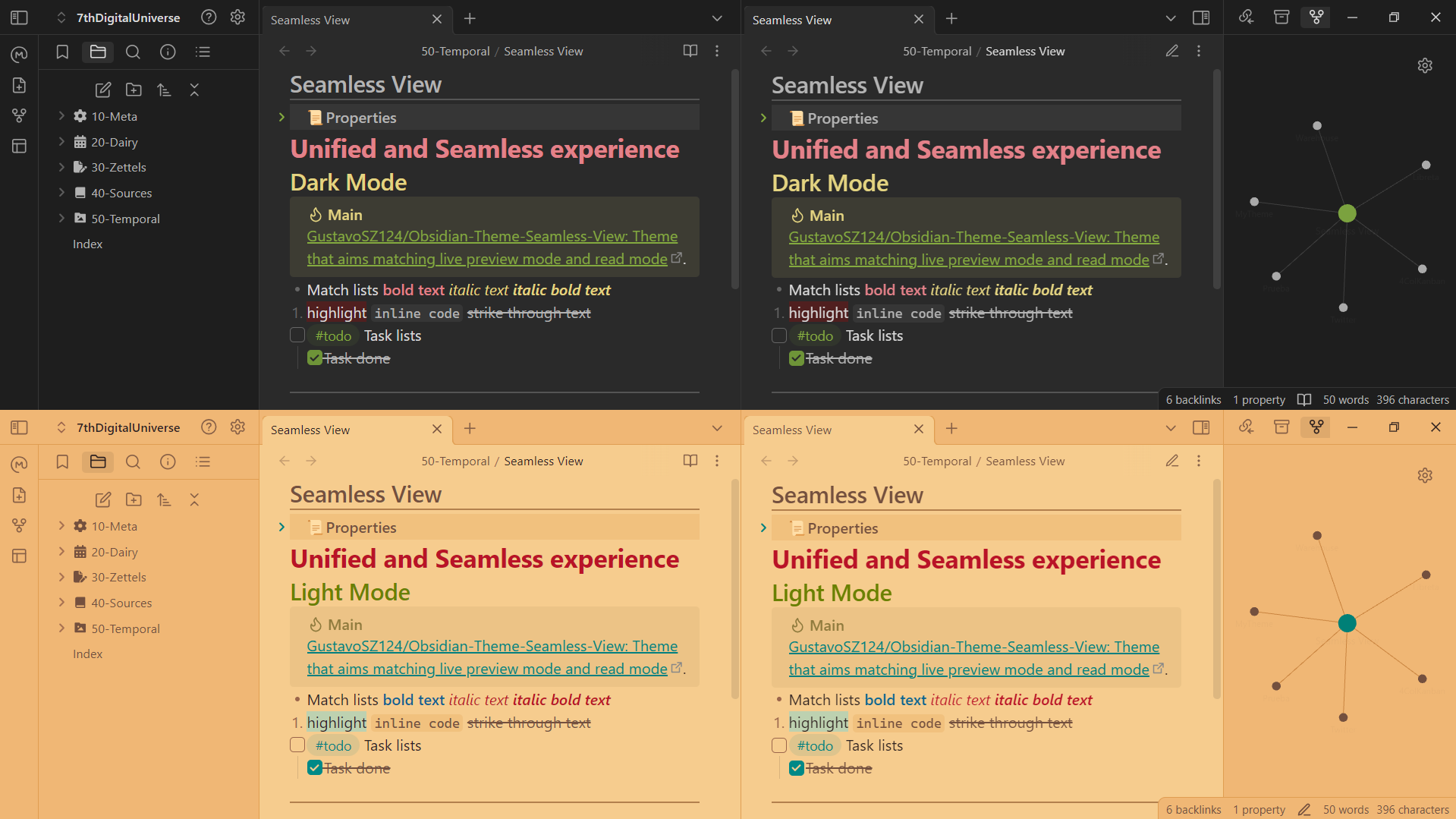
Seamless View is a minimalist theme designed to reduce the differences between live preview mode and read mode. This provides a seamless experience when editing elements within a canvas, ensuring consistency of card sizes.
Features
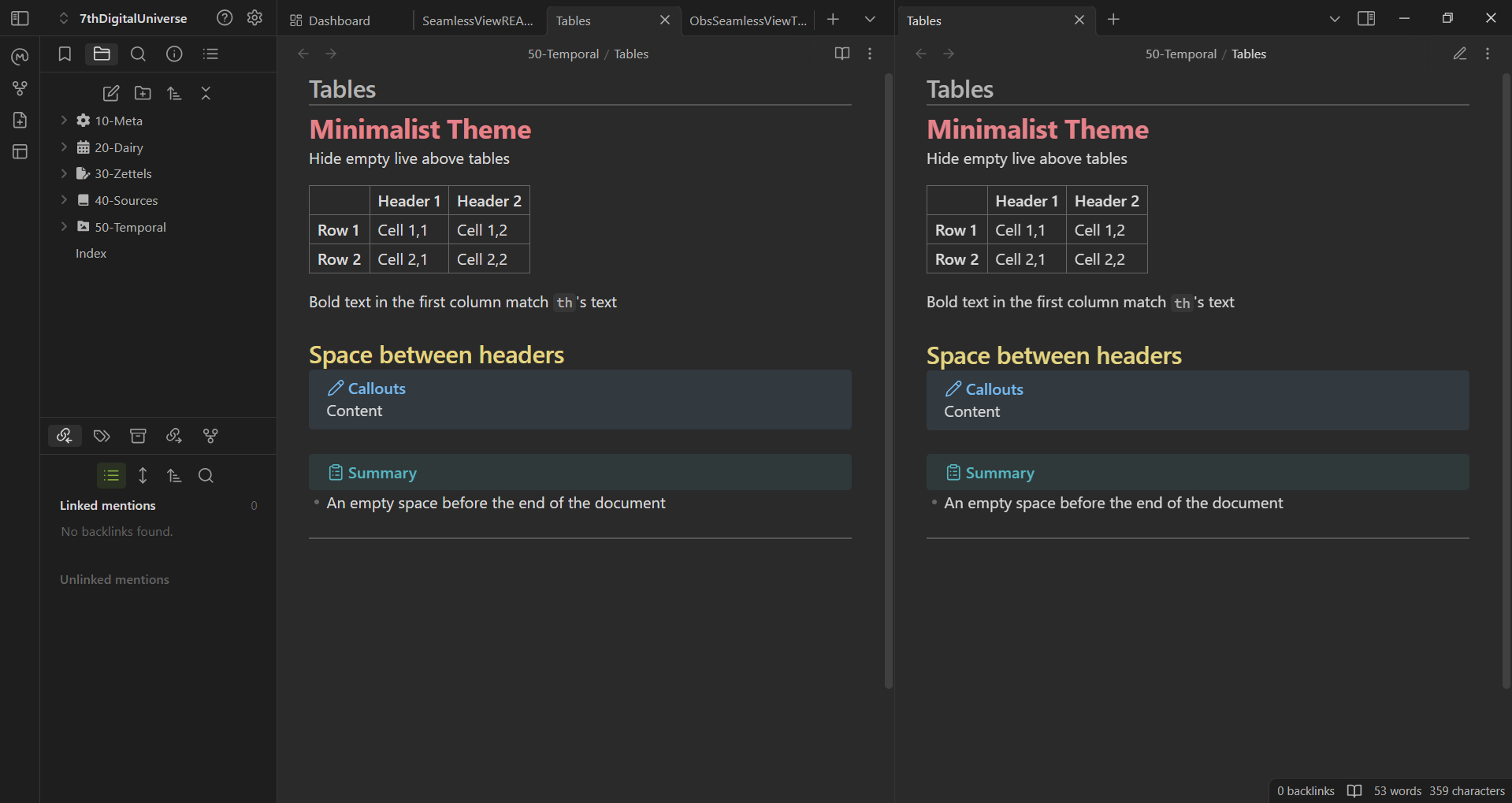
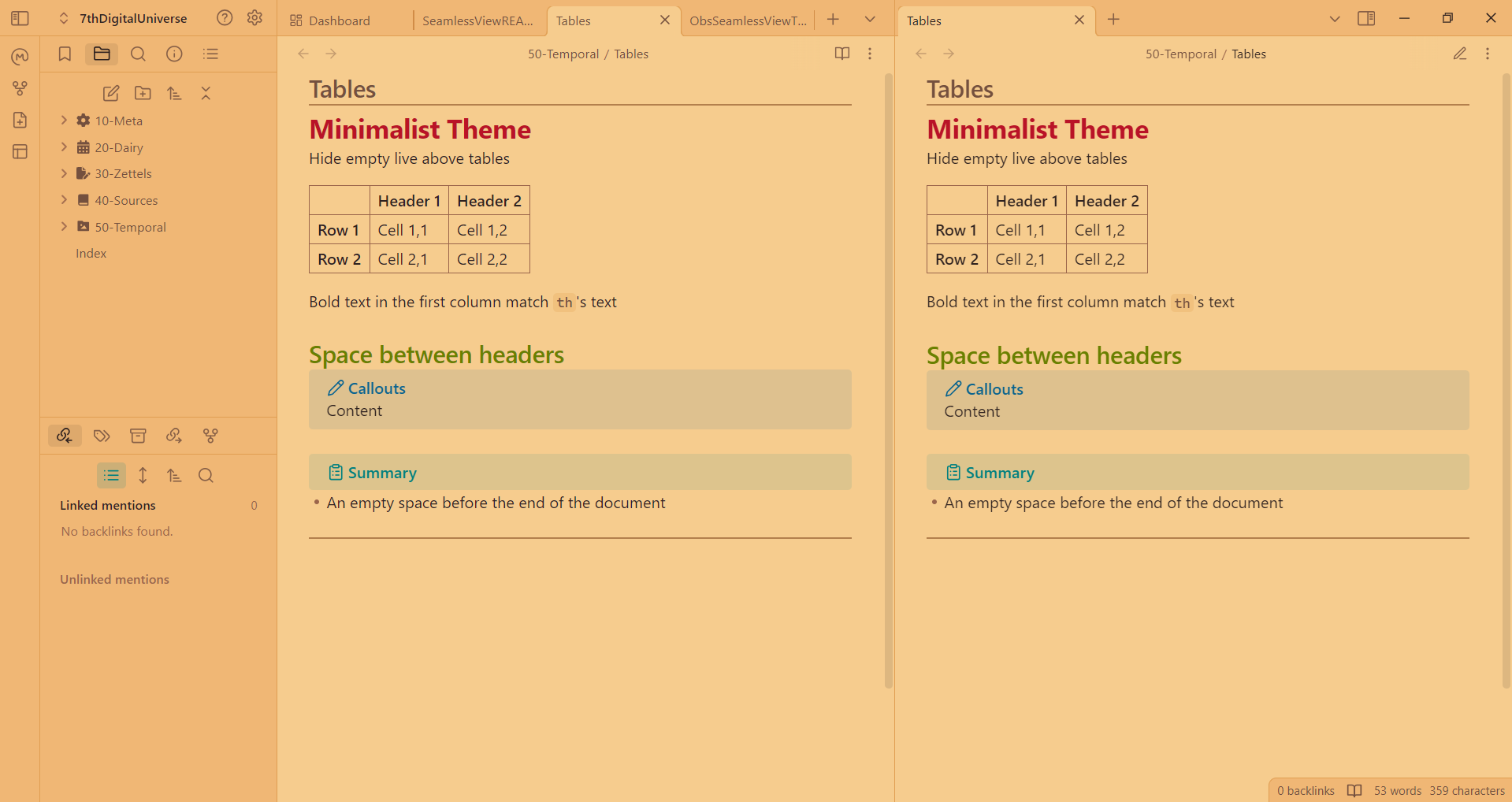
- Minimalist: Reduces several unnecessary spaces, hides the mandatory empty line before any table, and adjusts the canvas menu to better utilize space.
- Dark mode: A low-contrast dark mode that can be used during the day with warm colors for the night.
- Light mode: A light mode inspired by Egyptian papyrus with warm colors to avoid straining the eyes.
- Newlines in read mode: A
margin-bottomof 1em between key elements to emulate empty lines from the live preview and keep the elements spaced out.- between paragraphs, including embeddings.
- between a code block and other blocks, blockquotes, and callouts
- between a list and paragraphs, blockquotes, and callouts.
- between a blockquote or callout and other blockquotes, callouts, and paragraphs.
- between all the above elements and headers.
- between all the above elements and the end of the document.
- between paragraphs, including embeddings.
Plugin Styles Changes
- Admonition: some extra spaces were removed (no
margin-bottomis added to the element preceding an admonition in read mode). - Dataview: the
line-heightof dataview blocks in live preview mode and the style of bullet points in both modes were made consistent - Kanban: some extra spaces were removed in board view.
- List Callouts: the background was aligned between both modes, and the color and thickness of the text were changed.
- QuickAdd: the space in the settings of the commands was reduced.
Installation
- Open Obsidian and go to Settings > Appearance.
- Click on the Manage button under the Themes section.
- Search for Seamless View and click on the Install and use button.
Support
If you encounter any issues with the Seamless View theme, please feel free to create an issue on the theme's GitHub repository.
License
This project is licensed under the MIT License. See the LICENSE file for details.
Acknowledgements
Special thanks to the Obsidian community for their continuous support and feedback.
Enjoy a truly seamless experience with Seamless View in Obsidian!
81%
HealthExcellent
ReviewSatisfactory
About
Match live preview and read mode for consistent editing and canvas card sizes. Reduce unnecessary spacing with a minimalist layout, add low-contrast dark and warm papyrus light palettes, and align plugin styles for Dataview, Kanban, admonitions and callouts.Details
Current version
2.1.0
Last updated
Last week
Created
2 years ago
Updates
6 releases
Downloads
3k
License
MIT
Author