Retro Windows
 codeisconfusing16k downloads
A nostalgic Obsidian theme that brings back the classic look and feel of Windows 3.1.
- Overview
- Scorecard
Give your notes a nostalgic journey back to the early 1990s computing era. This theme recreates the classic Windows 3.1 aesthetic with its iconic gray interface, 3D-effect buttons, and pixelated charm. Available in both light and dark variants, it combines vintage visual appeal with modern note-taking functionality. Perfect for users who appreciate computing history or simply want a unique, visually distinctive Obsidian experience.
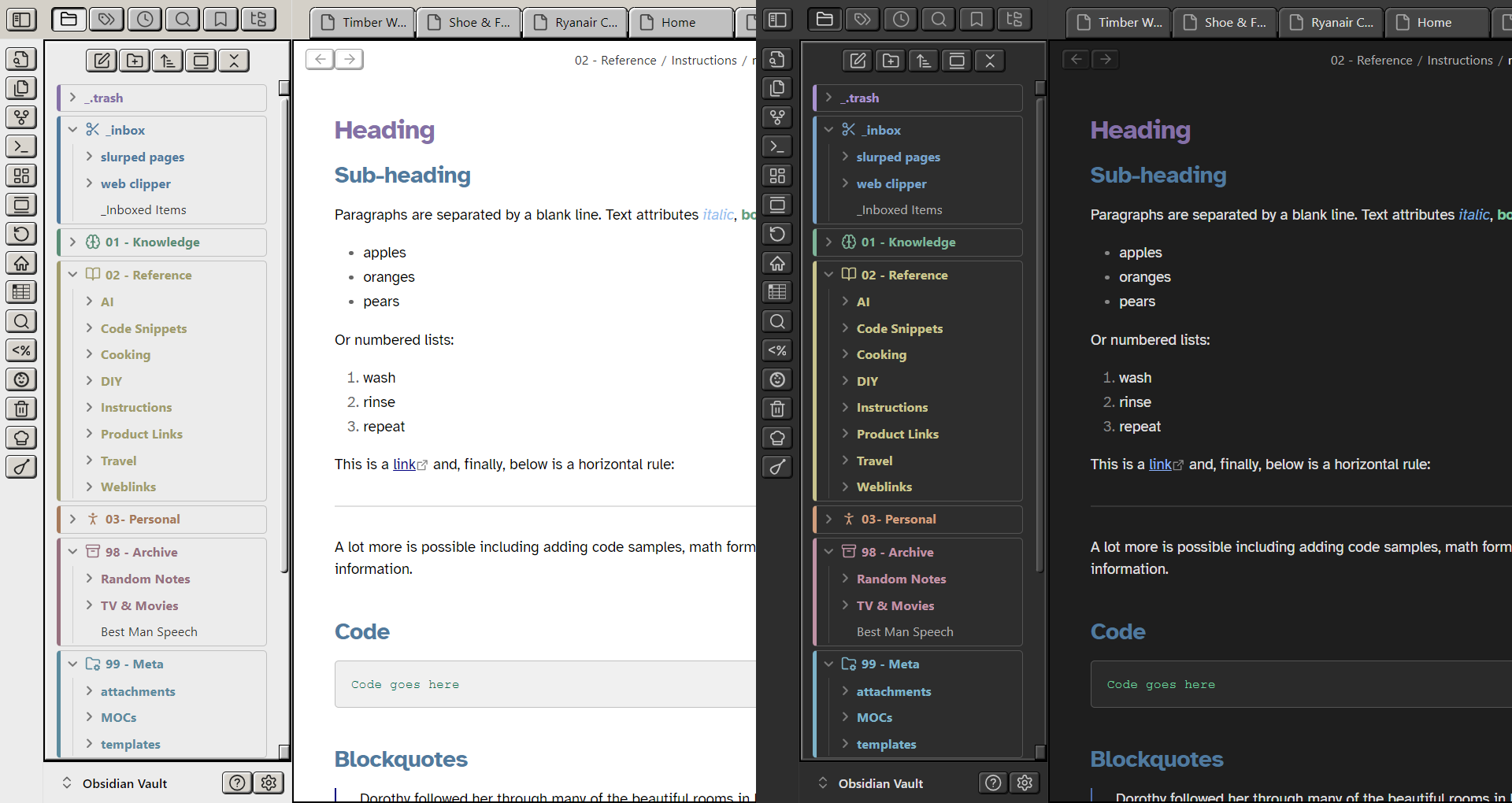
A nostalgic Obsidian theme that brings back the classic look and feel of Windows 3.1.
Features
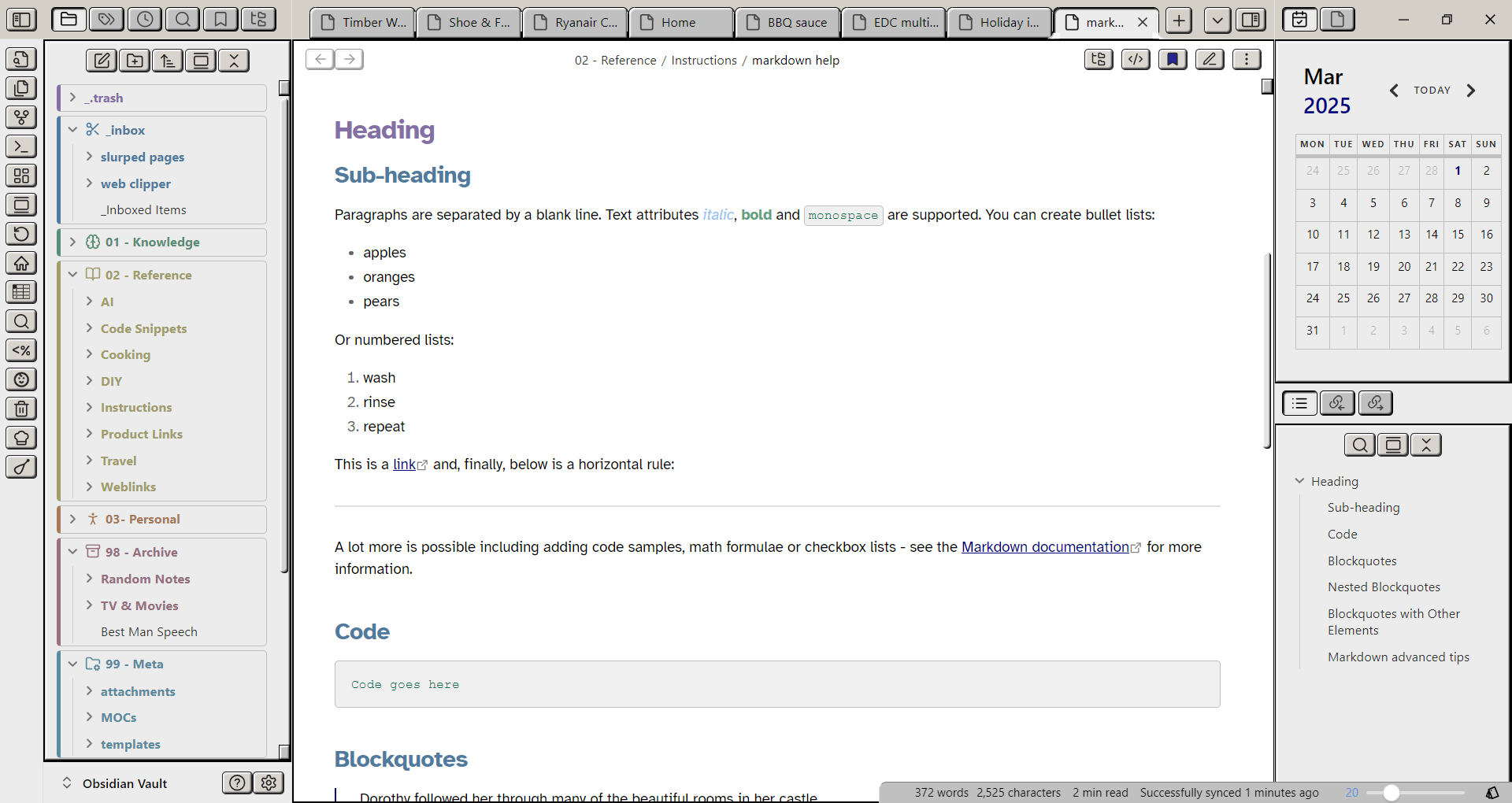
- Authentic Windows 3.1 Aesthetics: Classic gray interface, 3D-effect buttons, blue title bars, and pixelated charm
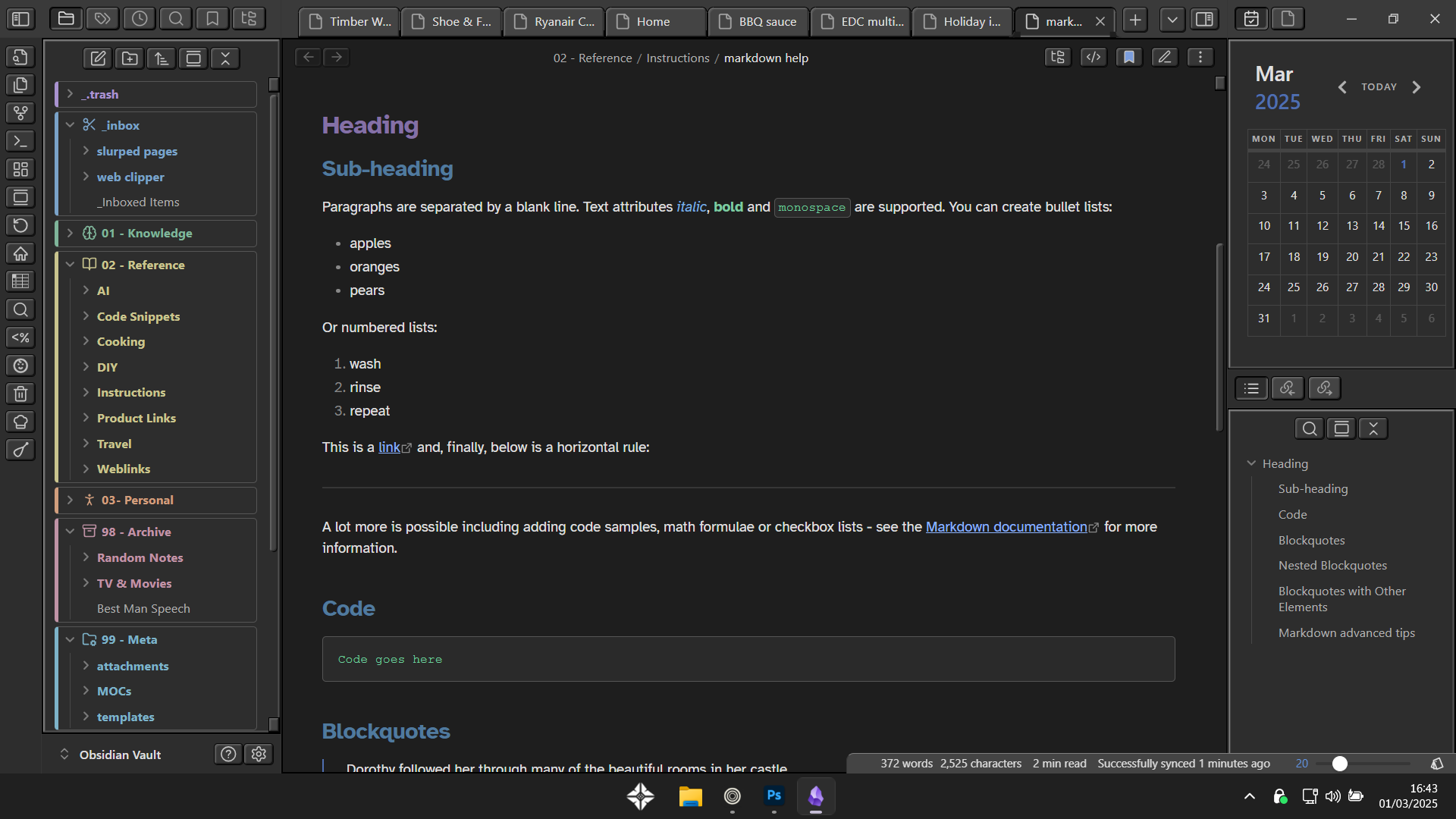
- Dual Theme Support: Choose between light and dark variants
- Color-Coded Folders: Easily distinguish between different folders with the classic color scheme
- Classic Typography: Uses "MS Sans Serif" and "Courier New" fonts for that authentic feel
- Styled UI Elements: Specially designed scrollbars, buttons, and windows that mimic the Windows 3.1 interface
- Markdown Formatting: Custom styling for code blocks, headings, lists, and other markdown elements
Installation
- Open Obsidian Settings
- Navigate to Appearance → Themes
- Click "Manage" and search for "Retro Windows"
- Click "Install and use"
Manual Installation
- Download the
theme.cssfile - Copy it to your vault's
.obsidian/themes/retro-windows/directory - Open Obsidian Settings → Appearance → Themes and select "Retro Windows"
Screenshots
Customization
The theme includes variables at the top of the CSS file that can be adjusted to customize colors, fonts, and other elements. I may add support for Style Settings plugin in the future.
Optional Fonts & Plugins
Fonts
- Text font Atkinson Hyperlegible: https://fonts.google.com/specimen/Atkinson+Hyperlegible
- Monospace font JetBrains Mono: https://www.jetbrains.com/lp/mono/
- Interface font is just Obsidian default.
Plugins
Iconize for icons beside note folders: https://github.com/FlorianWoelki/obsidian-iconize
Credits
Thanks to Reddit user "jwintyo" for his coloured folders code.
License
MIT License