Okudagram
 Jalad188 downloads
A theme inspired by the computer display graphics of Star Trek: The Next Generation designed by Michael Okuda.
- Overview
- Scorecard
- Updates3
Okudagram
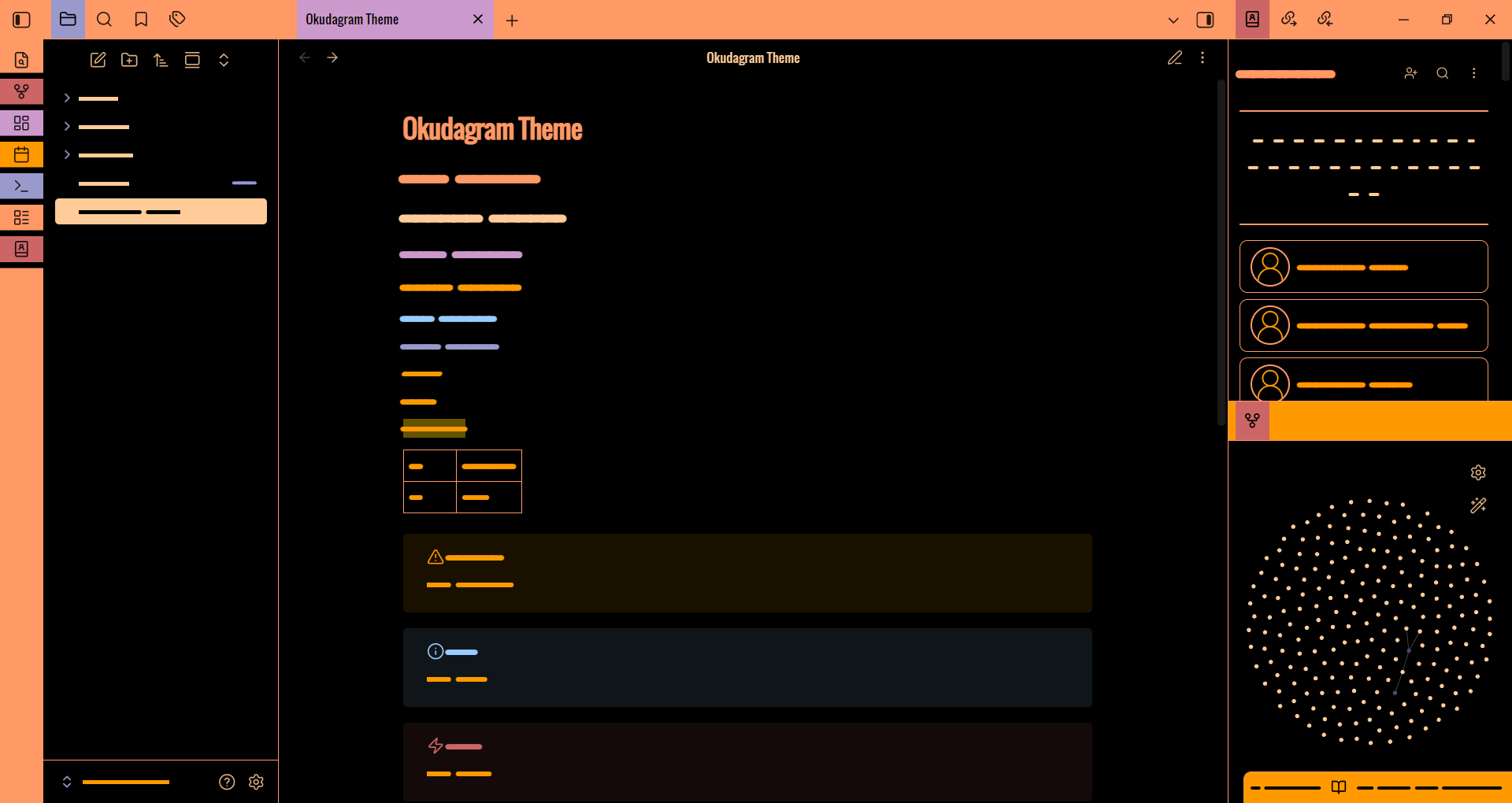
An Obsidian theme inspired by the computer display graphics of Star Trek: The Next Generation. The term "Okudagram" was coined by set decorator John M. Dwyer to describe the colorful displays designed by scenic-art supervisor Michael Okuda and the name has since been adopted by Star Trek fans and graphic design enthusiasts alike.
[!important] Dark mode only. This theme is built and tested exclusively for Obsidian's dark color scheme. Light mode is not supported and will not render any part of the theme.
Desktop only. This theme has not been built or tested for Obsidian on mobile and is not expected to work there.
Features
- Palette — late-TNG era: peach, beige, lavender, red, amber, blue, and muted lavender on near-black.
- Fonts — uses fonts already shipped on most systems with no remote download required: Oswald → Bahnschrift → Helvetica Neue Condensed → Arial Narrow → system sans. Code blocks fall back through JetBrains Mono → Fira Code → Consolas → monospace. UI chrome and headings are uppercase with wide tracking.
Install
Obsidian Community Themes
Open Settings → Appearance → Manage, search for Okudagram, and select Install and use.
Manually
- Create a folder named
Okudagraminside<your-vault>/.obsidian/themes/. - Copy
manifest.jsonandtheme.cssfrom this repo into that folder. - In Settings → Appearance → Themes, pick Okudagram.
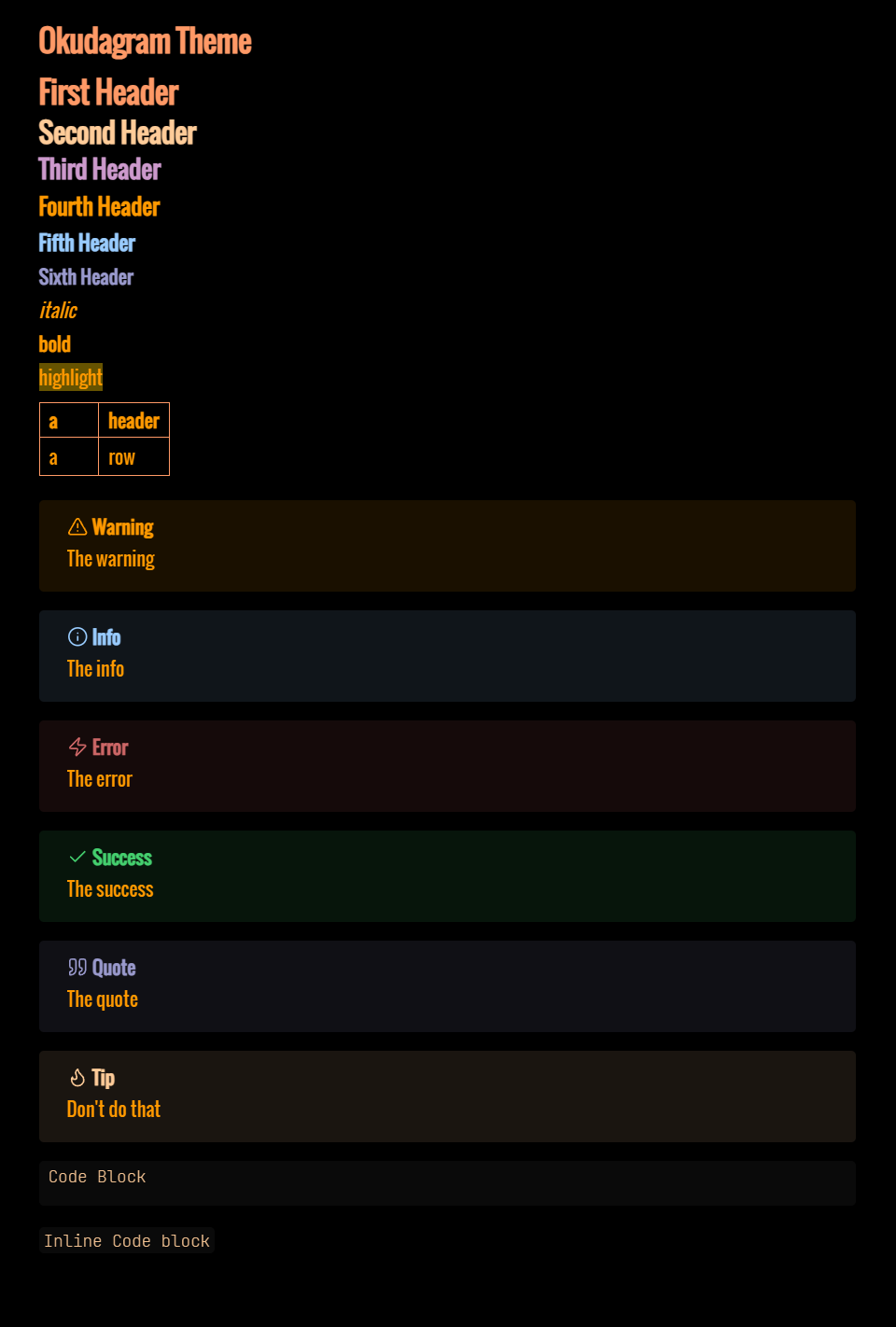
Markdown Examples
Customization
Theme PADD (recommended)
Okudagram is compatible with the Theme PADD plugin. Install Theme PADD, then open its settings to:
- Switch between preset palettes (TNG, Voyager, DS9)
- Override individual palette colors (peach, amber, etc.)
Your customizations live in the plugin's settings and survive theme updates.
Edit theme.css directly
If you'd rather edit the CSS, you can change values directly in theme.css. All palette values live as CSS custom properties at the top of the file.
[!NOTE] Any changes you make there will be overwritten the next time the theme updates. For changes that survive updates, either use Theme PADD (above) or drop a CSS snippet with your overrides into
<your-vault>/.obsidian/snippets/and enable it under Settings → Appearance → CSS snippets.
Contributing
Contributions of all kinds are welcome!
See CONTRIBUTING.md for full guidelines.
License
GNU General Public License v3.0. See LICENSE for details.