
- Overview
- Scorecard
- Updates3
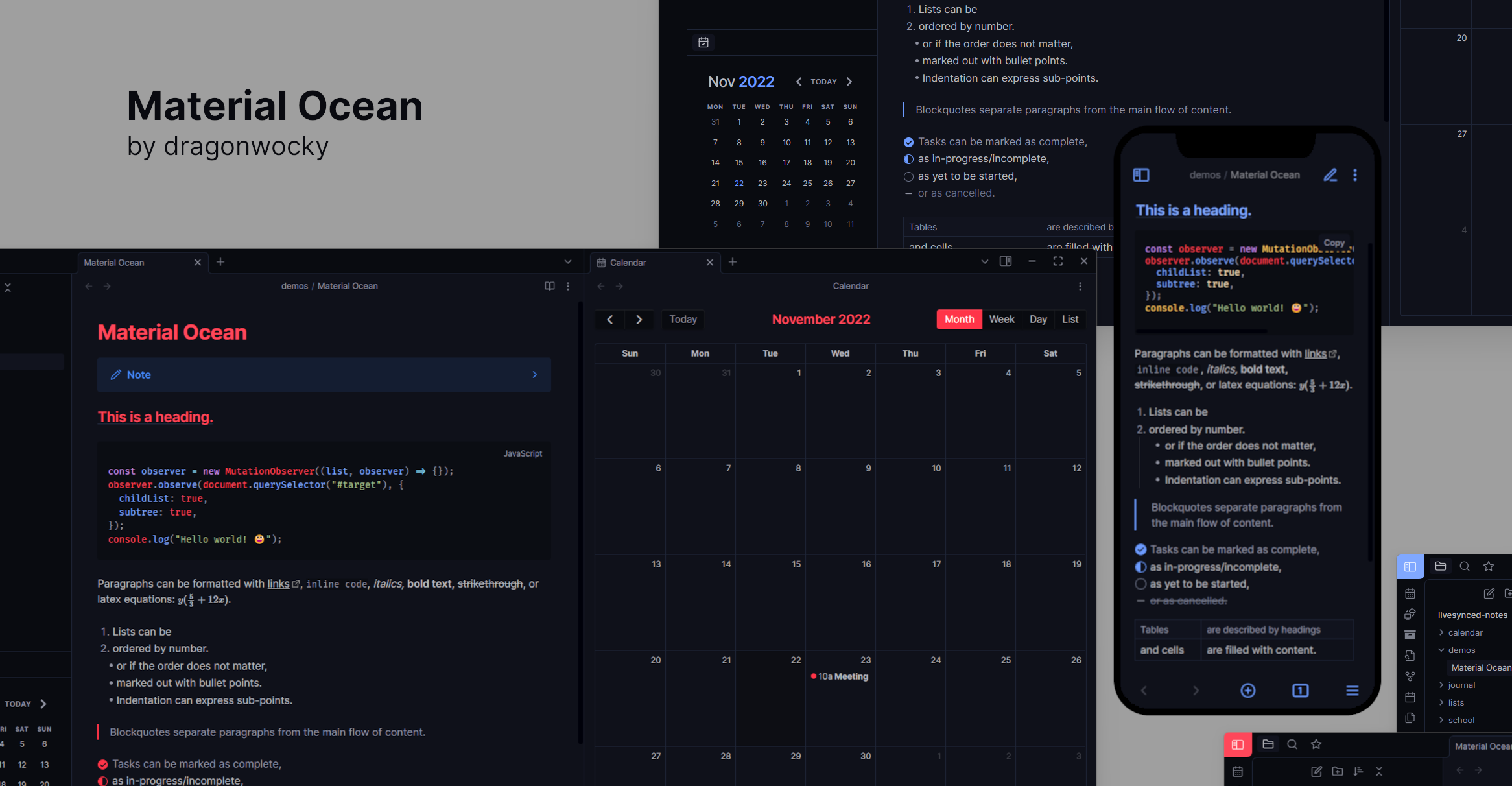
Material Ocean is an Obsidian dark theme that combines
navy blue undertones with pastel highlights for a pleasant visual experience on both
mobile and desktop. The recommended accent colours for this theme are either #ff475a
(the default) or #82aaff (sky blue) and the fonts used in the theme's screenshots are
Inter and Fira Code.
This theme is also available for Visual Studio Code, Notion, and a variety of other apps and desktop environments.
Installation
Obsidian Marketplace
- In Obsidian, navigate to Settings → Appearance.
- Press the Manage button beside the Themes option.
- Search for
Material Oceanin the Filter text input. - Select
Material Oceanand press Install and use. - You're done! 🎉
Manual
- Download this repository.
- Copy it into your vault's
.obsidian/themesdirectory. - In Obsidian, navigate to Settings → Appearance.
- Select
Material Oceanfrom the dropdown under the Themes option. - You're done! 🎉
Features
As well as recolouring Obsidian's interface, the Material Ocean theme comes with a number of layout and typography tweaks and quality of life editor improvements.
- Element spacing, sizing and positioning has been adjusted for a more consistent editing experience.
- The window minimise/maximise/close button icons are replaced by icons from the Lucide icons toolkit, matching the smoother and more rounded designs of the other in-app icons
- The top-left sidebar toggle button has been accented and the surrounding borders simplified and rounded for a more aesthetic design.
- Long code lines overflow and are scrolled horizontally instead of being wrapped onto the next line. In reading mode, whole code blocks can be scrolled. In source mode, individual lines must be scrolled due to architectural limitations.
- Images are (slightly) rounded, headings are underlined and callout arrows are right-aligned.
- Checkboxes are circular and completed tasks are greyed out instead
of crossed out. The following alternative checkbox styles have been added:
- [/]represents an incomplete task with a half-filled circle.- [-]represents a cancelled task by crossing it out.
Supported Plugins
Most Obsidian plugins should work with this theme out of the box. Additional styling has been provided specifically for the following plugins to ensure compatibility and fix minor display issues:
Disclaimer
This theme is provided as-is and is designed for personal use. It has not been tested on all platforms or with all features and may not work as expected with all future updates. If you notice something looks wrong, please open a bug report or pull request so it can be fixed.
I did not create the original Material Ocean colour palette. Full credit for that goes to the original Material Theme. I have selected colours from the original theme, adjusted them, and added additional colours for the purposes of adapting the theme to work with other apps e.g. Obsidian and Notion.