
- Overview
- Scorecard
- Updates8
中文
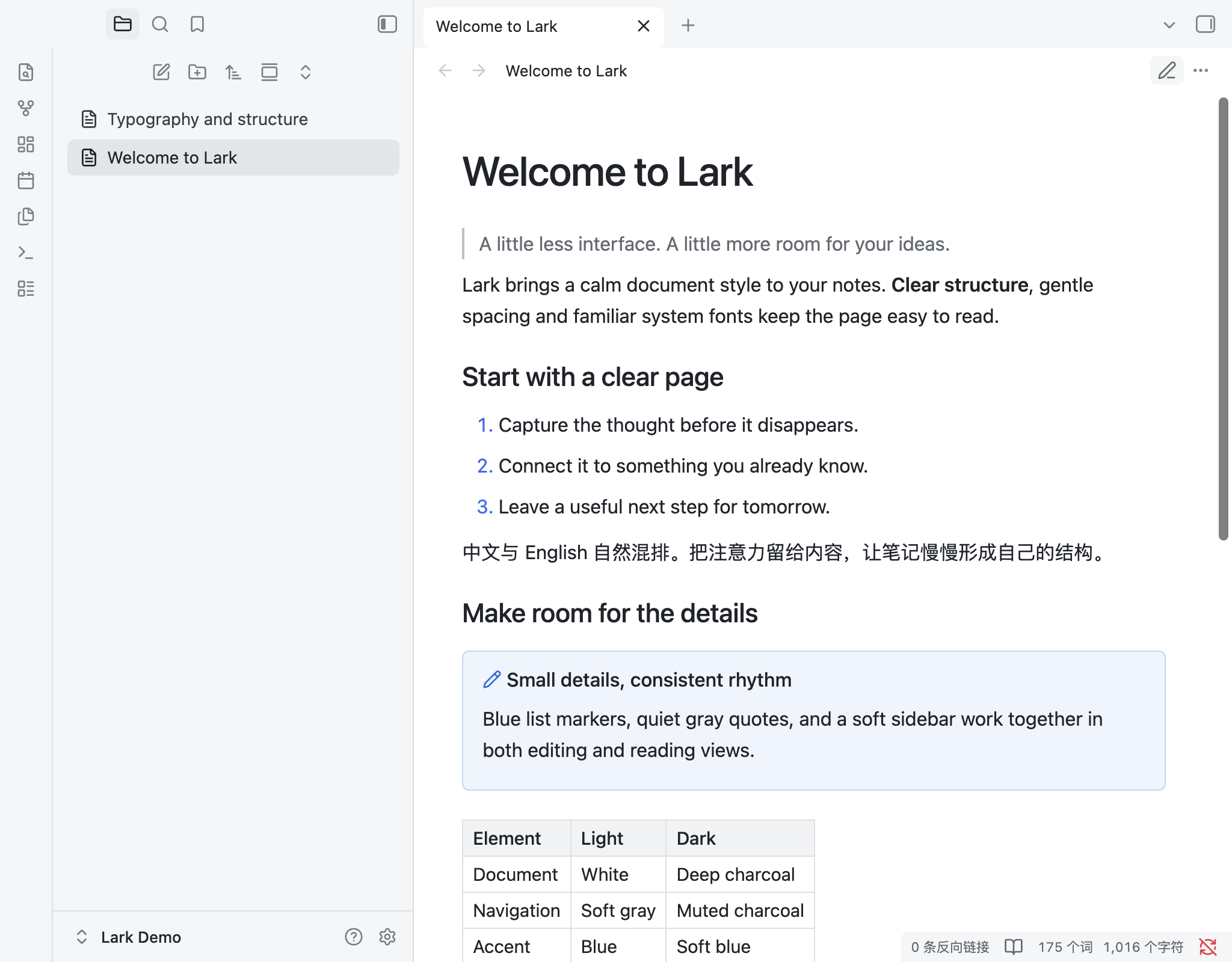
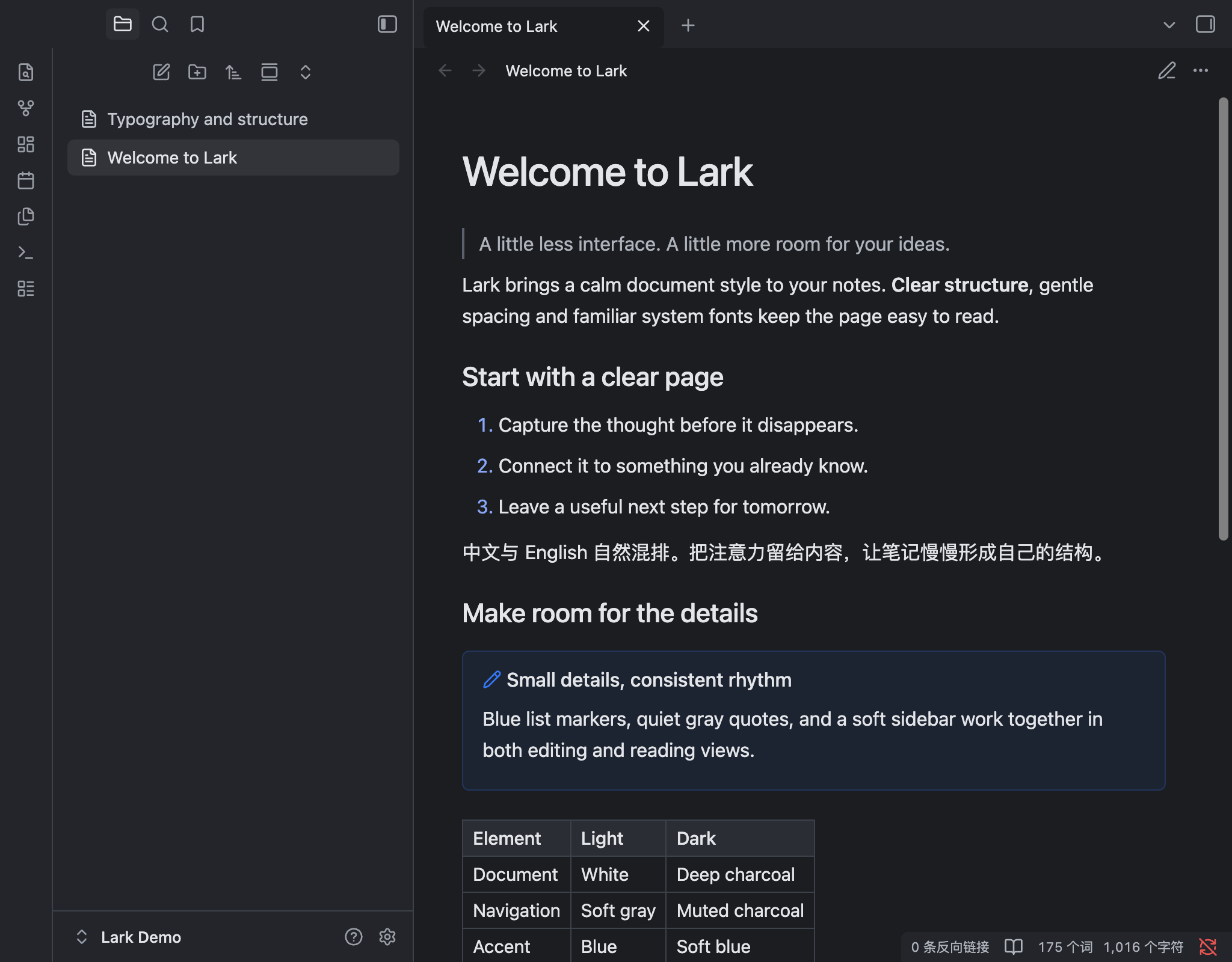
Lark 是一款适合日常阅读与写作的 Obsidian 主题。设计灵感来自飞书文档,采用清晰的文字层级、简洁的侧栏和蓝色点缀,支持浅色与深色外观。
特点
- 浅色与深色外观。
- 系统字体、清晰的标题和紧凑的段落间距。
- 浅灰侧栏、蓝色链接与列表标记,引用、表格和代码块样式统一。
安装
需要 Obsidian 1.14.4 或更新版本。
社区主题商店
在「设置 → 外观 → 主题 → 管理」中搜索 Lark,安装并启用。
手动下载安装
- 从 Releases 下载最新的
Lark-*.zip安装包。 - 解压,将
Lark文件夹放入笔记库的.obsidian/themes/目录。 - 在「设置 → 外观 → 主题」中选择 Lark。
如果喜欢 Lark,欢迎在 GitHub 点个 Star,支持后续更新。
English
Lark is an Obsidian theme for everyday reading and writing. Inspired by the document editor in Lark (Feishu), it combines clear typography, subtle navigation and blue accents, with light and dark appearances.
Features
- Light and dark appearances.
- System fonts, clear headings and compact paragraph spacing.
- Subtle navigation, blue links and list markers, with consistent quotes, tables and code blocks.
Installation
Requires Obsidian 1.14.4 or later.
Community theme store
In Settings → Appearance → Themes → Manage, search for Lark, then install and enable it.
Manual download
- Download the latest
Lark-*.zipinstallation package from Releases. - Extract the
Larkfolder into your vault's.obsidian/themes/directory. - Select Lark in Settings → Appearance → Themes.
If you enjoy Lark, consider starring the project on GitHub.
License
HealthExcellent
ReviewSatisfactory
About
Lark is an Obsidian theme for everyday reading and writing. Inspired by the document editor in Lark (Feishu), it combines clear typography, subtle navigation and blue accents, with light and dark appearances.Details
Current version
1.0.7
Last updated
2 days ago
Created
4 days ago
Updates
8 releases
Downloads
56
License
MIT
Author