
- Overview
- Scorecard
- Updates4
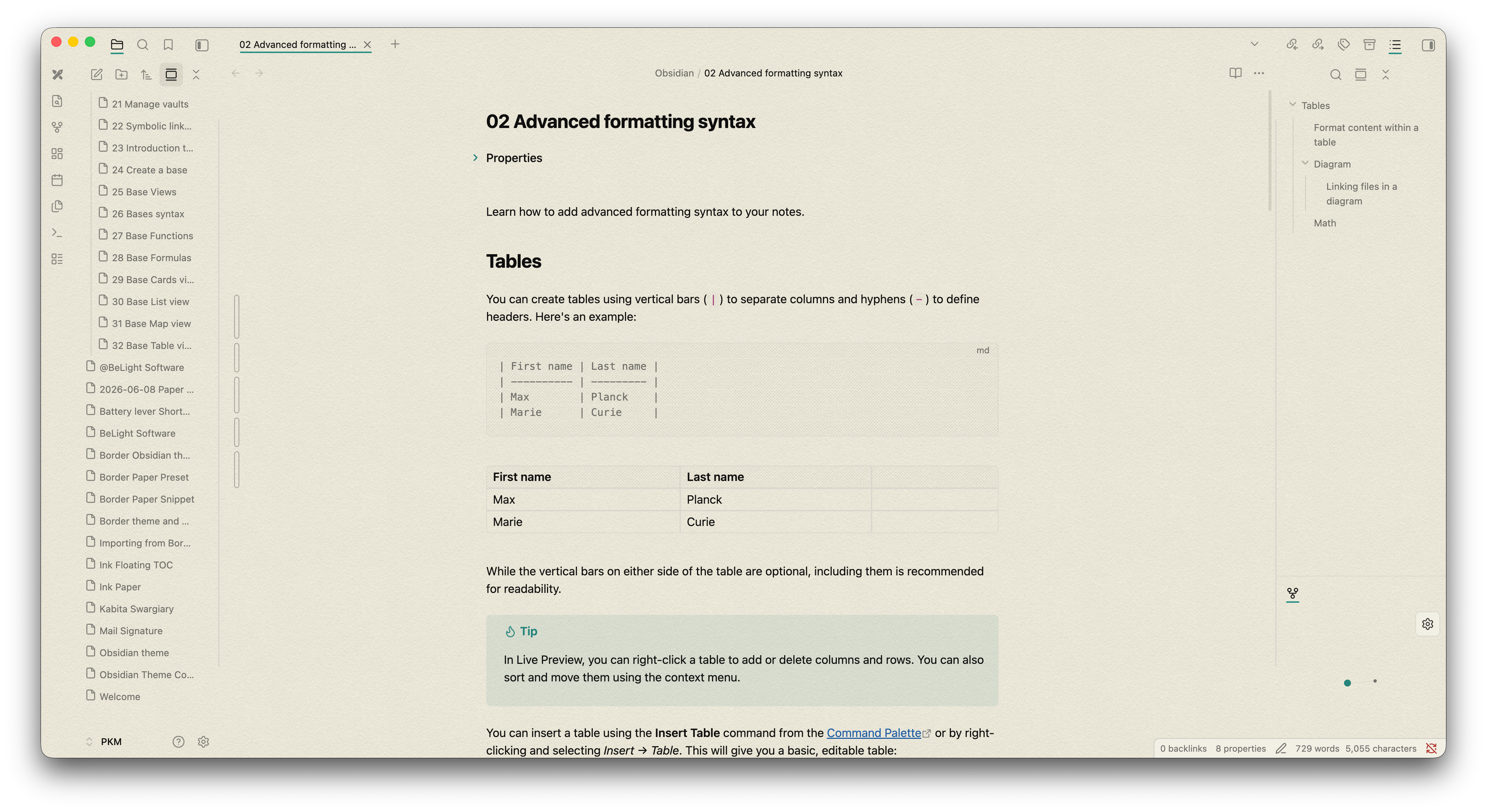
A highly customizable theme blending the warmth of physical paper with modern workspace layouts, powered by the soothing Flexoki color palette.
Ink Paper was built from the ground up to provide a distraction-free, visually unified writing experience. It strips away the heavy, opaque backgrounds of the default Obsidian UI, allowing a custom paper texture to flow seamlessly through your panes, sidebars, and active tabs.
🖼️ Screenshot
 |
 |
|---|---|
 |
 |
 |
 |
🌟 Core Features
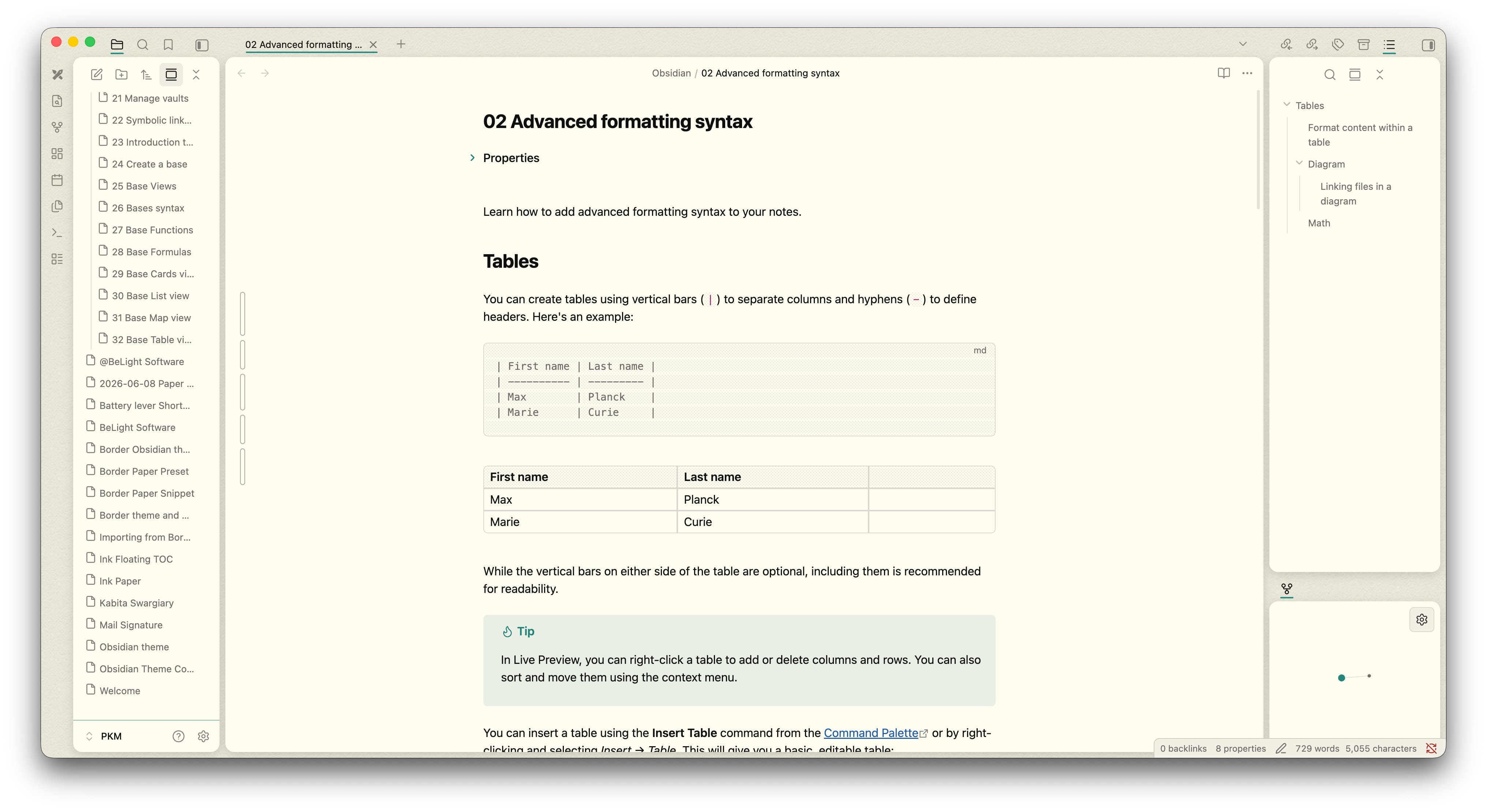
Warm, Readable Typography: Built natively around the Flexoki color system to reduce eye strain in both Light and Dark modes.
Tactile UI Elements: Beautifully styled blockquotes with interactive borders, seamless callouts, and extensive support for alternate custom checkboxes (including progress, info, question, and cancellation markers).
Translucent Architecture: Sidebars, title bars, and file explorers have been rebuilt to be completely transparent, allowing your chosen background texture to serve as the unified canvas for your entire vault.
🎨 The Paper Engine (V3)
Most textured themes struggle with UI bleeding and overlapping pseudo-elements. Ink Paper introduces a highly robust, native CSS background engine:
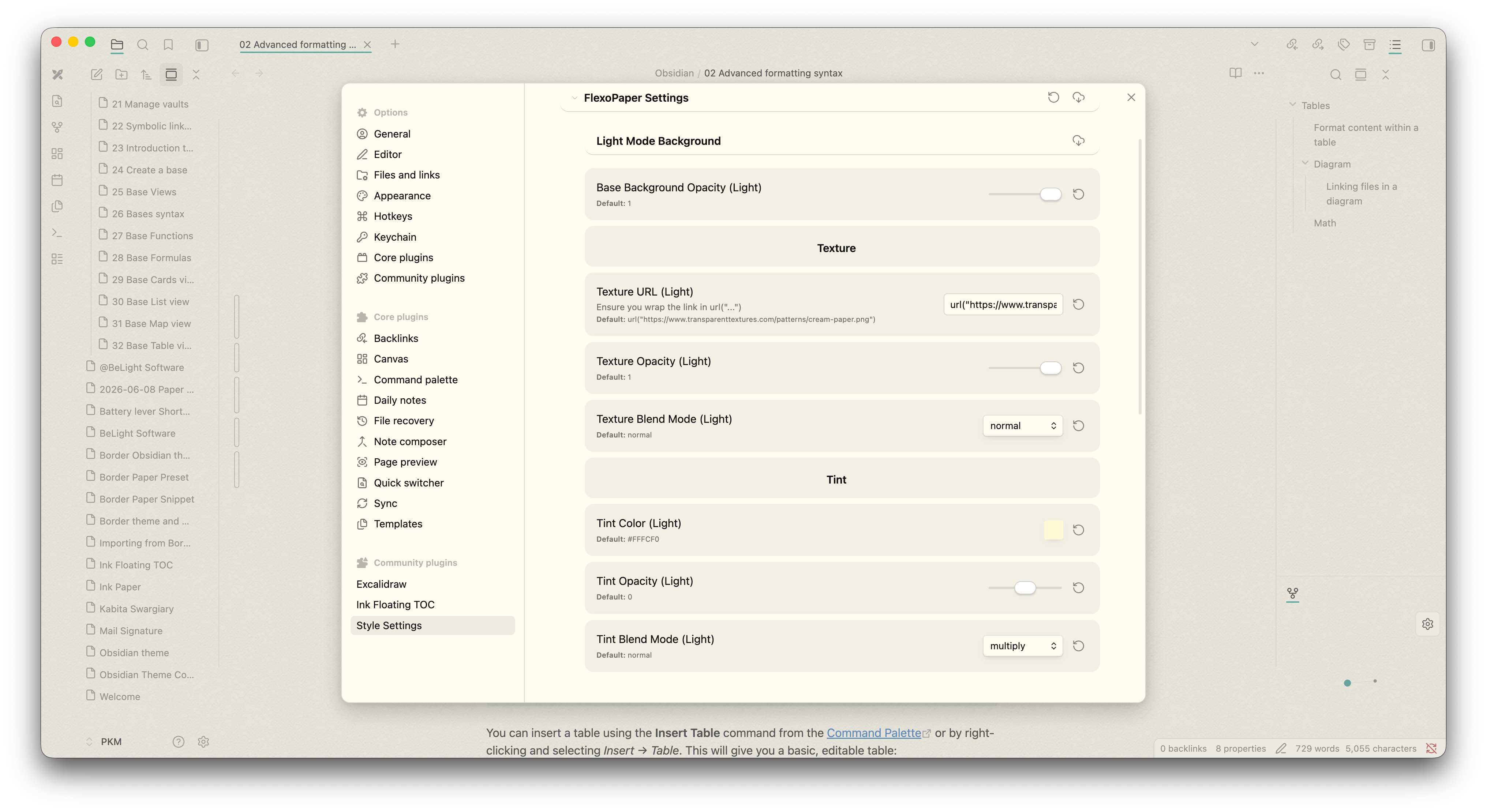
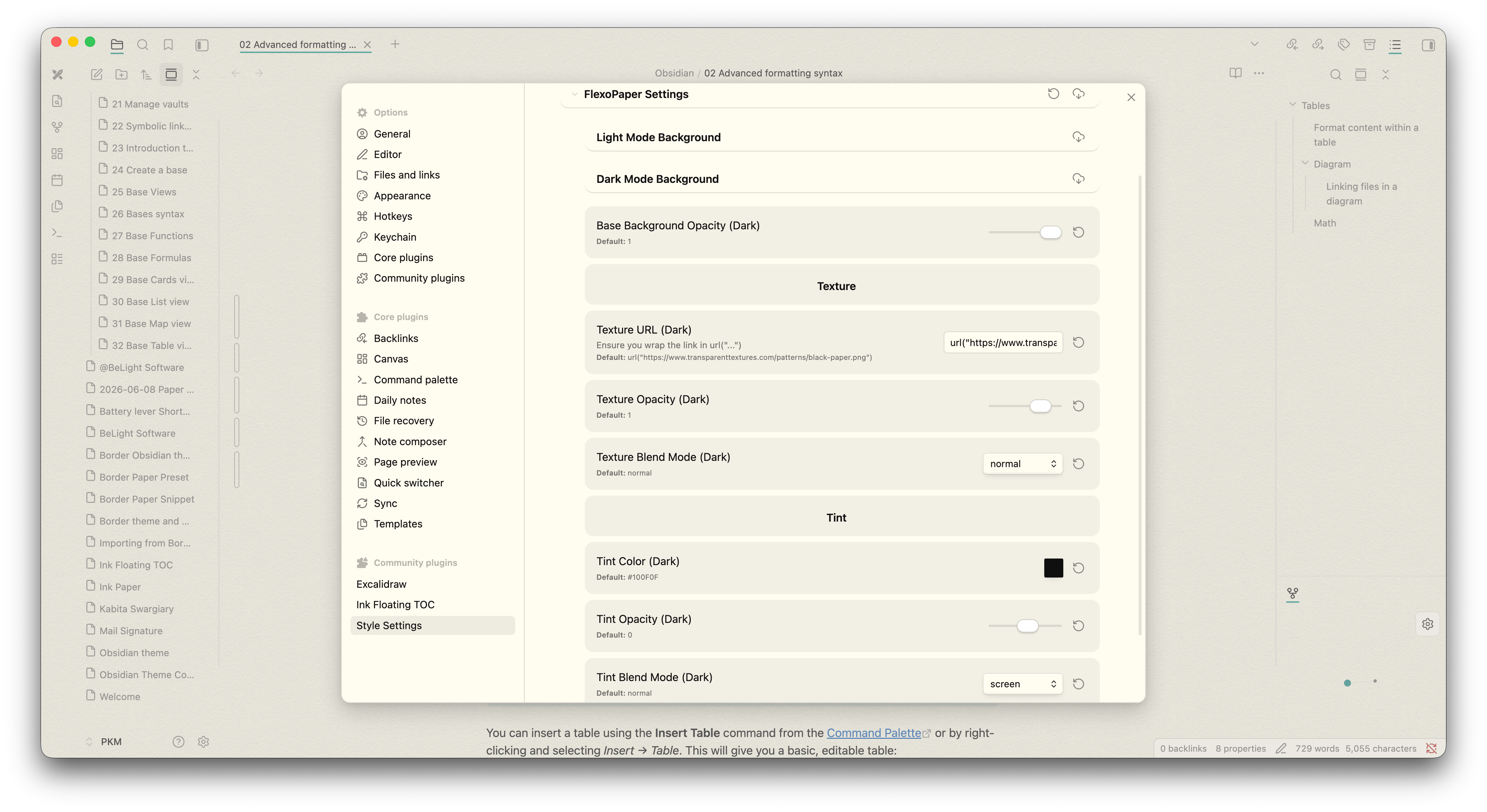
True Compositing: Mix your Base Background Color, a Texture Image URL, and standard CSS Blend Modes (Multiply, Overlay, Color-Burn, etc.) directly in your settings.
The "Swatch Shield": A custom UI fix built into the theme that permanently stops background textures from turning your color picker menus transparent.
Independent Controls: Effortlessly adjust the opacity of both your base color and your texture grain without writing a single line of CSS.
🎛️ Modular Workspace Layouts
Whether you prefer a flush, traditional text editor or a modern, separated workspace, Ink Paper adapts to your workflow.
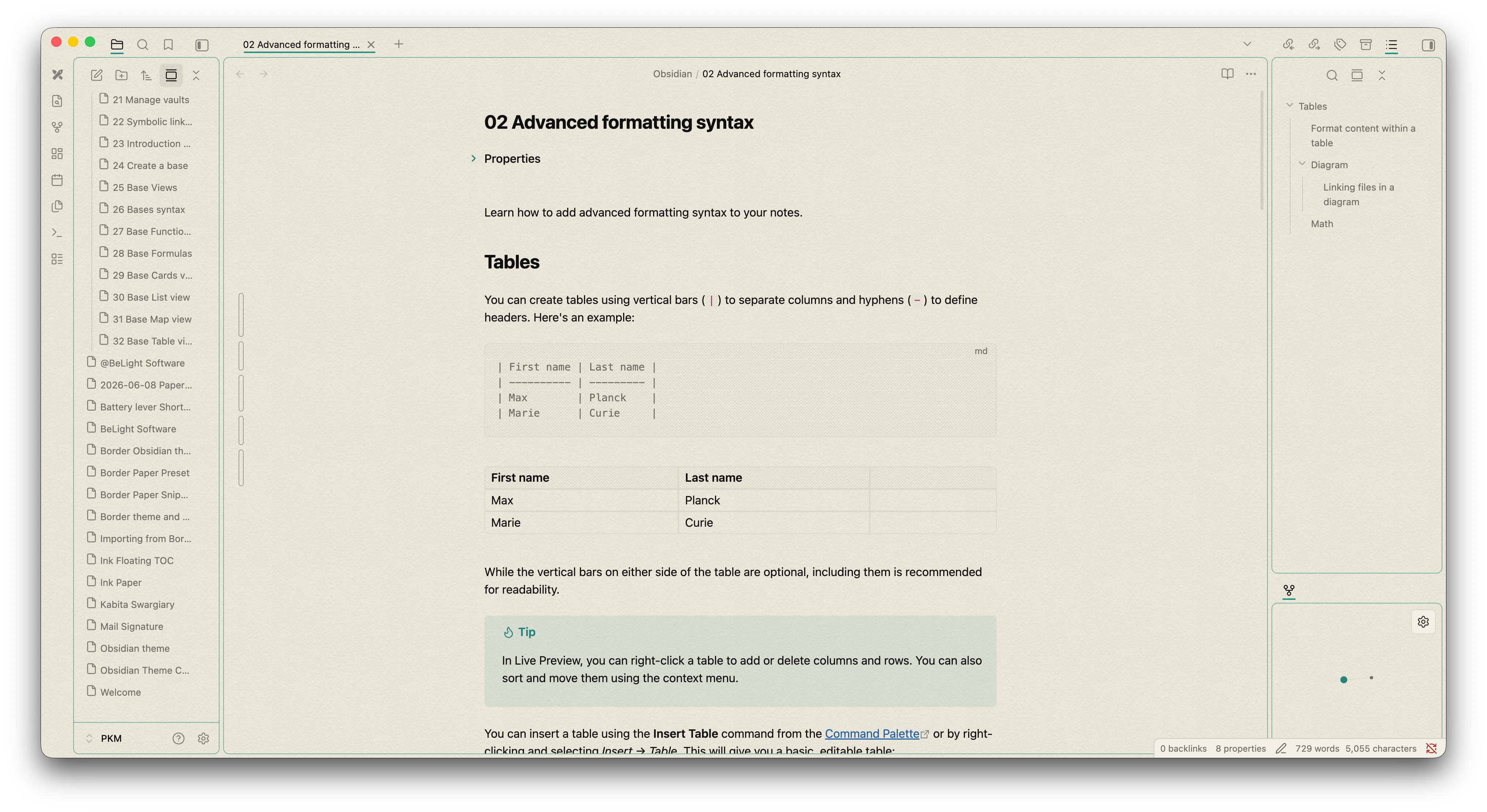
Card Layout Mode: Instantly transform your editor, left panel, and right panel into floating "cards" with adjustable gaps and border radiuses.
Independent Panel Colors: Want a dark sidebar with a light editor? You can independently toggle and colorize the Left Panel, Middle Panel, Right Panel, and Vault Profile areas.
Custom Borders: Add solid, dashed, or dotted borders to your workspace panes with custom thickness and accent colors.
🙌 Credits & Inspiration
Ink Paper stands on the shoulders of giants within the Obsidian community. A massive thank you to the following projects for their inspiration and foundational concepts:
Flexoki Theme & Color Palette: The core color harmony, syntax highlighting, and visual warmth of this theme are directly taken from Flexoki color system.
Border Theme: A huge credit to the Border theme for the structural inspiration. Ink Paper's modular "Card Layout" features and the ingenious native CSS blending techniques used in the Paper Engine were heavily inspired by Border's brilliant approach to workspace UI.
⚙️ Requirements & Customization
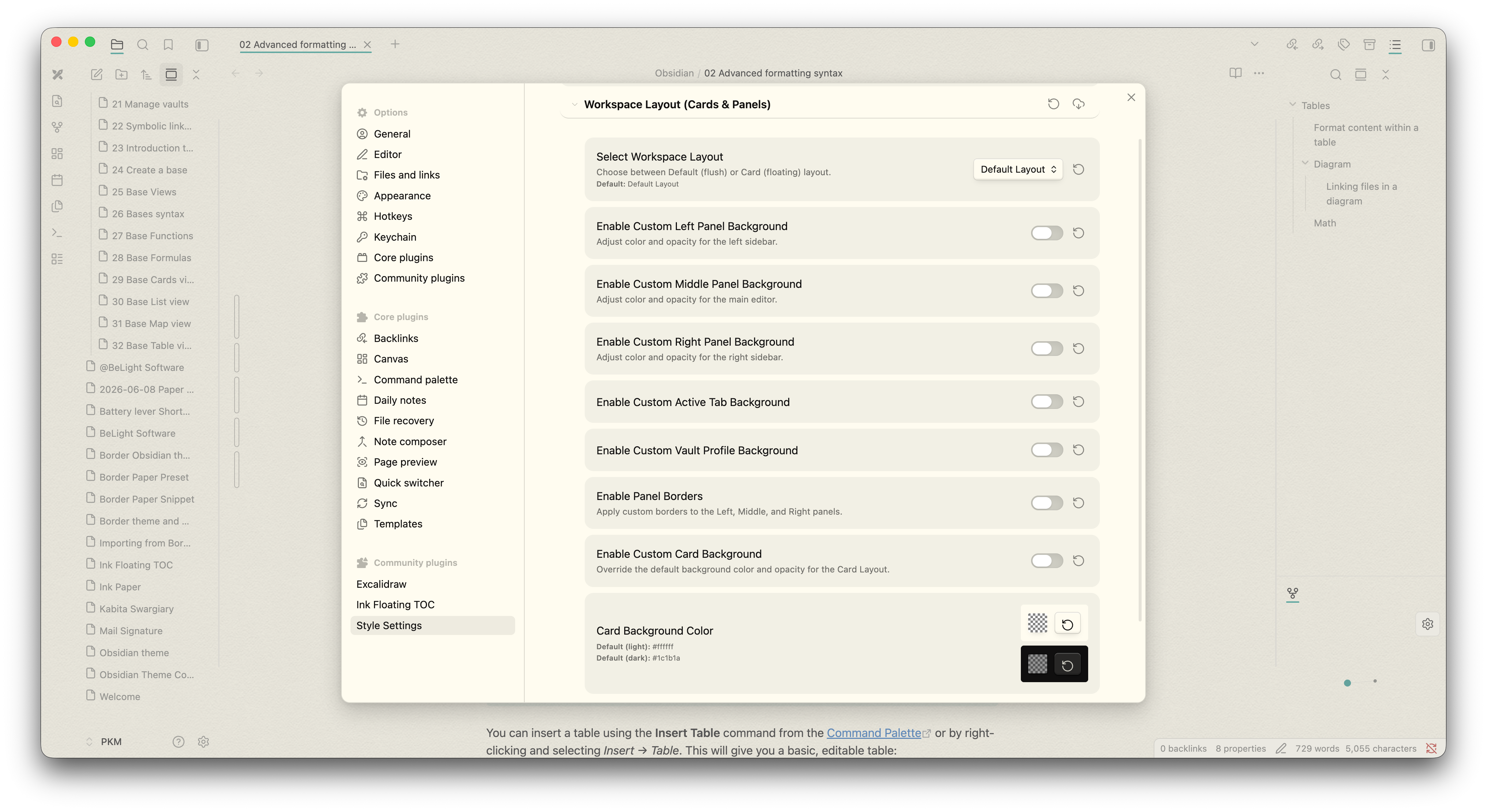
To unlock the full potential of Ink Paper, the Style Settings community plugin is highly recommended.
Through the Style Settings menu, you can instantly toggle:
Light and Dark mode base colors, texture URLs, and blend modes.
Card layouts vs. Default flush layouts.
Active tab indicator colors and styling.
Panel border visibility and thickness.
📥 Installation
Open Obsidian and navigate to Settings > Appearance.
Click Manage under Themes.
Search for Ink Paper and click Install and Use.
Download the Style Settings plugin from the Community Plugins tab to customize your textures and layouts!