
- Overview
- Scorecard
- Updates3
    ______         __           _
   / ____/________/ /_  _______(_)____
  / __/ / ___/ __  / / / / ___/ / ___/
 / /___/ /__/ /_/ / /_/ (__  ) (__  )
/_____/\___/\__,_/\__, /____/_/____/
                 /____/
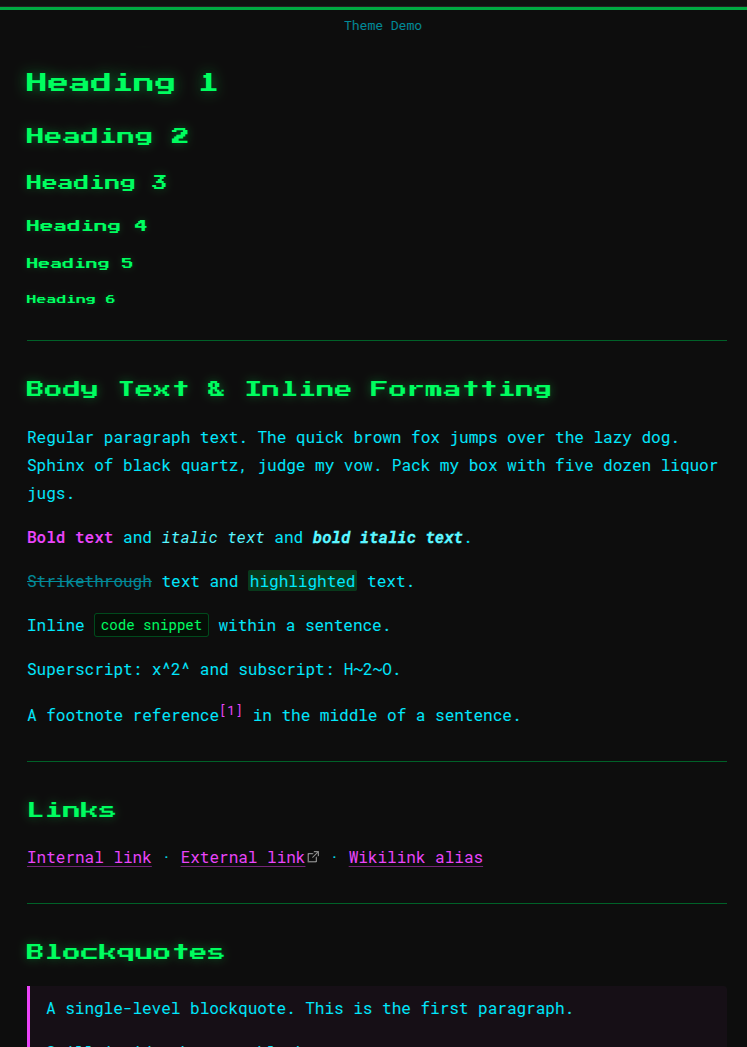
A dark Obsidian theme with a retro-terminal aesthetic, built around neon color on near-black and a pixel-game typographic identity.
Author: Kodama Chameleon
Design
The theme takes its visual language from the terminal: monospace everywhere, neon green headers that glow against the dark, and a framed border effect that anchors each note like a screen inside a screen.
Color palette
| Role | Color |
|---|---|
| Headings | #33ff4b — neon green |
| Body text | #49eaff — cyan |
| Accents, bold, links | #df40fe — magenta |
| Background | #0d0d0d — near-black |
Typography
- Headings — Press Start 2P (pixel/retro game font)
- Body & UI — Roboto Mono
Both fonts are loaded from Google Fonts and require an internet connection on first load.
Features
- Terminal frame — each note is bordered by a thin green line on all four sides. The top and bottom edges are solid; the left and right edges fade to transparent between 40%–60% of the pane height, dissolving into the background at the center.
- Heading glow — H1–H3 carry a soft neon
text-shadowthat steps down in intensity with each level. - Neon tables — table borders use green at varying opacities; the header row has a full-opacity bottom border and a subtle green background tint.
- Callout titles — rendered in Press Start 2P at small size, consistent with the heading identity.
- Colored inline formatting — bold is magenta, italic is a brightened cyan, highlights are green-tinted.
- Magenta links — underlined by default with a dimmed underline color that brightens to full on hover.
- Syntax highlighting — code blocks use a near-black green-tinted background with green default text, magenta keywords, cyan strings, and yellow values.
Installation
Manual
- Download or clone this repository.
- Copy the
ecdysis/folder into your vault's.obsidian/themes/directory. - In Obsidian: Settings → Appearance → Themes and select ecdysis.
From the community theme browser
- In Obsidian: Settings → Appearance → Themes → Manage
- Search for Ecdysis
- Click Install and use
Compatibility
Requires Obsidian 1.0.0 or later. Tested in both Live Preview and Reading View.
HealthExcellent
ReviewPassed
About
Apply a retro terminal aesthetic with neon-on-near-black colors and pixel-game typography, using Press Start 2P for headings and Roboto Mono for body and UI. Frame each note with a thin glowing green border, add neon-glow headers, colored inline formatting, magenta links, neon-tinted tables, and terminal-style syntax highlighting.Details
Current version
1.0.2
Last updated
2 weeks ago
Created
2 weeks ago
Updates
3 releases
Downloads
166
License
MIT