
- Overview
- Scorecard
- Updates4
An ancient cat watches over your vault.
Clawdia is a warm, gothic-inspired theme for Obsidian, built around a creamy ink palette with ember-glow amber accents. Designed to feel like reading by candlelight in an old library — with a cat watching from the shadows.
✨ Features
- Dual themes — Full dark and light modes, each carefully color-balanced
- Gothic warmth palette — Deep ink backgrounds, cream text, ember-orange accents
- Serif body typography — Georgia/Palatino for reading, Inter/system fonts for UI
- Custom code syntax — Full syntax highlighting in both themes
- Styled callouts — All callout types themed with Clawdia's palette
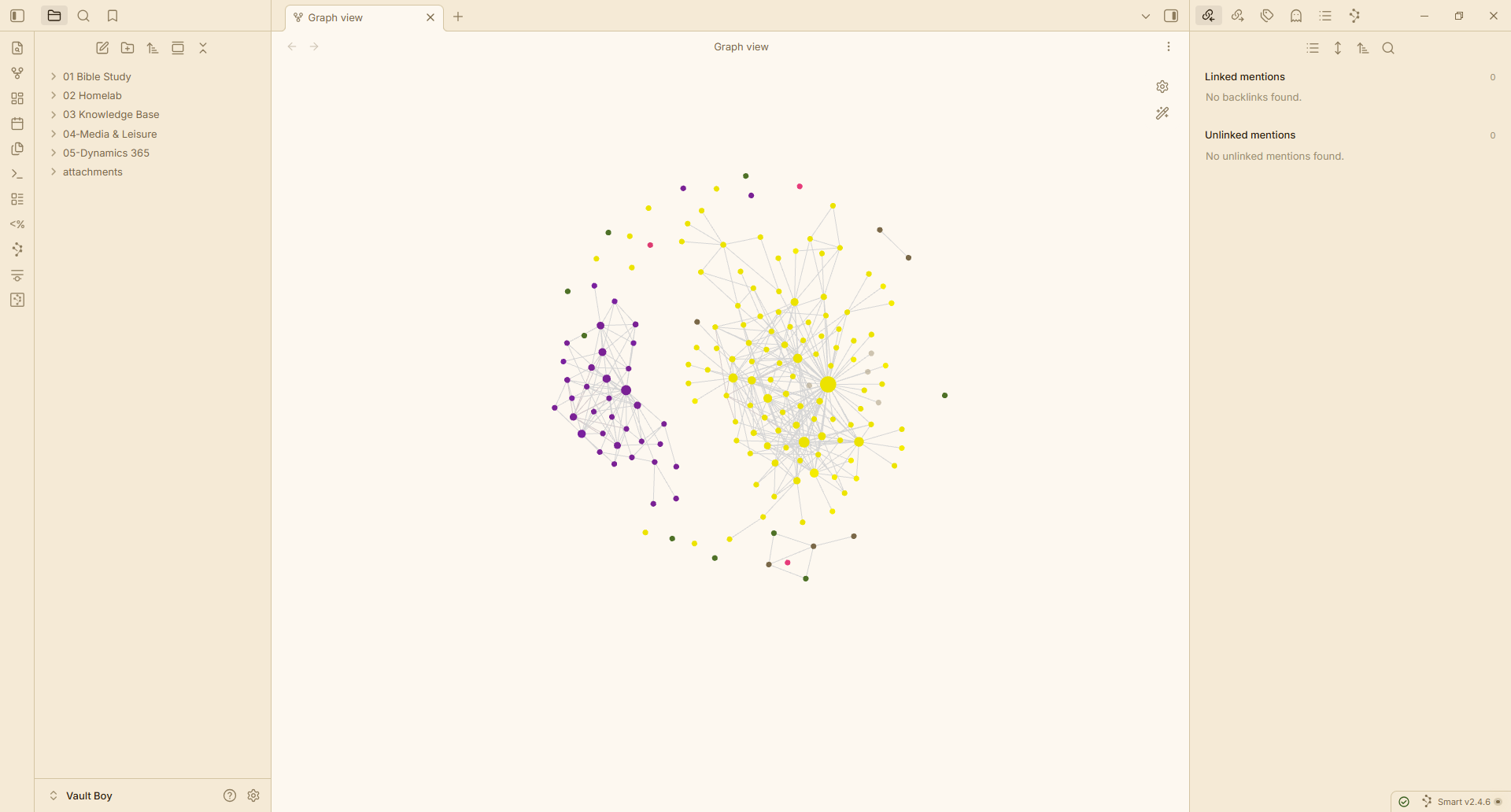
- Graph view — Custom node colors for focused, unresolved, and tagged notes
- Canvas support — Themed canvas background, dots, and card borders
- Polished details — Custom blockquotes, tables, checkboxes, tags, highlights, modals, command palette, and more
- Paw print watermark — A subtle cat signature on empty workspace panes
- Cross-browser scrollbars — Styled for both Chromium and Firefox
- Style Settings support — Customize accent color and font size, or hide the watermark/heading ornament, without editing CSS
- Mobile support — Themed navbar and drawer for the Obsidian mobile app
- AA-contrast text — Body and accent text checked against WCAG AA contrast ratios in both themes
📦 Installation
From Obsidian Community Directory
- Open Settings → Appearance
- Under Themes, click Manage
- Search for Clawdia
- Click Install
Manual Installation
- Download
manifest.jsonandtheme.cssfrom the latest release - Create a folder named
Clawdiain your vault's.obsidian/themes/directory - Place both files in that folder
- Open Settings → Appearance → Themes and select Clawdia
🎨 Color Palette
Note: All shades below
claw-500are derived at runtime viacolor-mix()from the accent color. The values shown here are the computed result when using the default#d97742accent. Changing the accent in Style Settings recalculates all shades automatically.
| Role | Dark | Light |
|---|---|---|
| Background | #14110d (ink-950) |
#faf6ef (cream-50) |
| Text | #f3ecdd (cream-100) |
#14110d (ink-950) |
| Accent | #d97742 (claw-500) |
#d97742 (claw-500) |
| Headings | #e8ac8c (claw-300) |
#98532e (claw-700) |
| Links | #e08f64 (claw-400) |
#98532e (claw-700) |
| Unresolved links | #7e5570 (plum-500) |
#7e5570 (plum-500) |
| External links | #8a9863 (moss-400) |
#6a7a44 (moss-500) |
Full Accent Scale
| Shade | Hex | Derivation |
|---|---|---|
| claw-700 | #98532e |
70% claw + 30% black |
| claw-600 | #bb6639 |
86% claw + 14% black |
| claw-500 | #d97742 |
Base accent (user-configurable) |
| claw-400 | #e08f64 |
82% claw + 18% white |
| claw-300 | #e8ac8c |
61% claw + 39% white |
| claw-100 | #f4d6c6 |
30% claw + 70% white |
🔤 Fonts
Clawdia uses the following font stack. Fonts that aren't installed will gracefully fall back to system defaults.
| Usage | Font | Fallback |
|---|---|---|
| Body / Reading | Georgia | Palatino, serif |
| Interface | Inter Tight | Inter, Segoe UI, system-ui, sans-serif |
| Code | JetBrains Mono | Fira Code, Cascadia Code, monospace |
For the best experience, install Inter and JetBrains Mono — both are free.
🎛️ Customizing
Install the Style Settings community plugin to customize Clawdia without editing CSS:
- Accent Color — change the ember-orange accent used for links, buttons, and highlights
- Body Font Size — adjust reading text size from 14–20px
- Hide Paw Watermark — turn off the cat signature on empty panes
- Hide Heading Ornament — turn off the ✦ before H1 headings
📋 Requirements
- Obsidian 1.5.0 or later
📄 License
🐛 Issues & Feedback
Found a bug or have a suggestion? Open an issue.
☕ Credits
Clawdia is inspired by the Clawdia bot — an ancient cat with gothic warmth.