
- Overview
- Scorecard
- Updates2
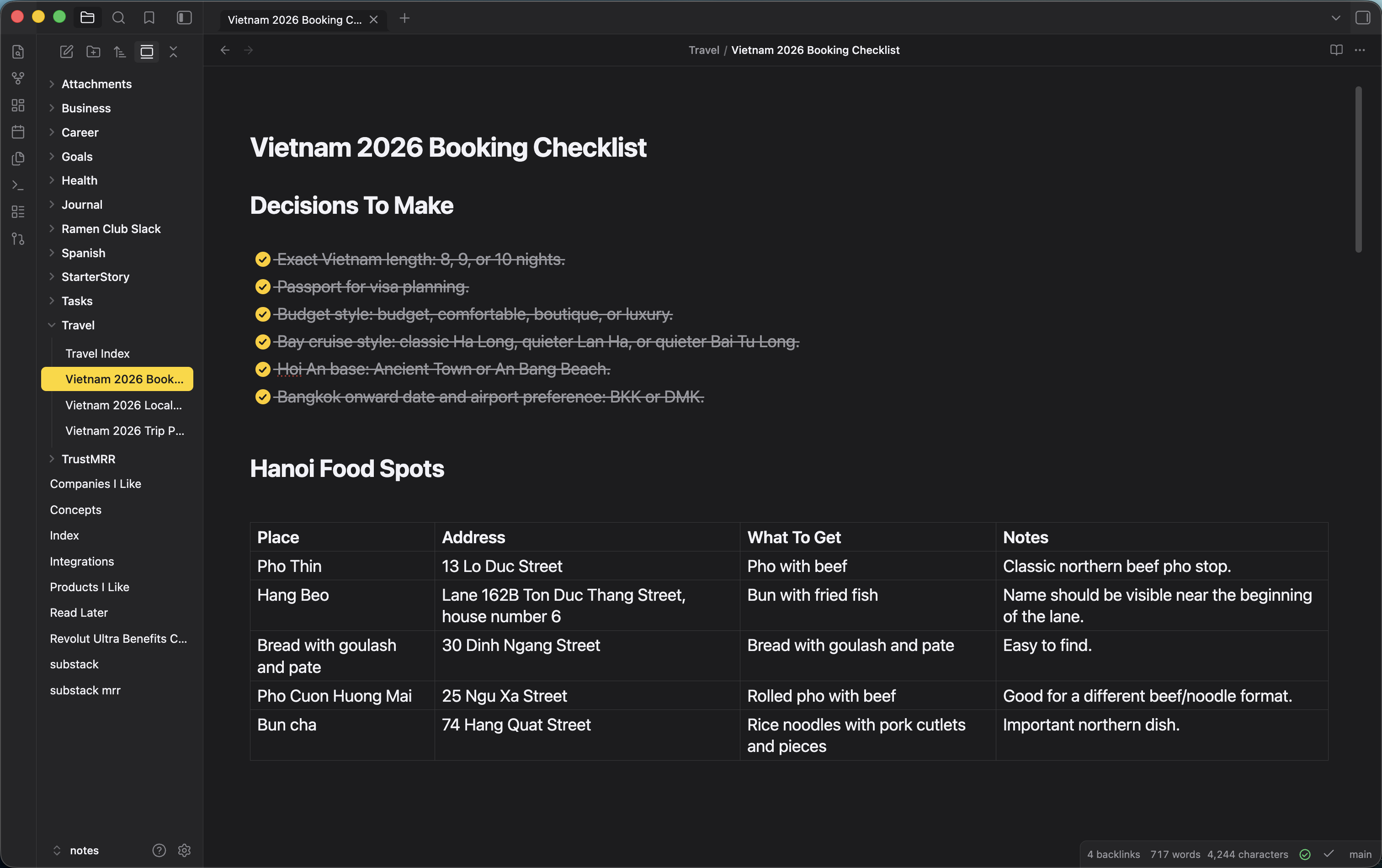
An Obsidian theme that mimics the look and feel of the Apple Notes app on macOS and iOS.
Features
- Warm off-white paper in light mode, charcoal
#1C1C1Ein dark mode - SF Pro font stack — matches the native macOS/iOS Notes typography
- Yellow accent (
#FFCC00/#F5B800) for links, folder icons, active note, tags - Round Apple-style checkboxes that fill gold with a white checkmark when done
- Yellow highlighter for
==marks==and text selection - Full-width editor with no line-number gutter — feels like a paper note, not a code file
- Pill-shaped yellow tags
- Rounded modals with translucent backdrop
- Both light and dark modes
Install
From the community themes gallery (once approved)
- Open Settings → Appearance → Themes → Manage
- Search for "Apple Notes"
- Install and apply
Manually
- Download
manifest.jsonandtheme.cssfrom the latest release - Copy them into
<your-vault>/.obsidian/themes/Apple Notes/ - In Obsidian: Settings → Appearance → Themes → Apple Notes
Recommended settings
For the closest match to real Apple Notes:
- Settings → Editor → Show line number: off
- Settings → Editor → Readable line length: your preference (the theme respects it either way and expands to full width when off)
- Settings → Appearance → Base color scheme: switch freely between light/dark — both are tuned
Credits
Built by Alex Simion. Inspired by Apple Notes on macOS Sonoma and iOS 17.
Support
If you enjoy the theme and want to support the work:
License
HealthExcellent
ReviewPassed
About
Bring Apple Notes styling to Obsidian with warm off-white paper in light mode and charcoal dark mode, SF Pro font stack, yellow accents for links/folders/tags, round gold checkboxes and yellow highlighter. Use a full-width editor, pill-shaped tags and rounded translucent modals for a native Notes feel.Details
Current version
1.0.1
Last updated
3 weeks ago
Created
3 weeks ago
Updates
2 releases
Downloads
755
License
MIT