Zenith
 Magomed Gadzhiev228 downloads
All-in-one life organizer: dashboard, tasks, content tracker with modular architecture.
- Overview
- Scorecard
- Updates20

Zenith
English · Русский
An all-in-one life organizer for Obsidian: a Dashboard, a Tasks manager, a Journal of daily notes, and a Content tracker (books, movies, shows, games…), built on a modular architecture so features can be toggled on and off without leaving your vault.
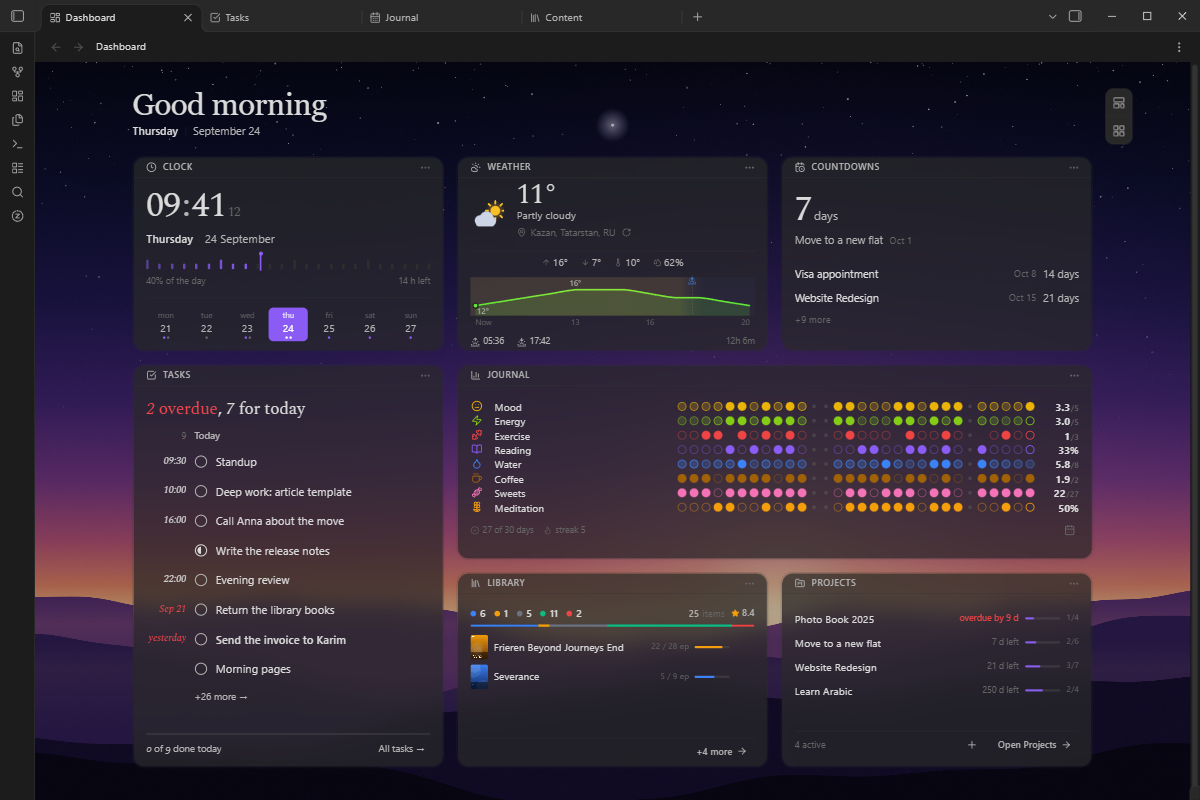
Your data stays as plain Markdown in your vault. Zenith reads and writes ordinary .md
files; there is no hidden database.
The interface speaks English, Russian and Simplified Chinese — Obsidian's language by default, or the one set in Settings → Zenith → General → Language.
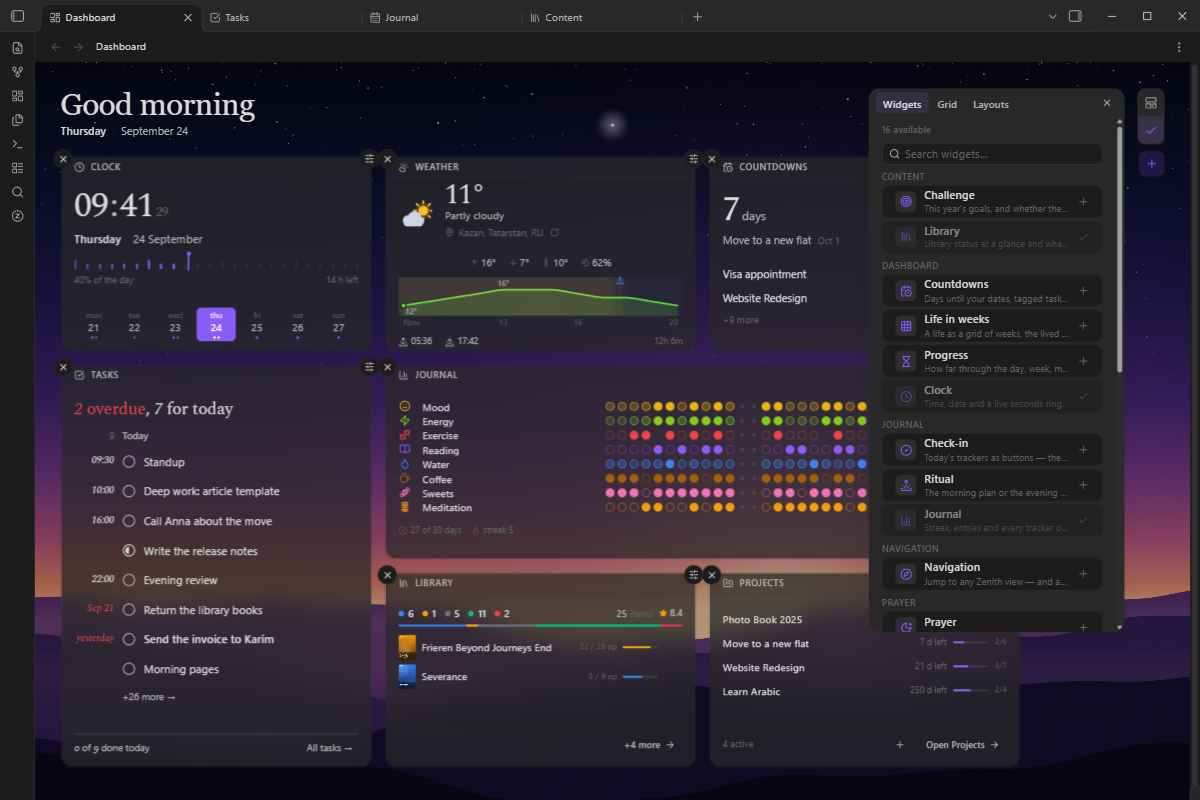
Screenshots
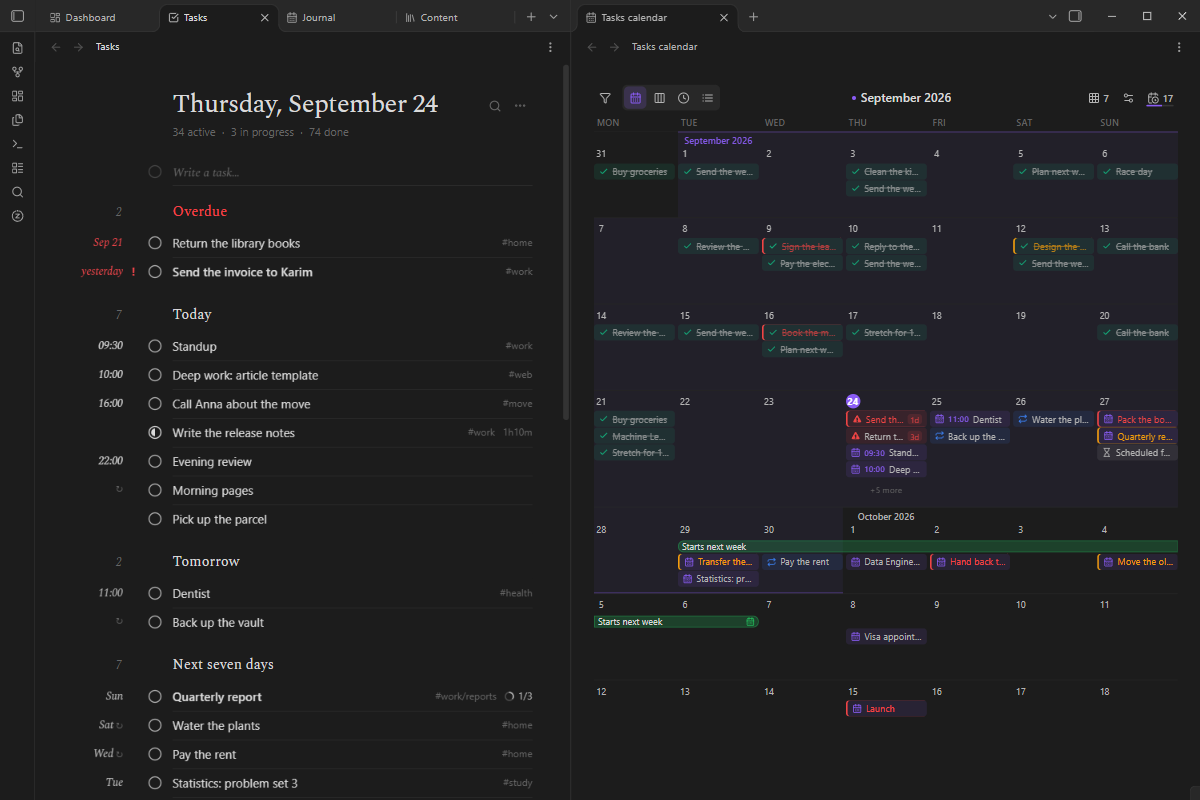
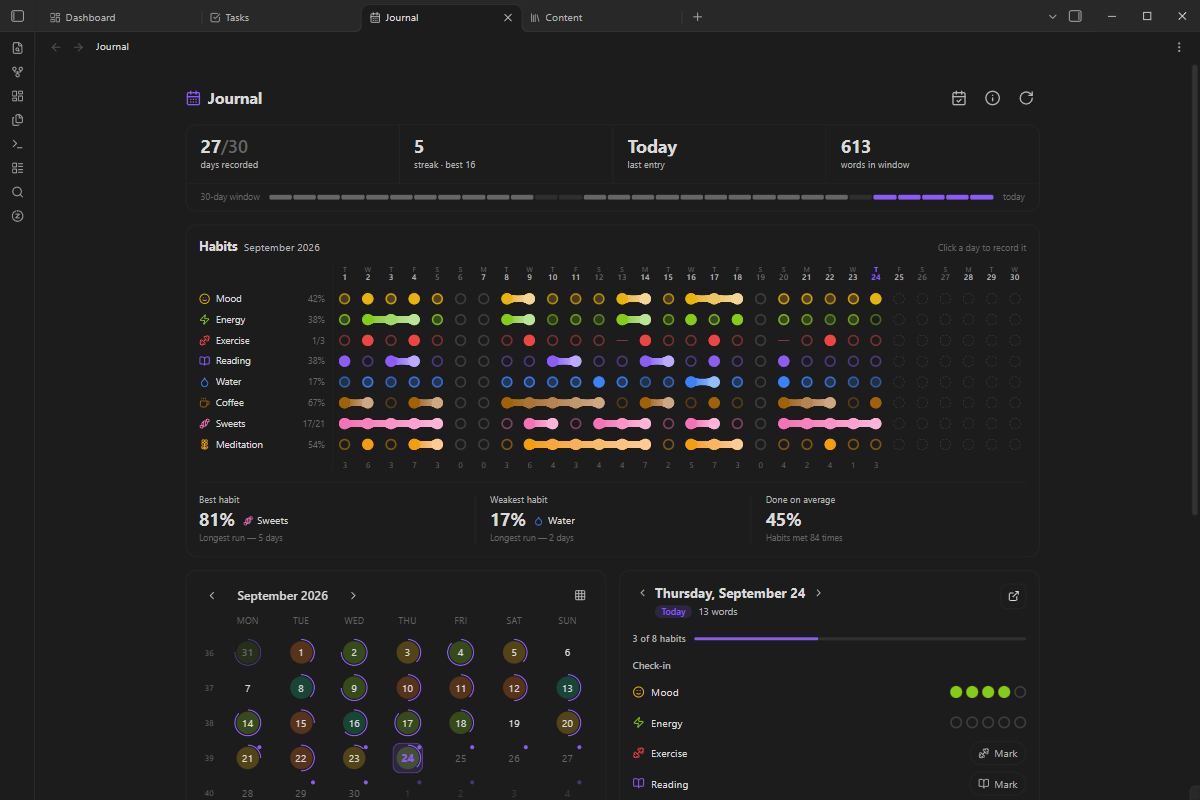
| Tasks, beside their calendar | The journal |
|---|---|
 |
 |
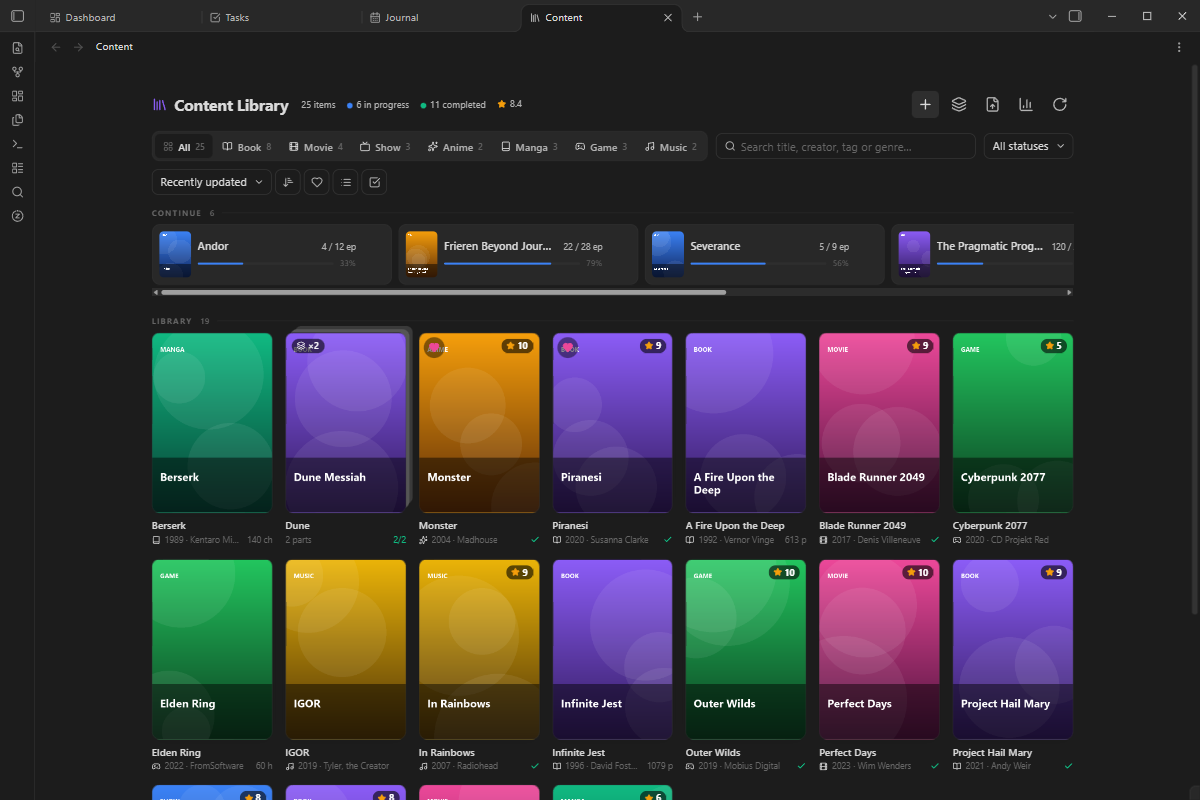
| The library | Arranging the board |
|---|---|
 |
 |
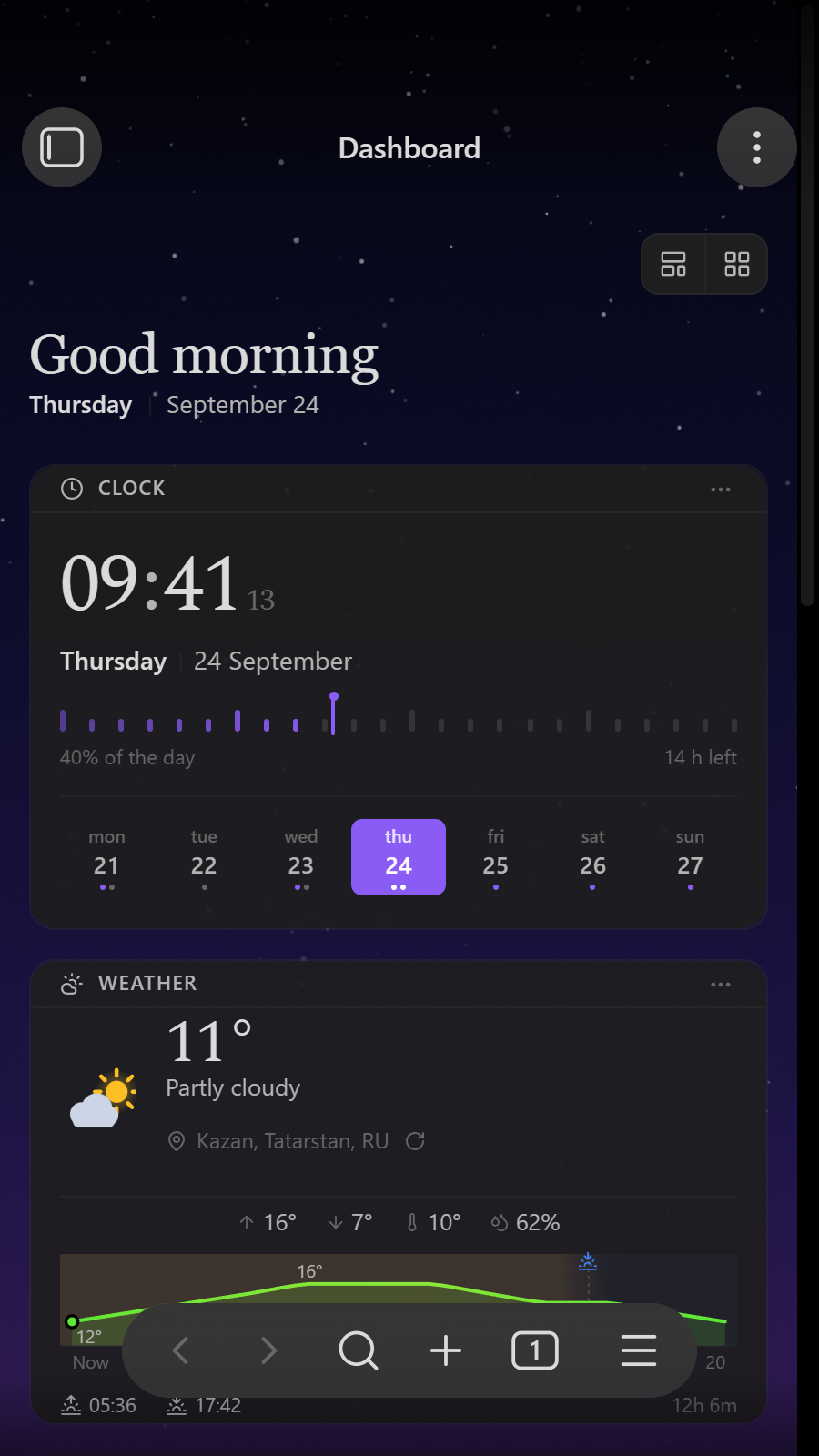
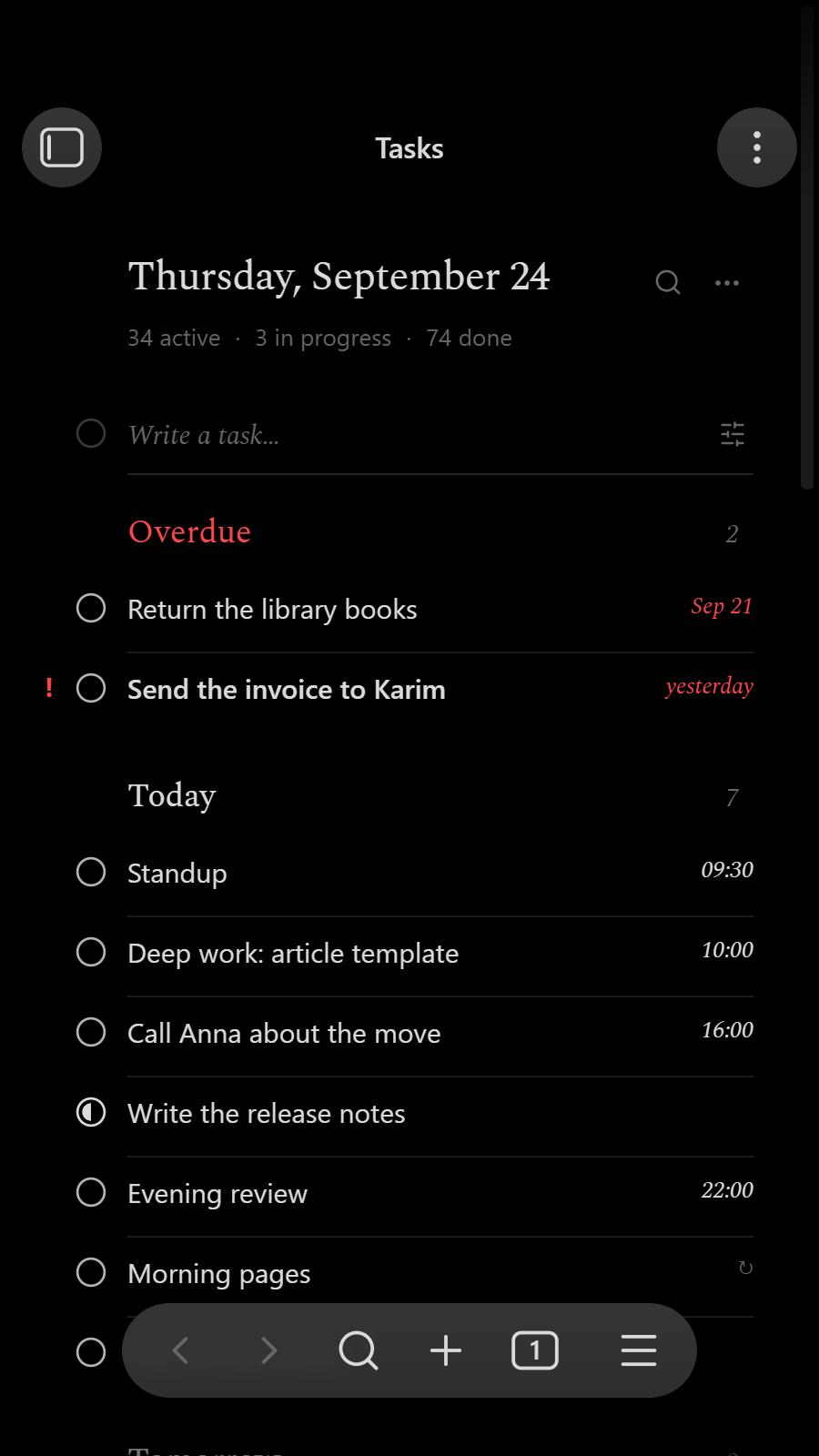
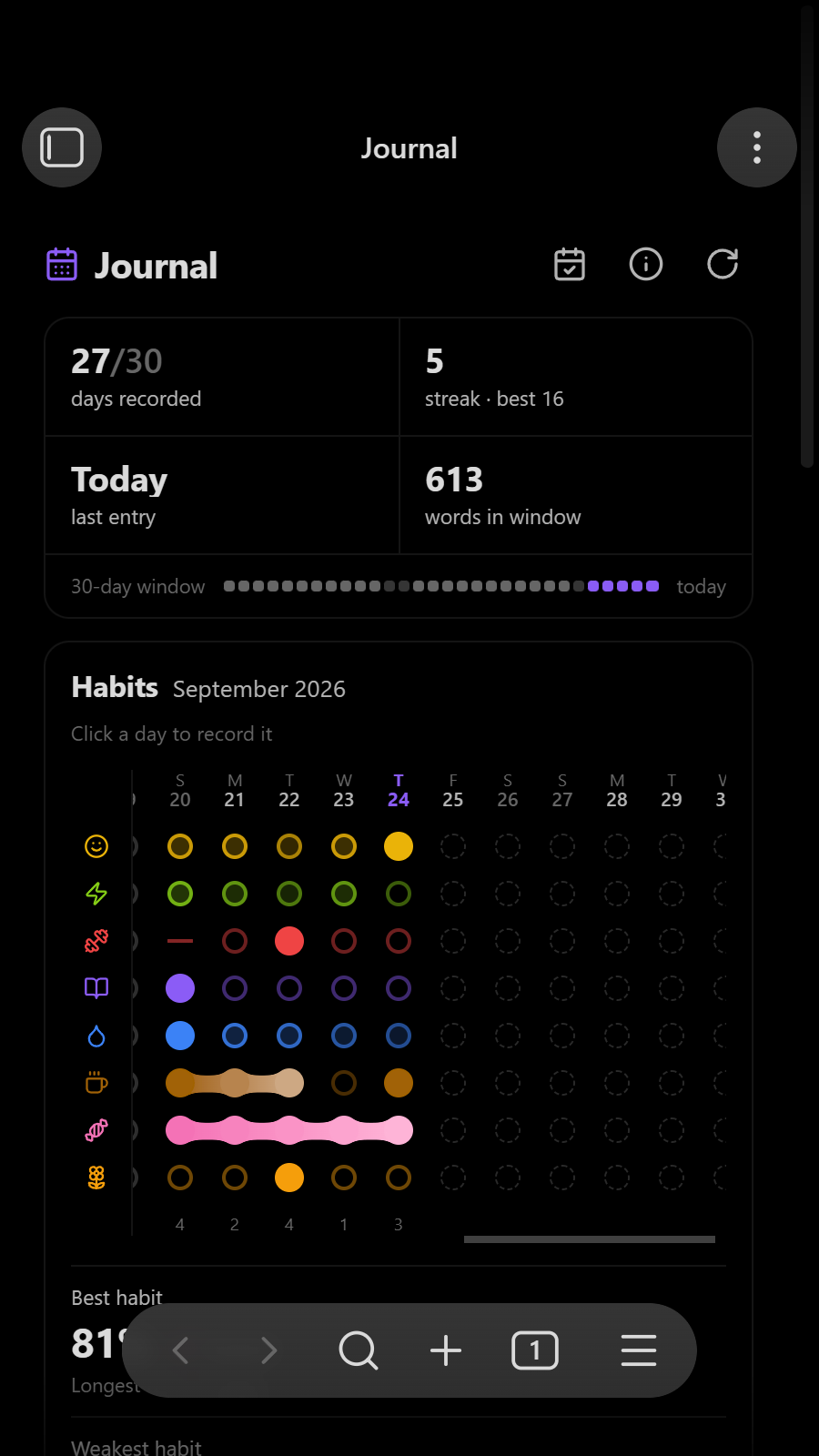
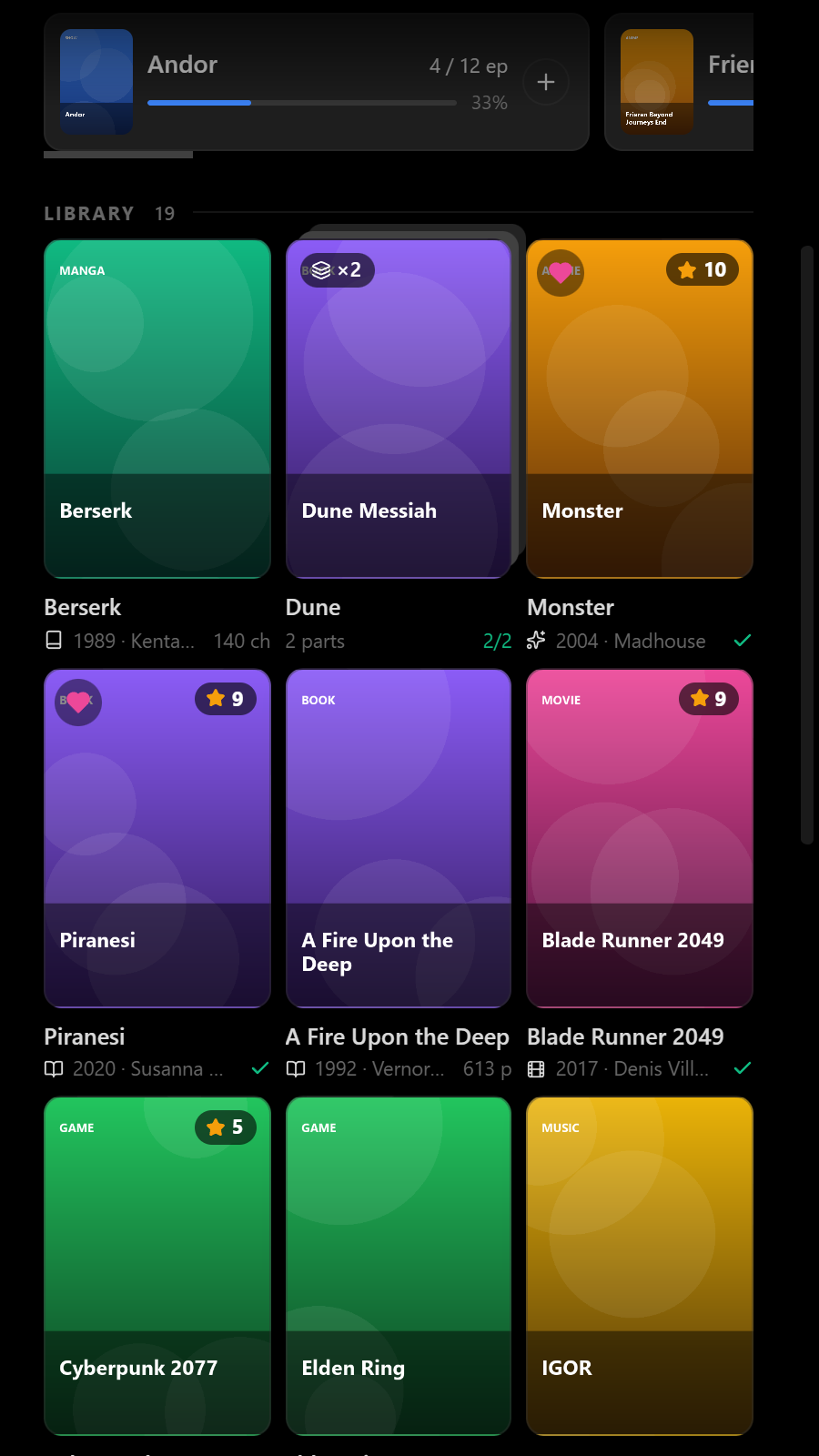
On a phone:
 |
 |
 |
 |
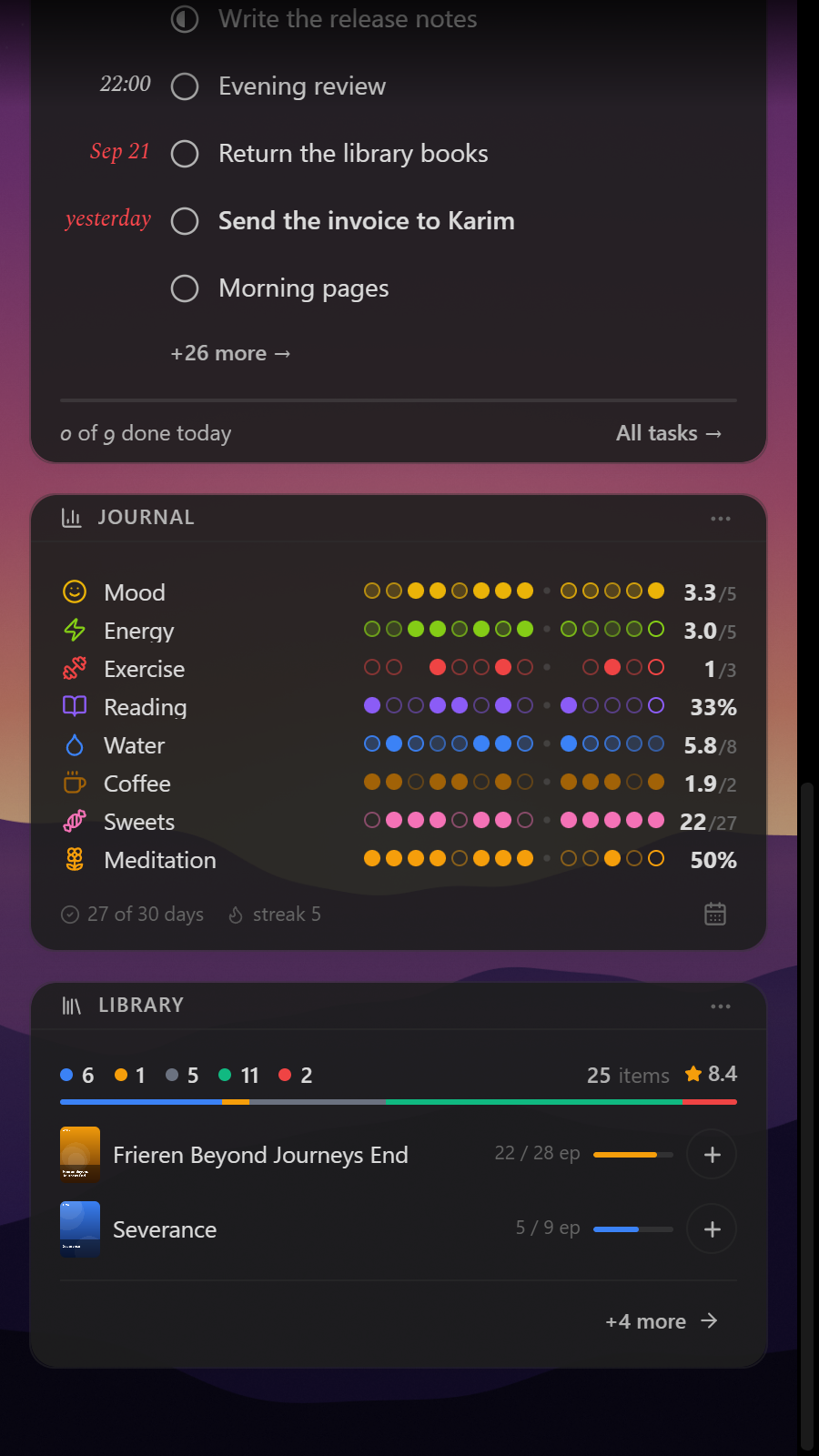 |
Everything in the pictures is made up: they are taken in the demo vault that comes with each release, with a board arranged for the occasion.
Modules
| Module | What it does |
|---|---|
| Dashboard | Greeting, clock, weather, quick-add, and per-module summary widgets. |
| Navigation | A launcher widget and a side panel with a button for every Zenith view — extendable by any module — and buttons for the commands you run often. |
| Search | One line to find any view, action, task, project, library item or day's note, and to add a task. |
| Editor | Code blocks with the language's icon and name, a stripe in its colour, line numbers and a copy button. |
| Tasks | Parse, filter, search, group, create, edit, complete and delete tasks. |
| Journal | Daily notes on a calendar, with configurable habit / scale / number tracking and the day's tasks. |
| Content | A library of what you read, watch and play: a list by status or a grid, series, favourites, half-star ratings, progress, covers from the vault or a link, stats, and import from MyAnimeList / Goodreads / Letterboxd / Anixart. Works offline. |
| Prayer | Prayer times computed on the device, a countdown to the next one, and a record of what you prayed — kept in the daily note. |
| Utilities | Small dashboard cards you fill in yourself: a text or a note, a picture, links, recent notes, a quick note and a timer. |
| Media Banner | Show a GIF/image (from the vault or a URL) above the file-explorer tree, with a picker. |
Enable or disable modules in Settings → Active Modules. Modules load and unload instantly — no Obsidian restart required.
Network use
Zenith has no account, no telemetry and no server of its own. It goes online only for these, and only while the feature is on:
- Weather — forecasts from
api.open-meteo.com, and air quality fromair-quality-api.open-meteo.comwhen that row is shown. Only the coordinates are sent. - Finding a place — a city typed in settings is looked up at
geocoding-api.open-meteo.com. Asked to use the device's own location, Zenith names it atapi.bigdatacloud.net. A guess from your IP address, atipapi.co, happens only if you switch it on. - Prayer times — in calendar mode, a year of published times from
api.aladhan.com, with the location rounded to about a kilometre. Calculated mode makes no requests. - Sync of note files — only to the service you connect: Dropbox, OneDrive, an S3 bucket or a WebDAV server, and it can be end-to-end encrypted. Settings sync makes no requests of its own: it travels with the vault, however you already sync it — this file sync included.
- Covers given as a link load from that address, like any image in a note.
- Updates — when Obsidian starts, Zenith's
manifest.jsonis read fromraw.githubusercontent.comto see whether a newer version is out. Nothing is sent but the request itself; Check for updates in settings switches it off.
More in Privacy.
Documentation
Using Zenith
| Page | What is in it |
|---|---|
| Features | Switching off what you don't use, module by module. |
| Profiles | Templates, saving and undoing a setup, export and import. |
| Notifications | Reminders, what happens to the ones you miss, quiet hours. |
| Dashboard | The board, its cards and arranging them; opening on startup, period progress, countdowns, life in weeks. |
| Utilities | The text, picture, links, recent notes, quick note and timer cards. |
| Vault helpers | Folder and file icons, and the vault structure scaffold. |
| Tasks | The task format: priorities, dates, tags, projects, and how ordering is stored. |
| Journal | Daily notes, habit / scale / number tracking, templates, and captured tasks. |
| Prayer | Prayer times computed on the device, and what the daily note records. |
| Search | Finding anything in Zenith from one line, adding from it, and the keys. |
| Editor | Code blocks: languages, line numbers, copying, and Code Styler. |
| Side panel | Zenith's views and your command buttons in the right sidebar, and arranging them. |
| On a phone | Keeping views clear of the camera and of Obsidian's buttons: measured, or set by hand. |
| Study | The class timetable: pasting it (an AI chat can make it from a photo), editing it, the card and reminders. |
| Content | The content format, types and statuses, the library, and importing from MyAnimeList, Goodreads, Letterboxd and Anixart. |
| Language | How Zenith picks a language, and how a module brings its own strings. |
| Custom icons | Icon packs, and what an SVG has to survive to be accepted. |
Sync and privacy
| Page | What is in it |
|---|---|
| Privacy | What leaves the device, and when. |
| Setting up Dropbox | Connecting Dropbox, and registering your own app if you would rather. |
| Encrypted sync | The format, the key derivation, and what the server still learns. |
Working on Zenith
| Page | What is in it |
|---|---|
| Module API | Writing a module: the interface, dashboard widgets, launcher buttons and search. |
| Development | Building, testing, linting and versioning this repository. |
License
MIT © Saifun