Search...Search plugins and themes...
⌘K
Sign in
  • Get started
  • Download
  • Pricing
  • Enterprise
  • Account
  • Obsidian
  • Overview
  • Sync
  • Publish
  • Canvas
  • Mobile
  • Web Clipper
  • CLI
  • Learn
  • Help
  • Developers
  • Changelog
  • About
  • Roadmap
  • Blog
  • Resources
  • System status
  • License overview
  • Terms of service
  • Privacy policy
  • Security
  • Community
  • Plugins
  • Themes
  • Discord
  • Forum / 中文论坛
  • Merch store
  • Brand guidelines
Follow us
DiscordTwitterBlueskyThreadsMastodonYouTubeGitHub
© 2026 Obsidian

YouTube Template

sundevistasundevista8k downloads

Fetch YouTube video data into your vault.

Add to Obsidian
  • Overview
  • Scorecard
  • Updates18

You can support my works at:

YouTube Template
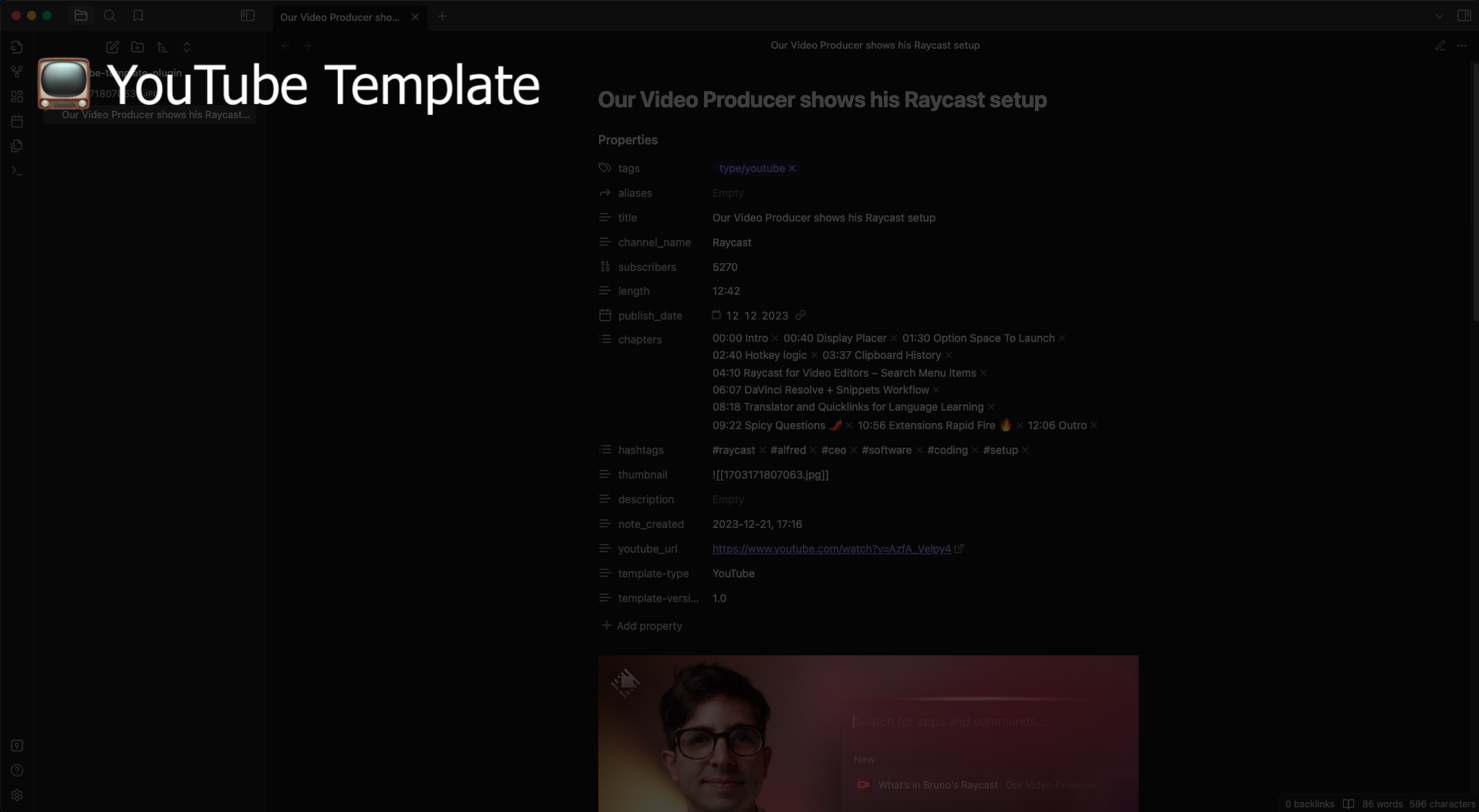
cover image

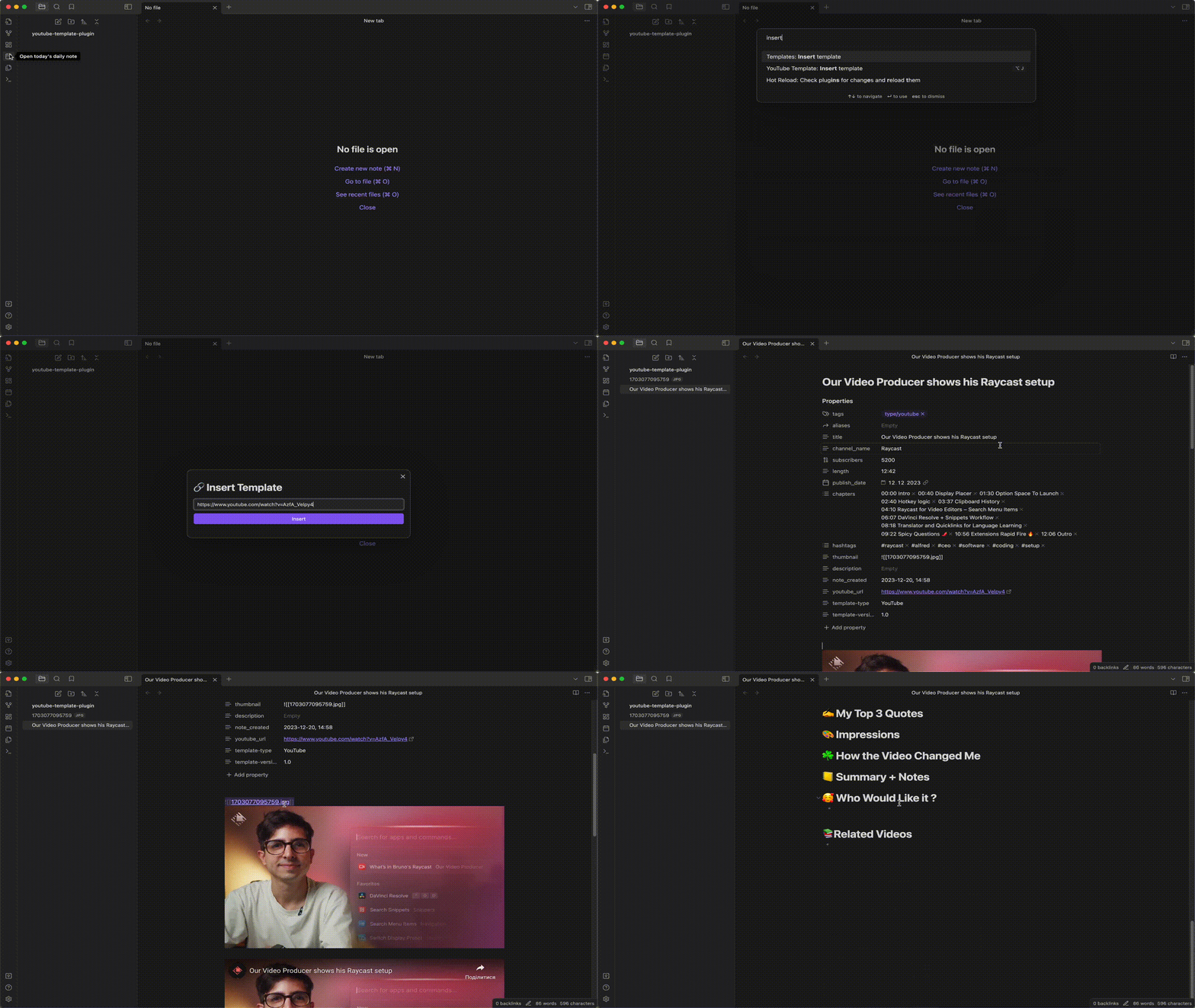
Demo

demo GIF

Description

A plugin that will help you take notes on YouTube videos using a configurable template. It has a single command that takes a YouTube video URL and creates a note from it. You can choose the template folder, template, and format for chapters and hashtags.

Receiving API key

To make this plugin work, you need to paste your Google Cloud API key to be able to access the YouTube Data API. To do so, you need to create a project, then visit https://console.cloud.google.com/apis/credentials and add a new API key. Afterward, go to https://console.cloud.google.com/apis/dashboard, click the "Enable APIs and Services" button, and search for "YouTube Data API v3". Enable this service for your API key (it should be turned off by default). Finally, you need to paste this API key into the plugin settings ("Google Cloud API key" field).

Acceptable YouTube video URLs

The plugin uses a special regular expression to detect a YouTube ID from a given URL. These ones would be detected for sure:

  • http://www.youtube.com/watch?v=0zM3nApSvMg&feature=feedrec_grec_index
  • http://www.youtube.com/user/IngridMichaelsonVEVO#p/a/u/1/QdK8U-VIH_o
  • http://www.youtube.com/v/0zM3nApSvMg?fs=1&hl=en_US&rel=0
  • http://www.youtube.com/watch?v=0zM3nApSvMg#t=0m10s
  • http://www.youtube.com/embed/0zM3nApSvMg?rel=0
  • http://www.youtube.com/watch?v=0zM3nApSvMg
  • http://youtu.be/0zM3nApSvMg
  • https://youtube.com/shorts/0dPkkQeRwTI?feature=share
  • https://youtube.com/shorts/0dPkkQeRwTI

Contributions and Issues

If you would like to add a new feature or fix a bug yourself, you are welcome to create a pull request (PR) and I will review it.

If you discover any bugs, please feel free to create an issue. Provide the URL and a description of the issue so that I can reproduce and fix it.

72%
HealthGood
ReviewCaution
About
Create a note from a YouTube URL using a configurable template and format chapters and hashtags to your preference. Provide a Google Cloud API key to let the plugin query the YouTube Data API for video details and chapters.
TemplatingImportIntegrations
Details
Current version
1.2.1
Last updated
Last year
Created
2 years ago
Updates
18 releases
Downloads
8k
Compatible with
Obsidian 0.15.0+
Platforms
Desktop, Mobile
License
MIT
Report bugRequest featureReport plugin
Sponsor
Buy Me a Coffee
Author
sundevistasundevista
github.com/decatetsu
GitHubsundevista
  1. Community
  2. Plugins
  3. Templating
  4. YouTube Template

Related plugins

Zotero Integration

Insert and import citations, bibliographies, notes, and PDF annotations from Zotero.

Readwise Official

Sync highlights from Readwise to your vault.

Weread

Sync Tencent Weread highlights and annotations.

ZotLit

Integrate with Zotero, create literature notes, and insert citations from a Zotero library.

Kindle Highlights

Sync your Kindle book highlights using your Amazon login or uploading your My Clippings file.

Telegram Sync

Transfer messages and files from Telegram to Obsidian.

Snipd Official

Sync Snipd podcast highlights to your vault with transcript, notes, AI summaries and metadata.

Media DB

Query multiple APIs for movies, series, anime, games, music releases and wiki articles, and import them into your vault.

Local REST API & MCP Server

Unlock your automation needs by interacting with your notes over a secure REST API.

QuickAdd

Quickly add new notes or content to your vault.