Search...Search plugins and themes...
⌘K
Sign in
  • Get started
  • Download
  • Pricing
  • Enterprise
  • Account
  • Obsidian
  • Overview
  • Sync
  • Publish
  • Canvas
  • Mobile
  • Web Clipper
  • CLI
  • Learn
  • Help
  • Developers
  • Changelog
  • About
  • Roadmap
  • Blog
  • Resources
  • System status
  • License overview
  • Terms of service
  • Privacy policy
  • Security
  • Community
  • Plugins
  • Themes
  • Discord
  • Forum / 中文论坛
  • Merch store
  • Brand guidelines
Follow us
DiscordTwitterBlueskyThreadsMastodonYouTubeGitHub
© 2026 Obsidian

YouTube Links

Yash BavadiyaYash Bavadiya114 downloads

Paste YouTube links and they automatically expand into a readable link with the channel name and video title.

Add to Obsidian
  • Overview
  • Scorecard
  • Updates8

Paste a YouTube URL into any note and it instantly becomes a clean, readable link showing the channel name and video title, just like Notion does it.
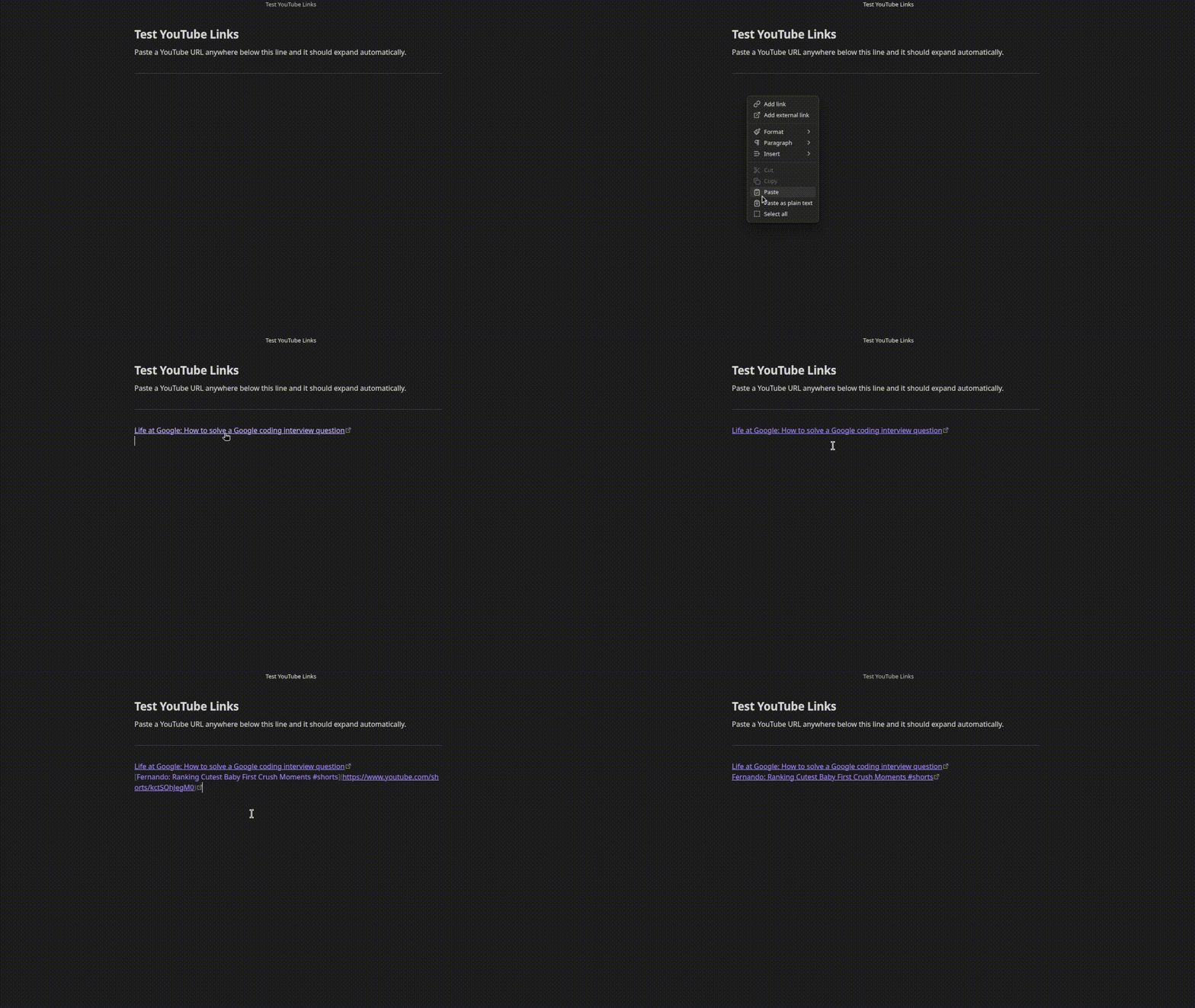
Demo

Before: https://www.youtube.com/watch?v=dQw4w9WgXcQ
After:  [Rick Astley: Never Gonna Give You Up](https://www.youtube.com/watch?v=dQw4w9WgXcQ)

No API key needed. Works with regular links, short links, and Shorts.

Supported URL formats

  • https://www.youtube.com/watch?v=...
  • https://youtu.be/...
  • https://www.youtube.com/shorts/...

Settings

Open Settings > YouTube Links to configure:

  • Link format - choose between Channel: Video Title, video title only, or embed the video inline
  • Show loading text - show Loading... as a placeholder while the title is being fetched

Installation

Search for YouTube Links in Settings > Community plugins > Browse.

Manual

  1. Download main.js and manifest.json from the latest release
  2. Create a folder .obsidian/plugins/youtube-links/ in your vault
  3. Copy both files into that folder
  4. Enable the plugin in Settings > Community plugins

Support

If this plugin saves you time, consider buying me a coffee or sponsoring on GitHub.

HealthExcellent
ReviewPassed
About
Convert pasted YouTube URLs into clean, readable Markdown links that display the channel name and video title. Support standard, short, and Shorts URLs without an API key and show a loading placeholder while fetching titles.
LinksMarkdownAutomation
Details
Current version
1.7.0
Last updated
2 weeks ago
Created
2 weeks ago
Updates
8 releases
Downloads
114
Compatible with
Obsidian 1.4.0+
Platforms
Desktop, Mobile
License
MIT
Report bugRequest featureReport plugin
Sponsor
Ko-fi
GitHub Sponsors
Author
Yash BavadiyaYash Bavadiyaxevrion
GitHubxevrion
  1. Community
  2. Plugins
  3. Links
  4. YouTube Links

Related plugins

Auto Link Title

Automatically fetches the titles of links from the web.

Link Embed

Convert URLs in your notes into embeded previews.

Consistent Attachments and Links

Move note attachments and update links automatically.

Linter

Format and style your notes. Linter can be used to format YAML tags, aliases, arrays, and metadata; footnotes; headings; spacing; math blocks; regular Markdown contents like list, italics, and bold styles; and more with the use of custom rule options.

Advanced URI

Control everything with URI.

Waypoint

Easily generate dynamic MOCs in your folder notes using waypoints. Enables folders to show up in the graph view and removes the need for messy tags!

Karpathy LLM Wiki

Karpathy's LLM Wiki implementation - multi-page knowledge generation with entity/concept pages and conversational query.

PodNotes

Write notes on podcasts with ease.

Importer

Convert your data to Markdown files you can use in Obsidian. Works with Apple Notes, OneNote, Evernote, Notion, Google Keep, and many other formats.

Excalidraw

Visual PKM powerhouse. Create and edit Excalidraw drawings.