Yabacavi
 Leandro Voltolino486 downloads
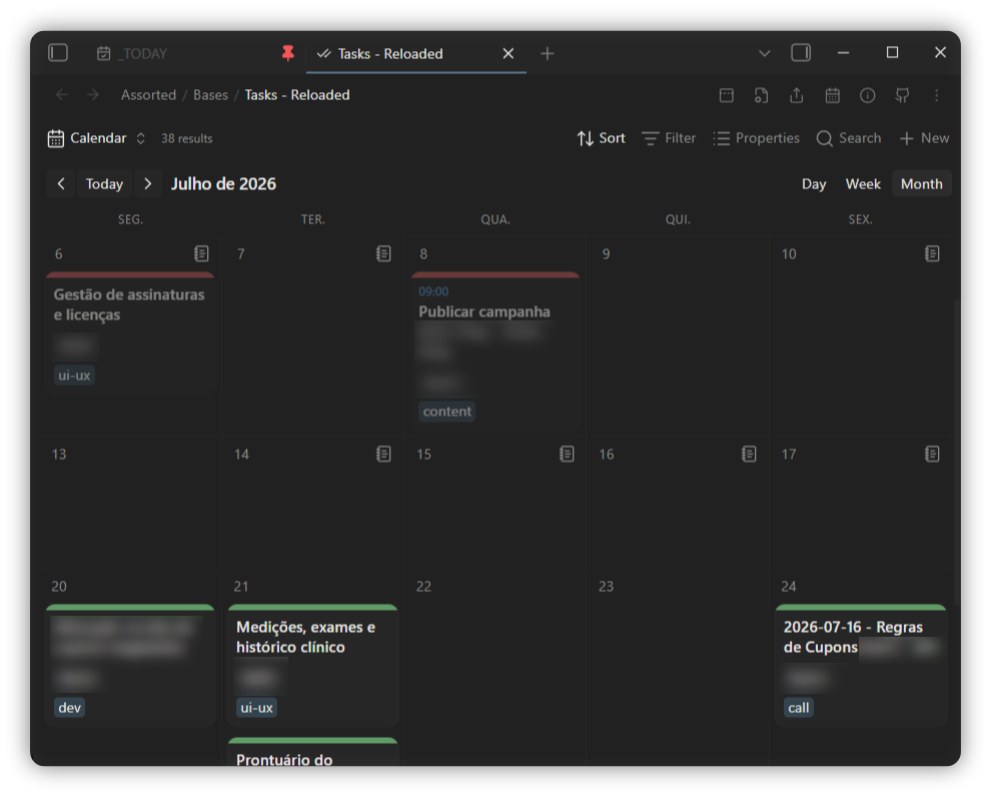
Yet Another Bases Calendar View. Lay notes out as cards on a day, week or month grid, and drag them to reschedule a date property.
- Overview
- Scorecard
- Updates9
Yet Another BAses CAlendar VIew — a calendar view for Obsidian Bases.
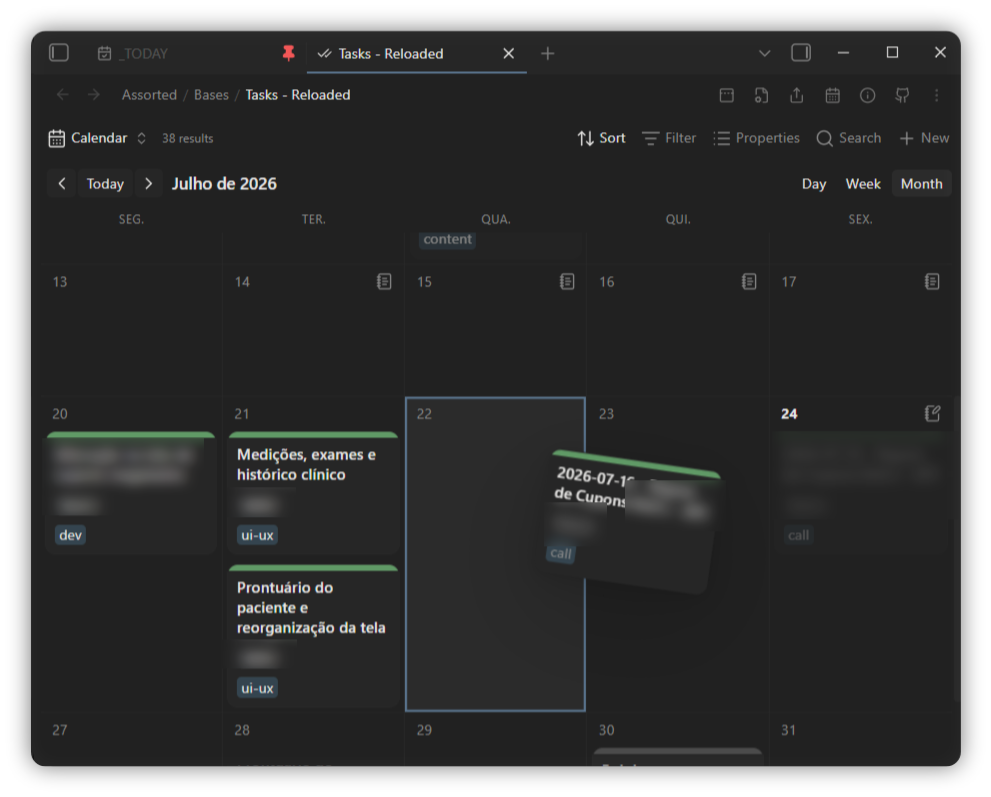
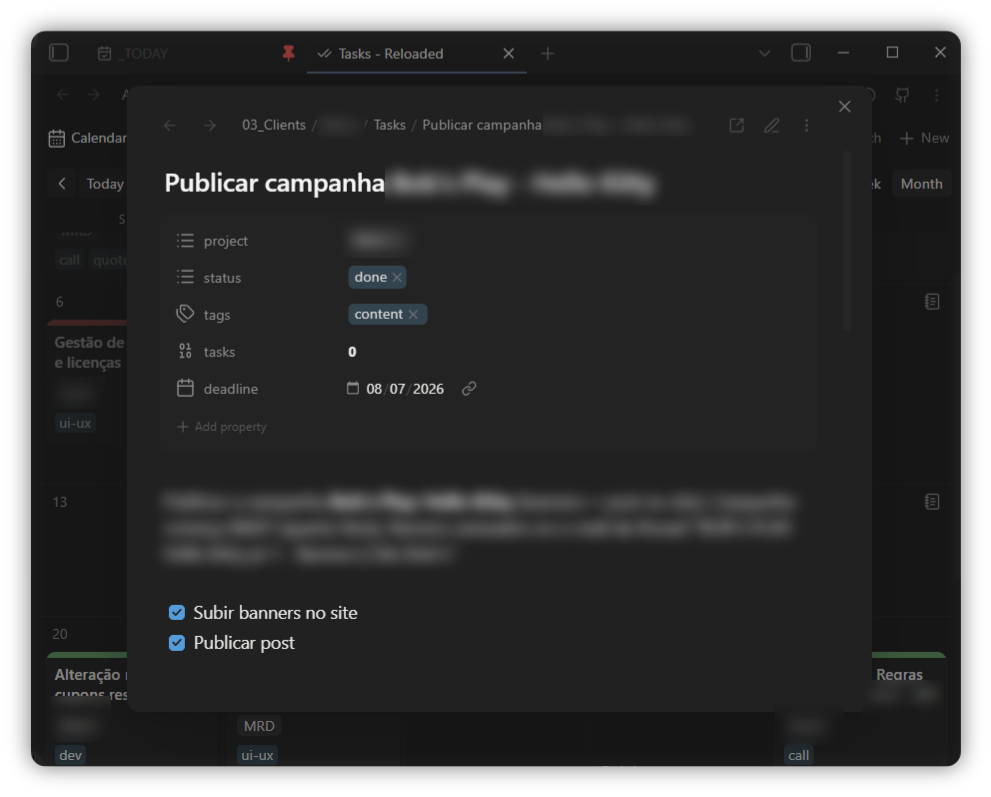
Notes become cards on a day, week or month grid, placed by any date property. Drag a card to another day to reschedule it, and click one to open the note. Optionally, your Todoist tasks land on the same grid beside your notes.
Requires Obsidian 1.11.4+ with the Bases core plugin enabled.
Screenshots
Features
- Day / week / month grid, with toolbar navigation and a Today button. The day
view can span 1–7 days side by side (a
[- +]stepper), laid out masonry-style. - Place notes by any date property — frontmatter, formula or intrinsic file date.
- Also show undated notes by creation date (optional, per view) — surface notes that have no date-property value on the day their file was created.
- Cards show whichever properties you made visible in the base, so a calendar and a
table over the same base stay in sync. Formula properties render through Bases, so
html()in a formula works on a card the same as in a table. - Drag & drop to reschedule — drop a card on another day to rewrite its date property. The time of day and any timezone offset are preserved; a date-only property stays date-only. The dragged card follows the cursor and swings from the point you grabbed it.
- Status → accent colour — map a property's values (e.g.
todo,done) to a coloured accent, shown as a bar or a bullet before the title (or hidden), from the settings tab. - Adjustable cards — set the accent-bar thickness and the title, time and property-pill font sizes from the settings tab.
- Todoist tasks on the calendar — show your Todoist tasks beside your notes, filter them with a Todoist query, optionally include completed tasks, drag them to reschedule, and complete them from the card. See Todoist tasks.
- Open notes in a floating modal, the current tab, a new tab or a split.
- Double-click an empty day to create a note dated to it, optionally from a template file.
- Hover a card for the normal page preview; right-click for the file menu. Ctrl/cmd-click a card opens a new tab, shift-click opens a split.
- Show or hide weekends; choose the week start.
Drag & drop uses the browser's native drag, which doesn't fire on touch, so rescheduling is desktop-only. Viewing, opening and creating notes work on mobile.
Usage
- Open or create a
.basefile. - Add a view and pick Calendar cards as its type (or set
type: calendar-cardsin the view's YAML). - In the view options, choose a Date property — nothing renders until you do.
- Cards display the properties in the base's visible-property list, same as a table.
View options (per view, in the base)
| Option | What it does |
|---|---|
| Date property | Which property places the note on the grid. Required. |
| Range | Day, week or month. The toolbar buttons write the same setting. |
| Days shown (Day range) | How many days (1–7) the day view shows side by side. The toolbar [- +] stepper writes the same setting. |
| Week starts on | Sunday or Monday. |
| Show weekends | When off, Saturday/Sunday are hidden for a 5-column grid. |
| Also show notes by creation date | Place notes that have no date-property value on their file's creation day (read-only). |
| Show time on cards | Show the time when the date has one. |
| Day view card width | Width of the masonry cards in the day view. |
Plugin settings (global)
| Setting | What it does |
|---|---|
| Open notes in | Floating modal, current tab, new tab or split — for clicking a card and for new notes. |
| New note template | Template file copied into notes created from the calendar (raw copy; template variables aren't expanded). |
| Status display | Show the status accent as an accent bar, a bullet before the title, or nothing. |
| Property layout | Arrange card properties stacked (one per line) or inline (flowing together). |
| Accent bar thickness | Height in px of each card's accent bar (0 hides it). |
| Card font sizes | Scale the card title, time and property-pill text, as a percentage of the default. |
| Status property | Frontmatter property whose value selects the accent colour. |
| Status colours | Map status values to accent-bar colours, each with its own opacity. |
| Todoist API token | Your Todoist token, kept in Obsidian's secret storage (not the settings file). |
| Show Todoist tasks | Place your Todoist tasks on the grid by their due date. |
| Todoist filter | Restrict tasks to a Todoist filter query (their own syntax); empty shows all. |
| Show completed tasks (Beta) | Also place completed tasks on their due day, styled like a done note. |
| Todoist auto-refresh | How often to re-fetch tasks — manual only, or every 5/15/30/60 minutes. |
| Todoist accent colour | One accent-bar colour (with opacity) for all Todoist cards; off tints them by priority. |
Todoist tasks
Show your Todoist tasks on the calendar alongside your notes, placed by their due date.
- In Settings → Yabacavi → Todoist, paste your API token (in Todoist: Settings → Integrations → Developer). It's stored in Obsidian's secret storage, not in the plugin's settings file.
- Turn on Show Todoist tasks — from the settings tab, or the toggle that appears in the calendar toolbar.
- Tasks load when you enable them and on the toolbar ↻ button; set an auto-refresh interval for a timed re-fetch.
- Task cards carry a red Todoist mark, show their project and labels, and flag whether the task has a description.
- Click a task for a modal with its description (rendered as markdown), full due date, and a button to open it in the Todoist app (falling back to the web). Tick the checkbox by the title to complete the task.
- Drag a task to another day to reschedule it in Todoist — a timed task keeps its time. Recurring tasks aren't draggable, so their recurrence is never flattened.
- Filter which tasks appear with a Todoist filter query in settings (e.g.
#Work | #Personal,@label) — the same syntax as Todoist's own filters. - Completed tasks (Beta) — optionally show completed tasks on their due day,
styled like a note with status
done(and not draggable). They're fetched per visible month and cached, so browsing months stays light on the Todoist API. - The accent bar is tinted by priority (p1 red … p3 blue) unless you set a single custom accent colour in settings.
- Tasks and notes sort together within a day: timed first (chronological), then the rest alphabetically by title.
The Todoist integration needs Obsidian 1.11.4+ for its secret storage. Leave the token empty and nothing Todoist-related appears — the calendar works on its own.
Commands
With a Todoist token set up, these show in the command palette and can be bound to hotkeys:
- Refresh Todoist tasks — re-fetch now (same as the toolbar ↻).
- Toggle Todoist tasks — show or hide Todoist tasks.
- Toggle completed Todoist tasks — show or hide completed tasks.
Customising with CSS
Every card mirrors its note's frontmatter as data-* attributes and exposes a few
CSS variables, so a theme or snippet can restyle cards freely:
/* colour the accent bar by status */
.yabacavi-card[data-status="done"]  { --yabacavi-accent-color: var(--color-green); }
.yabacavi-card[data-status="doing"] { --yabacavi-accent-color: var(--color-yellow); }

/* fade completed cards */
.yabacavi-card[data-status="done"] { opacity: 0.5; }
Handy hooks:
[data-<property>="…"]on each card, from the note's frontmatter ([data-status],[data-project], …). List values match with~=.--yabacavi-accent-coloron.yabacavi-card;--yabacavi-accent-width, the--yabacavi-title-scale/--yabacavi-time-scale/--yabacavi-pill-scalefont scales, and--yabacavi-day-card-widthon.yabacavi(the settings and view options write these — override them for finer control).--yabacavi-day-min-heighton.yabacavi..yabacavi-card--todoistfor Todoist cards, with[data-priority="1"…"4"]and[data-recurring]to target them (their project/labels are in[data-property="todoist.project"]/[data-property="todoist.tags"]).- Completed Todoist cards carry
[data-completed]and[data-status="done"], so the rules that style yourdonenotes style them too. - Notes placed by their creation date carry
[data-placed-by="created"](read-only, not draggable).
Status colours set in the settings tab are applied inline, so they win over CSS rules; leave the list empty to drive the accent entirely from your own CSS.
Install (Community plugins)
Once the plugin is in the directory:
- Open Settings → Community plugins and turn off Restricted mode.
- Click Browse, search for Yabacavi, open its page.
- Click Install, then Enable.
Install (BRAT — before it's in the directory)
With BRAT:
- Install and enable BRAT from Settings → Community plugins → Browse.
- Run BRAT: Add a beta plugin for testing from the command palette.
- Paste the repository URL:
https://github.com/xupisco/obsidian-yabacavi - Confirm — BRAT installs the latest release and keeps it updated.
- Enable Yabacavi in Settings → Community plugins.
Install (manual / development)
npm install
npm run build      # produces main.js
Copy main.js, manifest.json and styles.css into your vault at
<vault>/.obsidian/plugins/yabacavi/, then reload Obsidian and enable the plugin.
Develop
npm install
npm run dev        # esbuild watch; rebuilds main.js on change
npm run build      # typecheck + production bundle
npm run lint       # typecheck + eslint (obsidianmd rules)
Set OBSIDIAN_PLUGIN_DIR to your vault's plugin folder and npm run dev deploys
main.js, manifest.json and styles.css there on every rebuild:
OBSIDIAN_PLUGIN_DIR="/path/to/Vault/.obsidian/plugins/yabacavi" npm run dev