World Calendar Notes
 LilambdCrossing28 downloads
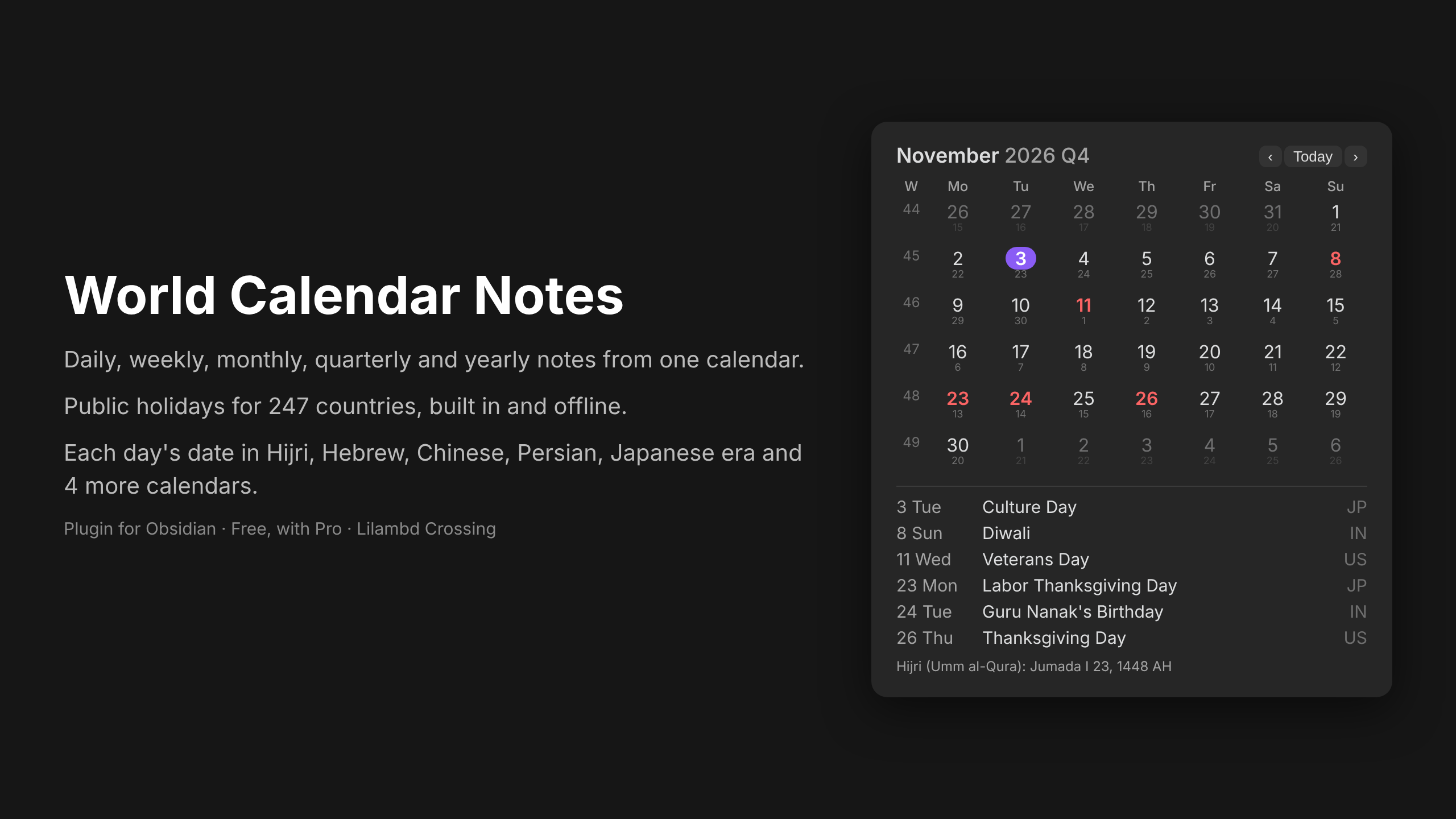
Calendar sidebar with daily, weekly, monthly, quarterly and yearly notes, public holidays for 247 countries, and dates in 9 other calendars.
- Overview
- Scorecard
- Updates4
A calendar in your Obsidian sidebar that opens and creates your daily, weekly, monthly, quarterly and yearly notes, shows public holidays for 247 countries, and can show each day's date in another calendar (Hijri, Hebrew, Chinese, Persian, Japanese era, Buddhist, Coptic, Ethiopian, Indian national).
Features
- Click a day for its daily note, a week number for the weekly note, the month, year or quarter for those notes. Ctrl/Cmd-click opens in a new tab.
- Each period has its own folder, file-name format (Moment.js, subfolders allowed) and template.
- Template variables:
{{title}},{{date}},{{date:FORMAT}},{{time}},{{yesterday}},{{tomorrow}},{{holidays}},{{altdate}}. - Commands: open today's / this week's / month's / quarter's / year's note; open next or previous note of the same period.
- Week starts on Monday (ISO), Sunday, or your app language.
- Holidays work offline. Data covers 2026–2030 and is updated every year.
Installation
- In Obsidian, open Settings → Community plugins and turn off Restricted mode if it is on.
- Select Browse, search for World Calendar Notes, then select Install and Enable.
- Manual install: download
main.js,manifest.jsonandstyles.cssfrom the latest release into<your vault>/.obsidian/plugins/world-calendar-notes/, then enable the plugin.
Usage
- Open the calendar with the calendar icon in the left ribbon, or run World Calendar Notes: Show calendar from the command palette.
- Click a day to open or create that day's note. Click a week number, the month name, the year or the quarter for those notes.
- In Settings → World Calendar Notes, choose the folder, file-name format and template for each kind of note, and pick your country for holidays.
- Use the commands Open next note and Open previous note to move between notes of the same kind.
Free and Pro
Free: everything above, with holidays for one country. Pro (one-time purchase) adds:
- holidays for any number of countries at once (good for remote teams and families abroad)
- bank, optional, religious and school days, not only public holidays
- the second-calendar line under each date and
{{altdate}}in templates
Pro is unlocked with a licence key from Gumroad. The key is checked once with Gumroad's licence API (api.gumroad.com). No other network calls are made and no note content ever leaves your device.
Moving from Calendar and Periodic Notes
Use the same folders and formats you had in Periodic Notes. Existing notes are found and marked with a dot.
Data
Holiday dates come from python-holidays (MIT). Dates marked * depend on moon sighting and can move by a day. Other calendars use your system's built-in Intl calendars.
Licence
Code: MIT. Made by Lilambd Crossing.