Search...Search plugins and themes...
⌘K
Sign in
  • Get started
  • Download
  • Pricing
  • Enterprise
  • Account
  • Obsidian
  • Overview
  • Sync
  • Publish
  • Canvas
  • Mobile
  • Web Clipper
  • CLI
  • Learn
  • Help
  • Developers
  • Changelog
  • About
  • Roadmap
  • Blog
  • Resources
  • System status
  • License overview
  • Terms of service
  • Privacy policy
  • Security
  • Community
  • Plugins
  • Join the community
  • Discord
  • Forum / 中文论坛
  • Merch store
  • Brand guidelines
Follow us
DiscordTwitterBlueskyThreadsMastodonYouTubeGitHub
© 2026 Obsidian

Workbooks

canna71canna718k downloads

Work with spreadsheets inside your notes.

Add to Obsidian
  • Overview
  • Scorecard
  • Updates2

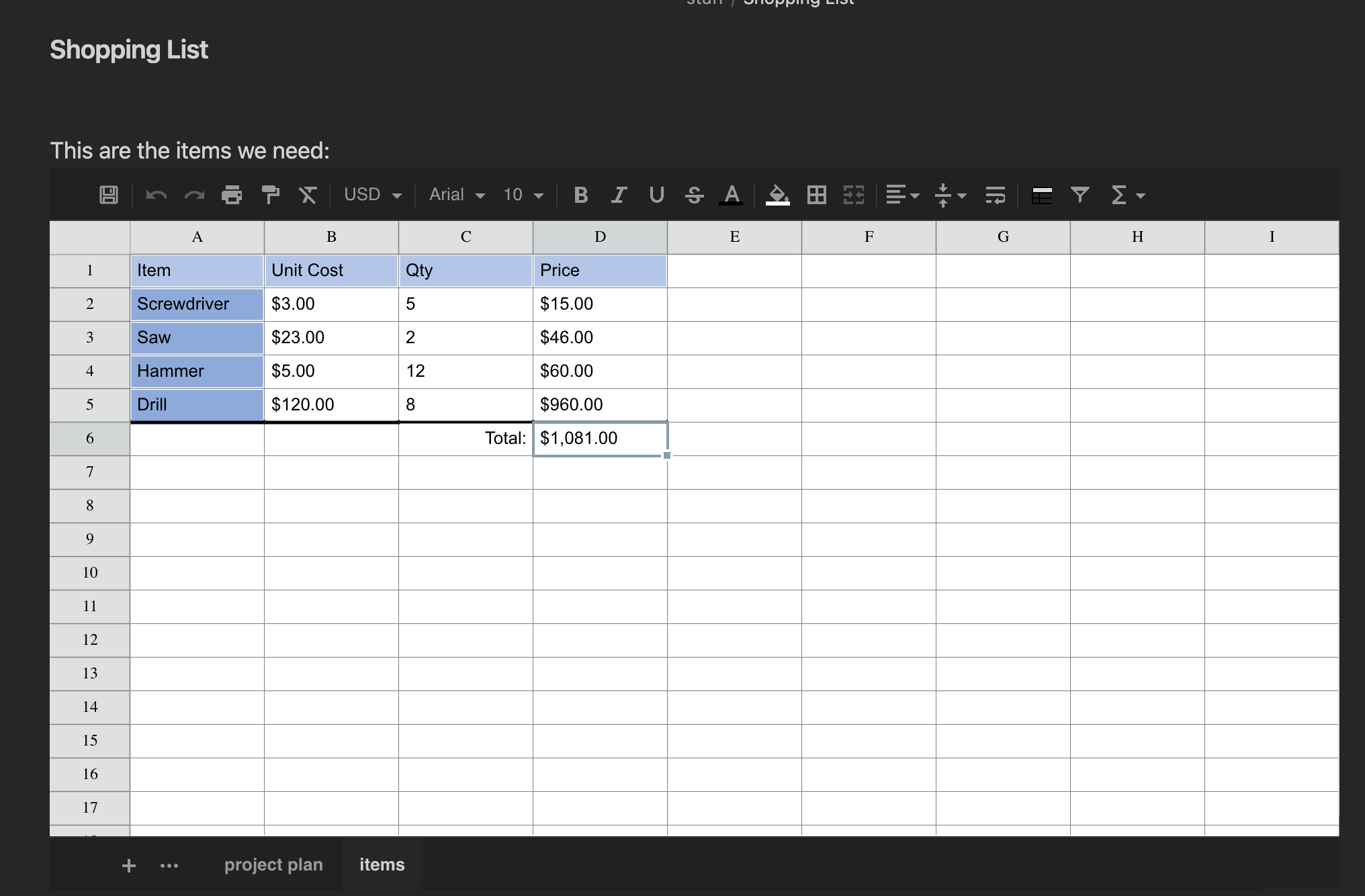
This plugin enables to work with tabular data directly in Obsidian: either storing data in the note itself, or on an external Excel or CSV file. The following files are supported:

  • XLSX
  • XLS
  • CSV

Code Block Parameters

In order to create a sheet it is enough to create a code block with the sheet name

```sheet

```

Following is the complete list of properties with their default values:

```sheet
filename: <path relative to vault root>
enableSave: <value in settings>
autoSave: <value in settings>
height: 540
width: "auto"
rows: 100
cols: 26
fontSize: 10
cellHeight: 25
cellWidth: 100
```

If filename is provided, data is loaded from that file, if already existing. Otherwise it will be created upon save. If filename is not provided, data will be stored in the code block itself.

Note that by default saving data to external files is disabled because - in general - there will be loss of information. This could be enabled at vault-level via the settings, or code-block level by specifying enableSave: true in the code block. When saving to file, by default it will also autosave after each modification. When saving to the code block in order to save one must click the save icon in the top left.

Supported Formats

When saving to code block, all formatting and changes done to the sheet are perserved. When saving to XLSX most formatting and data will be saved and read back. Note however that when reading an existing XLSX file, only a subset of functionality will be supported. Support of XLS is limited to data and cell merges CSV can, of course, only store data.

Attributions

This plugin uses the following libraries:

https://github.com/SheetJS

https://github.com/myliang/x-spreadsheet (forked here: https://github.com/Canna71/x-spreadsheet)

https://github.com/exceljs/exceljs

59%
HealthFair
ReviewCaution
About
Edit and manage tabular data directly inside Obsidian using embedded sheet code blocks or by linking external XLSX, XLS, and CSV files. Store sheets in the note or sync with external files, preserve formatting when saving to code blocks, and retain most formatting with XLSX while CSV stores data only.
TablesFilesImport
Details
Current version
1.0.1
Last updated
3 years ago
Created
3 years ago
Updates
2 releases
Downloads
8k
Compatible with
Obsidian 0.15.0+
License
MIT
Report bugRequest featureReport plugin
Sponsor
Buy Me a Coffee
Author
canna71canna71
github.com/Canna71
GitHubcanna71
  1. Community
  2. Plugins
  3. Tables
  4. Workbooks

Related plugins

Sheet Plus

Create Excel-like spreadsheets and easily embed them in Markdown.

Telegram Sync

Transfer messages and files from Telegram to Obsidian.

Notebook Navigator

Alternative file browser with folders, tags, properties, shortcuts, previews, keyboard navigation, drag and drop, and pinned notes.

Recent Files

Display a list of recently opened files.

Importer

Import data from Notion, Evernote, Apple Notes, Microsoft OneNote, Google Keep, Bear, Roam, and HTML files.

Advanced Tables

Improved table navigation, formatting, and manipulation.

Zotero Integration

Insert and import citations, bibliographies, notes, and PDF annotations from Zotero.

Omnisearch

Intelligent search for your notes, PDFs, and OCR for images.

Readwise Official

Sync highlights from Readwise to your vault.

Datacore

An even faster reactive query engine for the data obsessed.