WonderBox
 chrstn671k downloads
Create more relevant text sections your tips, top notes, warnings and more
- Overview
- Scorecard
- Updates15
WonderBox est un plugin pour Obsidian qui permet de transformer des blocs de texte personnalisés en boîtes stylisées pour mieux organiser et mettre en valeur vos notes. Avec ce plugin, vous pouvez créer des sections de type note, tip, info, warning, ou danger avec des styles visuels spécifiques.
Fonctionnalités
- Transforme automatiquement des blocs Markdown comme
:::note[Title]...:::en boîtes visuellement attrayantes. - Supporte plusieurs types de boîtes :
- note : Pour des informations générales.
- tip : Pour des astuces et conseils.
- info : Pour des détails informatifs.
- warning : Pour des avertissements.
- danger : Pour des messages critiques.
- et plus...
- Facile à utiliser grâce à une syntaxe simple et intuitive.
Installation
Téléchargement manuel :
- Clonez ou téléchargez ce dépôt.
- Placez les fichiers dans le dossier des plugins de votre application Obsidian :
Vault/.obsidian/plugins/WonderBox.
Installation via Obsidian (si supportée) :
- Dans Obsidian, allez dans Paramètres > Plugins communautaires.
- Recherchez "WonderBox" et installez-le directement depuis la bibliothèque des plugins communautaires.
Activez le plugin :
- Rendez-vous dans Paramètres > Plugins communautaires.
- Activez WonderBox.
Utilisation
Syntaxe Markdown :
Utilisez le format suivant pour créer des boîtes stylisées :
:::type[Titre]
Contenu de la boîte.
:::
Remplacez
typepar l'un des types supportés :note,tip,info,warning,danger,success,error,critical,debug,update,question,announcement,progress,highlight.Par exemple :
:::tip[Astuce rapide]
Vous pouvez utiliser ce plugin pour organiser vos notes efficacement !
:::
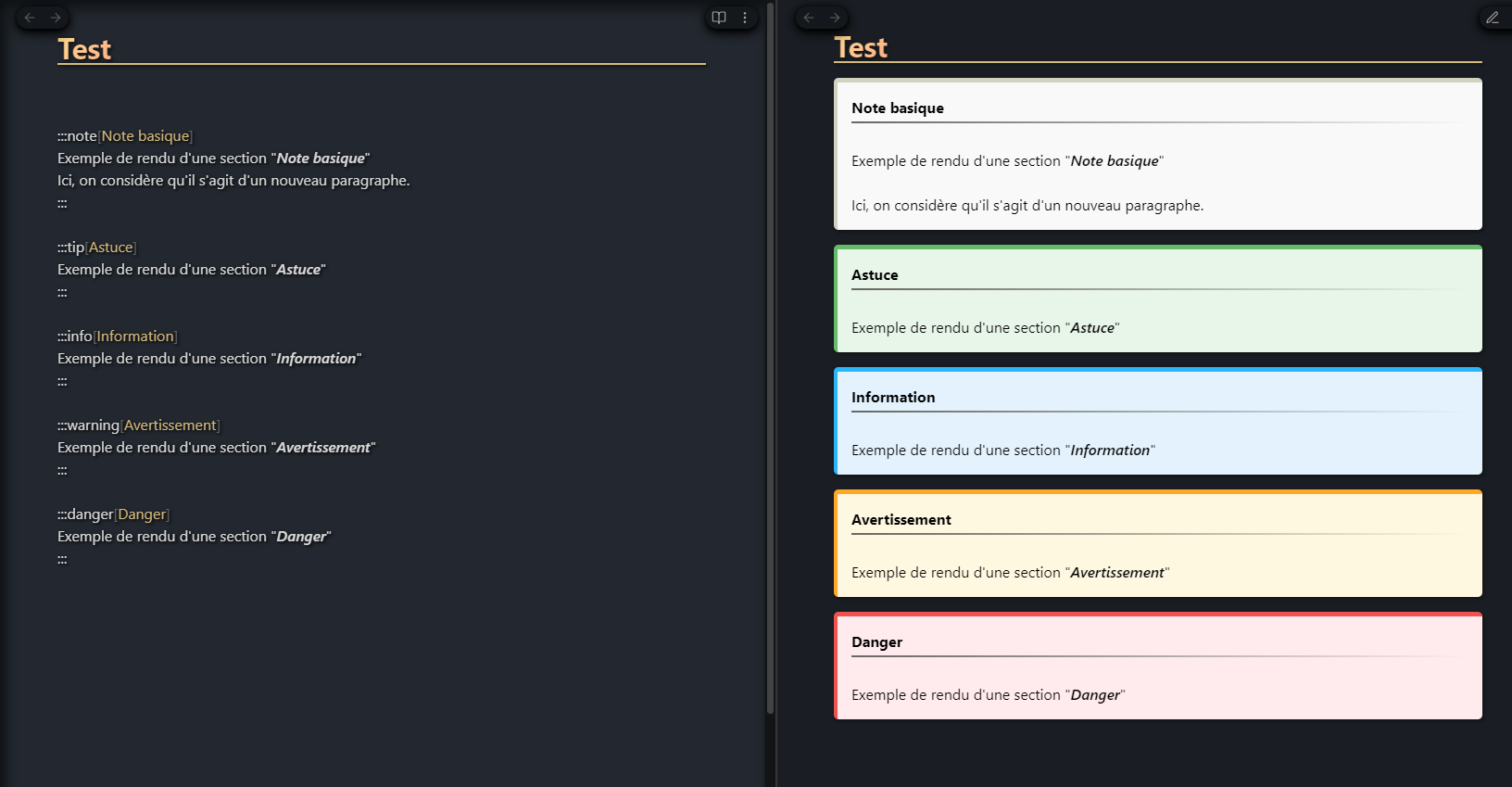
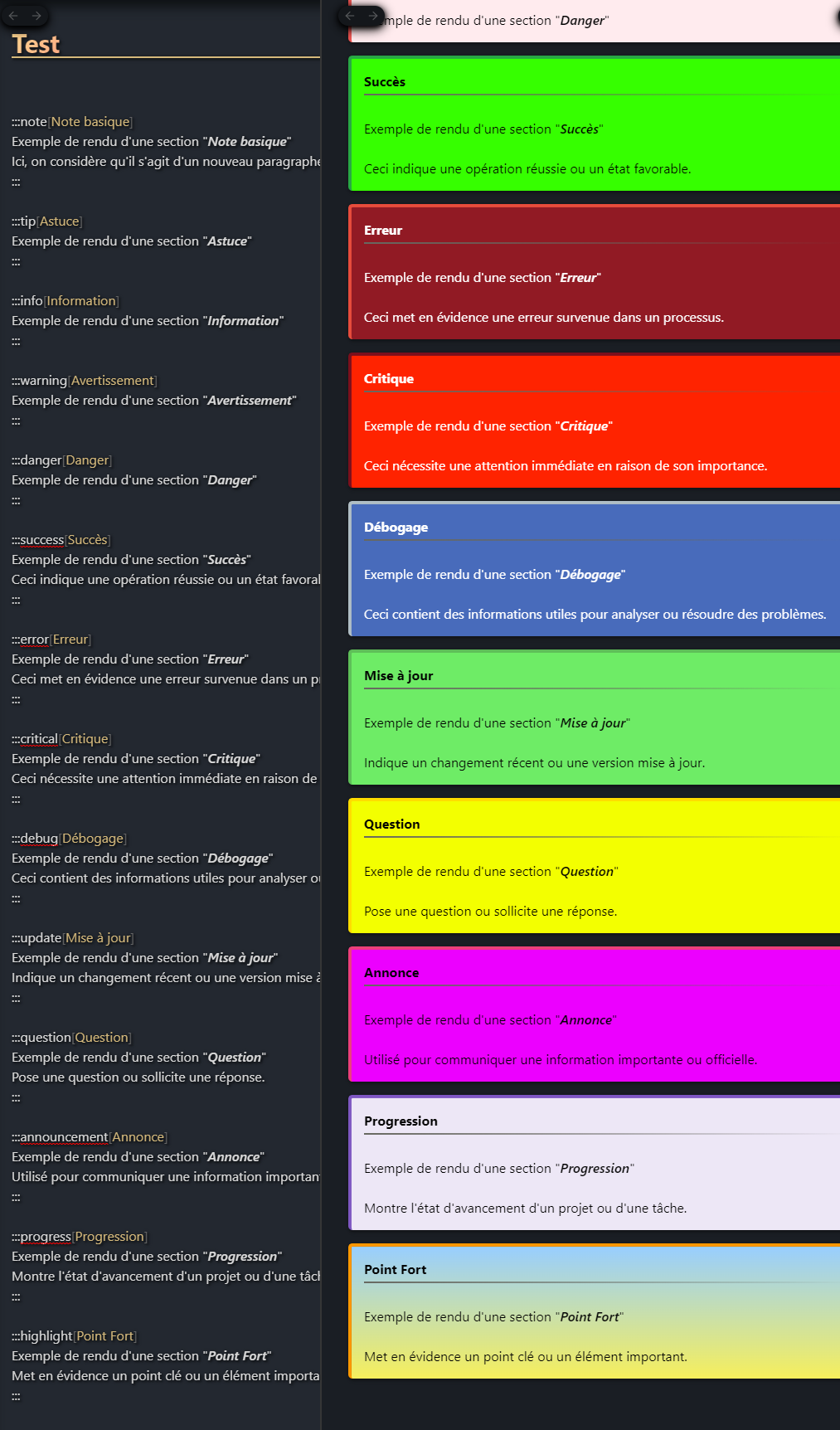
⚠️ Il s'agit d'écrire du texte. La synataxe markdown (les #, les backticks, etc... ne sont pas pris en compte)
- Rendu dans Obsidian :
- Après avoir activé le plugin, vos blocs Markdown seront automatiquement transformés en boîtes stylisées.
ENGLISH
WonderBox is a plugin for Obsidian that transforms custom text blocks into stylized boxes to better organize and highlight your notes. With this plugin, you can create note, tip, info, warning, or danger sections with specific visual styles.
Features
- Automatically transforms Markdown blocks like
:::note[Title]...:::into visually appealing boxes. - Supports several box types:
- note: For general information.
- tip: For tips and advice.
- info: For informative details.
- warning: For warnings.
- danger: For critical messages.
- and more...
- Easy to use thanks to simple, intuitive syntax.
Installation
Manual download:
- Clone or download this repository.
- Place the files in the plugins folder of your Obsidian application:
Vault/.obsidian/plugins/WonderBox.
Installation via Obsidian (if supported) :
- In Obsidian, go to Settings > Community Plugins.
- Search for “WonderBox” and install it directly from the community plugins library.
Activate the plugin:
- Go to Settings > Community Plugins.
- Activate WonderBox.
Use
Markdown syntax:
- Use the following format to create stylized boxes:
:::type[Title] Box content. ::: - Replace
typewith one of the supported types:note,tip,info,warning,danger,success,error,critical,debug,update,question,announcement,progress,highlight. - For example:
markdown:
- Use the following format to create stylized boxes:
:::tip[Quick tip]
You can use this plugin to organize your notes efficiently!
:::
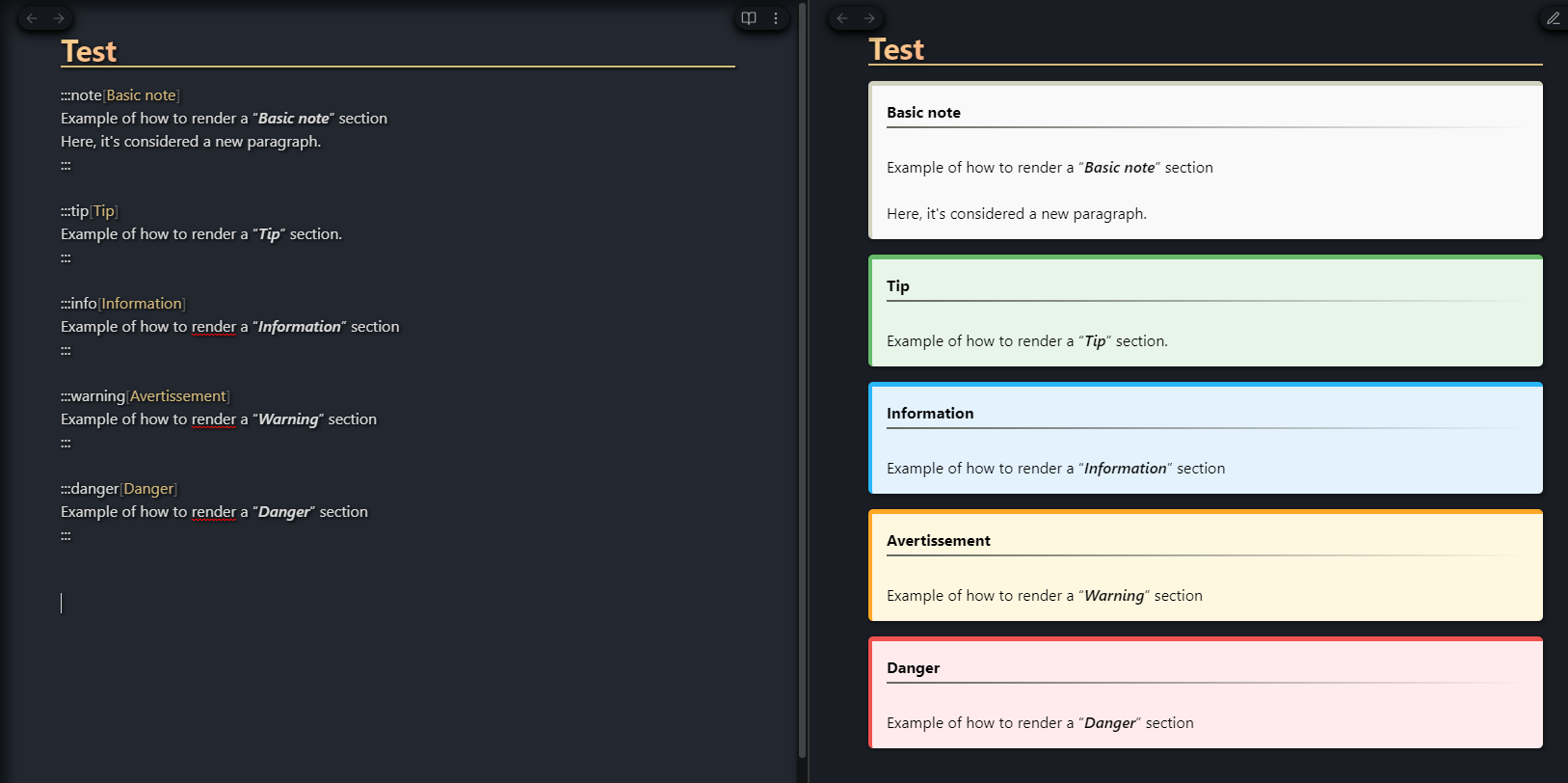
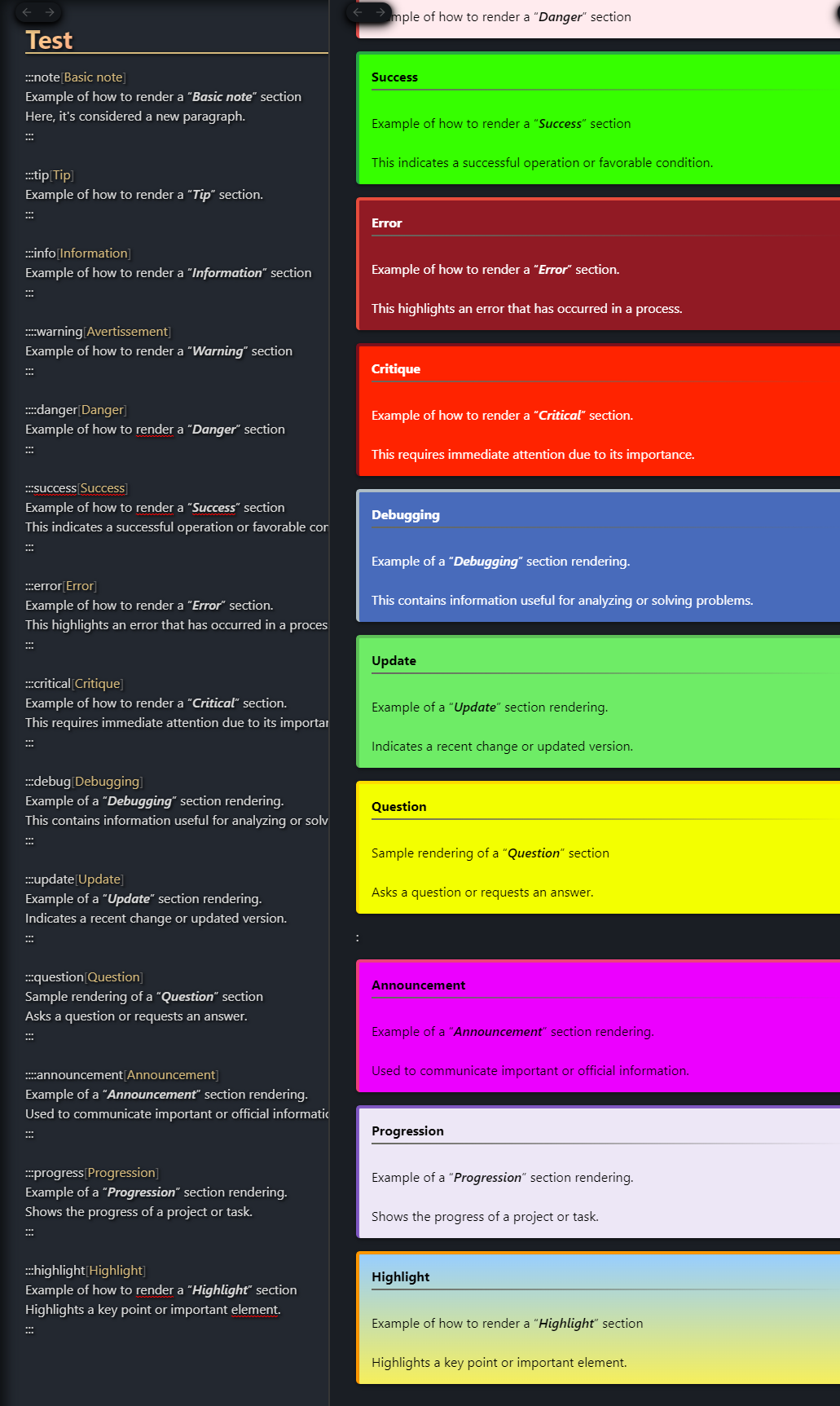
⚠️ It's all about writing text. The markdown syntax (#, backticks, etc... are not taken into account)
- Rendering in Obsidian :
- After activating the plugin, your Markdown blocks will be automatically transformed into stylized boxes.