Search...Search plugins and themes...
⌘K
Sign in
  • Get started
  • Download
  • Pricing
  • Enterprise
  • Account
  • Obsidian
  • Overview
  • Sync
  • Publish
  • Canvas
  • Mobile
  • Web Clipper
  • CLI
  • Learn
  • Help
  • Developers
  • Changelog
  • About
  • Roadmap
  • Blog
  • Resources
  • System status
  • License overview
  • Terms of service
  • Privacy policy
  • Security
  • Community
  • Plugins
  • Themes
  • Discord
  • Forum / 中文论坛
  • Merch store
  • Brand guidelines
Follow us
DiscordTwitterBlueskyThreadsMastodonYouTubeGitHub
© 2026 Obsidian

Wikidata Importer

samwhosamwho6k downloads

Import data from Wikidata into your vault.

Add to Obsidian
  • Overview
  • Scorecard
  • Updates15

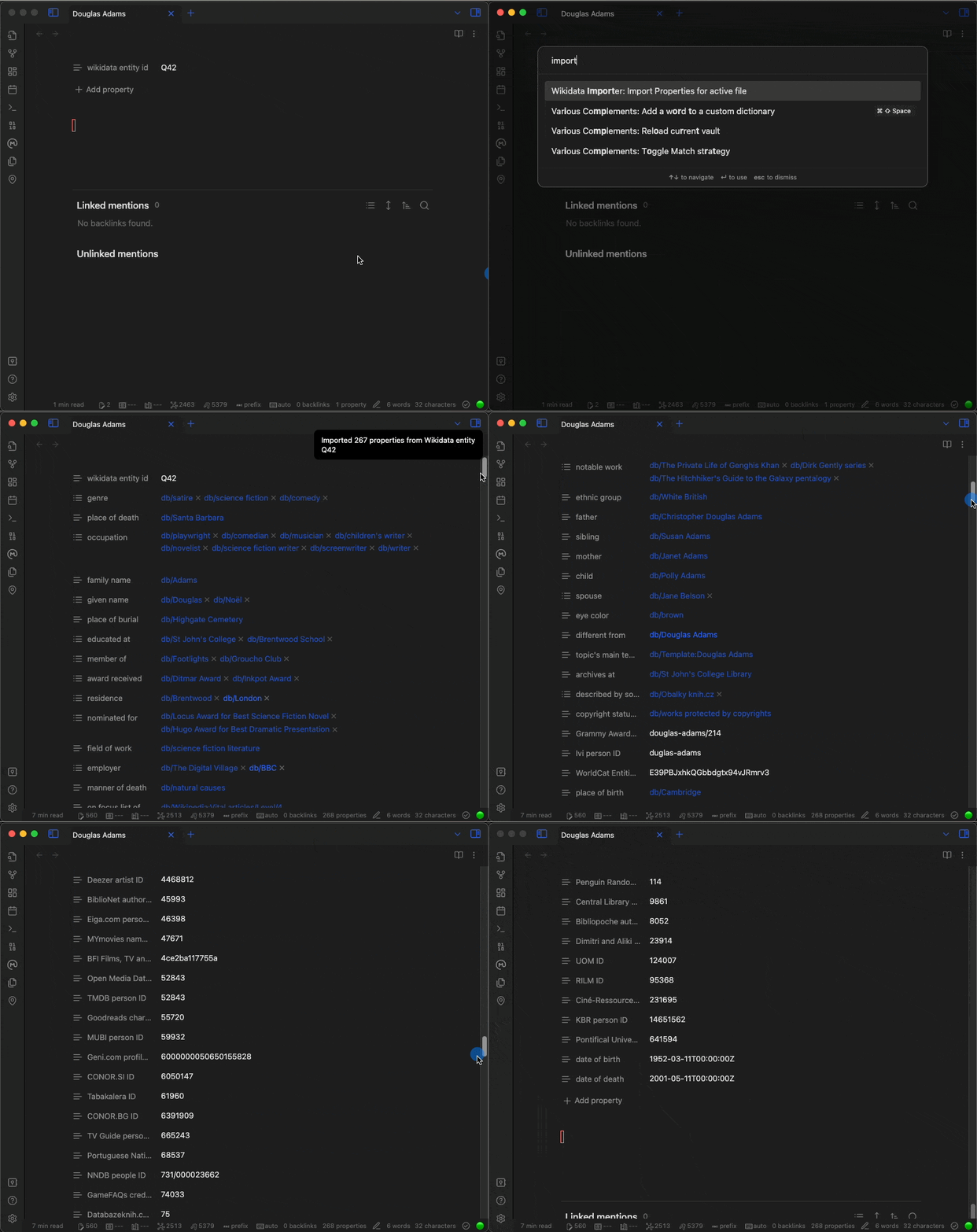
This plugin pulls data from the Wikidata database into your Obsidian notes. All you need to do is add a wikidata entity id property to a note, then run the Wikidata Importer: Import properties for active file command and viola. Your note now has all of the Wikidata properties as properties on the note.
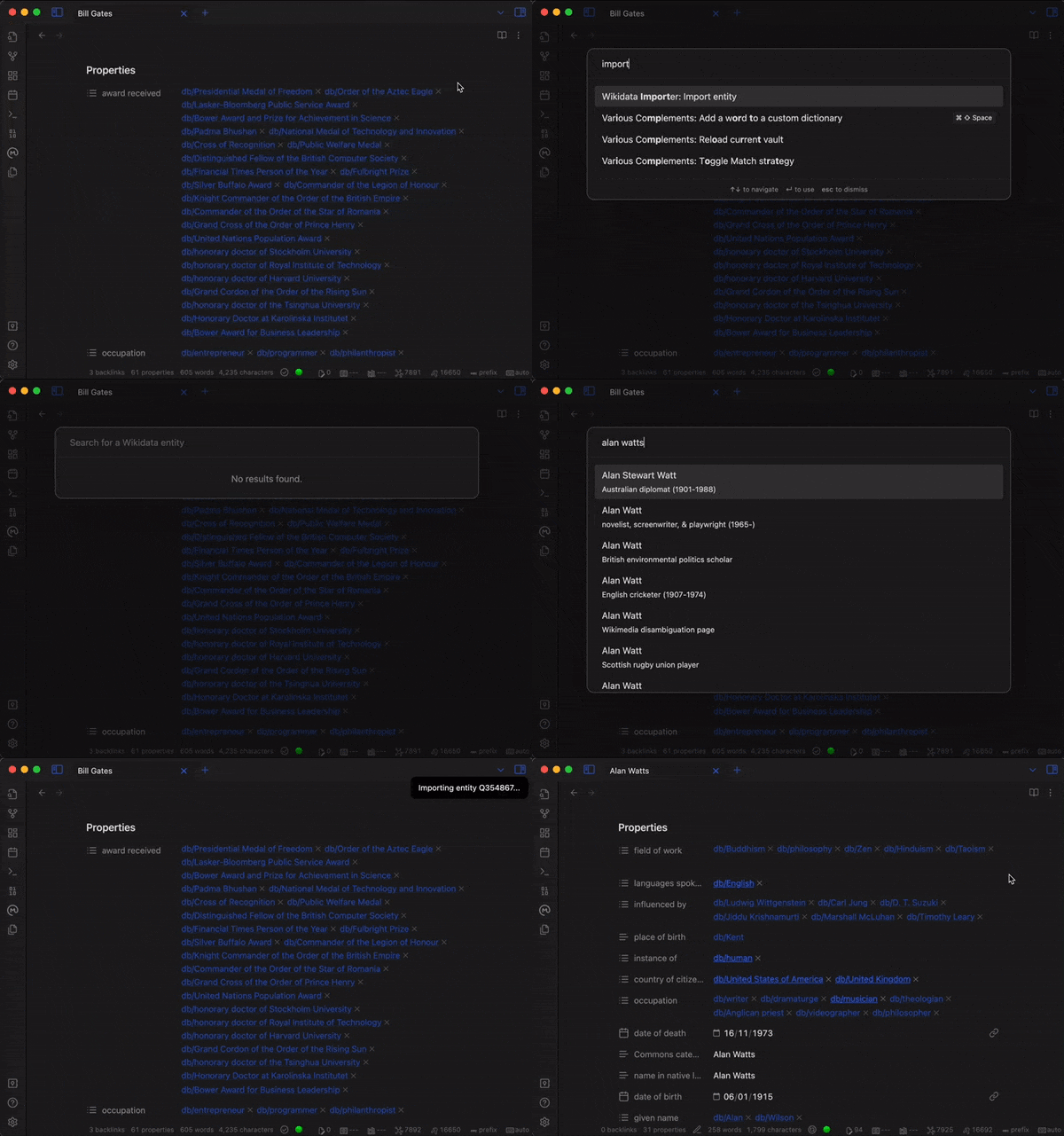
You can also import new Wikidata entries with the command Wikidata Importer: Import entity
HealthExcellent
ReviewSatisfactory
About
Import Wikidata properties into a note by adding a Wikidata entity ID and running the importer. Add Wikidata statements as note properties and import new Wikidata entities into your vault.
ImportPropertiesIntegrations
Details
Current version
1.2.0
Last updated
3 months ago
Created
3 years ago
Updates
15 releases
Downloads
6k
Compatible with
Obsidian 0.15.0+
Platforms
Desktop, Mobile
License
MIT
Report bugRequest featureReport plugin
Author
samwhosamwho
samwho.dev
GitHubsamwho
  1. Community
  2. Plugins
  3. Import
  4. Wikidata Importer

Related plugins

Zotero Integration

Insert and import citations, bibliographies, notes, and PDF annotations from Zotero.

Readwise Official

Sync highlights from Readwise to your vault.

Snipd Official

Sync Snipd podcast highlights to your vault with transcript, notes, AI summaries and metadata.

Make It Rain

Pull Raindrop.io bookmarks, highlights, and attachments into Markdown notes with rich metadata, smart folder structures, and native file support.

Telegram Sync

Transfer messages and files from Telegram to Obsidian.

Plaud Sync

Sync Plaud voice recordings into Markdown notes with transcripts, AI summaries, and highlights.

Importer

Convert your data to Markdown files you can use in Obsidian. Works with Apple Notes, OneNote, Evernote, Notion, Google Keep, and many other formats.

BRAT

Easily install a beta version of a plugin for testing.

Meta Bind

Make your notes interactive with inline input fields, metadata displays, and buttons.

Local REST API with MCP

Unlock your automation needs by interacting with your notes over a secure REST API.