Weekly Routine Planner
 lylaminju802 downloads
Plan weekly routines with a timetable-style editor.
- Overview
- Scorecard
- Updates6
An Obsidian plugin for planning weekly routines with a timetable-style editor and a fenced weekly-routine block.
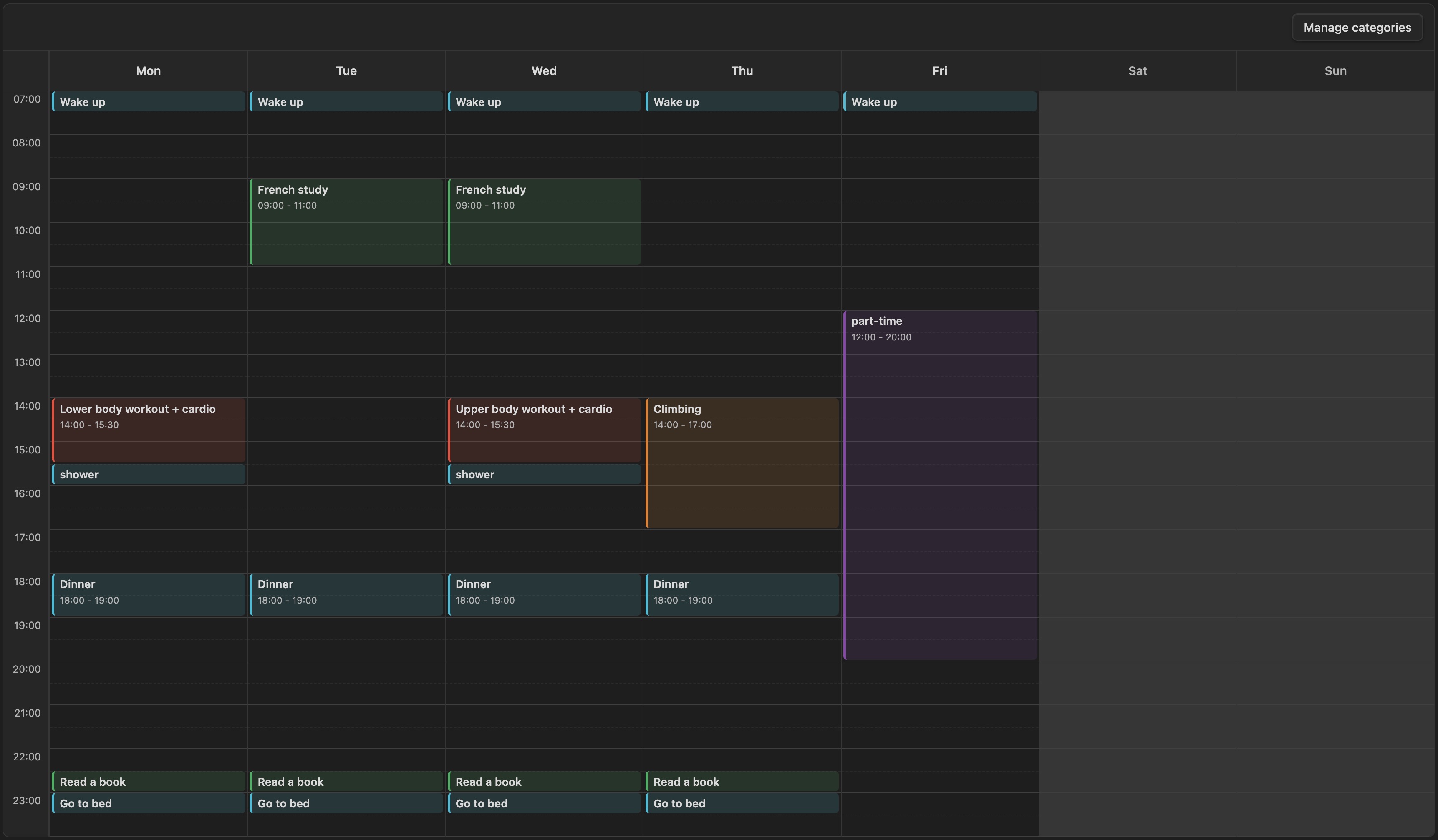
It is meant for recurring weekly structure, not dated calendar events or one-off schedules. The plugin is currently desktop-only.
Start hour, end hour, and hour height are configured in the plugin settings.
Note Format
```weekly-routine
```
<!-- weekly-routine:start -->
- [s-1] Monday 08:00-08:30 | Wake up | #daily-routine
-
<!-- weekly-routine:end -->
The fenced code block marks the note as a weekly routine planner note.
The plugin only writes inside the region between <!-- weekly-routine:start --> and <!-- weekly-routine:end -->, so the rest of the note stays untouched.
Each routine line is stored as:
- [event-id] Day HH:MM-HH:MM | Title | #category-tag
Category Management
Categories are managed by the user from the timetable UI:
- Click
Manage categoriesin the timetable toolbar. - Add, rename, recolor, or delete categories.
The same category manager is also available while creating or editing a routine.
Category definitions are saved in the plugin's data/settings, not directly in the note.
Inside the note, a routine only stores the selected category as a tag such as #daily-routine.
The category id is generated from the category name, so Daily Routine becomes #daily-routine.
If you rename a category, the plugin updates matching tags in the managed routine block.
If you delete a category, the plugin removes that category tag from affected routines.
Installation
You can install this plugin directly from the Obsidian Community Plugins directory:
- Open Obsidian Settings → Community plugins.
- Turn off Safe Mode if you haven't already.
- Click Browse and search for Weekly Routine Planner.
- Click Install and then Enable.
Manual Installation
If you prefer to install the plugin manually from this repository:
- Clone or download this repository.
git clone https://github.com/lylaminju/weekly-routine-planner.git - Locate your vault's plugin folder. It is at
<your-vault>/.obsidian/plugins/. Create thepluginsdirectory if it does not exist. - Copy
main.js,manifest.json, andstyles.cssfrom the cloned repository into a new folder:mkdir -p <your-vault>/.obsidian/plugins/weekly-routine-planner cp main.js manifest.json styles.css <your-vault>/.obsidian/plugins/weekly-routine-planner/ - Add
"weekly-routine-planner"to the array in<your-vault>/.obsidian/community-plugins.json. If the file does not exist, create it with:["weekly-routine-planner"] - Restart Obsidian (or reload without cache:
Ctrl/Cmd + Shift + Ron desktop). - Go to Settings → Community plugins, find Weekly Routine Planner in the list, and enable it.