WaveJSON
 udarent42 downloads
Render WaveJSON timing diagrams in your notes and edit them in place.
- Overview
- Scorecard
- Updates10
An Obsidian plugin that renders WaveJSON timing diagrams inside your notes — and lets you edit them in place, without leaving the note.
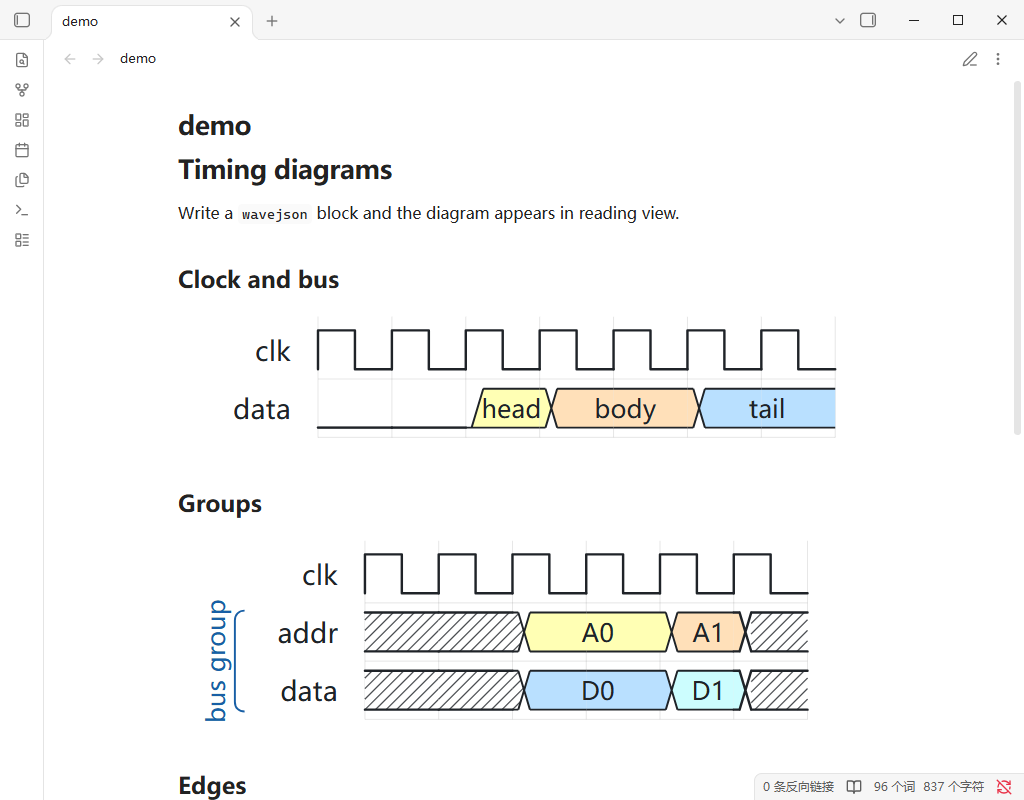
Features
- Write, don't draw. Put a
wavejsoncode block in any note and the diagram appears in reading view. - Edit in place. Click the pencil, change the waveform, click the checkmark. The code block is updated for you — no round trip to an external editor.
- Renders like the original. Same arrow shapes, group brackets, phase shifts and data labels as WaveDrom.
- Fits your note. The diagram scales to the width of the code block;
Ctrl/⌘+ scroll to zoom. - Stays out of the way. Styles are scoped inside the plugin, so your theme and the plugin never fight.
Installation
BRAT (recommended while the plugin is not in the community list)
- Install BRAT and enable it.
- Run BRAT: Add a beta plugin for testing.
- Enter
udarent/obsidian-plugins-wavejsonand confirm.
Manual
- Download
manifest.json,main.jsandstyles.cssfrom the latest release. - Put all three in
<your-vault>/.obsidian/plugins/wavejson/. - Reload Obsidian (
Ctrl/⌘+R), then enable WaveJSON under Settings → Community plugins.
This plugin is not in the community plugin list yet, so it will not show up in Browse.
Usage
Add a fenced code block with the language wavejson:
```wavejson
{ "signal": [
  { "name": "clk",  "wave": "p......" },
  { "name": "data", "wave": "x.34.5x", "data": ["head", "body", "tail"] }
] }
```
In reading view the block renders as a diagram (see the screenshot at the top of this page).
Editing
- Hover the diagram and click the pencil in the top-right corner.
- Change the source, or click directly on waveform cells.
- Click the checkmark (or press
Esc) to leave editing. The code block is rewritten with your changes. - While editing, the toolbar offers undo, redo, split direction, and a source/diagram toggle.
The file is only written when you leave editing — the plugin never writes to your vault while you type.
Supported syntax
Each object in the signal array is a row:
| Field | Meaning |
|---|---|
name |
Row label |
wave |
Waveform string — one character per time slot |
data |
Labels for bus rows, in order ("x.34." + ["head","body"] → 3 = head, 4 = body) |
node |
Anchor letters used by edge (.a.... puts anchor a in slot 1) |
phase |
Shift the row left (0.5) or right (-0.5) by a fraction of a slot |
period |
Stretch each character across period slots |
Common wave characters: 0/1 low/high, x undefined, z high-impedance, p/P positive clock, n/N negative clock, d/u falling/rising edge, =/2–9 data, . hold previous value.
Groups, blank rows and edges:
{ "signal": [
  { "name": "a", "wave": "01....", "node": ".a...." },
  { "name": "b", "wave": "0..1..", "node": "...b.." },
  {},
  ["bus", { "name": "d0", "wave": "x.3.x" }]
], "edge": ["a~>b", "b->a"] }
edge entries connect node anchors, not row names — a row without a node field cannot be an endpoint, and such an edge is skipped silently.
When a diagram fails to parse
If the source has a syntax error, the diagram area is left empty and a red line appears under the block:
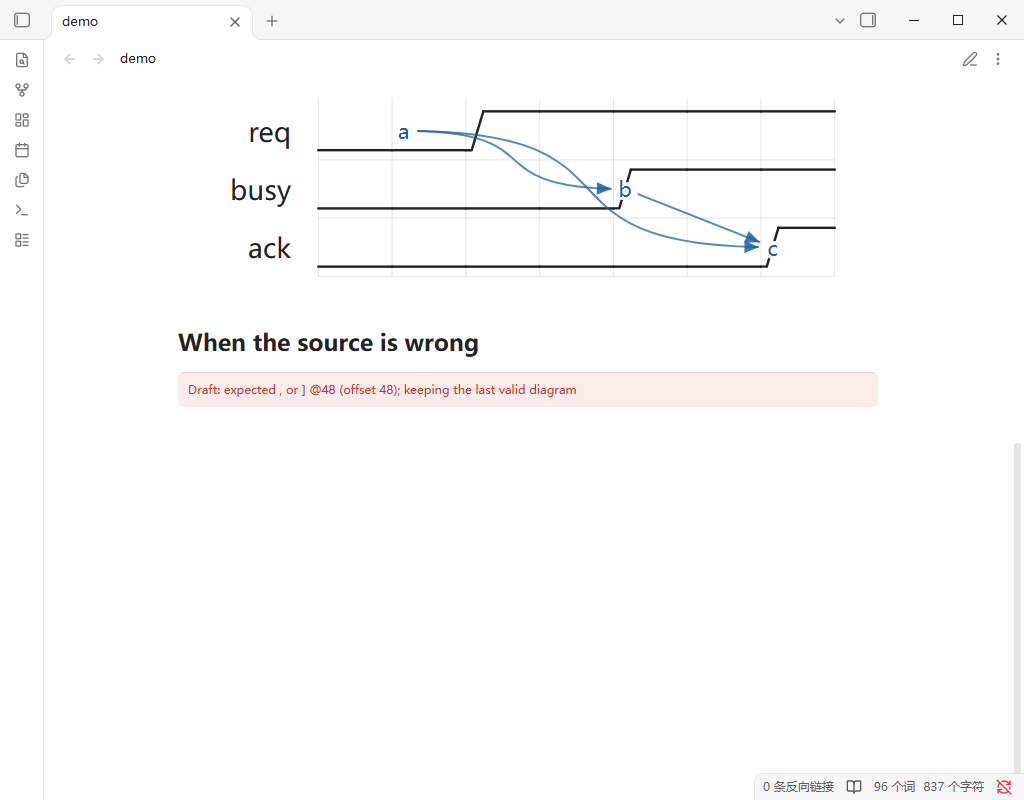
The message comes straight from the parser (Draft: expected , or ] @48 …). Nothing is lost — fix the JSON and the message disappears.
Two behaviours worth knowing:
- Unknown characters in
waveare ignored, not reported.0@1renders as if the@were not there. That is the parser's tolerant mode, not a bug. - Only syntax errors are reported. A structurally valid but visually wrong diagram will simply look wrong.
Limitations
- The block is written back only when you leave editing. If you switch to another note mid-edit and return to the same tab (Obsidian keeps the view alive), your unsaved changes are still there and will be saved when you click the checkmark.
- The editing area has a fixed height of
min(72vh, 560px). - Diagrams are not searchable — Obsidian only indexes the code block source.
Development
The renderer and editor come from TimingBench; this repository only contains the plugin shell. To build, clone both repositories side by side:
<workspace>/
  TimingBench/                    # renderer + editor core
  obsidian-plugins-wavejson/      # this repo
npm install
npm run build     # bundles the core into main.js
npm run sync      # copies the build into a test vault (--dest=<vault path> to point elsewhere)
main.js is committed: it is what users install, and the release workflow ships it as-is without rebuilding.
Credits
- Renderer and editor: TimingBench
- Diagram syntax: WaveDrom by Aliaksei Chapyzhenka
License
MIT © udarent