Wave TOC
 Hanser509 downloads
A fluid, rail-style floating table of contents for Obsidian.
- Overview
- Scorecard
- Updates8
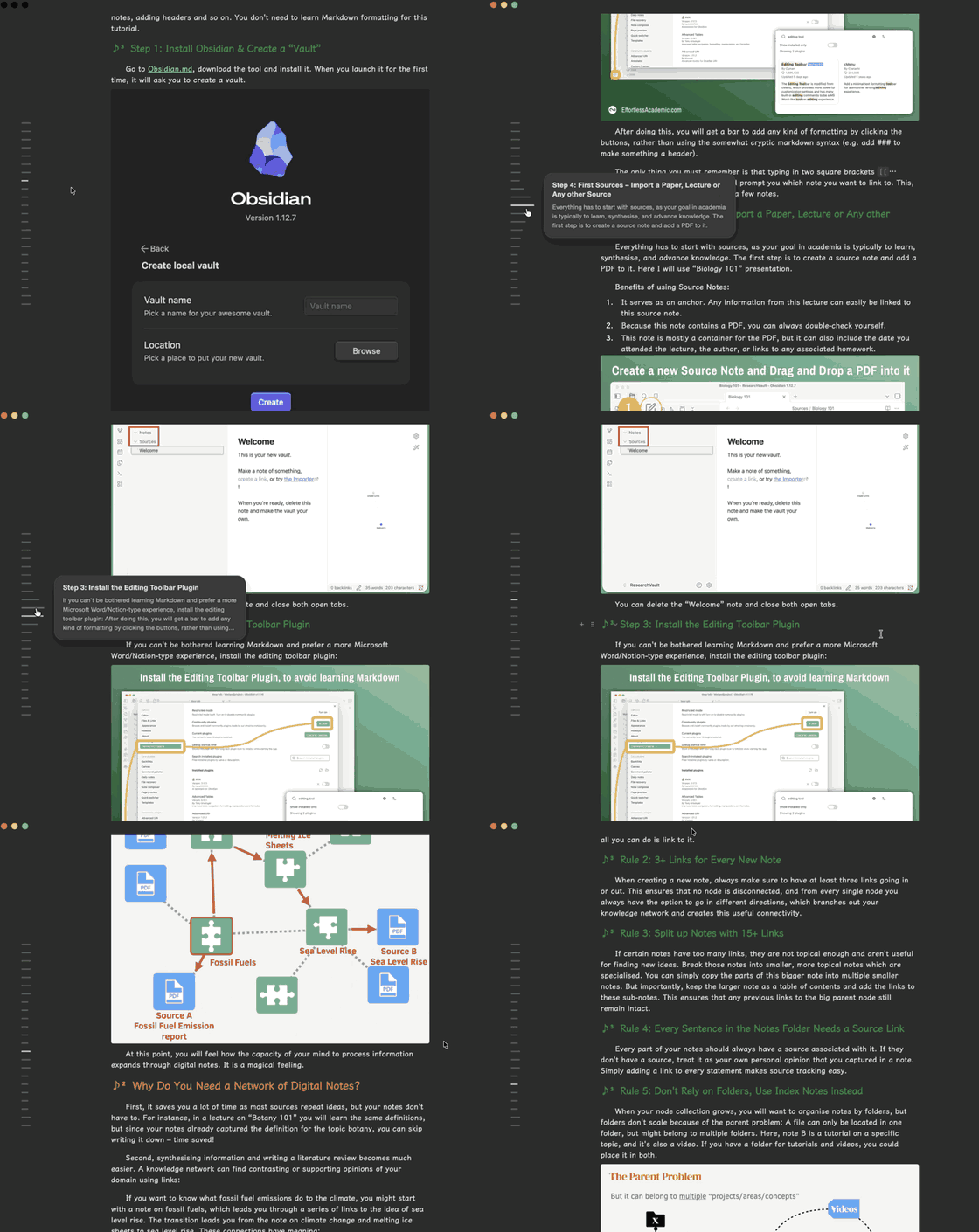
Wave TOC turns the active note's outline into a compact floating navigation rail beside the document. Move across the ticks to preview headings and nearby content, follow the current section while scrolling, or jump directly to any heading—without giving up sidebar space.
Designed for long notes, it stays accurate in both Editing and Reading views and keeps the interaction calm: scrolling changes only the active color, while the smooth wave animation appears on hover.
Highlights
- Floating H1–H3 rail inside the active note
- Smooth multi-tick hover wave and heading bubble
- Theme-aware or custom highlight color with a fading gradient across neighboring ticks
- Optional hover-card previews: title only, first paragraph, or a locally extracted section summary
- Current section indicated by color without changing tick length
- Configurable navigation: follow the pointer or jump only after click
- Configurable section tracking: follow the scrolling viewport or use the cursor click behavior
- Localized settings with Chinese and English interfaces
- Source-line-accurate heading navigation in Editing and Reading views, including virtualized long notes
- Automatic updates when headings change
- Configurable side, heading depth, and rail height
Build
npm install
npm run build
Copy manifest.json, main.js, and styles.css into:
<Vault>/.obsidian/plugins/wave-toc/
Then reload Obsidian and enable Wave TOC under Community plugins. Highlight color, hover-card content, navigation, and scroll-tracking behavior can be changed under Settings → Wave TOC. The settings interface is available in Chinese and English.
Privacy
Wave TOC works locally inside Obsidian. It does not send note content to external services, collect telemetry, show ads, or require an account.
Acknowledgements
Functional research for this independent implementation included Next TOC and Floating TOC. No source code or assets from those projects are included in Wave TOC.
Wave TOC is an independent project and is not affiliated with or endorsed by OpenAI.
License
MIT © 2026 Hanser