Paste to S3
 ClaudiaFang164 downloads
Upload images to any S3-compatible storage. Features: WebP conversion, image compression, text & logo watermark with live preview.
- Overview
- Scorecard
- Updates4
Paste to S3
Paste an image. It's optimized, uploaded, and linked automatically.
Previously Watermark Bucket Uploader. Existing installations and settings continue to work normally.
A zero-friction image uploader for Obsidian with S3-compatible storage, WebP conversion, compression, and optional watermarks. This plugin intercepts every paste and drop, optimizes the image, uploads it to your own S3-compatible bucket, and drops a clean  right into your note. Your images, your infrastructure.
Paste / Drop
    ↓
Optimize & Compress
    ↓
Convert to WebP
    ↓
Optional Watermark
    ↓
Upload to S3-compatible storage
    ↓
Insert Markdown link
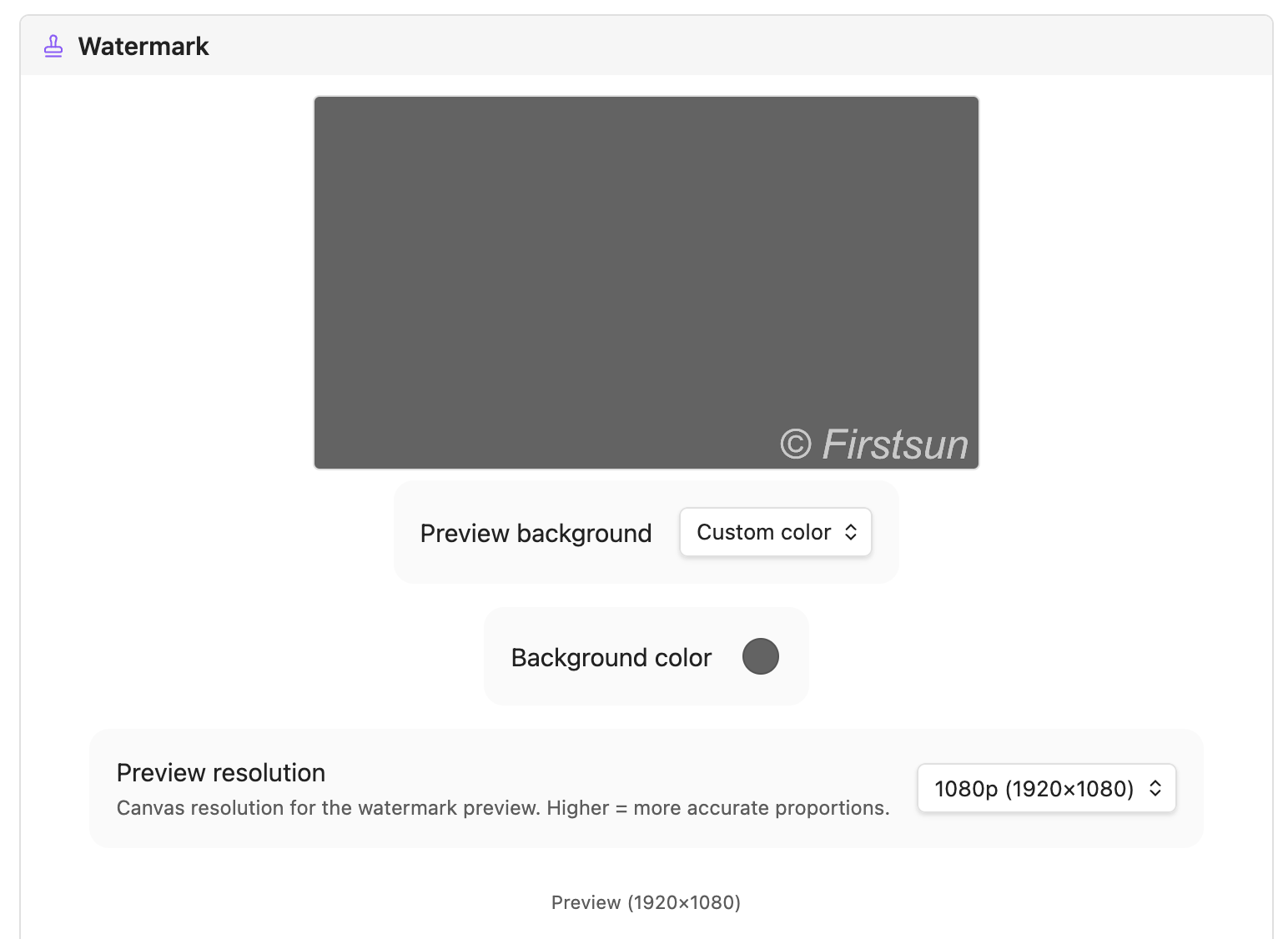 The Live Preview shows your text and logo watermark exactly as it will be applied — if you choose to enable one.
Why Paste to S3
- Paste and keep writing — paste or drag an image and it's already in your bucket. No menus, no dialogs.
- Your storage, not someone else's service — works with any S3-compatible bucket you already own and control. Bring your own storage.
- Smaller files, faster pages — automatic WebP conversion and compression keep your storage lean and your site fast.
- Optional watermarking — overlay custom text or a logo when you want one, with font, size, color, opacity, position, and a live preview. Watermarking can be disabled entirely.
- Works with any S3-compatible storage — Cloudflare R2, AWS S3, MinIO, Backblaze B2, and more.
- Keeps your private notes private — glob-based ignore patterns let you exclude specific folders from ever being uploaded.
- Not just images — optionally upload video, audio, and PDFs the same way.
Installation
From Community Plugins (recommended)
- Open Settings → Community plugins and turn off restricted mode.
- Click Browse, search for Paste to S3, click Install, then Enable.
Manual
- Download
main.js,manifest.json, andstyles.cssfrom the latest release. - Create
<vault>/.obsidian/plugins/watermark-bucket-uploader/. - Copy the three files into that folder.
- Reload Obsidian and enable the plugin under Settings → Community plugins.
Quick start
- Install Paste to S3.
- Open Settings → Paste to S3 and fill in your S3-compatible storage credentials (see Storage).
- Set your public image URL.
- Paste or drag an image into any note — it's optimized, uploaded, and a
link is inserted automatically.
Optional: configure compression, WebP, watermarking, upload-on-drag, and folder exclusions. For a step-by-step walkthrough on setting up Cloudflare R2 and configuring watermarks, see the Cloudflare R2 & Watermarks Setup Guide.
Configuration
Storage
Bring your own storage. Paste to S3 works with any S3-compatible provider — AWS S3, Cloudflare R2, MinIO, Backblaze B2, or any other S3-compatible endpoint.
| Field | Description |
|---|---|
| Access Key | S3 / R2 access key ID |
| Secret Key | S3 / R2 secret access key (stored securely in local storage) |
| Region | Bucket region (auto for Cloudflare R2) |
| S3 Bucket | Your bucket name |
| Bucket Folder | Optional path prefix — supports ${year}, ${month}, ${day}, ${basename} |
| Custom Endpoint | Required for R2 and non-AWS providers |
| Custom Image URL | Public URL base, e.g. your CDN or custom domain |
Cloudflare R2 quick setup
- Create a bucket in the R2 dashboard.
- Generate an API token with Object Read & Write permissions.
- Set Custom Endpoint to
https://<account-id>.r2.cloudflarestorage.com. - Set Region to
auto. - Set Custom Image URL to your public bucket domain.
Watermark (optional)
Watermarking is off by default and can be disabled entirely — skip this section if you don't need it. When enabled, open the Live Preview in settings to see changes in real time.
| Field | Description |
|---|---|
| Text Watermark | Toggle text overlay |
| Text | e.g. © yourdomain.com |
| Font / Size / Style / Color | Full typography control; size 0 = auto (2% of image width) |
| Logo Watermark | Toggle image overlay |
| Logo Path | Vault-relative path, e.g. _assets/logo.png |
| Logo Size / Opacity | Scale (% of image width) and transparency (0–1) |
| Position | Bottom Right, Bottom Left, Bottom Center, or Center |
| Offset X/Y | Fine-tune placement (±% of image dimensions) |
| Preview Res | Canvas resolution for preview accuracy (720p–4K) |
Daily workflow
| Action | Result |
|---|---|
Ctrl/Cmd+V in any note |
Intercepts the image, processes it, uploads, inserts  |
| Drag & drop onto the editor | Same pipeline (enable "Upload on drag" in settings) |
Command Palette → Upload image |
Pick a local file to upload manually |
| Auto-upload on create | Any image added to your vault is uploaded and removed locally |
Privacy and security
- Local storage — bucket credentials are stored locally in the plugin's data folder inside your vault, and are only ever sent to the storage endpoint you configured.
- No telemetry — the plugin collects no usage data or analytics.
Requirements
- Obsidian 1.6.6 or later
- Desktop and mobile supported
Development
git clone https://github.com/firstsun-dev/watermark-bucket-uploader.git
pnpm install

pnpm run dev    # watch build
pnpm run build  # type-check + production build
pnpm run test   # vitest suite
pnpm run lint   # eslint
License
MIT
Created by ClaudiaFang