Vir
 Djordje Marković147 downloads
An LLM Wiki for Claude Code, in your Obsidian sidebar. Surface relevant notes from your distilled session knowledge as you work.
- Overview
- Scorecard
- Updates7
Vir for Obsidian
An LLM Wiki for Claude Code, in your Obsidian sidebar. Surface relevant notes from your distilled session knowledge as you work.
virdistills your Claude Code sessions into an Obsidian vault of patterns, gotchas, decisions, and tools. This plugin brings that knowledge into Obsidian's sidebar — so the right note finds you while you're writing, not three searches later.
What it does
- Status bar — a live health dot for the vir daemon (healthy / stale / down / CLI-not-found). Click it to open settings.
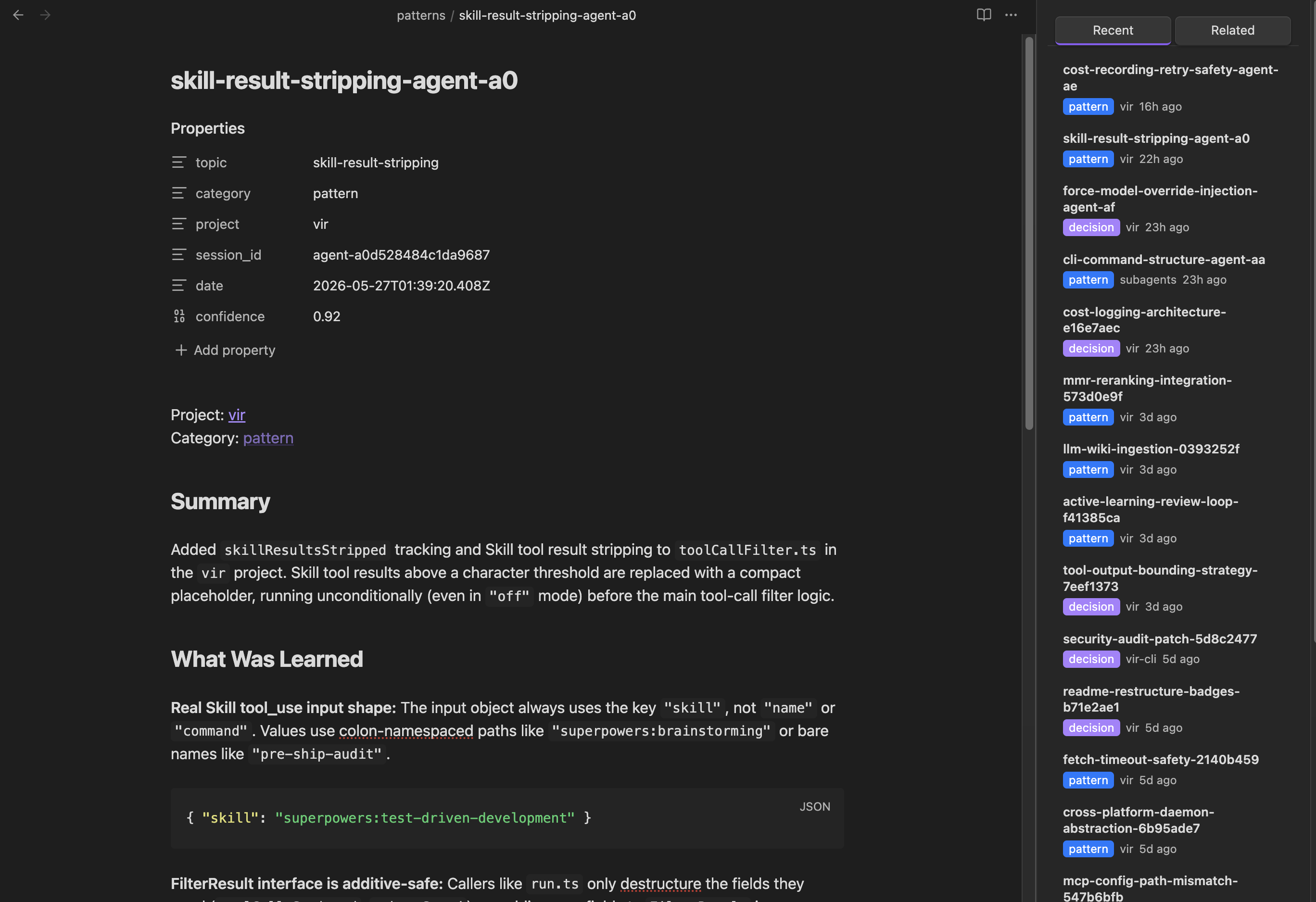
- Sidebar pane — a Recent tab that scans your vault for vir-distilled notes — patterns, gotchas, decisions, tools, articles, distilled PDFs/papers, and
vir composetopic syntheses — and a Related tab that queriesvirfor notes relevant to what you're editing. Both surface topic notes alongside the rest, color-coded by category. - Commands —
Vir: Search vault,Vir: Surface related notes, andVir: Open settingsfrom the command palette.
Install
From the Community Plugins marketplace: open Settings → Community plugins → Browse, search for Vir, and click Install.
Manual install:
- Download
main.js,manifest.json, andstyles.cssfrom the latest release. - Copy them into
<your-vault>/.obsidian/plugins/vir/. - Reload Obsidian, then enable Vir under Settings → Community plugins.
Setup
This plugin is a thin client over the vir CLI — install and configure it first:
npm install -g @djolex999/vir-cli
vir init          # interactive setup: points vir at your vault, configures the daemon
Then, in the plugin's settings:
- Click Detect to resolve the
virbinary path. (Detect runs through your login shell, so it finds binaries installed via nvm/asdf — Obsidian's own process PATH usually doesn't include those, which is why a barevirmay not work.) - Click Test connection to confirm the plugin can reach
vir doctor. - Adjust poll interval, recent/related counts, and the minimum confidence threshold to taste.
Desktop only.
viris a CLI tool bound to a background daemon, so the plugin doesn't run on mobile.
The three surfaces
Status bar
A colored dot reflects daemon health, polled on an interval (default 30s):
- 🟢 healthy — daemon running
- 🟡 stale — daemon up, last poll was a while ago (tooltip shows when)
- 🔴 down / unreachable — daemon not running
- ⚪ unknown — the
virCLI couldn't be found (set the path in settings)
Recent tab
Scans the vault directly (no vir call) for notes carrying vir's frontmatter (pattern · gotcha · decision · tool · article · topic · pdf), newest first, with a color-coded badge, project, and relative date. Click to open.
Related tab
Runs vir query against the note you're editing (debounced) and lists the most relevant distilled notes — including topic syntheses from vir compose. Results preserve vir's own ranking (it diversifies via MMR — the plugin never re-sorts), filtered by a confidence threshold you control.
Links
- vir CLI —
@djolex999/vir-clion npm - The Compounding Codebase — the manifesto behind vir.
License
MIT © Djordje Marković