Media Embed
 punkyard1k downloads
Automatically converts pasted YouTube links into your preferred embed format on an empty line.
- Overview
- Scorecard
- Updates17
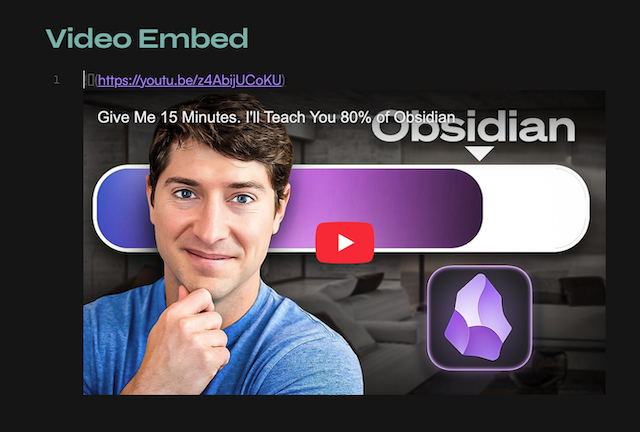
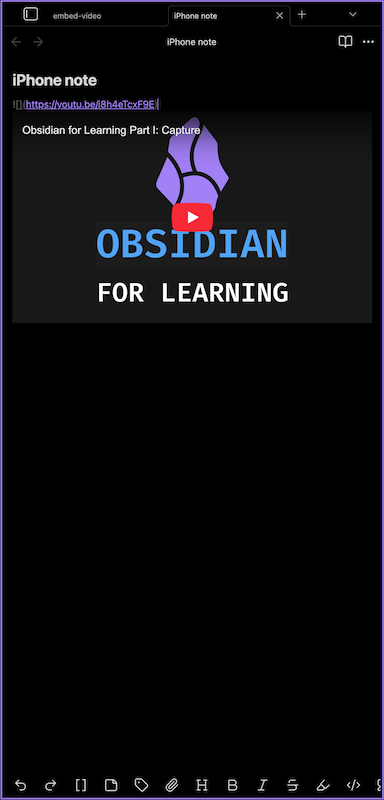
Simply paste a YouTube URL on an empty line in an Obsidian note and it's instantly converted into your preferred embed format (markdown, iframe or div).
⭐️ Roadmap unlocks with GitHub stars:
- 100 GitHub ⭐ : more video providers (Vimeo, Dailymotion, local files…)
- 1 000 GitHub ⭐ : auto-import video metadata (title, thumbnail) from URL
Features
- intercepts YouTube URLs pasted on empty lines
- youtu.be
- shorts
- embed URLs
- three preview options to choose from
- simple markdown
- responsive in iframe and div modes
- alternative embed server support for restricted videos
- toggle in settings to route embeds through an Invidious instance
- bypasses YouTube embed blocks (Error 153)
- configurable URL — swap instances if one is down
- works on desktop and mobile
Embed styles
Choose your preferred embed mode in Obsidian Settings... → Media Embed.
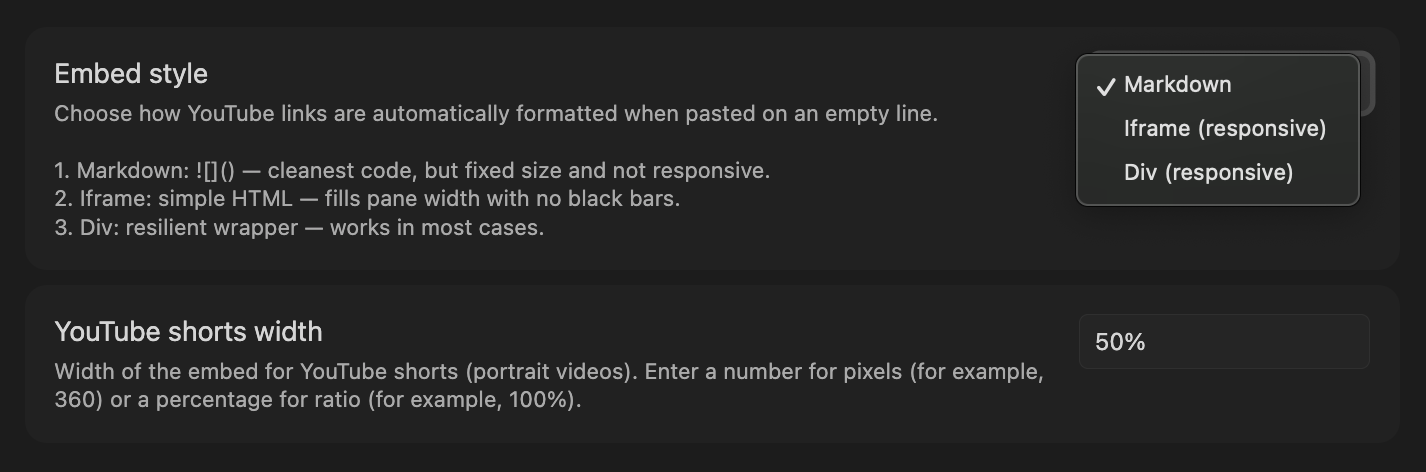
| Style | Output | Responsive |
|---|---|---|
| markdown | ![]() |
no — fixed size |
| iframe | <iframe ...> |
yes — fills pane width |
| div | <div><iframe ...> |
yes, in a frame — bulletproof |
Not sure which to pick? See pros & cons and edge-case guide.
Alternative embed server
Some YouTube videos have embedding disabled by the uploader. When pasted in iframe or div mode, they show a blank player (YouTube Error 153).
Enable Use alternative embed server in settings to route embeds through an Invidious instance instead.
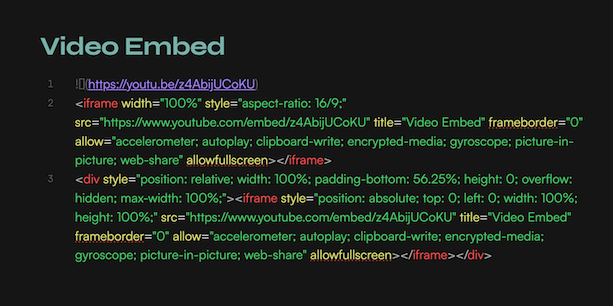
Results in source mode:
Usage
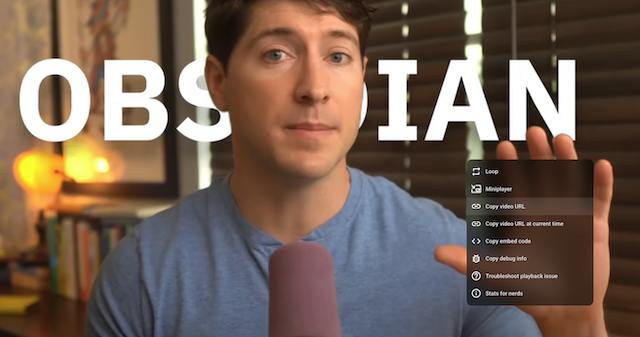
- copy YouTube video URL (right-click on it: Copy video URL)
- open any note
- place your cursor on a blank line
- paste the YouTube URL (
Cmd+V/Ctrl+V) - the URL is automatically replaced with the embed
Supported URL formats:
https://www.youtube.com/watch?v=...https://youtu.be/...https://www.youtube.com/shorts/...https://www.youtube.com/embed/...
Installation
From Obsidian Community Plugins
- open Obsidian Settings... → Community plugins
- disable
Safe modeif prompted - click
Browseand search forMedia Embed - install and enable the plugin
- open
Optionsand choose your preferred style (markdown, iframe, div)
Manual
- go to the latest release and download
main.jsandmanifest.json - create a folder
<your vault>/.obsidian/plugins/video-embed/ - place both files in that folder
- reload Obsidian and enable the plugin in Settings → Community plugins
Contributing
Found a bug or have a suggestion? You're welcome to open an issue. See CONTRIBUTING for development setup and pull request guidelines.
License
This project is licensed under MIT.
made with ⏳ by punkyard