Vault Bus
 Jordan Newell12 downloads
(debuggin currently) Chat inside your vault - A vault-local markdown message bus: give plugins, agents, and humans addresses and let them talk through inbox notes.
- Overview
- Scorecard
- Updates2
A vault-local message bus for Obsidian. Give anything in your vault an address — a plugin, an agent, a script, a human — and let them talk by appending markdown messages to each other's inbox notes.
One plugin runs a time-gated polling loop; everyone else just writes and reads notes. No network, no server, works on mobile, and every conversation stays human-readable markdown on disk.
Protocol: SPEC.md (OM-1).
Where your mail lives
By default the mail is hidden: inboxes live in a dot-folder inside the plugin's app directory, and Obsidian ignores dot-folders — nothing shows up in the file explorer, search, quick switcher, or graph. The vault stays clean; users just chat.
<vault>/.obsidian/plugins/vault-bus/mailbox/
├── registry.md               # who has an address (advisory)
├── curtis/inbox.md           # one inbox per address
├── owner/inbox.md            # yours
└── research-agent/inbox.md
The markdown is all still there — open the folder with any file manager to read
a conversation or append a block (that's the whole protocol, SPEC.md §3).
Upgrades move an existing visible Messenger/ folder into the hidden location
automatically; anything unmanaged in it pins the folder down and nothing is
deleted without your say-so (moved files go to the system trash).
Want the mail as regular vault notes — e.g. to carry it with Obsidian Sync
between devices? Turn off Hide mail storage in settings and it lives in
Messenger/ like any other folder. iCloud/Dropbox/Syncthing-style folder sync
carries the hidden folder too, since it's plain files on disk. When a sync
engine can't merge two devices appending at once, it leaves a conflict copy
behind (inbox (conflicted copy).md and friends) — the maintenance pass
adopts anything trapped in one back into the real inbox and trashes the copy
automatically (SPEC.md §7). And if a merge clobbers the append itself, the
sender notices its ✓ never arrived and re-sends the message after a grace
period (SPEC.md §14) — no mail goes missing in a merge.
Develop
npm install
npm run build    # typecheck + bundle → main.js
npm run dev      # watch mode
npm test         # portable unit suite (runs anywhere) + source self-checks
The unit suite (tests/unit/) exercises the protocol logic — envelope
round-trips, receipt ranking, cursor fallback, GC invariants, settings
sanitization, migration — under plain node, no Obsidian needed; CI runs it on
every push. The heavyweight checks (tests/*-check.mjs) drive a real Obsidian
over CDP and are documented inline. The UI's theming contract — the
--messenger-* tokens, class names, and data attributes snippets rely on —
is documented in THEME.md; keep it in sync when touching
styles.css.
Install into a vault
Build, then copy main.js, manifest.json, and styles.css into
<vault>/.obsidian/plugins/vault-bus/ and enable the plugin under
Settings → Community plugins. BRAT works too.
On first run a welcome modal asks who you are on this vault's bus: an
address (slug-like, defaults to owner), an optional display name
for conversation lists, and — required to finish sign-up — a passcode
(see Passcode security below). Addresses only need to be unique within one
vault — each vault is its own bus, and cross-vault mail (OM-2) is routed by
key fingerprint, not address. If you pick an address that already has mail
(an upgrade, or a shared bus), the modal says so, and choosing a new address
moves your existing inbox and read cursor with you. The modal can't be
dismissed past the passcode: closing it early just brings it back next
launch until one is set; everything lives in Settings → Messenger afterward.
Passcode security
Sign-up asks for a passcode — the first level of security. While it gates the app alone it is stored only as a salted, iterated SHA-256 hash (never plaintext); once encryption is on, nothing about it is stored at all (see below). It guards three things:
- The app. With Lock Messenger on startup on (the default), opening Messenger after an Obsidian restart asks for the passcode first, and Lock Messenger in the command palette (or Lock now in settings) re-engages it instantly when you step away. While it is locked, chimes and notices stay silent too — nothing reads your mail out loud past the passcode.
- Individual conversations. Right-click (long-press on mobile) a conversation → Lock conversation. A locked chat shows nothing until the passcode is entered — no preview, unread count, search hits, notification text, or read receipts — and it re-locks on every restart. Removing a lock needs the passcode too, so a borrowed, unlocked session can't quietly strip it.
- The lock itself. Changing or removing the passcode requires the current one.
Encryption at rest
Turn on Encrypt messages at rest (or leave the box checked at sign-up) and message bodies stop being plain markdown: each body is sealed with AES-256-GCM, and the key is a random 256-bit vault key that exists only in memory after you unlock — wrapped by a key derived from your unlock secret via PBKDF2 (600k rounds) and stored only in wrapped form. Copy the vault, read the files with anything else, or steal a backup, and you get ciphertext.
Two unlock secrets, switchable in Settings → Messenger:
- Passcode — something you memorize. Because a stolen
data.jsoncan be attacked offline, encryption demands at least 8 characters that aren't all digits, and nothing about the passcode is stored on disk: verification is the AES-GCM unwrap itself, so every guess an attacker makes costs a full key derivation. There is deliberately no fast hash beside the key. - Generated vault key — a 125-bit key like
7XK4Q-M2P9Z-…shown once, stored in your password manager, pasted to unlock. Brute-forcing it is out of reach regardless of attacker budget; losing it means the mail is unrecoverable by design. This is the strongest option.
Secret fields speak the standard credential tokens, so password managers
integrate natively: unlock fields are marked current-password (mobile
autofill and quick-access fill offer the saved credential) and
create/change fields are marked new-password (managers offer to save the
new passcode or vault key the moment you type or paste it). On iOS/Android
that means the keyboard's autofill button just works; on desktop, your
manager's global autofill (1Password quick access, Bitwarden hotkey,
KeePassXC autotype) fills whichever secret field is focused. Envelope
metadata (who, when) stays
readable so the bus itself keeps working, and changing your passcode just
re-wraps the key — no mass re-encryption. While Messenger is locked, sealed
messages show as 🔒 placeholders and are invisible to search; GC and sweeps
preserve the ciphertext untouched, so nothing is ever lost to a locked
session. Turn the toggle off and every stored message is decrypted back.
Details: SPEC.md §15.
Disappearing messages
The clock button in the composer marks the next send to self-destruct: 1 hour / 1 day / 1 week after sending, or 1 hour / 1 day after reading. Burned messages vanish from every view — thread, previews, search, export, the agent API — and a sweep deletes them from the mailbox files. Burned mail owes nothing: retransmission gives up on it instead of resurrecting it. Best effort by design (SPEC.md §16): a participant that never implements burning keeps its copy until ordinary retention takes it.
Straight talk about what all of this is: locks are a privacy screen for the Messenger UI, and encryption protects files at rest — but anything running inside Obsidian still reads mail through the API once unlocked, and the passcode can't stop the OS user themselves (SPEC.md §8). For the outer layer, use your device's own lock: Obsidian mobile's app lock / biometrics, or your OS user password on desktop — plugins can't trigger those themselves. Manage the passcode and encryption in Settings → Messenger → Passcode.
Use from another plugin
const api = window.obsidianMessenger;
if (api) {
  const me = await api.client("my-plugin-id", { name: "My Plugin" });
  await me.send("curtis", "knock knock");
  me.onMessage((m) => console.log(`${m.from}: ${m.body}`));

  // agent-friendly reads: the conversation list with unread counts
  for (const c of await api.conversations()) {
    console.log(c.address, `(${c.unread} unread)`, c.lastTs);
  }
  await api.markRead("curtis");
}
For agent-style consumers there's more on the same handle:
// awaitable delivery: send, then resolve once curtis's receipt lands
// (✓ by default; until: "read" waits for ✓✓). Rejects with a typed
// MessengerError past timeoutMs — err.code is one of "receipt_timeout",
// "invalid_address", "invalid_body", "invalid_reply_to".
const { message, receipt } = await me.sendAndWait("curtis", "ping", {
  until: "read",
  timeoutMs: 30_000,
});

// already holding a message id? wait for its receipt separately
await api.waitForDelivery("curtis", message.id, { timeoutMs: 10_000 });

// paged reads: conversations() slices newest-first after sorting…
const top = await api.conversations({ limit: 10, offset: 0 });
// …and messages() walks a thread backwards page by page
let page = await api.messages("curtis", { limit: 50 });
while (page.length > 0) {
  page = await api.messages("curtis", { limit: 50, before: page[0].ts });
}
Receipts are advisory: a peer that never publishes a receipts file will always time out — read that as "sent, unconfirmed", not "failed".
Or skip the API entirely and append a message block to
<mailbox>/<to>/inbox.md yourself — that's the whole protocol (SPEC.md §3).
Shell scripts, Dataviewjs, and editors on a synced device all qualify.
Chat view
The mail icon (or Open chat in the command palette) opens a chat view:
conversations with avatars and unread badges on the left, bubbles and a
composer on the right. Enter sends, Shift+Enter is a newline; per-peer drafts
survive switching conversations, and Esc walks back out — cancel reply,
close in-thread search, return to the list, clear the filter. Hover a bubble
(long-press targets on mobile) for reply-with-quote — the reply carries a
replyTo id and renders as a chip; click the chip to jump to the quoted
message (loading older pages if it takes that) — or to copy its text.
Long histories load the latest page first, with a "load earlier"
button at the top. Refreshes reuse already-rendered bubbles (cloned, not
re-rendered) and load conversations in parallel, so live updates, receipt
changes, and long threads stay fast. New mail that lands while you're
scrolled up flags a jump-to-latest button with a count of what you missed;
the red New messages divider is clickable to come back to where the
unseen mail started.
The thread merges both sides of a conversation — mail you received plus the copies of mail you sent (which live in the recipient's inbox) — and updates live as inboxes change. Read state is per-peer and persistent, so unread counts survive restarts; the ribbon icon shows a dot while anything is unread. Composer drafts persist per-peer across restarts, and images pasted or dropped into the composer are saved to your vault (see Attachments folder in settings) and enter the draft as embeds — click an embedded image to view it full-size.
Attachments: the paperclip in the chat header opens that conversation's media sheet — every vault file any message in the thread embeds, newest first, with full-size viewing for images. Browse attachments in the command palette shows all of them grouped by conversation and offers the cleanup handle: files in the attachments folder that no surviving message, draft, or note still references (GC'd threads, burned mail, embeds deleted before sending) can be moved to the system trash in one confirmed step. Blocked and passcode-locked conversations keep their files but aren't listed; sealed messages are skipped, never guessed at.
Search: the magnifier in the conversation list searches message bodies across every conversation — the only search that can see the hidden storage folder — and jumps straight to the hit, expanding older pages as needed. Inside a thread, the header's magnifier filters the thread live and highlights matches.
Right-click (long-press on mobile) a conversation for the per-chat actions: mark read, mute notifications, rename, retention (how long this conversation's mail is kept — presets from 1 day to never, plus an inbox-size cap, overriding the global cleanup policy for just this address), export the thread as a normal vault note, reveal the inbox file itself, or delete the conversation.
Contacts & requests (SPEC.md §17): the people-plus button in the list
header adds contacts — from this device's contacts picker where the system
provides one (Android, and iOS where the webview allows), from a .vcf
(vCard) file anywhere, or by hand; the welcome modal offers the same import
as an optional setup step, and the empty conversation list turns both first
actions into buttons. Every import passes through a review
list: a device contact has no Messenger address, so one is suggested from
the email or phone and you confirm it. A new contact is an invitation
(pending) that turns mutual the moment they reply or you accept their
request — the conversation header says which state you're in. Mail from
someone who isn't a contact lands under a collapsed Contact requests
section instead of the list: no chime, no popup, no unread badge until you
accept (or decline, which hides and silences them; blocked contacts are
manageable in settings). A Who can reach me setting (Settings →
Messenger) tightens this: Contacts only keeps the conversation list to
people you've added. The gate is social, not cryptographic (SPEC.md §8) —
real verified identity is the Obsidian Social plugin's job below.
Reserved addresses (SPEC.md §2): a 400+ name list of handles that
borrow weight no one on this bus can own — authority and system names
(admin, support, the plugin's own bus address, the bus's file names
like registry), finance (paypal, wells-fargo, venmo, binance),
government and emergency (police, irs, uscis, 911, 112),
big tech and AI labs (apple, cloudflare, anthropic, chatgpt),
Fortune-500-scale brands (walmart, boeing, target), academia —
institutions and the offices scammers impersonate (harvard,
registrar, financial-aid, fafsa), religious titles and institutions
(pope, bishop, vatican), the most-impersonated public figures and
athletes (elon-musk, satoshi-nakamoto, cristiano-ronaldo, messi),
and scam phrases (lottery, verify, seed-phrase). People are reserved
by full distinctive name — never by common given names: muhammad,
jesus, ali, and jordan are real people's names and stay
registrable. Some entries are ordinary words a brand happens to own
(target, chase, shell); they're reserved anyway — anti-spoof errs
closed. No one can register one — in the welcome modal,
settings, contact adding, or via the agent API — and matching is
token-based, so composed handles reject too: admin-team,
paypal-support, cloudflare-security are all refused. An identity that
already held a name before it joined the list keeps it, and the list is
plain data in src/reserved.ts — trim or extend it to taste. Since from
is self-declared on this bus, mail that arrives under one of those names
is a red flag, not an official account: Messenger marks the conversation
with a spoof warning and flags the contact request itself.
Receipts: outgoing bubbles show ✓ once the recipient's plugin processes
the message and ✓✓ once a chat view there has actually displayed it
(iMessage-style; hover for timestamps). Receipts ride a companion file
(receipts.md, SPEC.md §11) — delivery receipts always, read receipts only if
Send read receipts stays on — and double as the ACK for retransmission: a
sender whose ✓ never arrives on a shared bus re-sends the message itself
(same id, so nothing duplicates) after a grace period (SPEC.md §14).
Appearance: threads sit on a wallpaper — eight built-in gradient scenes
(aurora, dusk, midnight, …), none, or any image from your vault — and each
conversation can override the default from the image button in its header.
Obsidian has no platform-level chat theming, so Messenger treats your theme
as the substrate: every color is mixed from Obsidian's own CSS variables,
the wallpaper paints on a translucent layer above it, and a Wallpaper
intensity slider (0% = your pure theme), a tint color with strength
control, and a bubble opacity slider let you blend how much decoration
shows. A tint also works without any wallpaper, and each conversation can
carry its own tint color from the same header menu — different windows,
different colors. Participants get profile pictures from vault images too
(click the avatar in a conversation header to set one; anyone without a
picture gets a stable generated gradient with their initials). The composer
has an emoji picker with search, categories, and recents; :shortcodes:
like :tada: autocomplete as you type and render as emoji on send, and a
message that is nothing but 1–3 emoji shows up jumbo-sized.
Theming: every color, corner, and size resolves through documented
--messenger-* CSS variables whose defaults are Obsidian's own — so the
chat follows your theme out of the box, and a few lines of CSS snippet
restyle all of it (bubbles, avatars, controls, popovers). The full themer's
reference — tokens, DOM map, state classes, recipes — lives in
THEME.md.
Notifications: when mail arrives for you and that conversation isn't on screen, Messenger plays a short synthesized chime and pops a notice — click it to jump straight into the conversation. Both can be turned off in settings. On desktop the ribbon opens the messenger as its own window detached from the vault ("Open chat in new window" does the same), with the tab chrome hidden so it reads like a standalone app; its size and position are remembered across sessions, and opening it again reuses the live window instead of stacking new ones.
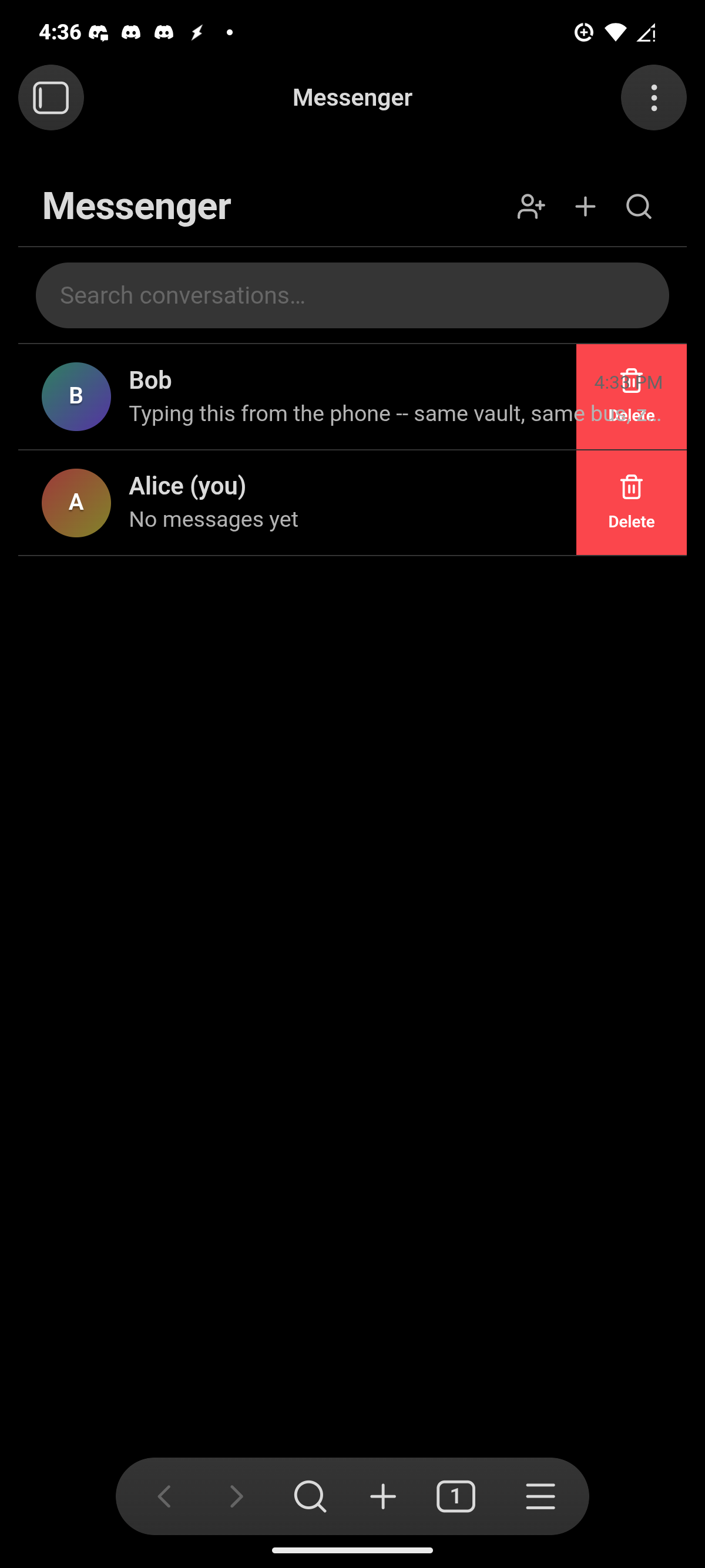
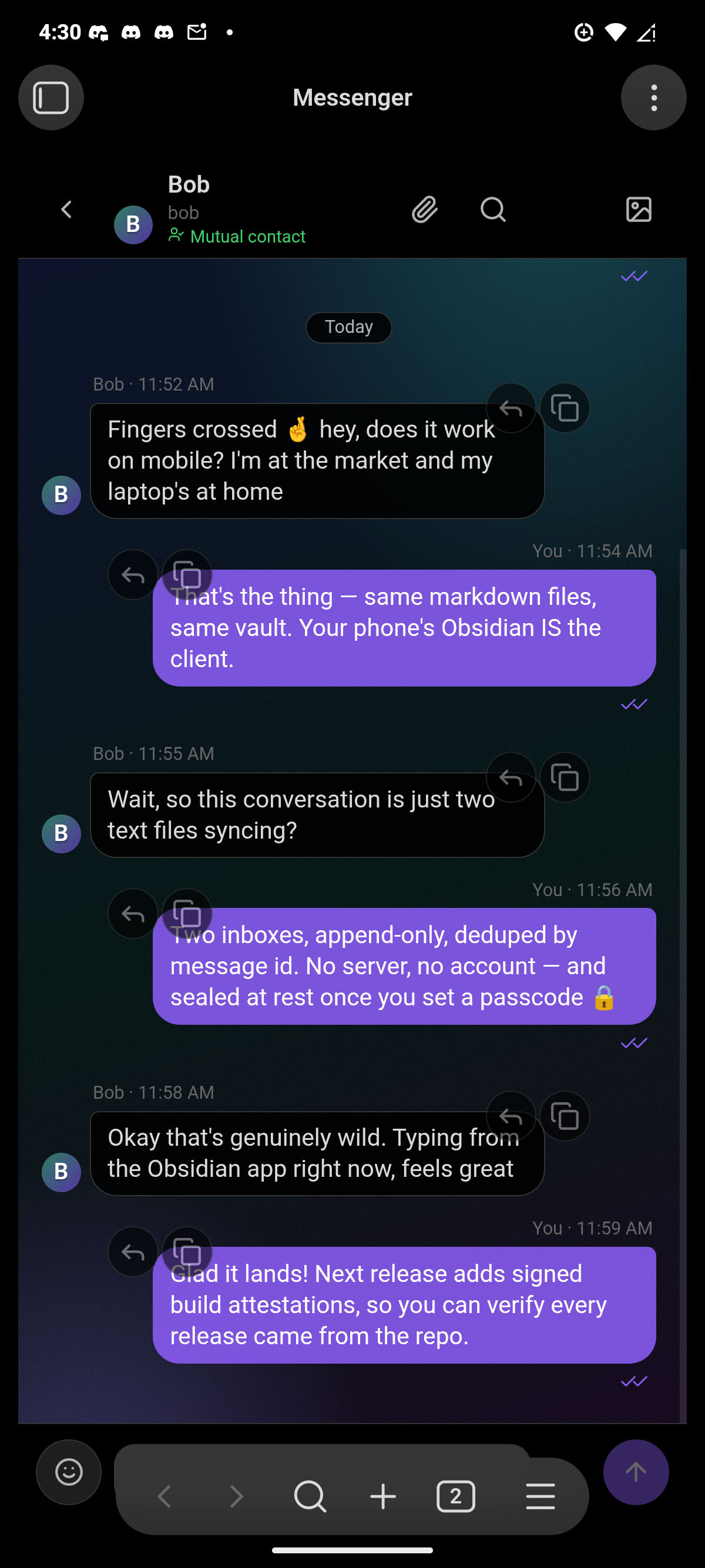
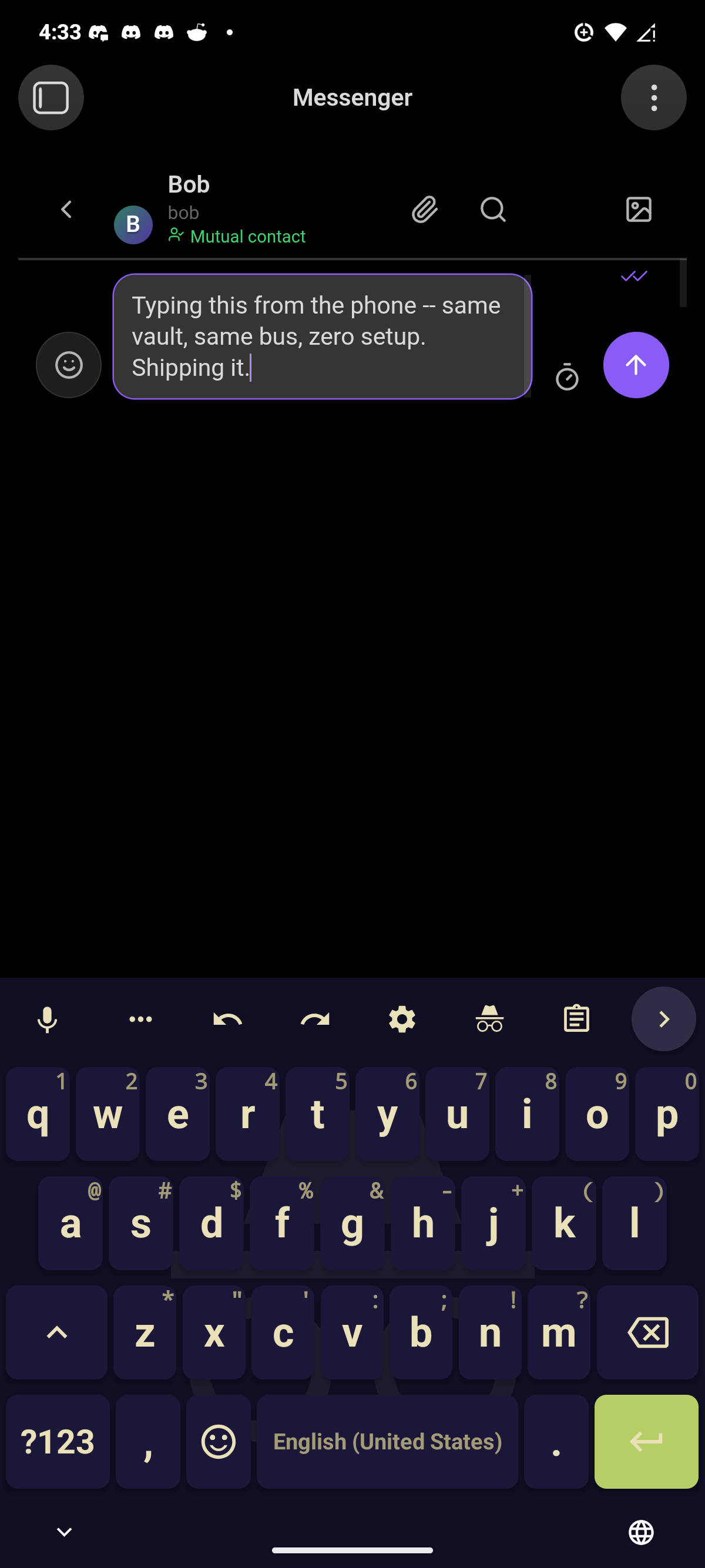
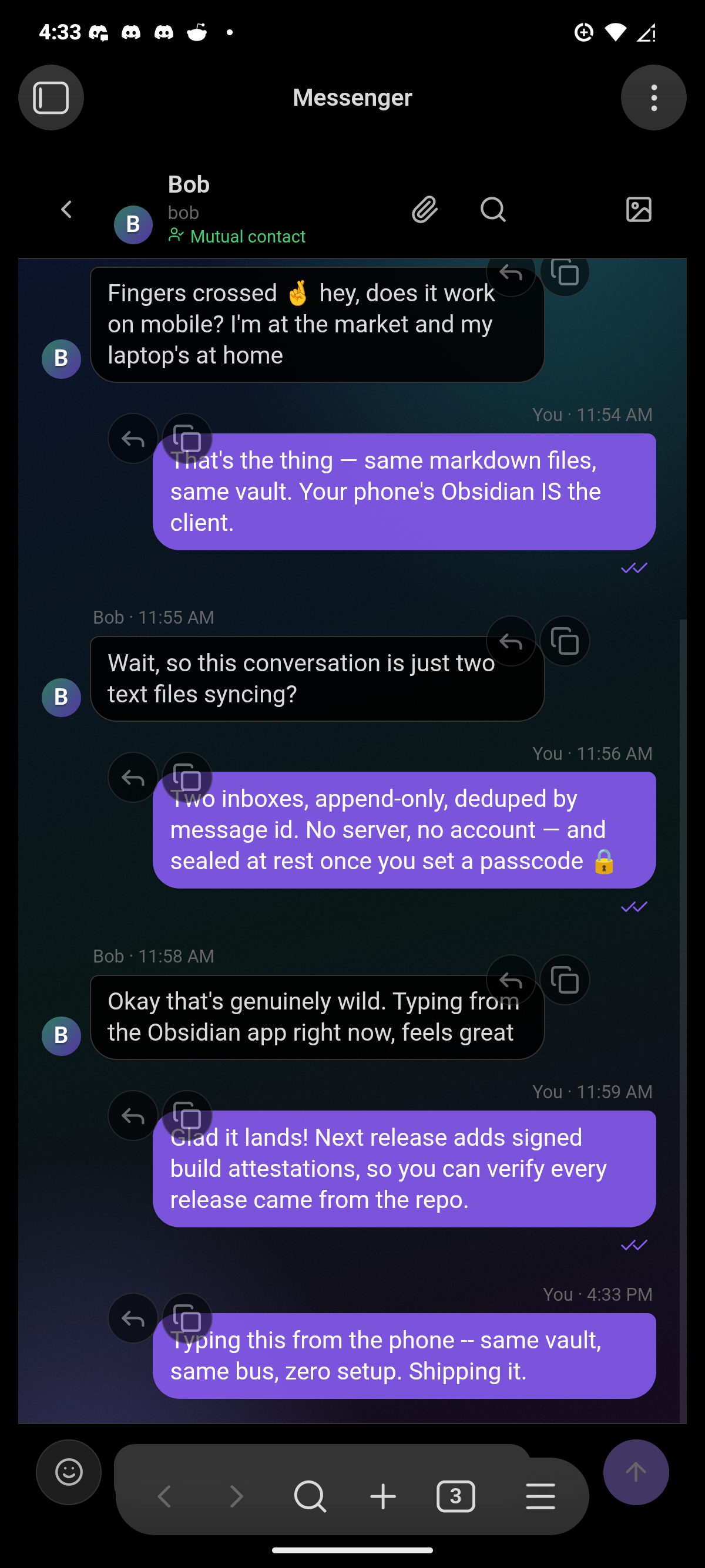
On mobile the chat opens as a main tab and behaves like a first-class messaging app: drag a conversation row left for swipe actions (mark read, delete — a full-width flick marks read outright), and drag any bubble rightward for swipe-to-reply, iMessage-style. Bubbles group into iMessage-style stacks with avatar-on-last and a red New messages divider where unseen mail starts. The composer stays above the on-screen keyboard (visualViewport tracking, with the keyboard inset folded into the safe-area padding), sending never dismisses the keyboard, and haptics fire on send and committed gestures where the platform supports them. Inputs are pinned to 16px so iOS never zoom-jumps on focus, phone layouts get touch-sized rows and targets, and bubbles/list threads keep their scroll momentum contained. Long-press still opens the per-conversation menu.
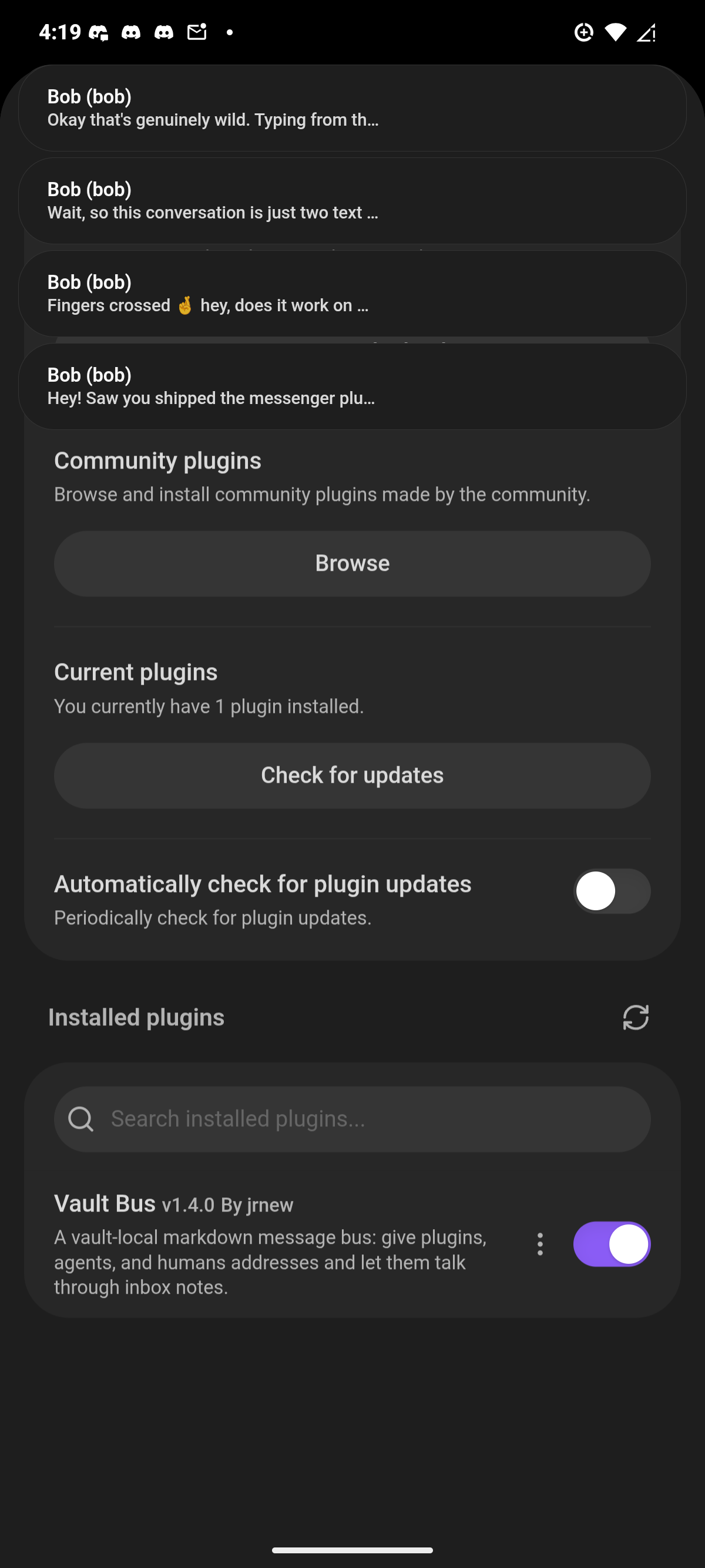
Running on a real phone (Obsidian mobile, Android — the same markdown bus, no sync plugin involved):
 |
 |
 |
 |
 |
The view is a lens, not a gate: it renders only well-formed OM-1 blocks
(parseInbox skips everything else), and the inbox files stay the record of
truth. A conversation's state (which peer is open) survives layout restarts.
With hidden storage the refresh runs off the bus itself — deliveries announce
messenger:message and each poll pass announces messenger:tick on the
workspace, so other plugins can ride the same events.
Commands
- Open chat — the chat view (also on the ribbon)
- Open chat in new window — the messenger as a detached desktop window
- Send message — compose to any address (the To field has an address picker)
- Add contacts — the device picker, a .vcf import, or by hand (review list)
- Search messages — full-text across every conversation
- Check inboxes now — one poll pass
- Run loopback demo — proves the loop end to end (try this first)
- Open registry — opens the registry note; with hidden storage it reveals the file outside Obsidian instead
- Delete old messages now
Settings: your address (owner), display name, your profile picture, chat
wallpaper (with per-conversation overrides and tint from the chat header),
intensity/tint/bubble blend controls, hide mail
storage (on), mailbox root (Messenger, used when storage is visible),
attachments folder (Messenger/Attachments), keep a copy of sent mail
(off — writes an outbox per SPEC.md §13), escape raw HTML in messages (off),
poll interval (5s idle — window focus, sending, and landed sync writes all
poll sooner), retention (30 days, 0 = off), inbox size limit (1,000
messages, 0 = off) — both overridable per conversation from the chat's
right-click menu, with any overrides listed here — and debug notices.
Changing your address — in the welcome modal or in settings — moves your inbox, receipts, read cursor, and registry entry with you.
Cross-vault mail — via the Obsidian Social plugin
Messenger is the chat UX and deliberately nothing more: it does no crypto and knows no network (SPEC.md §8). Cross-vault mail — keypair identity, pinned contacts, end-to-end-encrypted delivery through a relay — lives in a separate plugin, Obsidian Social — the platform half of the split, the way Facebook and Messenger are two apps over one social graph:
- Vault Bus = the conversation UI. It renders whatever lands in
the mailbox, including OM-2-signed blocks (SPEC.md §12), with a shield
badge when the Social plugin is present to verify them (loose coupling:
window.obsidianSocial). - Obsidian Social = identity, people, transport. Its own People view, identity/contact modals, and settings; it reads and writes the same mailbox files this plugin uses, so remote contacts appear here as ordinary conversations — notifications, unread badges, replies all just work.
Install both, enable the bridge in Social's settings, point it at a relay,
and add contacts there — by pasting an invite code (osinv1-…, copied
from Social's identity modal) or exchanging raw keys out-of-band. Mail from
unknown keys never delivers; impostors claiming a pinned contact fail
verification and are dropped. Group chats live in Social too — a group
is a keypair with a signed reflector — and show up here as ordinary
conversations with attribution lines. See OM-2-SPEC for the
trust model and its honest limits (hot-key storage, relay liveness, no
cross-vault receipts in v1).
A natural next shape: because agents are first-class bus participants, a "private research group" is just several vaults whose humans and agents pin each other and share a relay — your research agent in your vault talking to a collaborator's agents in theirs, every message E2E-sealed, no group server anywhere.
Status & roadmap
- OM-1 reference implementation: store, cursors, polling loop, GC, registry
- OM-2 envelope fields + optional signed-badge hook (
window.obsidianSocial) - Chat UX: search (thread + global), mute, export, delete, attachments, persisted drafts, portable test suite + CI
- Security: mandatory passcode, per-conversation locks, encryption at rest (PBKDF2-wrapped vault key, AES-GCM sealed bodies), legacy-hash scrub on upgrade
- Delivery hardening: retransmission with receipts-based ACK (SPEC.md §14), burn-after-send/read fields (§16), conflict adoption, per-address retention overrides
- Contacts — the social gate (SPEC.md §17): requests/pending/mutual/ blocked, contact import (device picker + vCard), who-can-reach-me modes
- Reserved addresses (SPEC.md §2): anti-spoof name list enforced at registration, spoof warning on inbound mail carrying one
- Consumer adapters — e.g. expose
send/check inboxas agent tools in an AI plugin - Multi-window/mobile polish
Not in this release: the experimental sideband dev layer (Bluetooth proximity, Reticulum bridge, satellite passes, virtual radio) was shelved after v1.2 to keep the published plugin focused — the full working code and SPEC §17 history live in the git history (checkpoint commit) for whenever it returns.
Nothing here authenticates anyone within a vault — the vault is a shared room, not a secure channel (SPEC.md §8). Authentication exists only between vaults, and only when the Obsidian Social plugin is installed.