TreeFocus
 iosonntag7k downloads
Highlight, dim & style your files & folders in the file explorer (navigation) based on predefined or custom rules.
- Overview
- Scorecard
- Updates14
Highlight, dim and style the files and folders in your Obsidian file explorer - automatically, with rules, or item by item.
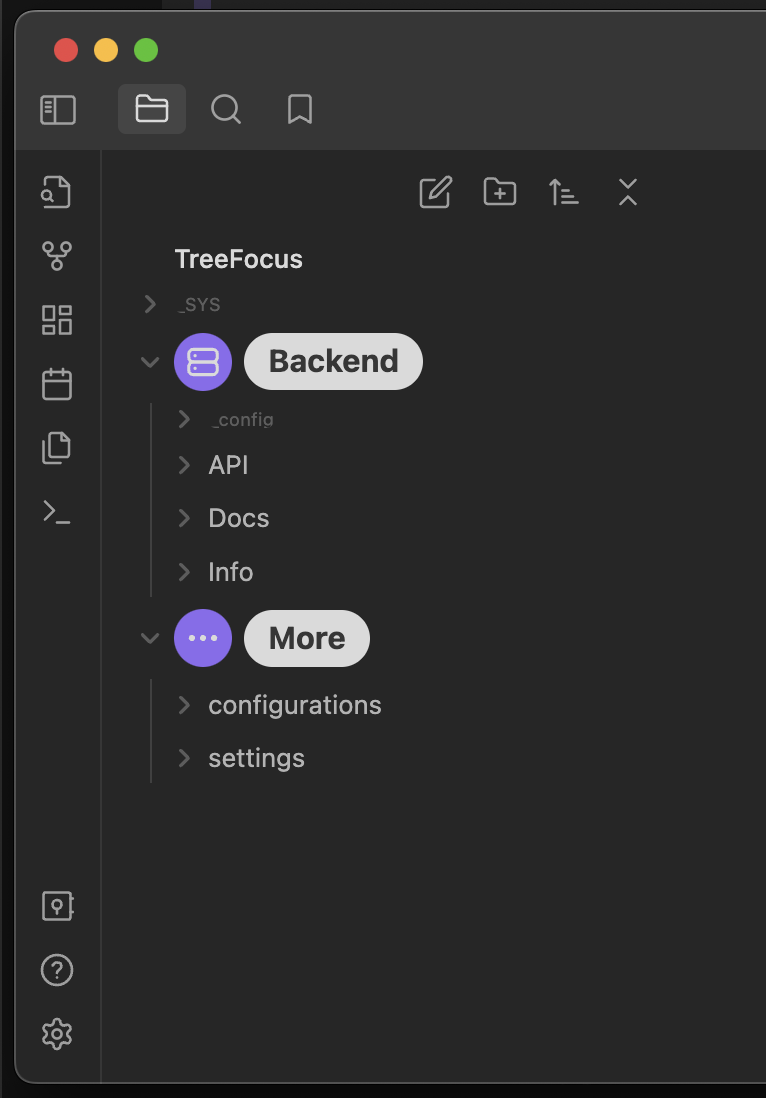
A busy vault makes every file look equally important. TreeFocus lets you turn down the noise (template, attachment and archive folders) and bring the signal forward (your active projects) - so your file explorer reflects what actually matters to you.
Contents
- Features
- Installation
- How it works
- Matching rules
- Per-item overrides
- Style presets
- Compatibility
- Contributing
- Support
- License
Features
- 💡 Highlight the files and folders you care about.
- 🥱 Dim the ones you rarely touch.
- 🧰 Rule-based styling - match by name or full path using equals, contains, starts with, ends with, or regex.
- 🖱️ Per-item overrides - right-click any item to set its mode explicitly, overriding all rules.
- 🎨 Style presets - choose how highlight and dim actually look (
Default,Fancy,Delight). - 📱 Desktop and mobile - works on every platform Obsidian runs on.
- 🤝 Plays nicely with the Iconize plugin.
Installation
From within Obsidian (recommended)
- Open Settings → Community plugins and make sure Restricted mode is off.
- Click Browse, search for TreeFocus.
- Click Install, then Enable.
Manual installation
- Download
main.js,manifest.jsonandstyles.cssfrom the latest release. - Copy them into
<your-vault>/.obsidian/plugins/treefocus/. - Reload Obsidian and enable TreeFocus under Settings → Community plugins.
Requires Obsidian
1.2.0or newer.
How it works
Every item in the file explorer resolves to exactly one focus mode:
| Mode | Meaning |
|---|---|
💡 Highlight |
Make the item stand out. |
🥱 Dim |
Fade the item into the background. |
🍆 Default |
Leave it as Obsidian renders it. |
A mode is assigned in one of two ways, in order of priority:
- Per-item override - set explicitly via the right-click context menu (always wins).
- Matching rules - the first rule whose matcher matches the item.
The chosen mode is then rendered according to your selected style preset.
Matching rules
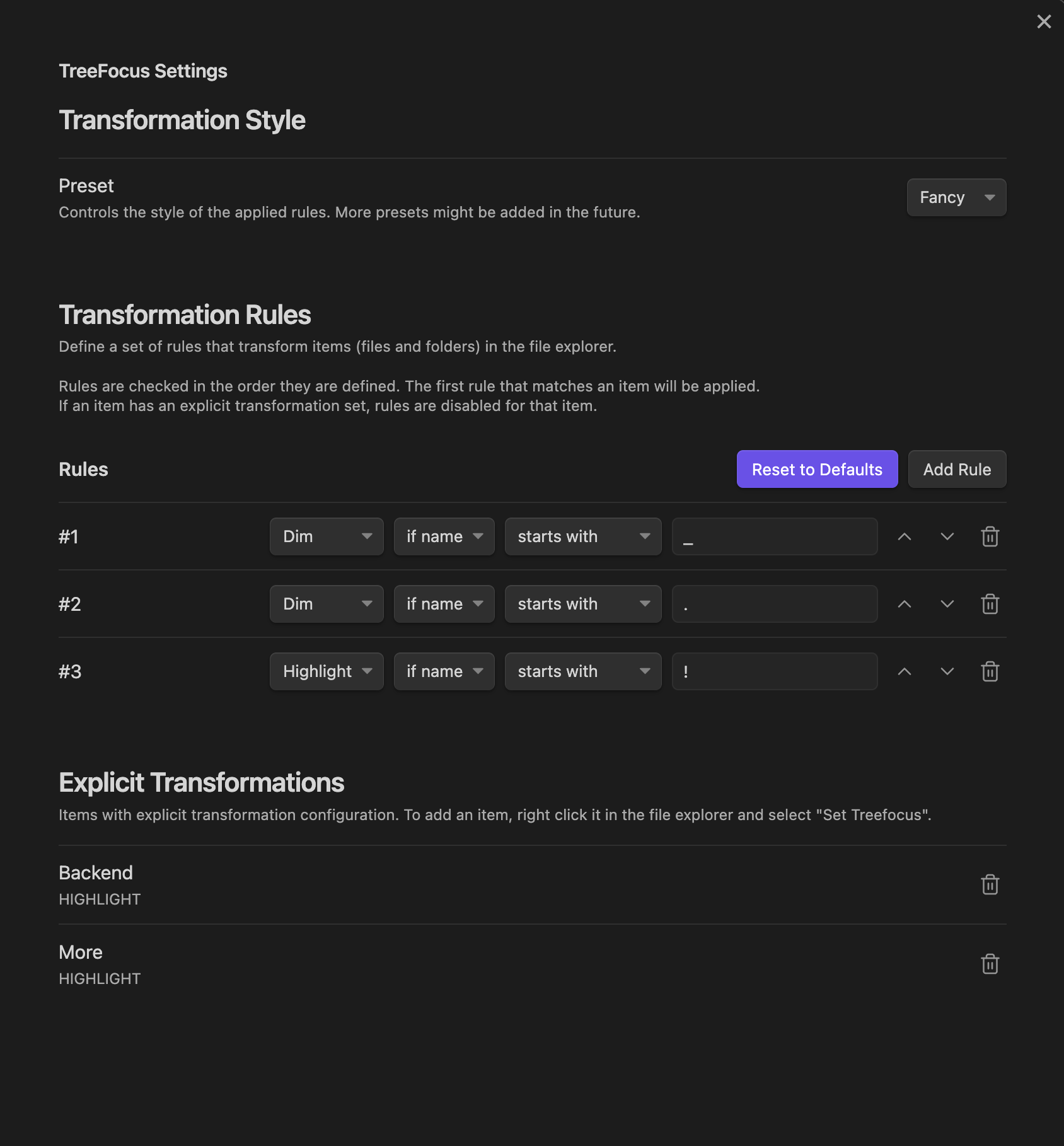
A rule says "apply this mode to every item that matches this condition". Each rule combines a match method with a match context, plus optional exclusions.
Match method
| Method | Matches when the value... |
|---|---|
Equals |
is exactly equal |
Contains |
appears anywhere |
Starts with |
is a prefix |
Ends with |
is a suffix |
Regex |
matches the regular expression |
Match context
| Context | Matched against |
|---|---|
Name |
the file or folder name |
Path |
the full vault-relative path |
Default rules
TreeFocus ships with a few sensible defaults you can edit or remove:
- 🥱 Dim everything whose name starts with
_(e.g._templates,_attachments). - 🥱 Dim everything whose name starts with
.(hidden / system items). - 💡 Highlight everything whose name starts with
!(e.g.!inbox,!active-project).
Tip: prefixing a folder with
_or!is a quick, zero-config way to dim or highlight it.
Per-item overrides
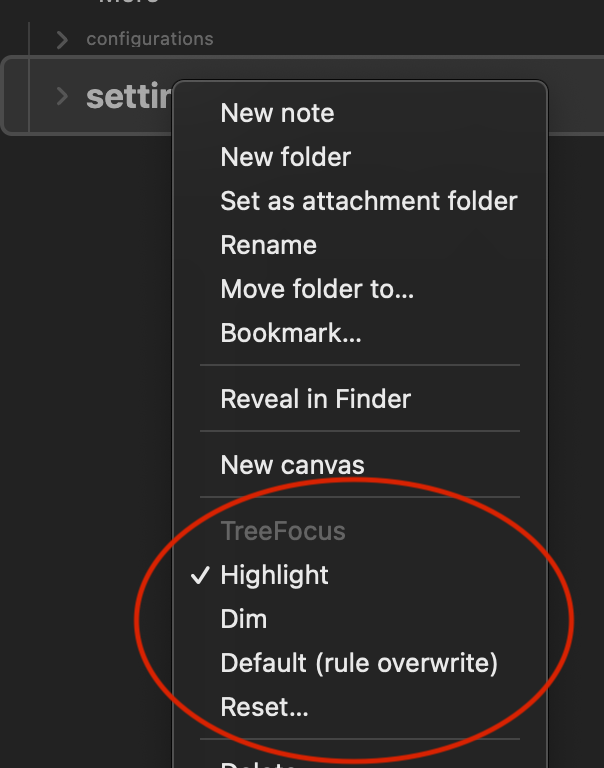
Right-click any file or folder in the explorer to set its mode explicitly. This overrides every matching rule and can be reset at any time.
Style presets
The focus modes are abstract - the style preset decides how Highlight and Dim are actually drawn. Pick the one that fits your theme:
| Preset | Look |
|---|---|
Default |
Subtle, theme-friendly emphasis and fading. |
Fancy |
Stronger, more decorative styling. |
Delight |
A little extra flair. |
Compatibility
TreeFocus is fully compatible with Iconize (obsidian-iconize) - your folder icons and TreeFocus styling work side by side. Big thanks to @FlorianWoelki for that excellent plugin. 🎉
Contributing
Pull requests are very welcome. If you have an improvement or a fix, please open a PR or an issue.
And do not talk yourself out of it because you think you are "not skilled enough" - we are all beginners, all the time. 🙂
Development
pnpm install          # install dependencies (pnpm 11+)
pnpm run dev          # watch + rebuild on change
pnpm run build        # type-check and produce a production build
Commits follow Conventional Commits (enforced by commitlint); releases are cut automatically by semantic-release.
Support
If TreeFocus is useful to you, consider supporting its development - a feature request, a pull request, or a small coffee all help. Thank you!
License
Disclaimer: "TreeFocusMode™" is a tongue-in-cheek joke - a little parody of trademark overzealousness. No trademarks were harmed in the making of this plugin. Have a great day! 😄