Tome Reader
 Ekaterina Shvetsova897 downloads
Read EPUB books in beautiful themes, capture quotes and vocabulary into notes, get auto-built tables of contents, and optionally plug in your own AI key for translations and recaps.
- Overview
- Scorecard
- Updates16
A beautiful e-book reader for Obsidian — Tome for short. Read your EPUB library right inside your vault — and turn reading into notes: capture quotes with your thoughts and grow a vocabulary with flashcard-ready entries. Works on desktop and mobile.
Built by a humanities person who wanted her library to feel like a library.
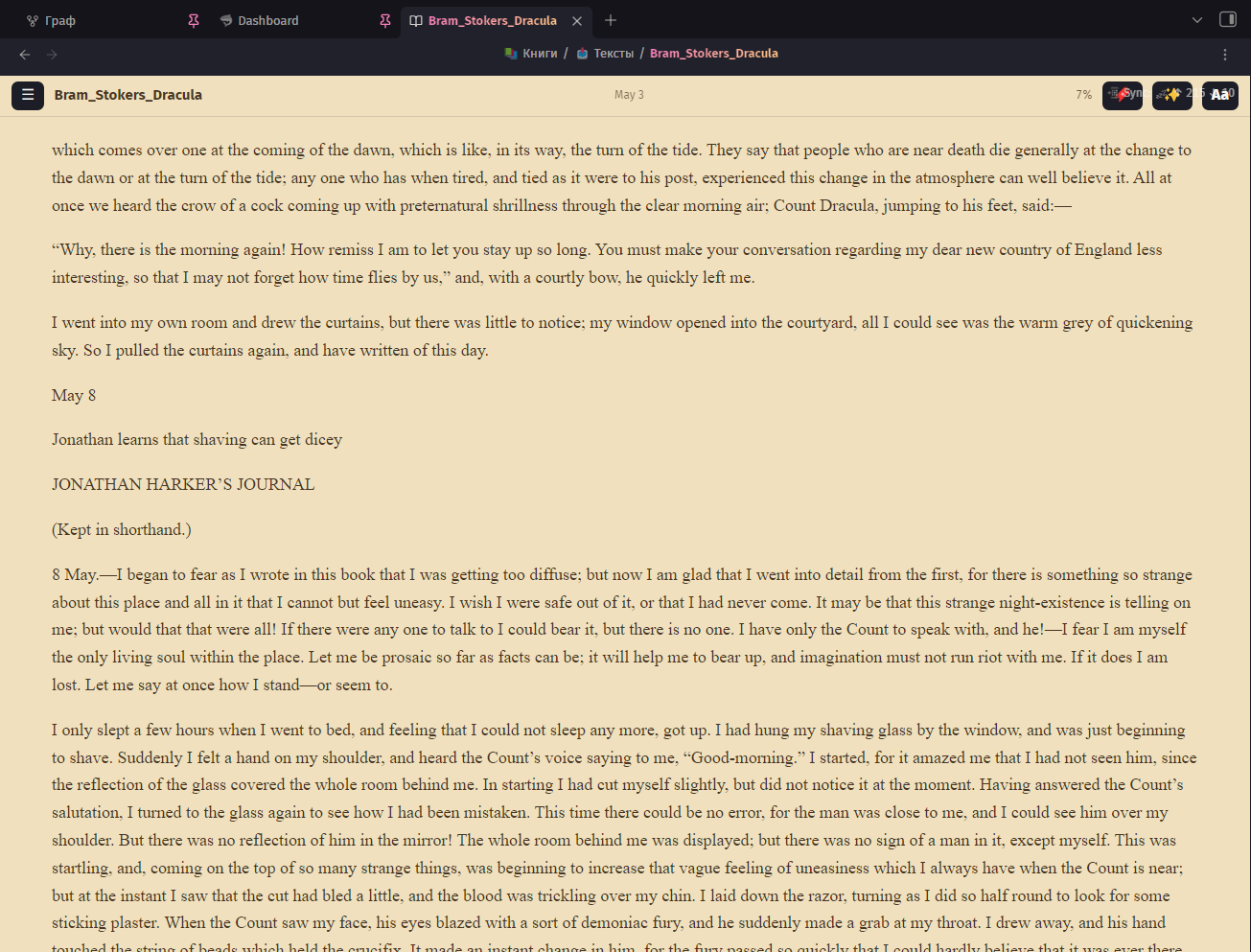
Screenshots
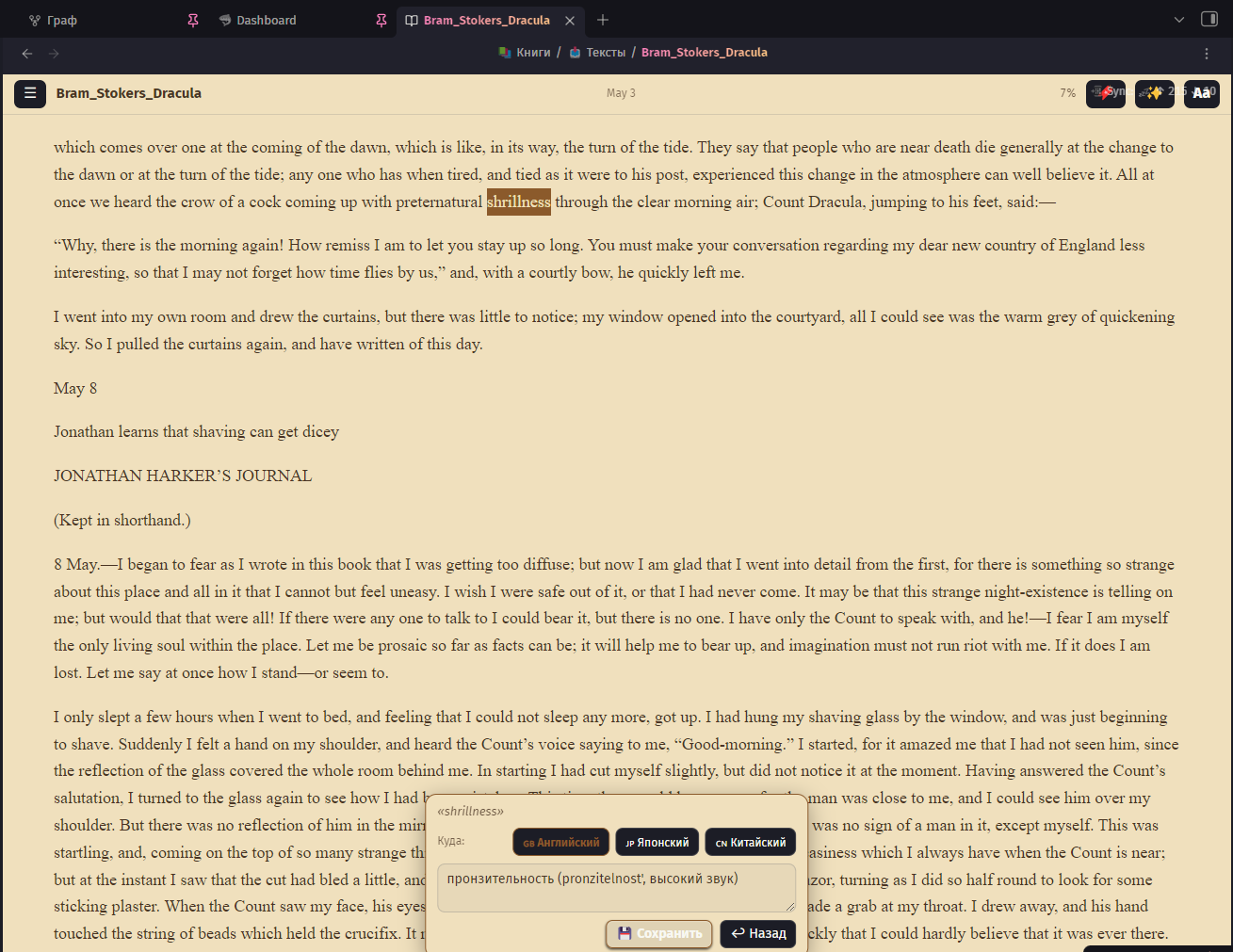 Select a word → pick a dictionary → save a flashcard-ready entry |
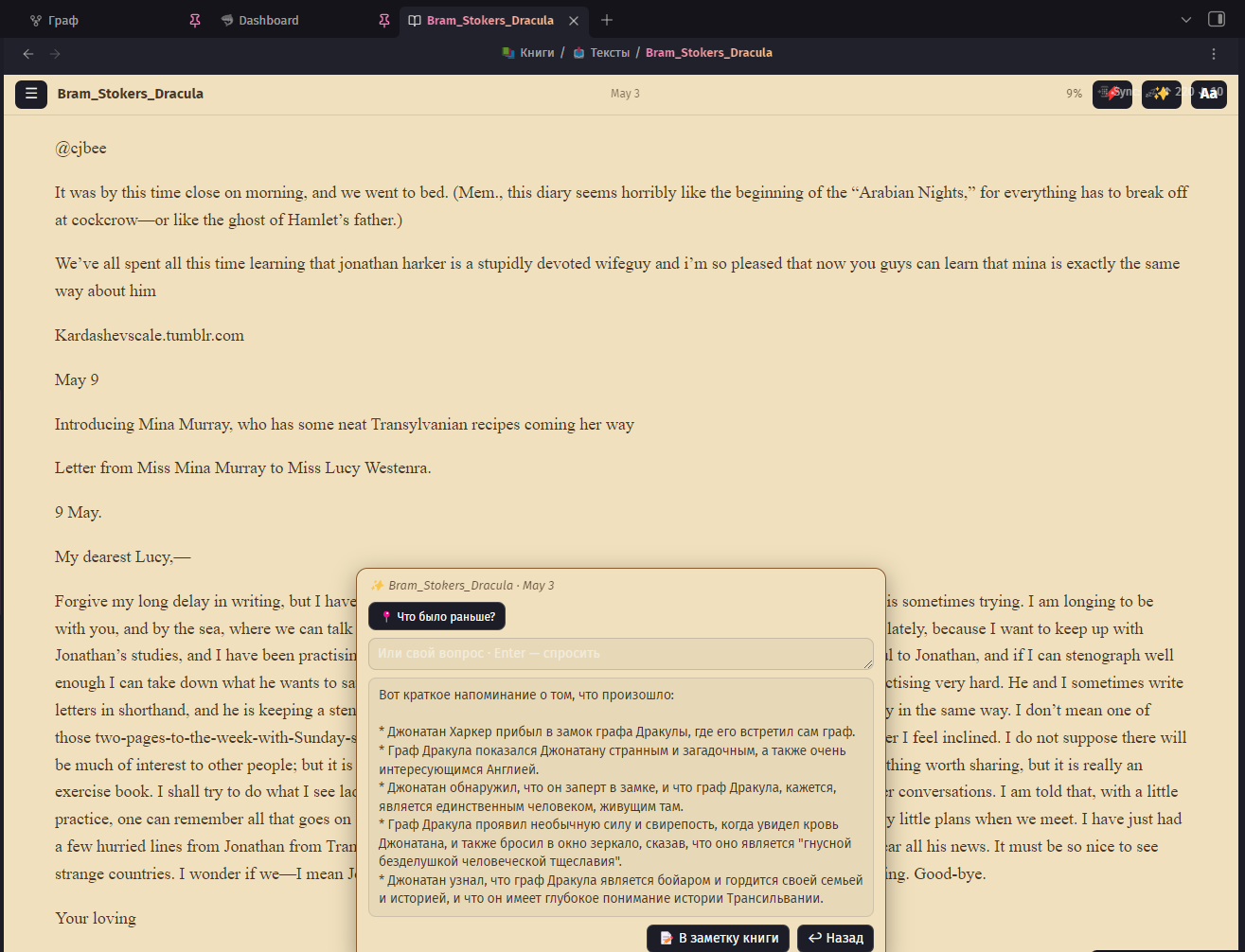 “What happened so far?” — a spoiler-safe recap built only from what you've already read |
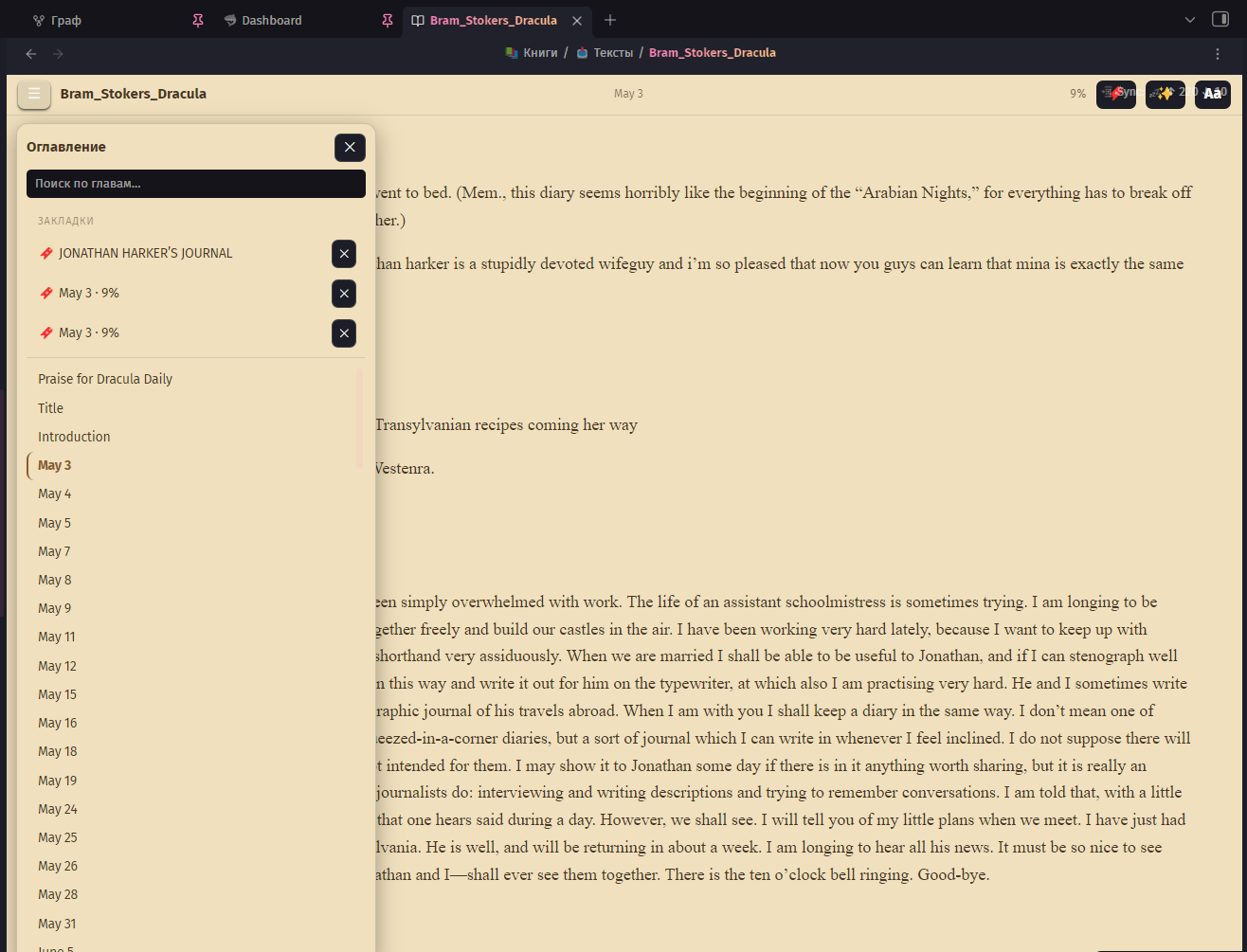 TOC panel: pinned bookmarks on top, chapter search below |
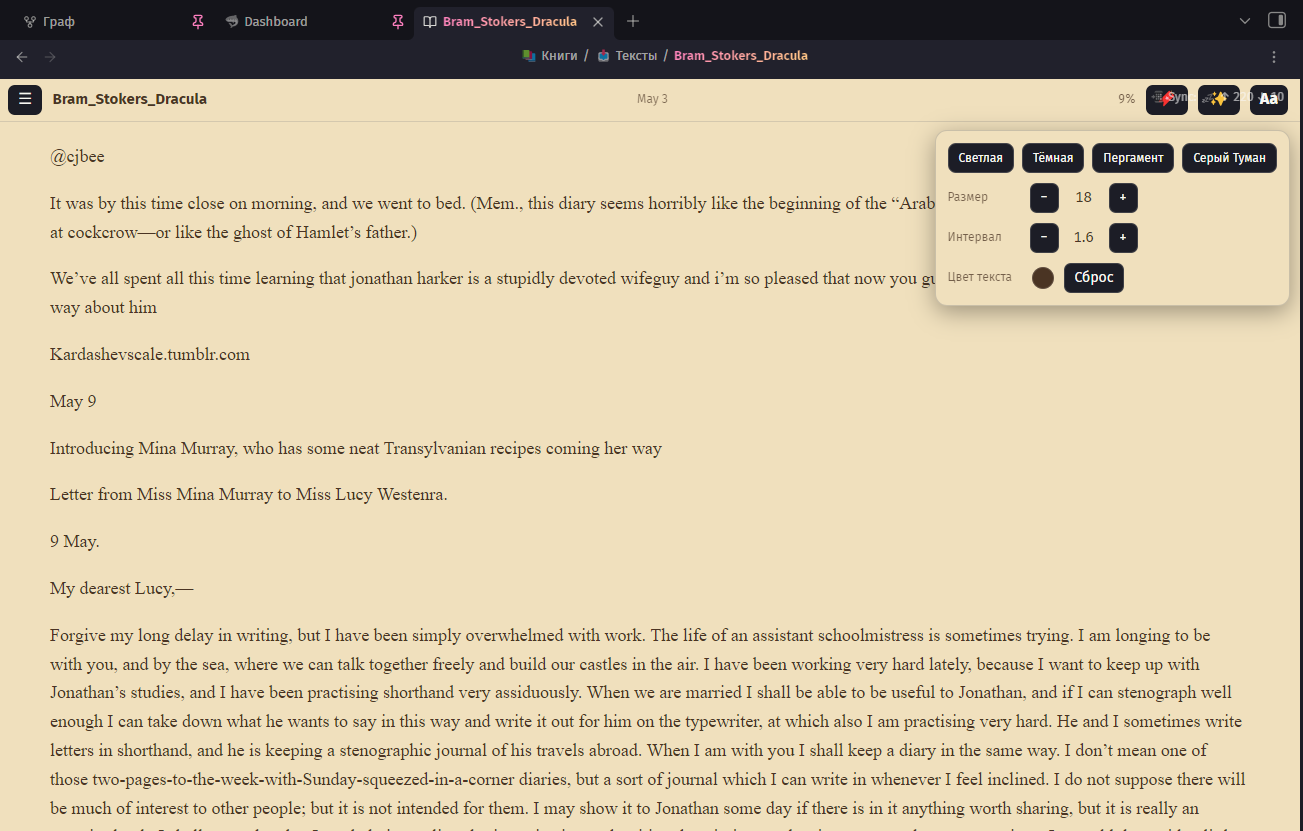 Theme, font size, spacing and text color — right in the reader |
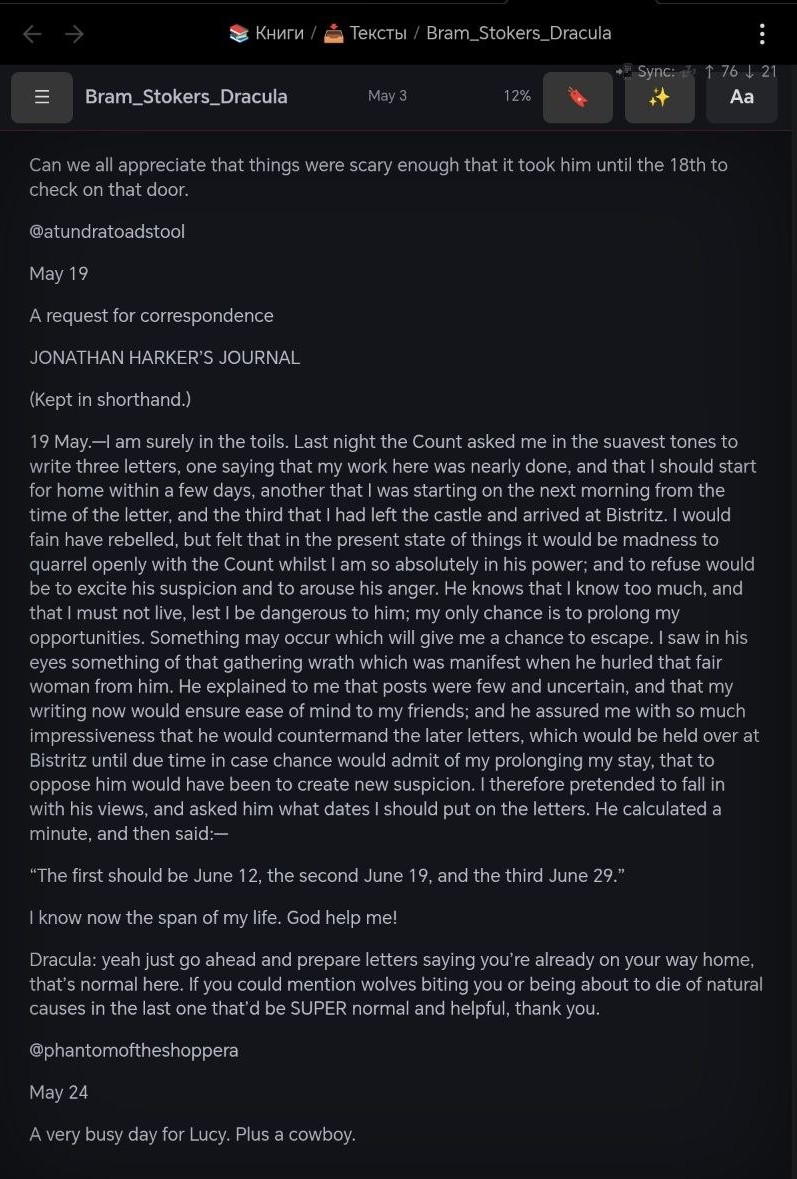 Gray Fog theme on a tablet |
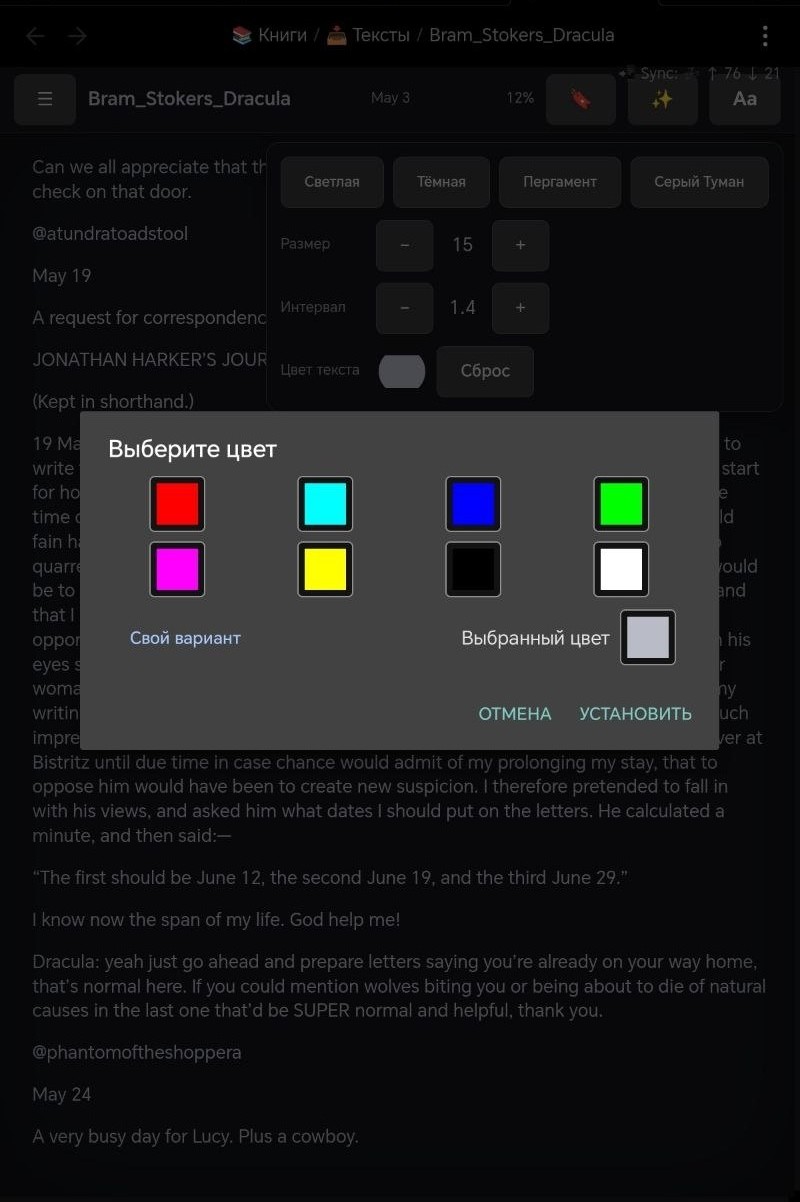 Tuned for touch |
Features
Reading
- 📚 EPUB reading in a native Obsidian tab — open any
.epubfrom your vault - 🎨 Four themes: Classic Light, Classic Dark, Parchment (aged paper with warm brown ink) and Gray Fog (dark academia with a crimson accent)
- 🔤 Aa panel right in the reader: switch theme, adjust font size, line spacing and even text color on the fly — without leaving the page
- ✍️ Typography controls: custom font family, size, spacing
- 📑 Table of contents panel with chapter search, current-chapter highlight and auto-scroll — works reliably even for books with a thousand chapters
- 🪄 Auto-generated TOC: if a book ships with a broken or empty table of contents (looking at you, converted web novels), Tome scans the text and builds one from the headings — cached per book. Note: books converted from PDF often lose heading markup entirely — Tome builds from whatever headings survived the conversion
- 🔖 Reading position remembered per book, chapter name and progress % in the header
- 📌 Bookmarks: drop one at the current page from the header, or pin a selected passage — they live at the top of the TOC panel, one tap to jump back. Wander around the book freely; your marked spot waits for you
- 📱 Mobile-friendly: tap zones for page turns with a subtle turn animation (respects reduced-motion), tuned for tablets and phones
Capture while you read
- 📝 Selection → book note: select a passage, add your own thought inline, and Tome saves the quote (with chapter reference) into a per-book note — created automatically
- 🈶 Selection → dictionary: select a word, type its translation right there, and it lands in your dictionary file as a spaced-repetition-ready line (
word:::translation) — pairs perfectly with the Spaced Repetition plugin - ✏️ Fix typos right in the book: select a flawed fragment, type the correction — Tome edits the EPUB file itself (only when the fragment is unique in the chapter, so nothing gets mangled)
- ⌨️ Enter to save, Esc to go back — your reading flow stays unbroken
AI assistant (bring your own key)
- ✨ Optional AI helper — plug in your own API key and Tome becomes a smart reader. Supports Groq, OpenAI, OpenRouter, Anthropic (Claude) or any OpenAI-compatible endpoint
- 🌐 Translate a selection with one tap — then send the translation straight into your dictionary
- 💡 Explain a fragment — terms, idioms, cultural references, with the surrounding paragraph as context
- 📍 “What happened so far?” — Tome collects the text before your current position and asks the model for a spoiler-safe recap; ask free-form questions about the book the same way
- 📝 Save recaps and answers into the book note with one tap — each lands as a tidy callout with the chapter and progress stamp
- 🔒 Privacy-transparent: nothing is sent anywhere unless you configure a provider and tap an AI action; only the relevant fragment (or already-read text for book questions) is sent to your provider
- 🌍 Provider geo-blocked in your region? The Base URL is editable — point it at your own relay (e.g. a tiny Cloudflare Worker that forwards requests to the API host) and keep the same key. A Test connection button in settings tells you right away if the route works
Interface
- 🌐 English and Russian UI (English by default — switch in settings)
Roadmap
- FB2 support
- Swipe page turns and page-flip animation
- Reading progress in note frontmatter (for Dataview book boards)
- Community plugin catalog submission
Install
Via BRAT (recommended for now):
- Install and enable the BRAT plugin
- BRAT settings → Add Beta Plugin →
katrinasenpai/tome-reader - Enable Tome in Settings → Community plugins
From source:
npm install
npm run build
Copy manifest.json, main.js, styles.css into <vault>/.obsidian/plugins/tome-reader/ and enable Tome.
Development
npm run dev            # watch mode
npm run install-vault  # build + copy into the vault set in install-vault.mjs
License
MIT
HealthExcellent
ReviewSatisfactory
About
Read EPUB books inside Obsidian in a mobile-friendly native tab with themes, typography controls, and a searchable TOC with pinned bookmarks and chapter auto-scroll. Capture quotes and notes, save flashcard-ready vocabulary entries, pin passages, and resume per-book progress with spoiler-safe recaps.Details
Current version
0.7.8
Last updated
3 weeks ago
Created
2 months ago
Updates
16 releases
Downloads
897
Compatible with
Obsidian 1.5.0+
Platforms
Desktop, Mobile
License
MIT