TLT - Timeline Things
 sean-3903 downloads
Timeline-first task and message workbench · 以时间线为中心的任务与消息工作台
- Overview
- Scorecard
- Updates4
中文 | English
A timeline-first workbench for Obsidian: calendar, tasks, milestones, team load and quick notes, plus a standalone message center with publishing and subscribing. Everything is stored as plain Markdown in your vault — uninstall the plugin and your data is still there. Full English guide: README.en.md.
以时间线为中心的任务与消息工作台:日历、任务、里程碑、人员饱和度、随手记,外加一个可以单独使用的消息中心。所有内容都是你库里的普通 Markdown —— 删掉插件,数据还在。
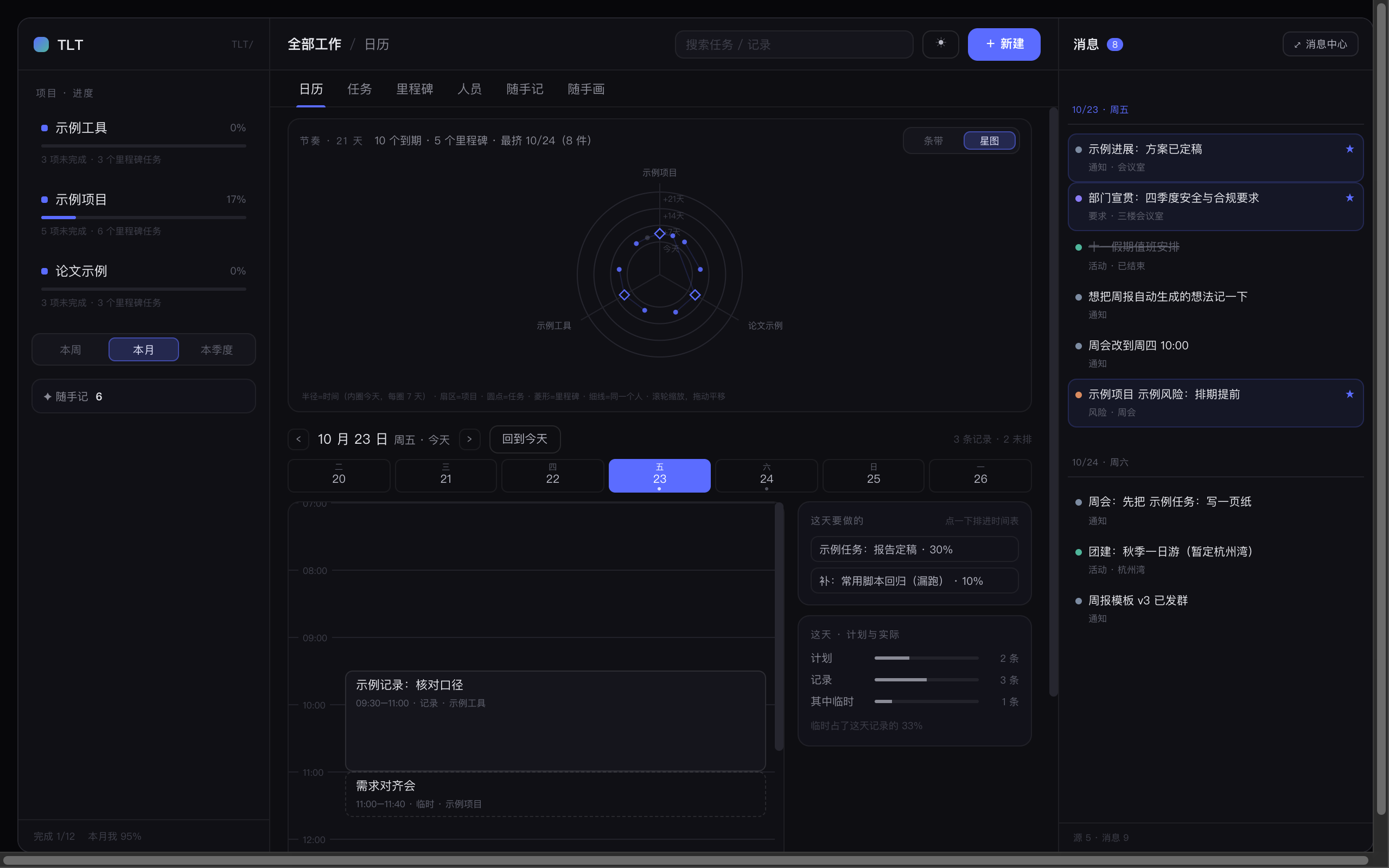
截图
| 视图 | 看什么 |
|---|---|
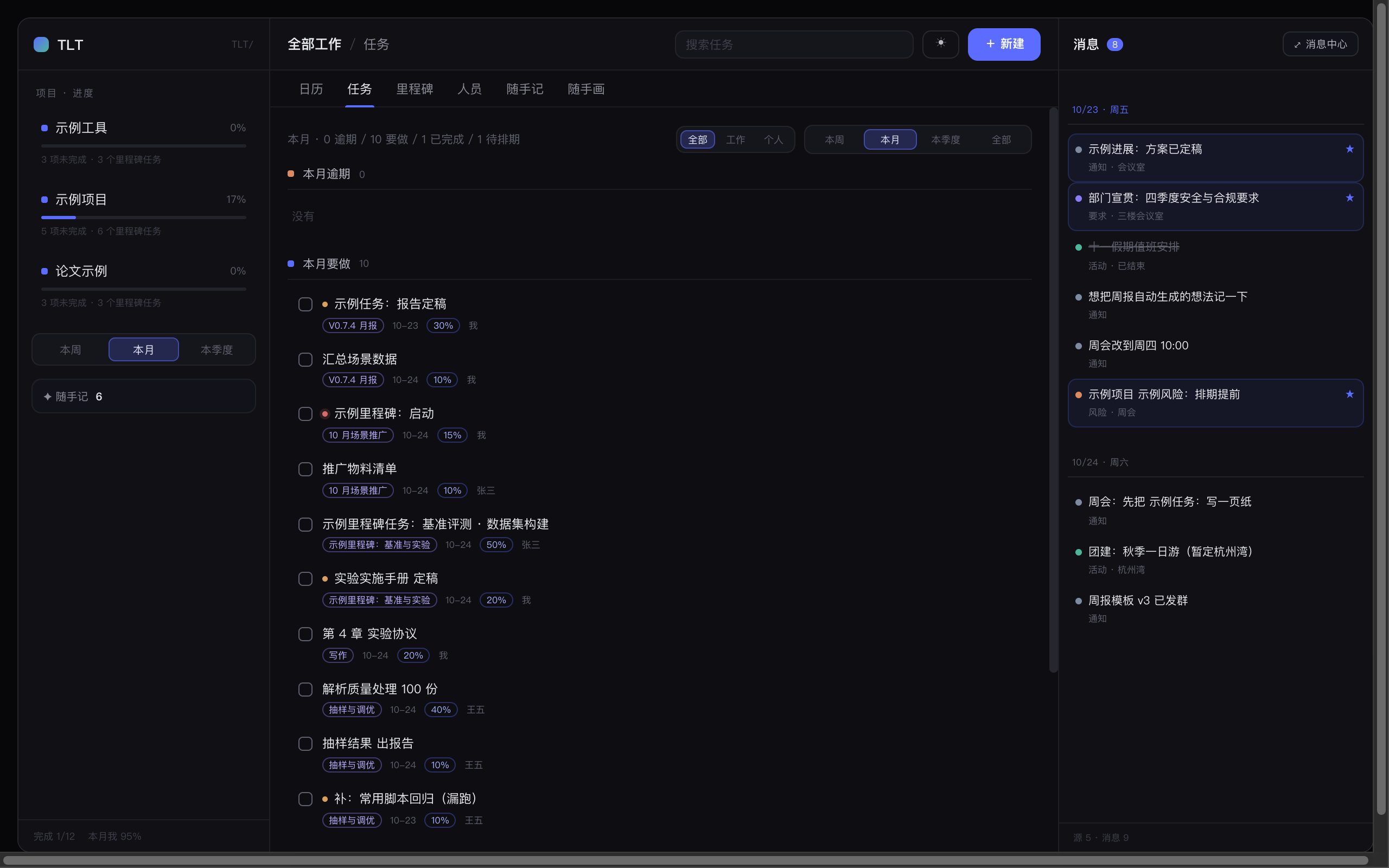 |
任务:逾期 / 要做 / 已完成 / 待排期分组,可按标签筛 |
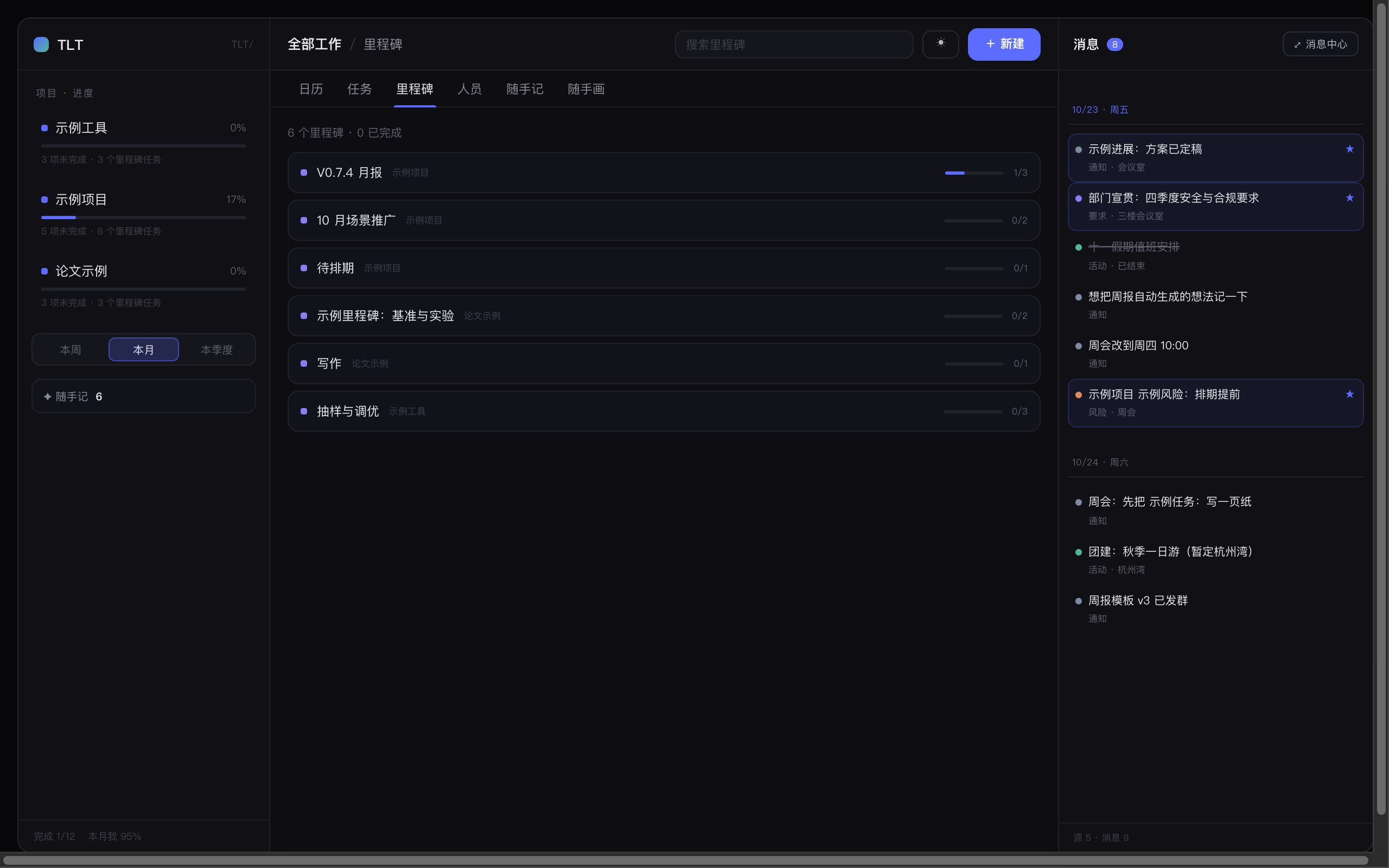 |
里程碑:项目里每个 ## 小节一张卡,展开能直接勾任务 |
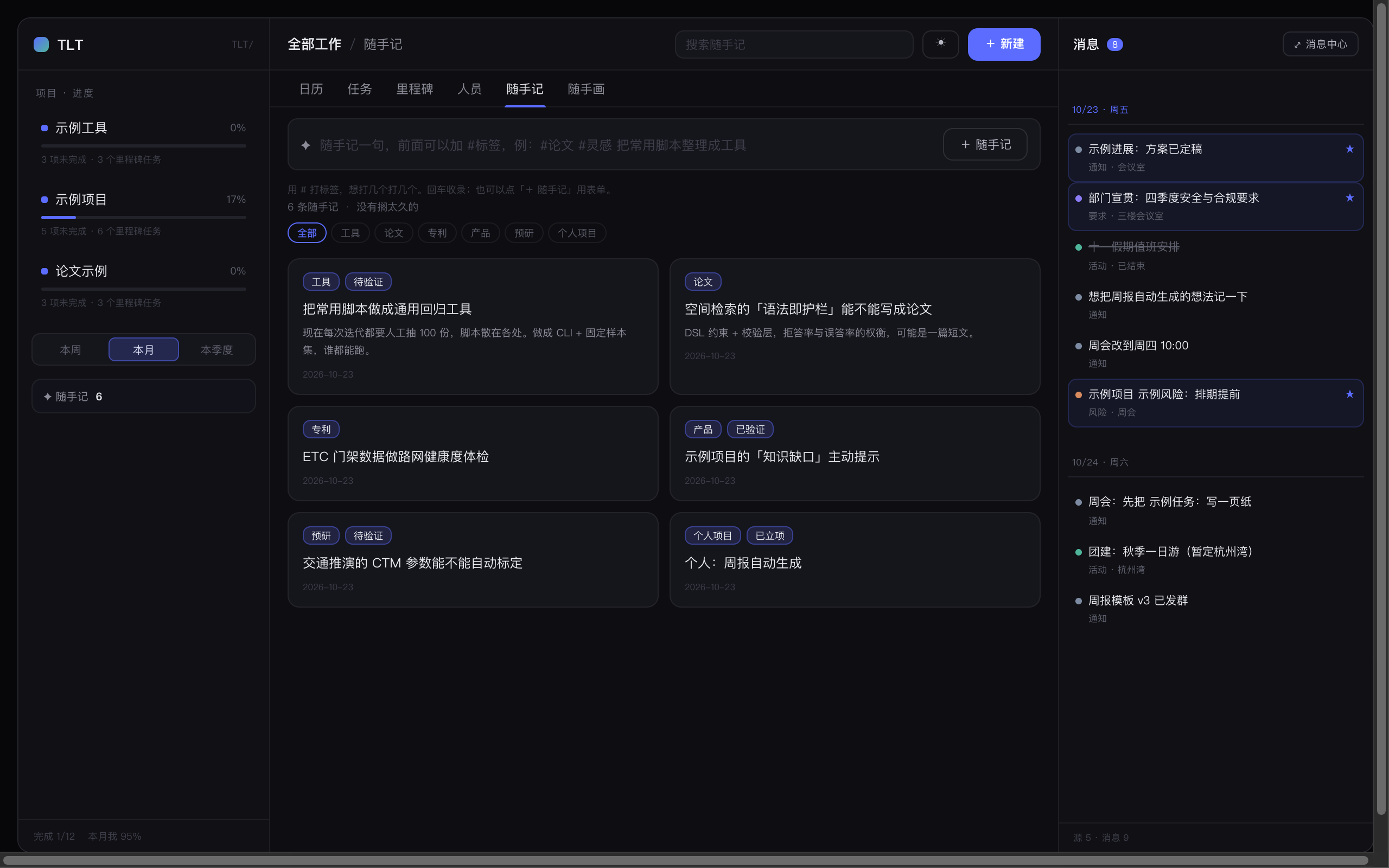 |
随手记:一行一条,标签筛选与标签库 |
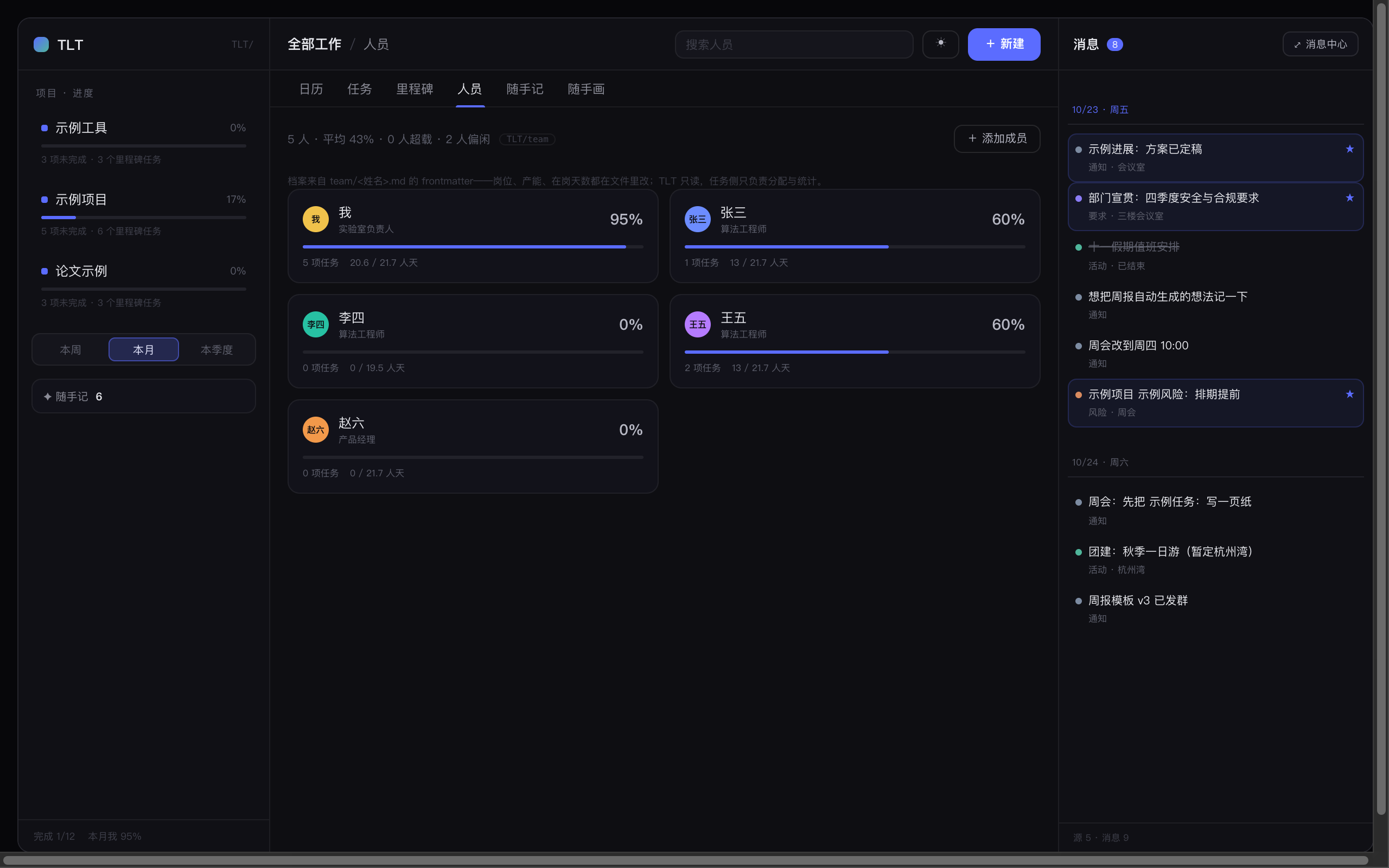 |
人员:档案 + 饱和度(本期未完成占比 ÷ 产能) |
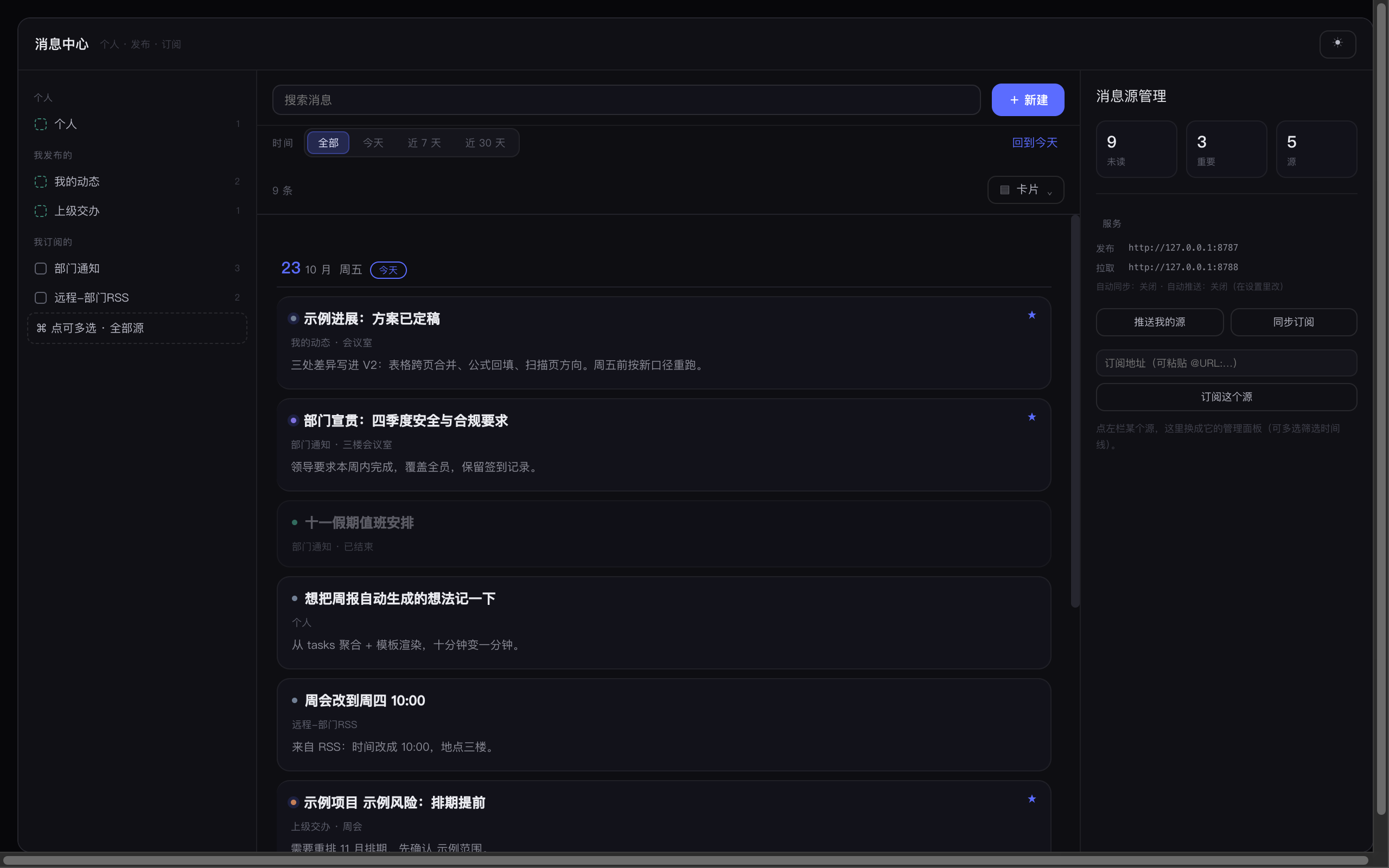 |
消息中心:左源、中时间线、右管理 |
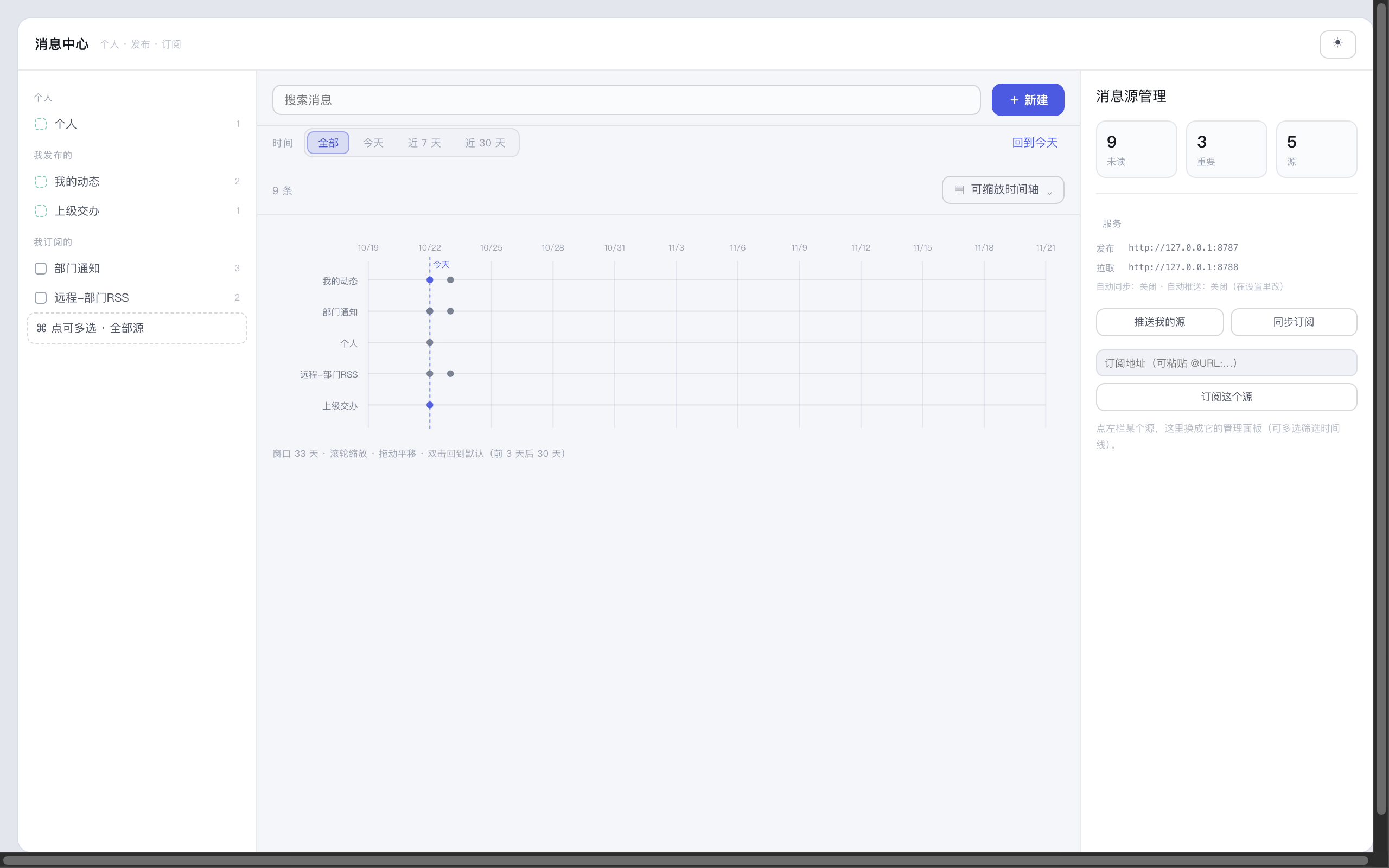 |
形态之一:可缩放时间轴(滚轮缩放、拖动平移) |
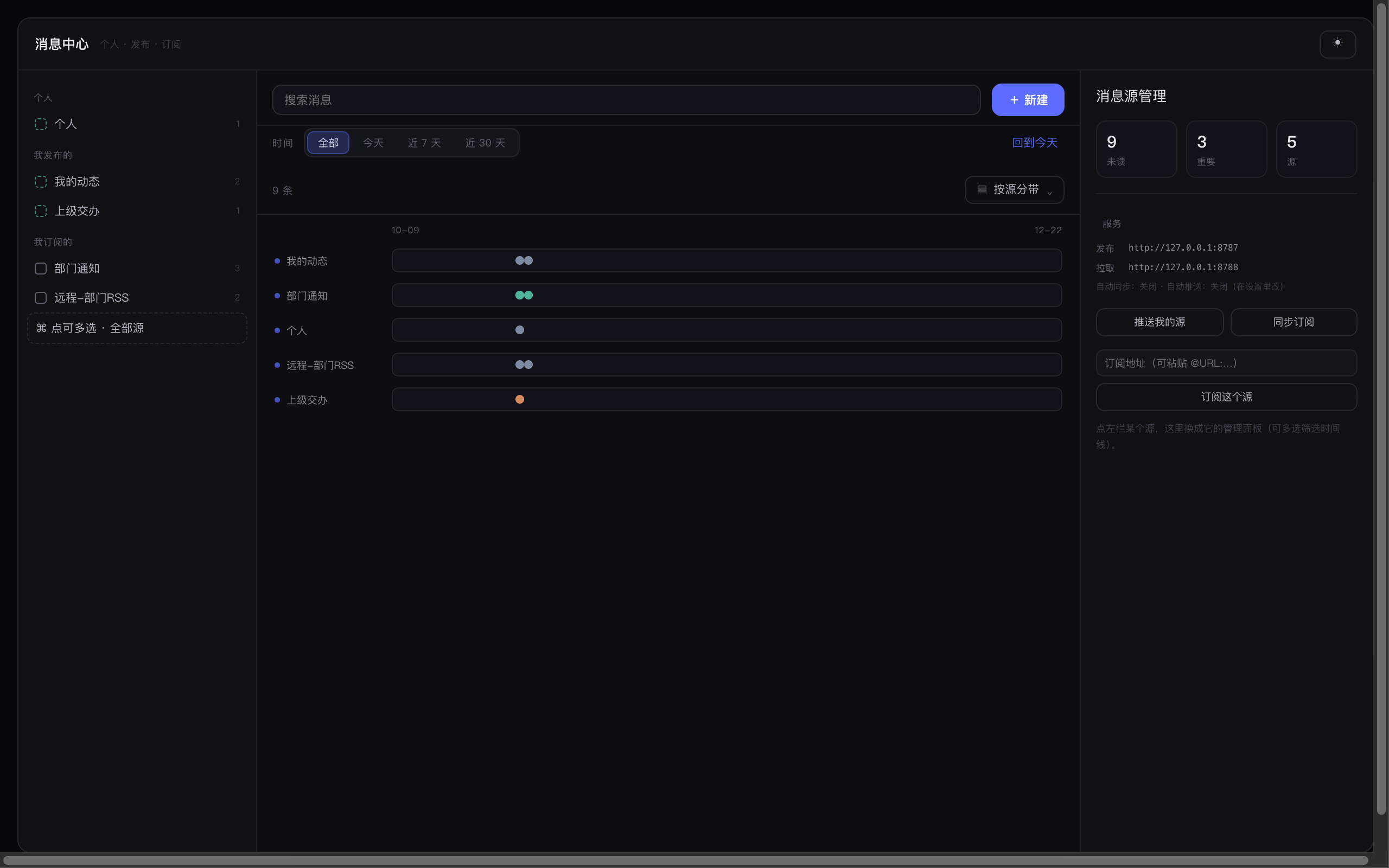 |
形态之一:按源分带(一个源一条泳道) |
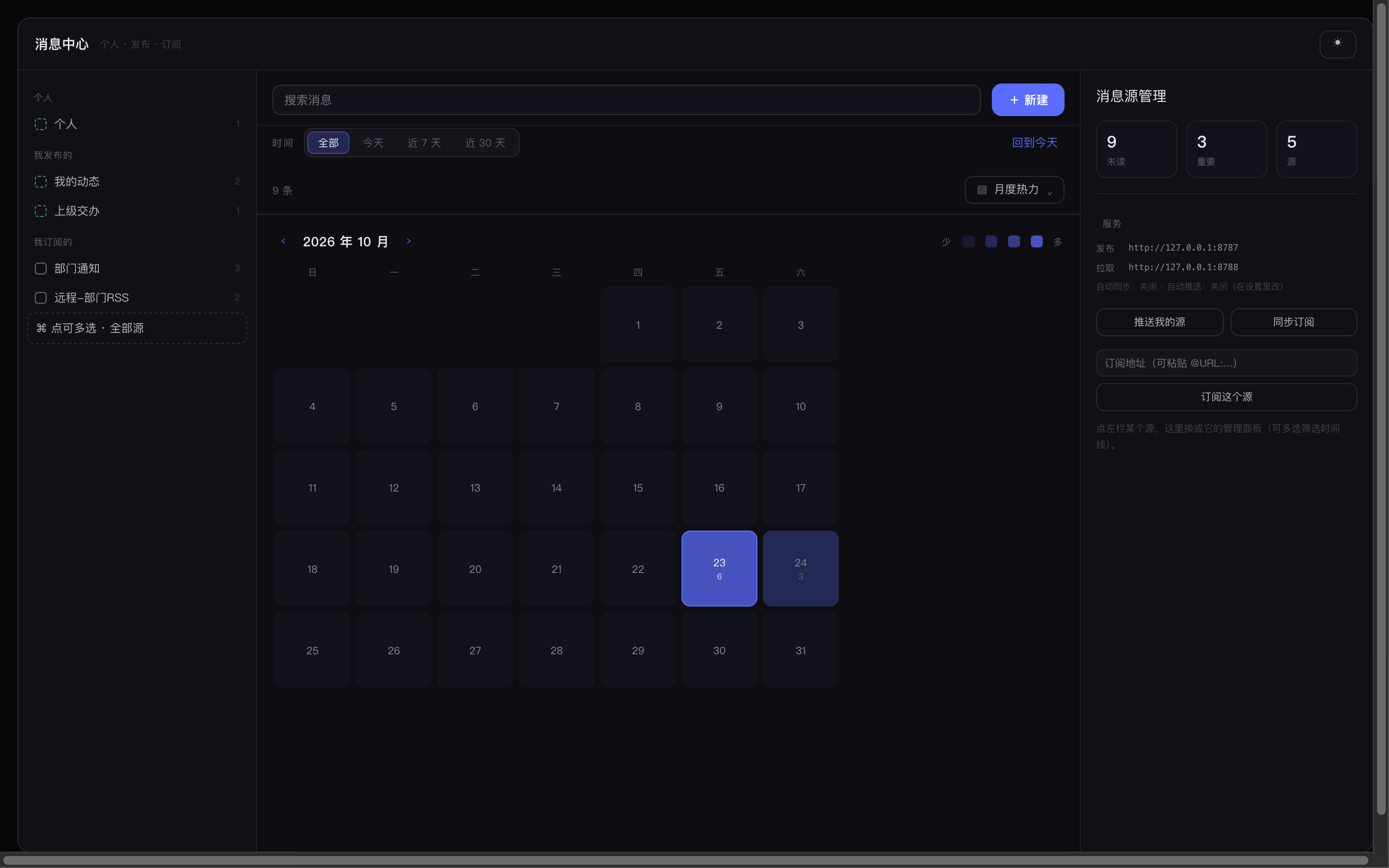 |
形态之一:月度热力(颜色深浅 = 当天条数) |
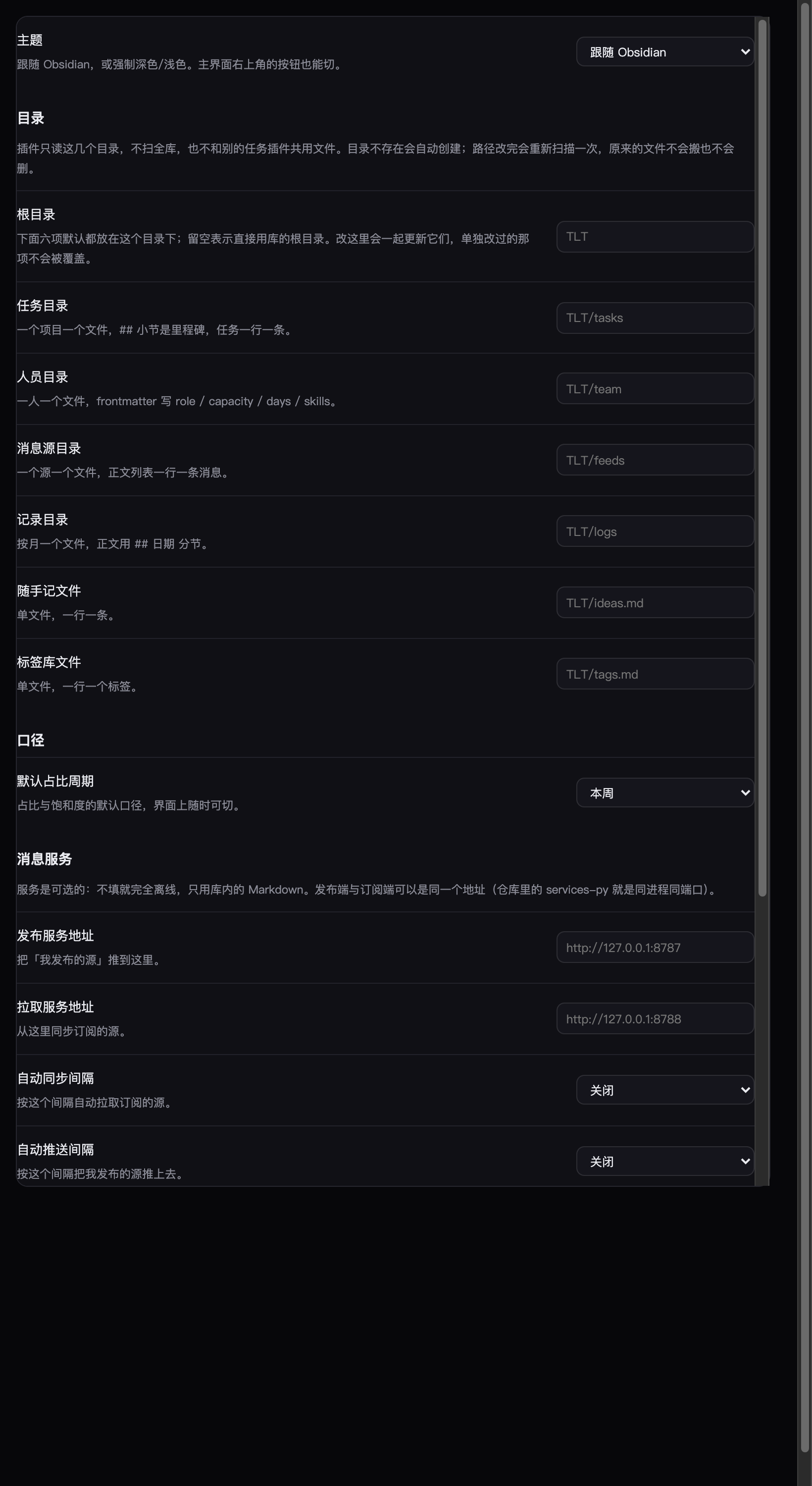 |
设置页:通用项在最上,目录 / 口径 / 消息服务 / 维护分节,每项都写清默认值与影响 |
安装
- BRAT(测试版):装 BRAT → Add beta plugin →
sxinyuhoo/TLT-timeline-things - 手动:把
main.js、manifest.json、styles.css放进<vault>/.obsidian/plugins/tlt-timeline/,再到 设置 → 第三方插件 启用
首次启用会按需建目录;命令面板里有 「生成示例数据(TLT/ 下)」,可以先看效果再上手(已存在的文件不覆盖)。
它和别的任务插件不一样的地方
- 以时间线为主轴,不是以项目树为主轴。打开就是「今天」:几点做了什么、这天还要做什么、临时插进来什么。项目和里程碑是背后的组织方式,不是入口。
- 不另存数据。任务写回原笔记那一行(
🛫 📅 [wl::] [owner::] [tags::] [st::] [en::]),人员写 frontmatter,消息源就是一串列表项。插件卸载了,文件照样能读、能搜、能双链。 - 消息中心可以独立使用。它是单独的页面,只订阅消息、不碰任务,给不用任务管理的同事看通知也成立。
六个页签
| 页签 | 干什么 |
|---|---|
| 日历 | 当天时间轴(记录 + 计划块)、这天要做的、节奏星图(半径=时间,扇区=项目,滚轮缩放) |
| 任务 | 四组(逾期 / 要做 / 已完成 / 待排期)+ 标签筛选,点一条改截止、占比、优先级、负责人 |
| 里程碑 | 一张卡一个里程碑,展开是任务行,能直接勾完成 |
| 人员 | 档案(岗位 / 产能 / 在岗天数 / 技能)+ 饱和度 + 未来四周负载 |
| 随手记 | 一行一条,#标签 打标;标签库可增删改,筛选支持多选 |
| 随手画 | 预留位(草稿 / 白板 / 截图批注) |
右侧常驻消息栏,点「⤢ 消息中心」打开独立页。
消息中心
左栏选源,中间看消息,右栏管源。
| 源 | 从哪来 | 右栏能做什么 |
|---|---|---|
| 个人 | 自己的草稿 | 新建消息、发布消息源(变成别人能订阅的源) |
| 我发布的 | 发布出来的源 | 手动推送、取消发布(内容并回个人) |
| 我订阅的 | 别人发布的源 | 取消订阅(本地文件进回收站) |
七种展现形态:卡片 / 河流 / 紧凑 / 按源分带 / 可缩放时间轴 / 月度热力 / 人物脉络。
消息一行文字 + 可选行内字段,5W 都能填:
- 2026-10-22 周报模板定稿 [place:: 三楼] [who:: [[孙晙书]], [[许可儿]]] [why:: 下周对口径] [tags:: 周报]
  > 把模板发群里
发布与订阅
插件不强制任何服务。三种共享方式:
- 同一个库走 iCloud / 坚果云同步(最省事)
- 共享库(网盘 / Git)
- 跑一个消息服务(跨机器、可给部门用):
services-py/tlt_service.py,单进程、单文件、零依赖
python3 services-py/tlt_service.py --port 8787 --data ./data --seed
发布端与订阅端同进程同端口,插件设置里两个地址都填 http://服务器:8787。支持本项目 JSON、RSS 2.0、Atom。
数据放在哪
| 路径 | 内容 |
|---|---|
TLT/tasks/<项目>.md |
任务:一个项目一个文件,## 是里程碑,一行一条任务 |
TLT/team/<姓名>.md |
人员:frontmatter 存 role / capacity / days / skills |
TLT/feeds/<源名>.md |
消息源:一行一条消息 |
TLT/logs/<YYYY-MM>.md |
记录:## 日期 分节,时间块 + 正文 |
TLT/ideas.md |
随手记:一行一条 |
TLT/tags.md |
标签库:一行一个 |
字段级格式见 docs/data-format.md。五个目录都在设置里可改。
命令
| 命令 | 作用 |
|---|---|
| 打开工作台 | 主界面 |
| 打开消息中心(独立页) | 只用消息时开这个 |
| 新建任务 | 快速加一条 |
| 生成示例数据 | 在 TLT/ 下写样例(已存在的不覆盖) |
| 切换明暗 | 在深色 / 浅色之间切 |
| 推送到发布服务 / 从拉取服务同步 | 手动同步消息 |
隐私与网络
- 只在你自己配置了消息服务时才发请求,地址由你填;不配置就完全离线。
- 没有遥测、没有统计、不上传内容。
- 服务地址与发布 ID 存在插件自己的
data.json里。
已知边界
- 时间轴不支持拖拽改时间(点击块改时间)。
- 重复任务(
🔁)不解析。 - 「已读」只在本次会话内,不写回文件。
- 消息的「推送」是整源覆盖,不做增量 diff。
开发
npm install
npm run build      # 产出 main.js
npm test           # 数据层 + 渲染冒烟
npm run test:all   # 含源生命周期、RSS、Python 服务、Hub 端到端
npm run preview    # 导出各视图静态 HTML,用于看样式
- TypeScript + esbuild(CJS);测试用 jsdom + 桩件跑真实渲染。
- 交互验证:
npm run play生成能在浏览器里真点的测试台,npm run serve起静态服务。
路线图
见 ROADMAP.md。下一步是日历互操作(导入 macOS 日历 / .ics,双向同步)。
许可
MIT