Timeflow Periodic
 smirnoffmg260 downloads
Infinite vertical temporal feed for your daily Periodic Notes.
- Overview
- Scorecard
- Updates5
A news-feed timeline for your Periodic Notes.
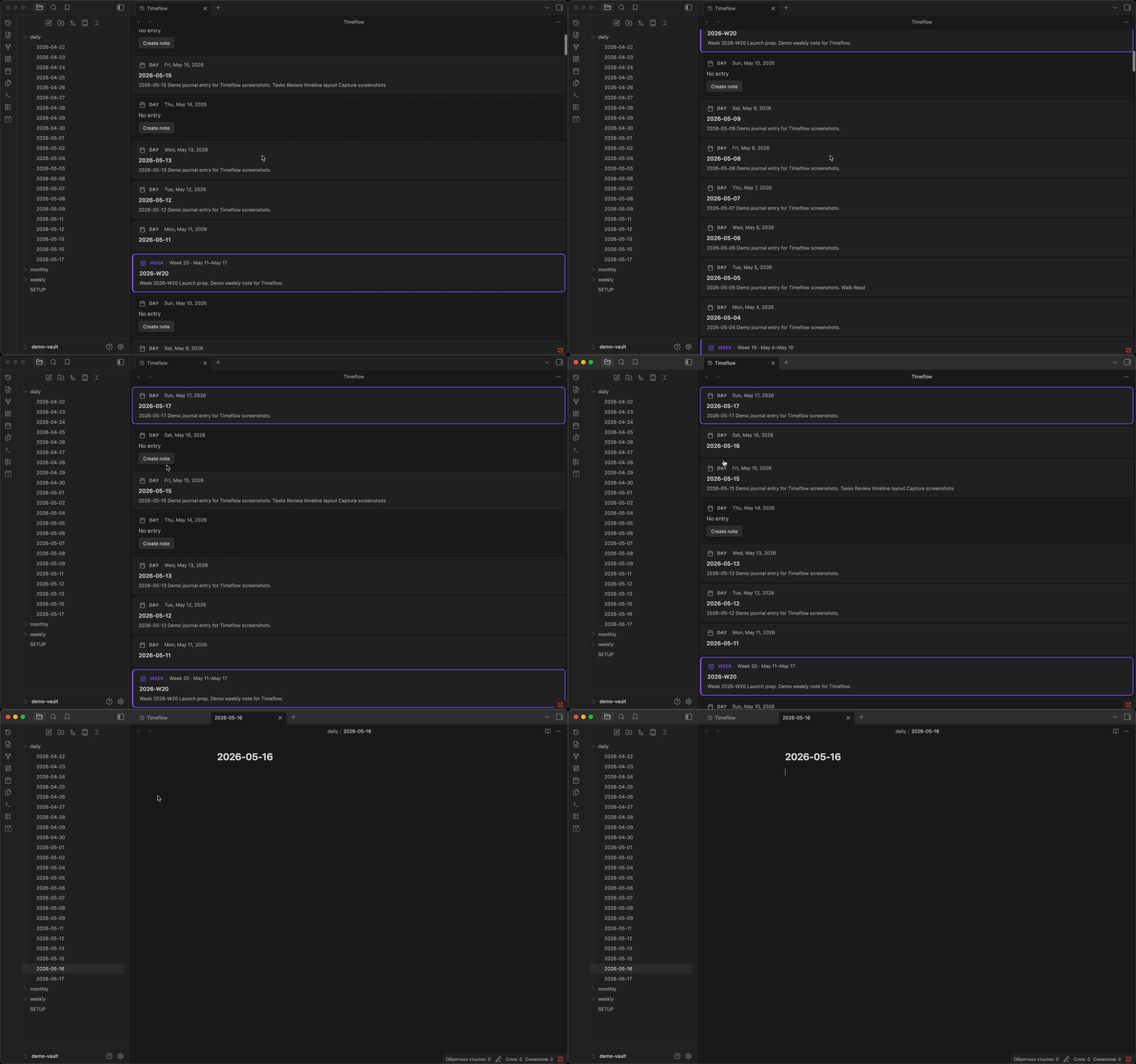
Browse your daily journal the way you browse a feed — newest at the top, one continuous scroll, no jumping between files.
Timeflow Periodic pulls your daily, weekly, and monthly notes into a single vertical view. Existing notes show a title and excerpt; missing days show a placeholder you can fill in with one click. Scroll down to reach older history; the feed extends automatically.
Features
- Continuous scroll — daily entries in one view, newest first, no future dates
- Weekly and monthly cards — period notes appear as full cards at boundaries when enabled in Periodic Notes
- Period markers — week and month dividers when period notes are off
- Note excerpts — plain-text previews on each card; Dataview TABLE queries appear as row summaries
- Gap placeholders — missing days show a Create note button
- Infinite scroll — older days load automatically as you scroll
- Live updates — vault changes (create, modify, rename, delete) refresh the feed instantly
- Jump to today — command palette shortcut to snap back to the top
Requirements
- Obsidian 1.5.0 or newer
- Periodic Notes or core Daily notes, with a folder and date format configured
- Optional: Weekly and Monthly notes in Periodic Notes for full period cards
- Optional: Dataview for TABLE query summaries on cards
Install
- Open Settings → Community plugins.
- Disable safe mode if needed, then select Browse.
- Search for Timeflow Periodic, install, and enable.
Usage
- Enable Timeflow Periodic in Settings → Community plugins.
- Open the timeline:
- Click the history icon in the left ribbon, or
- Command palette → Open timeline
- Scroll down to travel back in time; older days load automatically.
- Click a card to open the note, or select Create note on a gap day.
Configure the date range, scroll behavior, and markers in Settings → Timeflow Periodic.
Settings
| Setting | Default | Range | Description |
|---|---|---|---|
| Days before today | 90 | 7–3650 | How many past days to load initially |
| Scroll chunk size | 60 | 7–180 | Days added when scrolling into older entries |
| Week markers | On | — | Show week dividers in the timeline |
| Month markers | On | — | Show month dividers in the timeline |
| Excerpt length | 200 | 50–2000 | Maximum characters for note previews |
Privacy
Timeflow Periodic runs entirely offline in your vault. It does not send note contents elsewhere or collect analytics.
License
0-BSD — see LICENSE.
HealthExcellent
ReviewSatisfactory
About
Transform your Periodic Notes into an infinite vertical timeline that presents daily entries newest-first, with weekly and monthly cards and period markers. Display note cards with title and plain-text excerpts, show interactive gap cards to create missing days, and load older entries automatically while reflecting live vault changes.Details
Current version
1.2.1
Last updated
3 months ago
Created
4 months ago
Updates
5 releases
Downloads
260
Compatible with
Obsidian 1.5.0+
Platforms
Desktop, Mobile
License
0BSD
Author