Thoughtbin
 Real-Fruit-Snacks88 downloads
A private timeline for quick thoughts. Type, save, move on — every thought is a plain note in your vault.
- Overview
- Scorecard
- Updates7
Thoughtbin
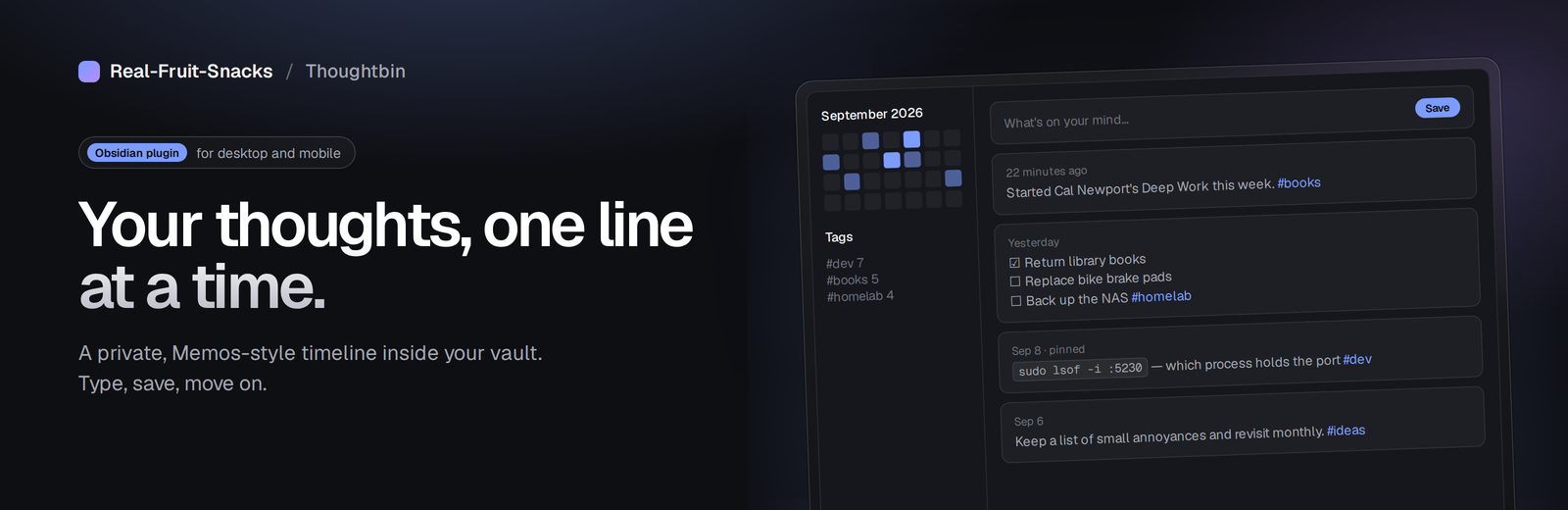
A private timeline for quick thoughts, inside your Obsidian vault.
Open it, type, save, move on. No title, no folder decision, no template to fill in. Every thought is a plain Markdown note, so it syncs, links, searches and graphs like everything else in your vault — Thoughtbin just gives you a fast, feed-style way to capture and revisit them.
Inspired by Memos. Project site: real-fruit-snacks.github.io/obsidian-Thoughtbin
Features
Capture
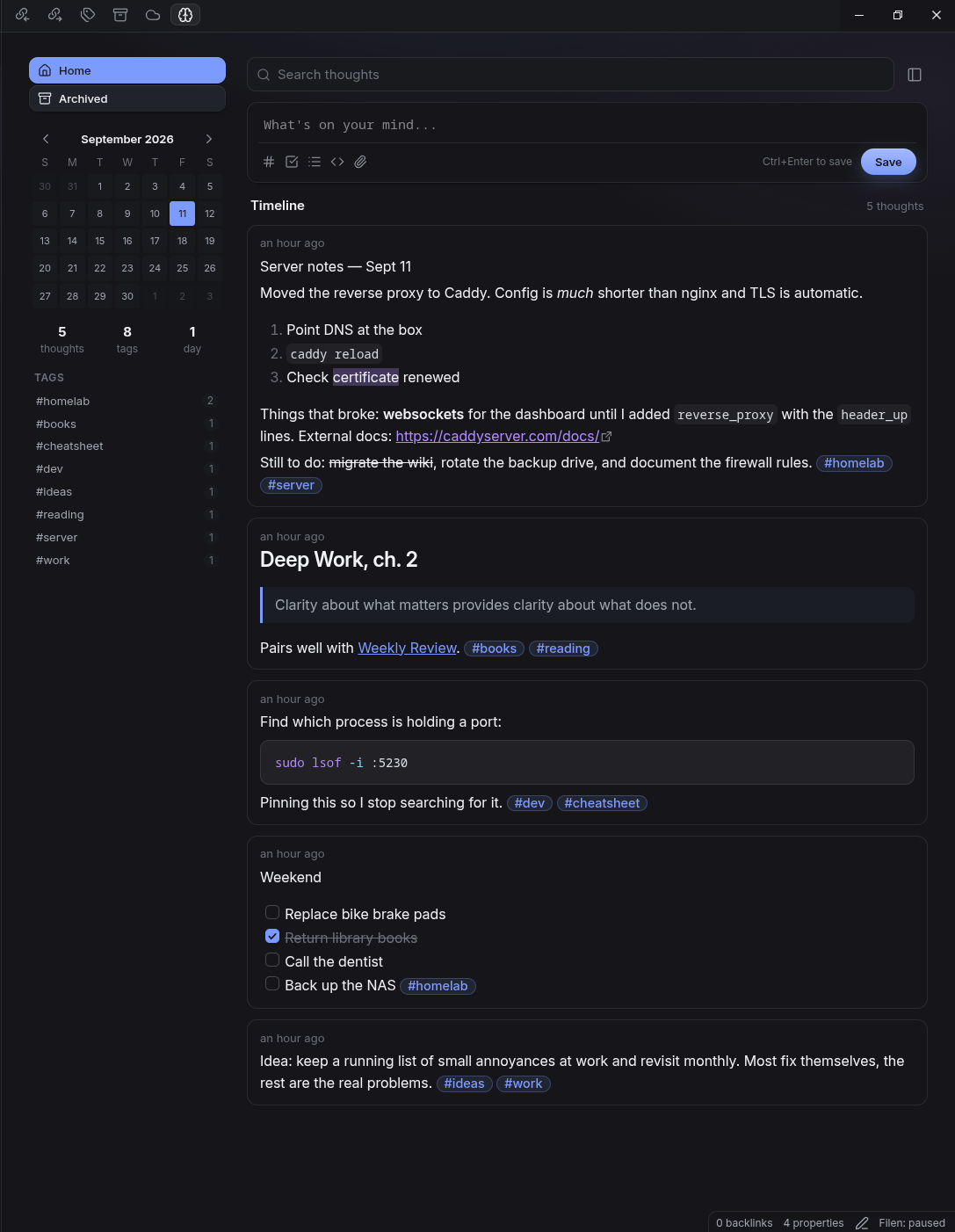
- Live-styled composer: headings, bold/italic/strikethrough/highlight, inline and fenced code, quotes, lists, checkboxes,
#tags,[[links]]all style as you type, with syntax markers shown only on the line you're editing [[autocompletes files in your vault;#autocompletes your existing tags- Enter continues lists, numbered lists, checklists and quotes; Ctrl/Cmd+B, I and K for bold, italic and links
- Paste, drop or attach images and files — they're saved to your vault and embedded
- Toolbar buttons for tag, task, list, code block (with a configurable default language) and attachments
- Save with Ctrl/Cmd+Enter, or switch to Enter-to-save in settings
- Quick capture modal and "Save selection as thought" commands, ribbon button, and a "Focus composer" command you can bind to a hotkey
Timeline
- Newest first (or oldest), pinned thoughts on top
- Rendered with Obsidian's own Markdown renderer: embeds, images, callouts, math and Mermaid all work
- Tick checkboxes directly in a card; click tags to filter; click
[[links]]to open them, with hover previews - Pin, edit inline (double-click), archive, open as a note, copy, delete — via the
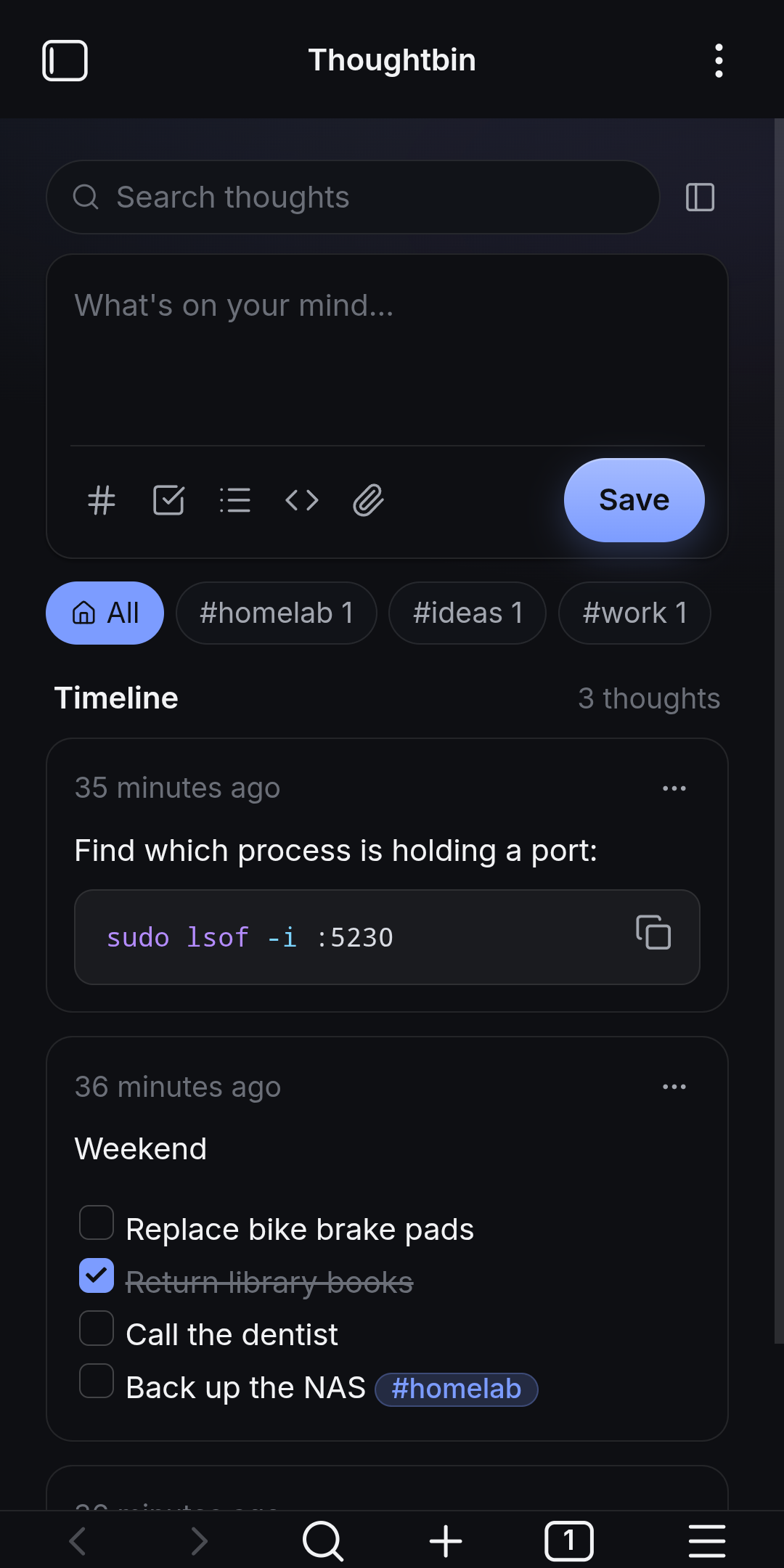
…button or right-click - Search, filter chips, "Load more" paging, optional collapsing of long thoughts
Sidebar
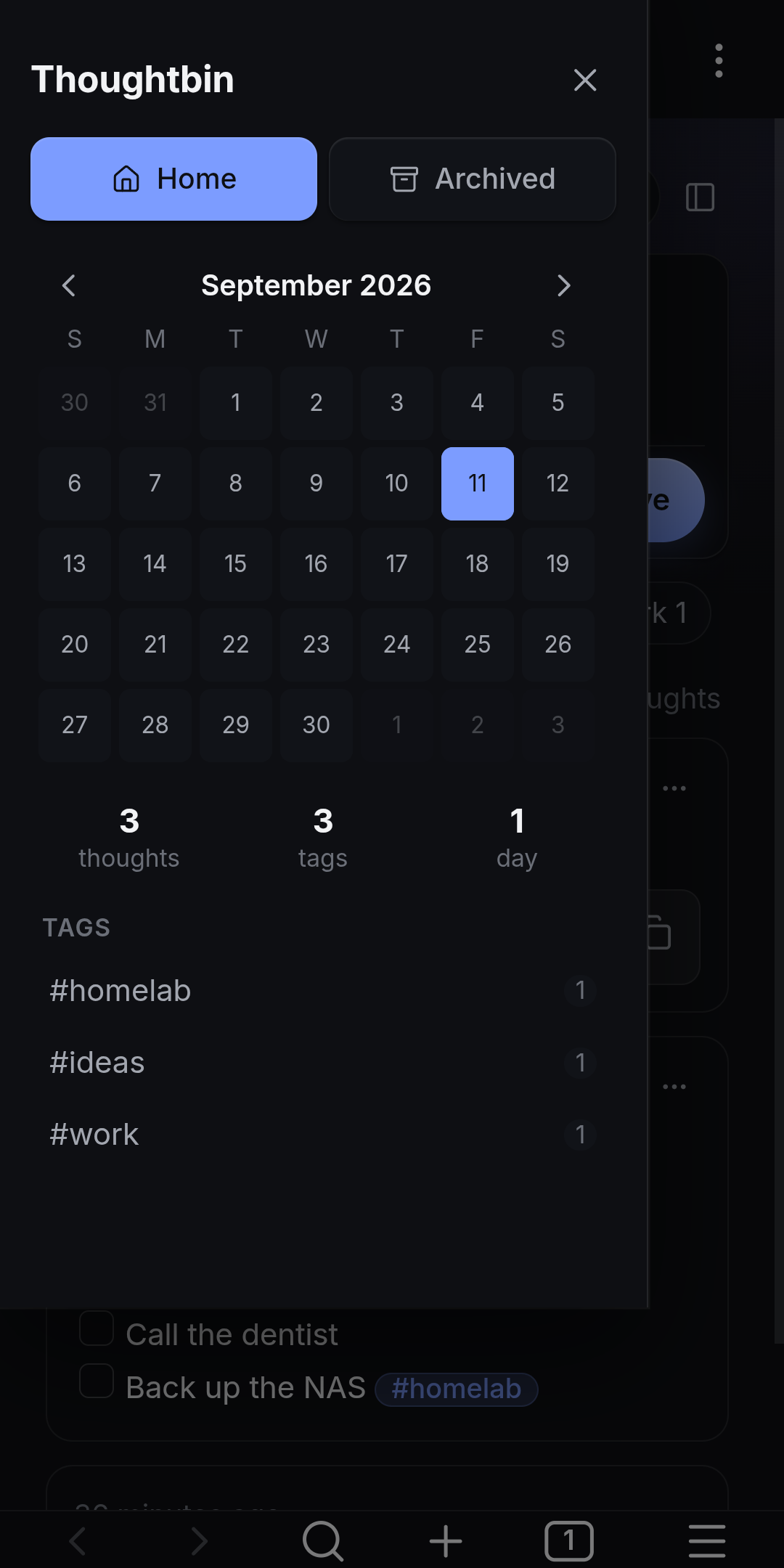
- Monthly activity calendar — click a day to filter, browse previous months
- Thought / tag / day counts
- Tag list with counts
- Home and Archived views
Desktop and mobile
- Desktop: sidebar sits beside the timeline in the same pane (toggle with the panel button); open in the main area or either side panel
- Mobile: single column with a horizontal tag strip, and the sidebar slides out as a drawer
How thoughts are stored
Each thought is one Markdown file in the Thoughtbin folder (default Thoughtbin/), named by timestamp:
---
created: 2026-09-11T12:50:03-05:00
updated: 2026-09-11T12:50:03-05:00
pinned: false
archived: false
---
Started Cal Newport's *Deep Work* this week. #books #reading
Tags are read from the body (#tag, nested #tag/sub supported). Attachments go to Thoughtbin/attachments/ by default. Because they're ordinary notes, you can open, link to, search and edit them anywhere in Obsidian, and Thoughtbin picks up external changes automatically.
Nothing leaves your vault. No network calls, no telemetry.
Installation
From a release
- Download
main.js,styles.cssandmanifest.jsonfrom the latest release. - Put them in
<your vault>/.obsidian/plugins/thoughtbin/. - In Obsidian, go to Settings → Community plugins, enable Thoughtbin.
With BRAT
Add Real-Fruit-Snacks/obsidian-Thoughtbin in the BRAT plugin to get updates automatically.
Requires Obsidian 1.4.0 or newer. Works on desktop and mobile.
Usage
- Click the brain icon in the ribbon, or run Thoughtbin: Open timeline.
- Type in the composer and press Ctrl/Cmd+Enter (or click Save).
- Use Thoughtbin: Quick capture from anywhere for a popup composer.
- Highlight text in any note and run Thoughtbin: Save selection as thought.
Settings
| Section | Setting |
|---|---|
| Storage | Thoughtbin folder, attachments folder, filename format |
| Composer | Default code block language, save with Enter, composer template |
| Timeline | Sort order, keep pinned on top, time display (relative/absolute), date format, thoughts per page, collapse long thoughts, confirm before deleting |
| Layout | Open in main area / left / right sidebar, show tag strip (mobile), first day of week, open on startup |
Commands
| Command | What it does |
|---|---|
| Open timeline | Opens or reveals the Thoughtbin view |
| Quick capture | Popup composer that saves a new thought |
| Save selection as thought | Saves the current editor selection as a thought |
| Focus composer | Opens the timeline and puts the cursor in the composer |
Notes and limitations
- The composer styles Markdown live but doesn't render embeds or images while typing — those render in the card once saved. Obsidian doesn't expose its Live Preview editor to plugins.
- Deleting a thought moves the note to the trash according to your Obsidian "Deleted files" setting.
- Renaming or moving the Thoughtbin folder outside the plugin will detach existing thoughts until you update the folder setting.
Development
The plugin is a single main.js with no build step — edit it, then reload the plugin in Obsidian. It uses only the public Obsidian API and the CodeMirror 6 packages Obsidian bundles (@codemirror/state, view, commands, autocomplete).
License
MIT