Search...Search plugins and themes...
⌘K
Sign in
  • Get started
  • Download
  • Pricing
  • Enterprise
  • Account
  • Obsidian
  • Overview
  • Sync
  • Publish
  • Canvas
  • Mobile
  • Web Clipper
  • CLI
  • Learn
  • Help
  • Developers
  • Changelog
  • About
  • Roadmap
  • Blog
  • Resources
  • System status
  • License overview
  • Terms of service
  • Privacy policy
  • Security
  • Community
  • Plugins
  • Themes
  • Discord
  • Forum / 中文论坛
  • Merch store
  • Brand guidelines
Follow us
DiscordTwitterBlueskyThreadsMastodonYouTubeGitHub
© 2026 Obsidian

Synclo

Synclo29 downloads

Turn your notes into designed presentations with Synclo, then download them as PowerPoint or PDF.

Add to Obsidian
Synclo screenshot
  • Overview
  • Scorecard
  • Updates2

Turn your notes into designed presentations. Make a presentation from any note, follow it in the Synclo panel as it's written, look through the slides in a tab, then edit and share it in Synclo or download it as PowerPoint or PDF.
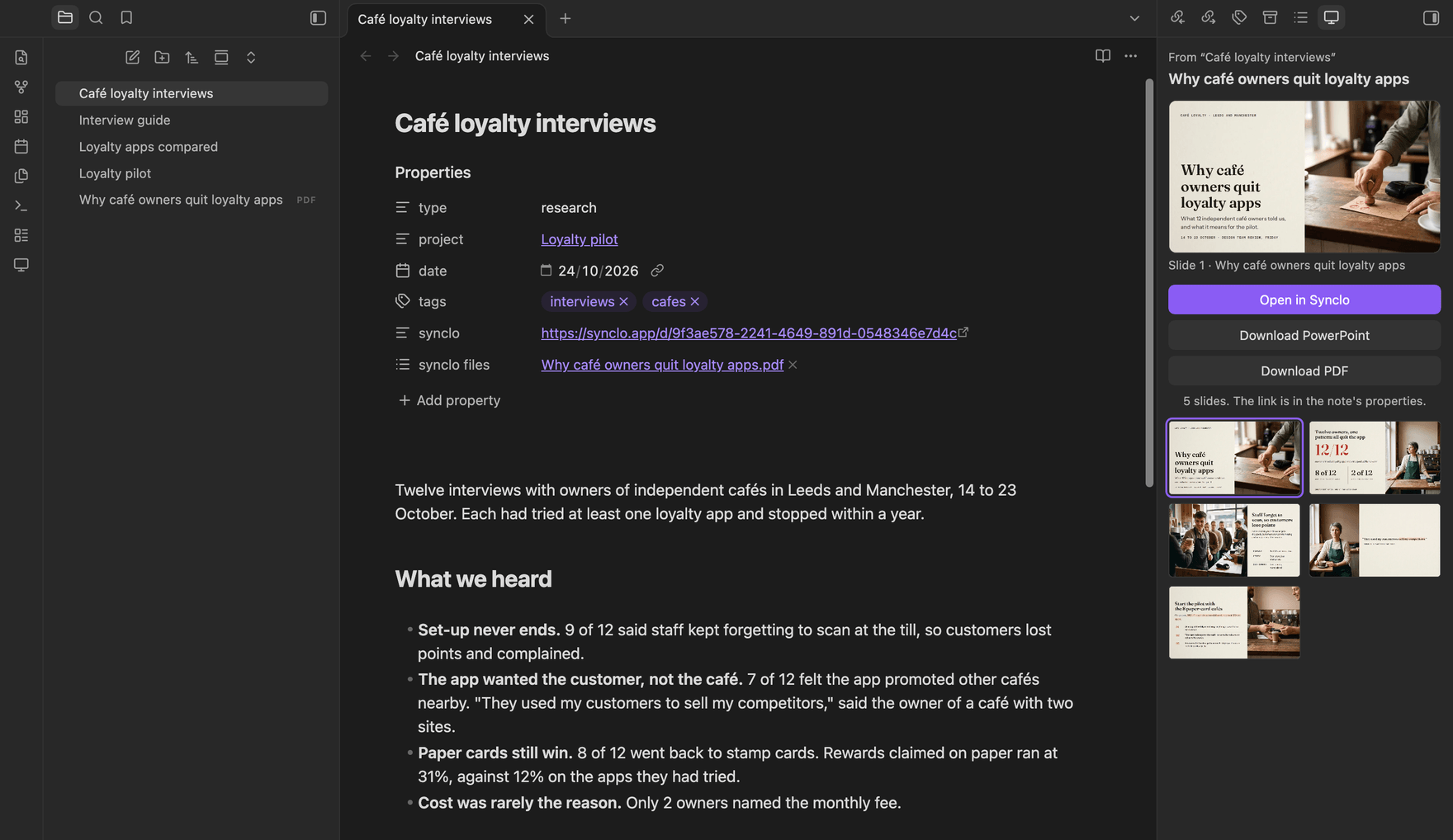
A note in Obsidian with its finished presentation in the Synclo panel

Requires a Synclo account. New accounts include 400 free credits, enough for about 40 slides; after that, making presentations requires a paid plan or a credit pack from synclo.app. Building or editing presentations by hand in Synclo is free, as are opening, finding and downloading them.

Getting started

  1. Install and enable Synclo in Settings → Community plugins.
  2. Open a note and select Make a presentation from this note in the ribbon or the command palette.
  3. Select Connect and sign in to Synclo in your browser.
  4. Choose your options and select Make.

When it's ready, the presentation's link is saved in the note's properties. Downloads are saved in your vault.

Commands

  • Make a presentation from this note
  • Make a presentation from the selection
  • Find a presentation
  • Open this note's presentation in your browser
  • Download this note's presentation as PowerPoint
  • Download this note's presentation as PDF

Privacy

  • Synclo is a product of Synclo Inc and is not affiliated with Obsidian.
  • Payments are made at synclo.app, never inside the plugin.
  • The plugin connects only to synclo.app, and only when you use it. It sends the note you choose, the notes and images it embeds, linked notes if you include them, and your options. Synclo's servers, and the AI providers listed on Synclo's subprocessors page, process it to make the presentation. You can preview exactly what is sent before you confirm. Nothing else in your vault is read.
  • Properties, comments and queries are never sent.
  • Your sign-in is stored in Obsidian's secure storage on each device.
  • The plugin collects no usage data. See Synclo's privacy policy.

Support

Email [email protected] or open an issue.

License

MIT © 2026 Synclo Inc

HealthExcellent
ReviewPassed
About
Turn your notes into designed presentations. Make a presentation from any note, follow it in the Synclo panel as it's written, look through the slides in a tab, then edit and share it in Synclo or download it as PowerPoint or PDF.
ExportIntegrationsAI
Details
Payments
Optional
Current version
1.0.1
Last updated
2 weeks ago
Created
2 weeks ago
Updates
2 releases
Downloads
29
Compatible with
Obsidian 1.11.4+
Platforms
Desktop, Mobile
License
MIT
Report bugRequest featureReport plugin
Payments
Making presentations uses Synclo credits. New accounts get free credits to start; more come with a paid Synclo plan or a credit pack. Building or editing presentations by hand in Synclo is free, as are opening, finding and downloading them.
Author
Synclosynclo-hq
synclo.app
  1. Community
  2. Plugins
  3. Export
  4. Synclo

Related plugins

Fast Note Sync

Real-time sync of your vaults across server, mobile, and web; shareable with anyone; supports REST and MCP integrations to build your personal AI knowledge base.

Agent Client

Chat with Claude Code, Codex, Gemini CLI, and more via the Agent Client Protocol — right from your vault.

Snipd Official

Sync Snipd podcast highlights to your vault with transcript, notes, AI summaries and metadata.

Claude Sidebar

Run Claude Code in your sidebar.

Yanki

Sync flashcards from a folder in your vault to Anki. Pure Markdown syntax. No fuss.

Claude Code IDE

Connect your vault to Claude Code and share editor context with the CLI.

BRAT

Easily install a beta version of a plugin for testing.

LanguageTool Integration

Advanced grammar and spell checking, powered by LanguageTool.

Claudian

Embeds Claude Code/Codex and other local Agents as AI collaborators in your vault.

Smart Connections

Find related notes and excerpts while writing. Your AI link building copilot displays relevant content in graph + list view. A local embedding model powers semantic search. Zero setup. No API key.