Sync Evo
 seking31 downloads
Sync a vault with a GitHub repository, a Dropbox folder or a Google Drive folder, without Git on the device. Built for large vaults and for phones.
- Overview
- Scorecard
- Updates2
Sync Evo
Sync your vault across all your devices, through your own GitHub, Dropbox or Google Drive.
[!NOTE] Payment is required for full access, once the paid plan starts. For now, all of Sync Evo is free. Syncing with Dropbox and Google Drive may become paid later, with a license key: $3 a month, $24 a year, or $49 once, one key for both. Any paid plan will be announced here and in the release notes before it starts, and even then, Dropbox and Google Drive stay free for 3 months from the day it starts, or from the day you start using them, if that is later. Pricing
It works on phones and computers alike, with no Git to install.
Why Sync Evo
Your own storage. Your notes go to your own GitHub repository, Dropbox or Google Drive, with no account with the developer and no server in between.
Made for phones and large vaults. A first download of thousands of files picks up where it stopped.
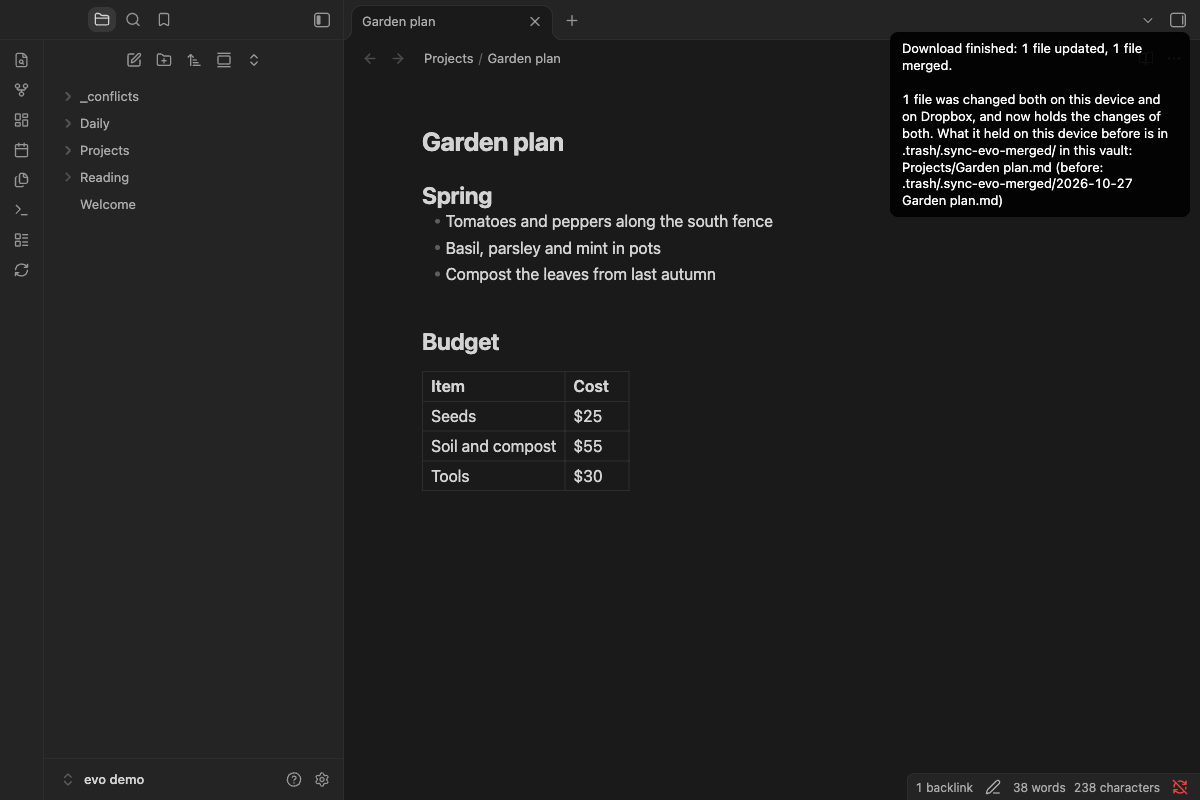
Never overwrites your notes. A note changed on two devices is merged or kept twice, and Sync Evo asks before it deletes many files.
History on GitHub. Each upload is a commit, so earlier versions of your notes stay in the repository's history.
You choose what syncs. Leave out folders (for all your devices or just this one), file types on this device, and parts of the vault's settings.
Quiet automatic sync. If you turn it on, Sync Evo syncs on startup and at an interval, and says nothing when all is well.
How your notes are kept safe
- A note changed on two devices is merged, or kept twice, with the device's version in
_conflicts/. Before a merge, the note as it was is kept in.trash/. - Sync Evo stops and asks before it deletes many files, before a device's first upload to a service that already holds files or to a public GitHub repository, when the first download finds files that differ, and when the history on GitHub was rewritten.
- An upload does not write over a file that changed on the service since this device last downloaded. With Google Drive it rarely can, and the other version stays in Drive's version history.
- An interrupted download goes on from where it stopped. So does an upload to GitHub or Google Drive.
GitHub, Dropbox or Google Drive?
- You have a GitHub account: use GitHub.
- You don't: Dropbox, if your vault is up to 2 GB. It can merge a note changed on two devices. Google Drive, if it is larger. If you already use one of the two, that is fine too.
With Dropbox and Google Drive, you just sign in. There is no repository or token to make.
Pricing
- GitHub: free for now.
- Dropbox and Google Drive: free for now. They may become paid later: free for 3 months, and then a license key is needed. One key is for both: $3 a month, $24 a year, or $49 once. Keys are sold through Dodo Payments, which handles the payment and the tax.
- Not started yet. A paid plan, for any service, will be announced in this README and in the release notes before it starts. It starts with a later version of Sync Evo.
How it works, once it has started:
- The 3 months are counted for each Dropbox or Google account, from the day the paid plan starts, or from the first sync with the account, if that is later. No one's 3 months begin before the paid plan starts.
- A device that first runs a Sync Evo with the paid plan when those 3 months are over, or nearly, is still free for 14 days from that day, so that you are told before it ends.
- Once 14 days are left before your free time ends, and again once 7 days are left, Sync Evo tells you at the next sync.
- After it ends, Sync Evo only downloads for 30 days, and uploads nothing. Then it stops syncing with Dropbox or Google Drive. Nothing is deleted, on your devices or in your Dropbox or Google Drive.
- Enter the key in the Sync Evo settings, on each device. Sync Evo checks it with Dodo Payments. When Dodo cannot be reached, a key that was valid keeps working for 14 days.
Terms of service, including refunds.
Get started
Install
Sync Evo is in the community plugin directory.
- In Settings → Community plugins, turn off Restricted mode if it is on.
- Press Browse, search for Sync Evo, then install and enable it. Or open its page in the directory and press Add to Obsidian, then install and enable it there.
If you installed it with BRAT before, it keeps working. Remove Sync Evo from BRAT's list of beta plugins, so that only Obsidian updates it. Removing it there deletes nothing, and your settings stay.
GitHub
- If you have no repository for the vault, create an empty private one on GitHub. No GitHub account yet? Create one first, for free.
- Create a token, and choose the vault's repository on that page.
- In Settings → Community plugins → Sync Evo, enter the repository and the branch, and save the token as a secret.
- Press Test. Then sync: tap the two circling arrows (Sync) in the ribbon, the strip of icons at the edge of the screen, or run Sync Evo: Sync from the command palette.
Dropbox
Free for now. It may later need a license key, after 3 months free. See Pricing.
- No Dropbox account yet? Create one, for free.
- In Settings → Community plugins → Sync Evo, set Service to Dropbox.
- Press Connect, and allow Sync Evo in the browser.
- Press Test, then sync as in step 4 for GitHub.
Google Drive
Free for now. It may later need a license key, after 3 months free. See Pricing.
- In Settings → Community plugins → Sync Evo, set Service to Google Drive.
- Press Connect. Sync Evo shows a code and copies it.
- Press Open the browser. It opens
google.com/device, and copies the code again. - Paste the code, choose your Google account, and allow Sync Evo. Then come back to Obsidian. The settings show the account it is connected to.
- Press Test, then sync as in step 4 for GitHub.
Sync Evo sees only the files it made in your Google Drive. Details
Good to know
- Already syncing with Git? Use Git or Sync Evo on a device, not both. Git on a computer and Sync Evo on a phone can share one repository. Switching from Git
- A vault in iCloud Drive works, but support is experimental. Details
- Syncing "Installed community plugins" runs plugin code from your other devices. Details
- If you sync the "Active community plugin list", keep Sync Evo enabled on every device. Why
- To go back to an earlier version of Sync Evo, first finish a sync on that device. How
Network and privacy
Sync Evo connects only to GitHub (api.github.com, codeload.github.com), Dropbox (api.dropboxapi.com, content.dropboxapi.com, www.dropbox.com) or Google (oauth2.googleapis.com, www.googleapis.com), to sync your vault. To connect to Google Drive, it opens google.com/device in the browser. It does so only when you sync, when you have turned on automatic sync, or when you connect. Once the paid plan has started, with Dropbox or Google Drive it also connects to Dodo Payments (live.dodopayments.com) to check the license key you entered: it sends the key and the device name, and nothing from the vault. It sends nothing anywhere else, collects no usage data and has no server of the developer's. A GitHub, Dropbox or Google account is required. Details, Privacy policy
Learn more
- Setting up, step by step
- GitHub, Dropbox or Google Drive?
- Sync Evo and other ways to sync
- How syncing works, and its commands
- Settings
- Dropbox
- Google Drive
- A vault in iCloud Drive
- Limits, what is not supported yet, and where it was tested
- Network use and privacy
- FAQ
- All documentation
Help
See the FAQ, or open an issue. Without a GitHub account, write to [email protected]. Do not put a token or a private file name into a report. To report a security problem privately, see SECURITY.md.
License
Copyright (C) 2026 seking. Sync Evo has two parts, under two licenses. Both come with no warranty.
- The sync itself and GitHub: open source, under AGPL-3.0-only.
- Dropbox and Google Drive (the folder
pro/, with the license key check): source-available, under the Elastic License 2.0. You may use, change and share it, but not change, remove or get around the license key check, not remove its notices, and not offer it to others as a hosted service.
LICENSE says which files are under which license.
Third-party licences: see this page.
The main.js in a release is built from this repository with one thing added: the client secret of Sync Evo's Google client, which Google's OAuth 2.0 Policies say must not be committed to a public repository. This is why Obsidian's check that the build output matches the release finds one line that differs. Built with the secret, main.js matches the release byte for byte.
To build Sync Evo or help with it, see CONTRIBUTING.md.