
- Overview
- Scorecard
- Updates12
我在小红书发布了许多obsidian的教程和插件开发进度,你的关注就是对我最大的支持
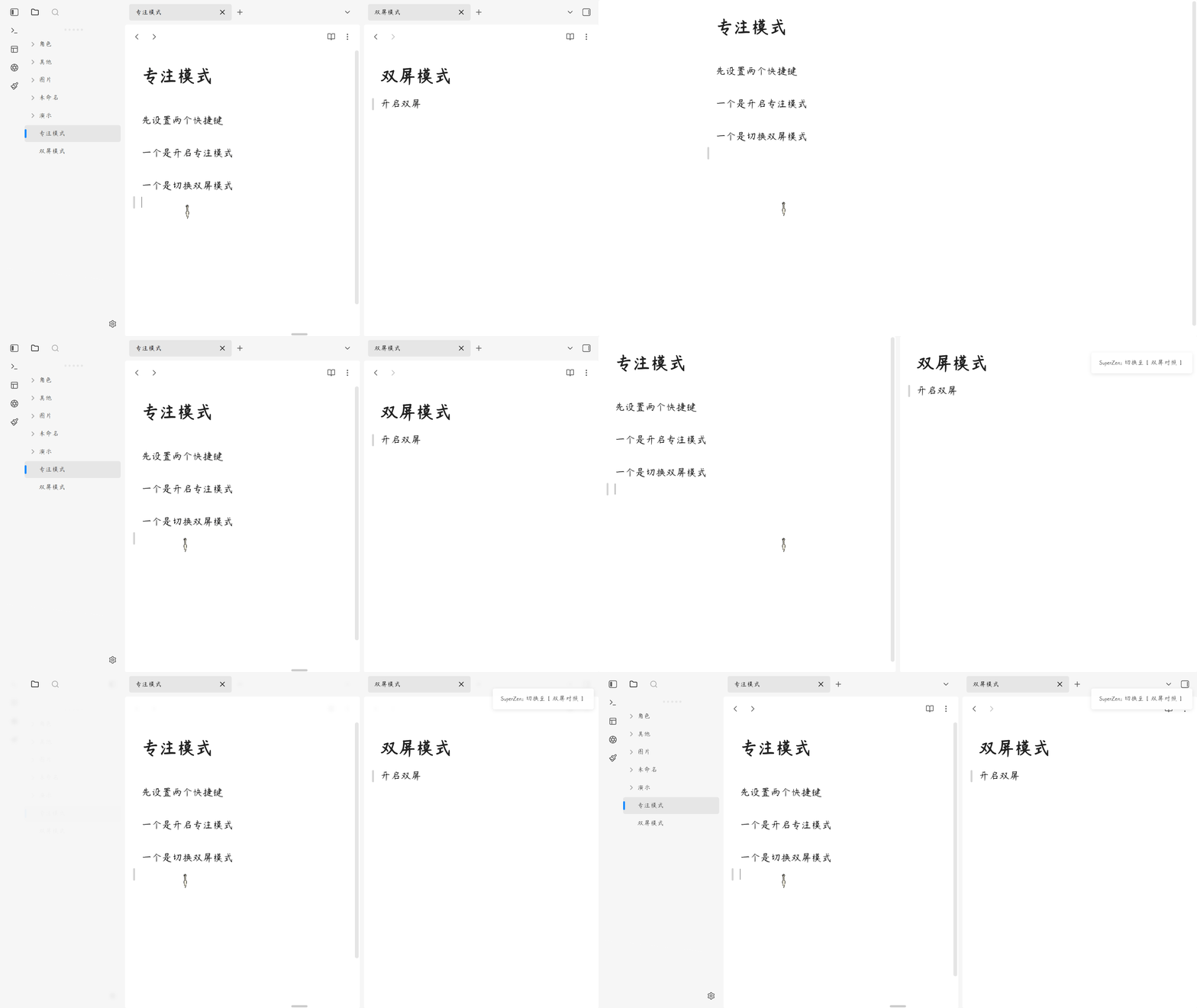
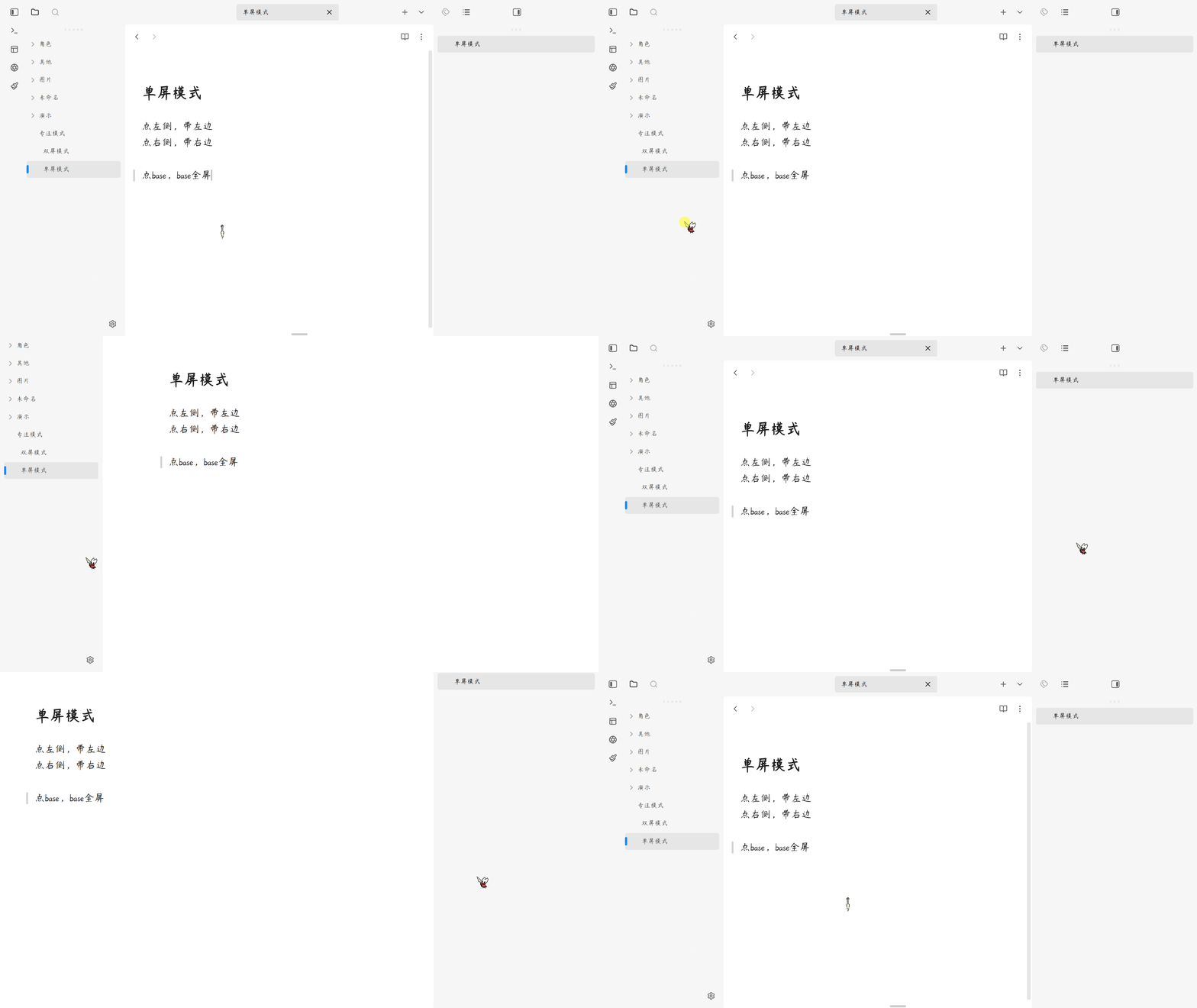
一键进入沉浸式写作环境,让专注回归本质。
简体中文
核心功能
1. 极简全屏模式
一键进入全屏专注环境,隐藏所有干扰元素,只保留你的文字。
2. 智能属性隐藏
自动隐藏文档顶部的属性区域 (Properties),让写作更沉浸。
3. 悬浮选项卡设计
去框化的极简选项卡,边缘悬浮文字,解决横向挤压变形问题。
4. 灵活双屏模式
支持单屏独占和双屏对照两种模式,满足不同写作需求。
5. 智能标签定位
可选固定右侧标签或左右分离标签,适配多窗格工作流。
用法
- 安装插件后,使用快捷键
Ctrl/Cmd + Shift + Z开启/关闭禅模式。 - 使用快捷键
Ctrl/Cmd + Shift + D切换单屏/双屏对照模式。 - 在设置中可自定义各项功能的开关状态。
- 禅模式下按
Esc键不会退出,确保专注不被打断。
赞赏支持
🎁 如果觉得有用,请作者喝杯咖啡

安装方法
方法一:社区插件安装(推荐)
待插件通过审核并上架社区市场后:
- 打开 Obsidian 设置 > 社区插件 > 浏览。
- 搜索并选择
Super Zen。 - 点击 安装 并选择 启用。
方法二:手动安装
- 前往 Releases 页面下载最新的
main.js、manifest.json和styles.css文件。 - 打开您的 Obsidian 库所在的本地文件夹。
- 进入
.obsidian/plugins/目录,并创建一个名为super-zen的文件夹。 - 将下载的三个文件放入该文件夹中。
- 在 Obsidian 设置 > 社区插件 中重新加载并开启该插件。
QQ 交流群:1094620986
English
Super Zen — A minimalist focus mode plugin for Obsidian that creates an immersive writing environment. It hides all distractions, provides a clean fullscreen experience, and helps you maintain deep focus with zero interruptions.
Features
1. Minimalist Fullscreen Mode
Enter a fullscreen focus environment with one click, hiding all distracting elements and keeping only your words.
2. Smart Properties Hiding
Automatically hides the document properties area (YAML frontmatter) for a more immersive writing experience.
3. Floating Tab Design
Frameless minimalist tabs with edge-floating text, solving horizontal compression issues.
4. Flexible Dual-Pane Mode
Supports both single-pane exclusive and dual-pane comparison modes to meet different writing needs.
5. Smart Tab Positioning
Optional fixed right-side tabs or left-right separated tabs, adapting to multi-pane workflows.
Usage
- After installing the plugin, use
Ctrl/Cmd + Shift + Zto toggle Zen mode on/off. - Use
Ctrl/Cmd + Shift + Dto switch between single/dual-pane comparison mode. - Customize feature settings in the plugin settings panel.
- Pressing
Escin Zen mode won't exit, ensuring uninterrupted focus.
Installation
Method 1: Community Plugins (Recommended)
Once the plugin is reviewed and listed on the community marketplace:
- Open Obsidian Settings > Community plugins > Browse.
- Search for and select
Super Zen. - Click Install and then Enable.
Method 2: Manual Installation
- Go to the Releases page to download the latest
main.js,manifest.json, andstyles.cssfiles. - Open your Obsidian vault folder on your computer.
- Navigate to the
.obsidian/plugins/directory and create a folder namedsuper-zen. - Place the downloaded files into this folder.
- Reload and enable the plugin in Obsidian Settings > Community plugins.
QQ Group: 1094620986