Search...Search plugins and themes...
⌘K
Sign in
  • Get started
  • Download
  • Pricing
  • Enterprise
  • Account
  • Obsidian
  • Overview
  • Sync
  • Publish
  • Canvas
  • Mobile
  • Web Clipper
  • CLI
  • Learn
  • Help
  • Developers
  • Changelog
  • About
  • Roadmap
  • Blog
  • Resources
  • System status
  • License overview
  • Terms of service
  • Privacy policy
  • Security
  • Community
  • Plugins
  • Themes
  • Discord
  • Forum / 中文论坛
  • Merch store
  • Brand guidelines
Follow us
DiscordTwitterBlueskyThreadsMastodonYouTubeGitHub
© 2026 Obsidian

Squiggle

jqhooglandjqhoogland3k downloads

Probabilistic estimation with Squiggle in your notes.

Add to Obsidian
  • Overview
  • Scorecard
  • Updates3

Note: This was forked from the obsidian-execute-code plugin.

This plugin allows you to execute squiggle code snippets in code blocks in your notes. The plugin adds a 'run' button for code blocks in supported languages. Clicking them results in the code of the block being executed. After the execution the result of the execution is showed.

It also adds syntax highlighting with prism.

The result is shown only after the execution is finished. It is not possible to enter text on the command line into the executed programm now.
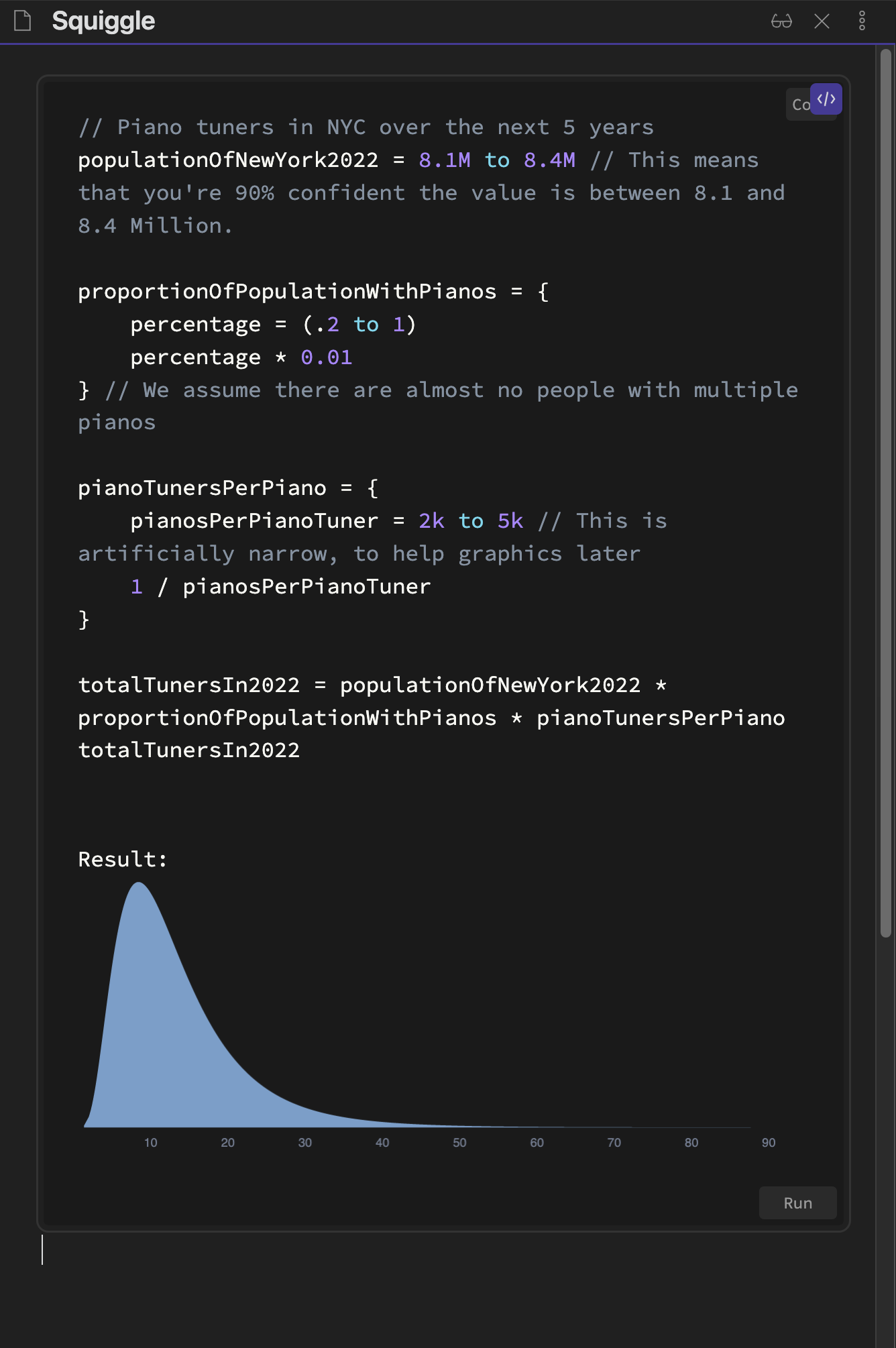
Demo

Running in Preview

Adding run- before the language name in the code blocks (as in the example below) renders the code block in the preview already. This allows you to execute the code in the preview.

Installation

In your vault go to Settings > Community plugins > Browse and search for "Squiggle". Select the plugin, install it and activate it.

or

Follow this link and click "Open in Obsidian".

Warning

Do not execute code from sources you don't know or code you don't understand. Executing code can cause irrepairable damage.

Known Problems

  • Missing when run button after switching the theme: Try to close and reopen your notes and wait for a few minutes. It seems like obsidian doesn't call the postprocessors after the theme switch.

Future Work

  • Merge back into the execute-code-plugin? This probably isn't worth it as Squiggle is run inside of JS & rendered with the help of React. This is very different to languages that actually run on your computer.

Contribution

All contributions are welcome. Just create a merge request or email me: jesse(at)jessehoogland.com

62%
HealthFair
ReviewCaution
About
Execute Squiggle code blocks directly in your notes and display results inline after execution with a Run button added to supported code fences. Enable Prism syntax highlighting and run code in Preview by prefixing the block language with run-.
CodeSyntaxVisualization
Details
Current version
0.1.2
Last updated
4 years ago
Created
4 years ago
Updates
3 releases
Downloads
3k
Compatible with
Obsidian 0.12.0+
Platforms
Desktop only
License
MIT
Report bugRequest featureReport plugin
Author
jqhooglandjqhoogland
GitHubjqhoogland
  1. Community
  2. Plugins
  3. Code
  4. Squiggle

Related plugins

Mermaid Tools

Improved Mermaid.js experience: visual toolbar with common elements and more.

Kroki

Render Kroki diagrams.

VSCode Editor

Edit Code Files like VSCode.

Shiki Highlighter

Highlight code blocks with Shiki.

Advanced Canvas

Supercharge your canvas experience. Create presentations, flowcharts and more.

Templater

Create and use dynamic templates.

Excalidraw

Visual PKM powerhouse. Create and edit Excalidraw drawings.

Maps

Adds a map layout to bases so you can display notes as an interactive map view.

Life Tracker

Capture and visualize the data that matters in your life.

PlantUML

Generate PlantUML diagrams.