Solenoid Properties
 bubba85871k downloads
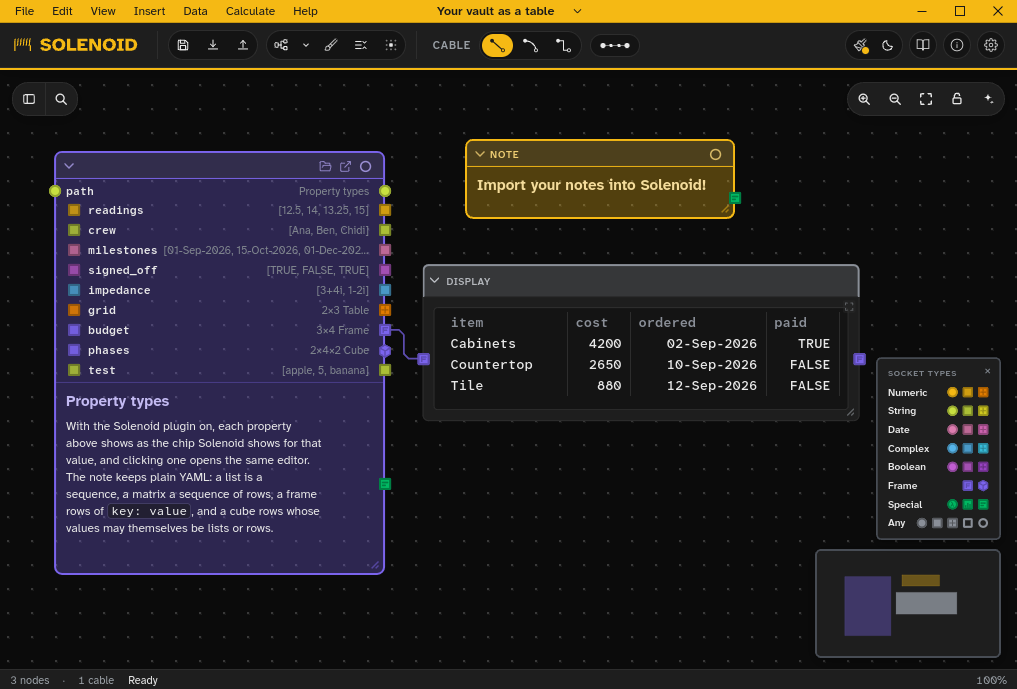
Adds advanced data table property types to your frontmatter with a popup editor.
- Overview
- Scorecard
- Updates12
An Obsidian plugin that adds Solenoid's objects to the available property types, wraps them in clickable buttons, and adds Solenoid's pop-up editor for easy entry + management of tabular data inside your frontmatter.
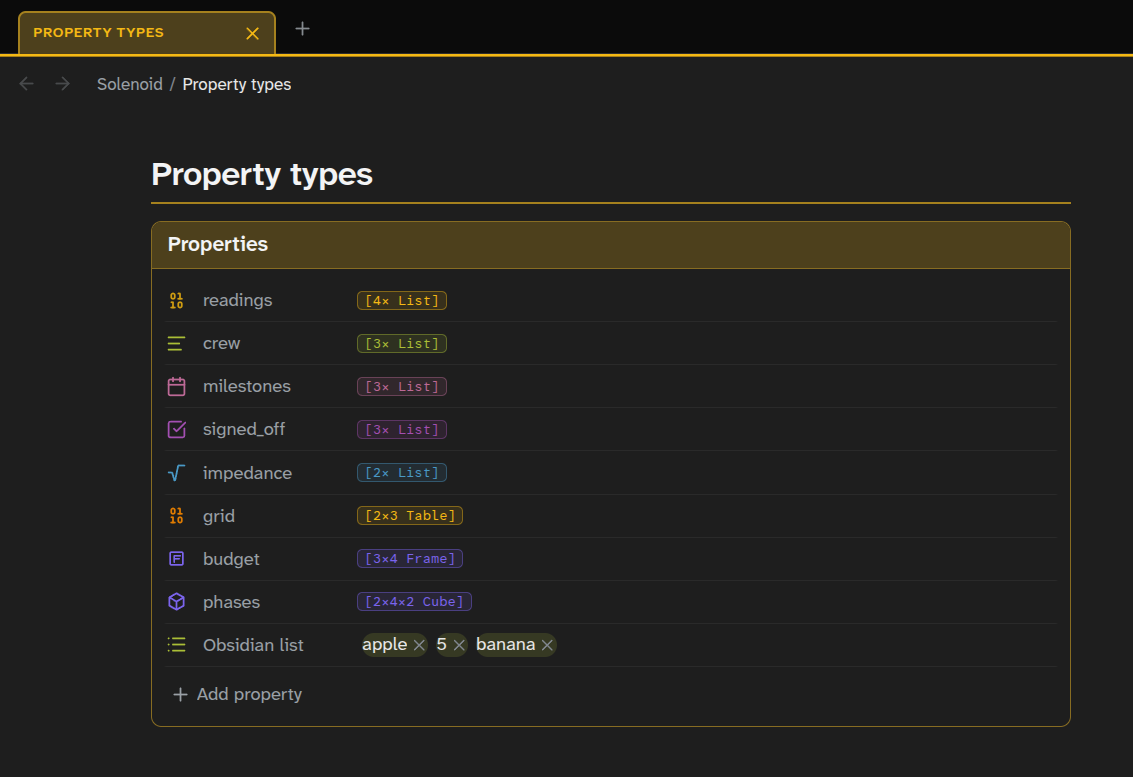
The plugin also ships a theme to make your Obsidian vault look and feel like Solenoid, in any of Solenoid's palettes and with the accent you pick. Enable it in the plugin settings.
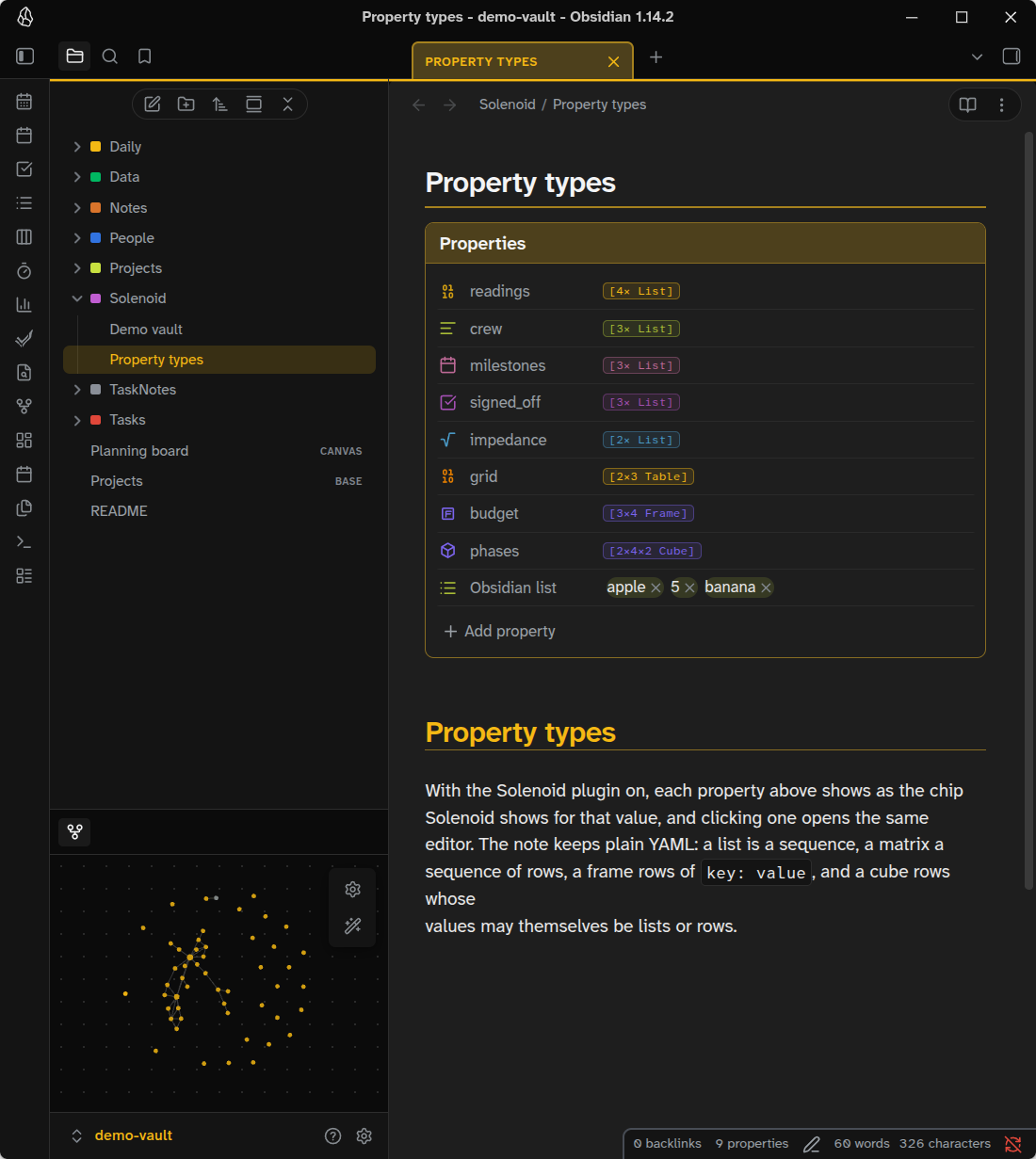
Property types
| Type | Description | Chip |
|---|---|---|
| Numeric, String, Date, Complex and Boolean List | A 1-D row of data. Same format as Obsidian's mixed List, but restricted to one data type. | [N× List] |
| Num, Str, Date, Cx Bool Matrix | A 2-D data set. One data type. | [R×C Table] |
| Frame | Analogous to pandas dataframe. A set of data columns, with headers. Each column can have one data type. |
[R×C Frame] |
| Cube | Like the Frame, but can contain all other object types in its cells for nested data. | [R×C×D Cube] |
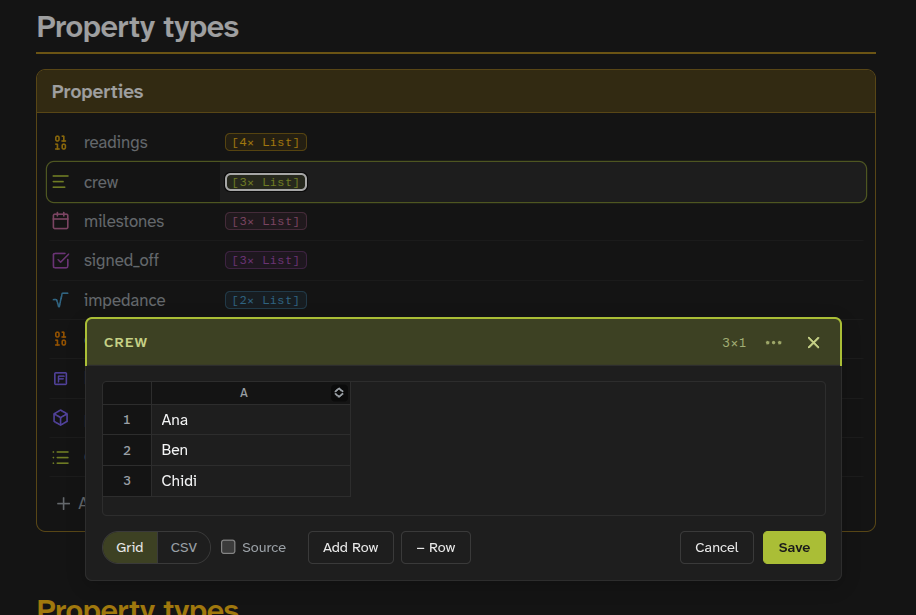
Solenoid Property objects save as block-style YAML:
---
scores:
  - 92
  - 85
  - 77
grid:
  - - 1
    - 2
    - 3
  - - 4
    - 5
    - 6
orders:
  - item: Widget
    qty: 3
    due: 2026-10-01
  - item: Gasket
    qty: 12
    due: 2026-10-04
---
Knap notes
Add knap: true to a note's properties and Reading view renders its body as a Knap template, filled from the note's own properties:
---
knap: true
qty: 3
orders:
  - item: Widget
    due: 2026-10-01
  - item: Gasket
    due: 2026-10-04
---
{{ qty }} of each, in {{ orders | length }} orders: {{ orders }}

{% for o in orders %}
- {{ o.item }}, due {{ o.due | date:"D MMM" }}
{% endfor %}
A bare {{ name }} on a List, Matrix, Frame or Cube property is that property's chip, and it opens the same editor as the properties panel. Any other use of the name reads the data. Live Preview renders it too, one tag or block at a time, and shows a piece's source when the cursor enters it. A tag with no matching property stays as typed, and a template error leaves the note as written, with the error at the top.
Disclosures
- Clipboard: the pop-up editor's Copy, Copy as Markdown and copy-cell actions write to the system clipboard when you use them. The plugin never reads the clipboard.
- What's new tab: a read-only tab about the plugin and the Solenoid app opens once after you install the plugin, once after each update, and once when Solenoid ships new features. Its links open in your browser only when you click them. Turn it off in the plugin's settings (Show what's new after an update), or open it any time with the command Show what's new.
- No network access, no telemetry. The plugin's settings and a Frame's column types are kept in the plugin's own
data.json.
Source
The source in src/, obsidian-plugin/, packages/ and crates/ is a snapshot exported from bubba8587/solenoid, where the plugin is developed, because the chips and editors are Solenoid's own components; source.json names the commit. The values are read and formatted by Solenoid's Rust core, compiled to WebAssembly from crates/ and inlined in main.js. npm ci && npm run build builds dist/ from it (the Rust toolchain in rust-toolchain.toml and wasm-bindgen-cli at the version crates/solenoid-graph/Cargo.toml pins), and each release's files carry a GitHub build provenance attestation.
License
MIT. The bundle's third-party licenses (React, DOMPurify, Knap, the Atkinson Hyperlegible fonts) are in THIRD-PARTY-LICENSES.txt.