Solar Graph
 Diego Benjamin Cardozo Espinoza159 downloads
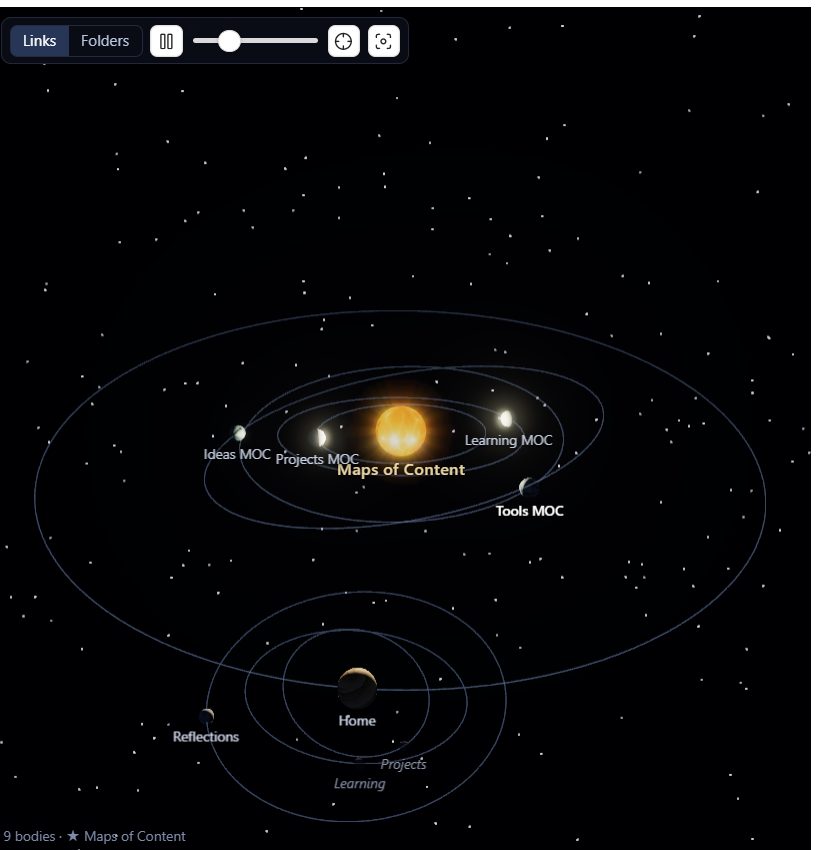
A 3D graph view built like a solar system: notes orbit the notes they belong to, with real lighting, shadows and eclipses.
- Overview
- Scorecard
- Updates3
Your vault as a solar system. Notes become worlds that orbit the notes they belong to: a star at the centre, planets around it, moons around those, as deep as your links go.
Install
From Obsidian: Settings → Community plugins → Browse → search for Solar Graph → Install → Enable.
Manually: download main.js, manifest.json and styles.css from the
latest release, drop them into
<your vault>/.obsidian/plugins/solar-graph/, then enable the plugin in
Settings → Community plugins.
Desktop only, since it needs a GPU.
Opening it
Click the orbit icon in the left ribbon, or run Solar Graph: Open view from the command palette.
| Action | What it does |
|---|---|
| Drag | Turn the system |
| Scroll | Zoom |
| Right-drag | Pan |
| Hover a body | Its name and details |
| Click a body | Opens that note, and the camera follows it as it orbits |
| Ctrl/Cmd-click | Opens the note in a new tab |
| Alt-click | Rebuilds the system around that note |
Space |
Pause the orbits |
R |
Fit everything back on screen |
Esc |
Deselect |
The toolbar has a Links/Folders switch, pause, a speed slider, "re-centre on the open note", and "fit everything".
What your notes turn into
You don't configure any of this. A note's appearance comes from its place in your vault, so the system is a picture of how your notes actually hang together.
| The note | Becomes | Looks like |
|---|---|---|
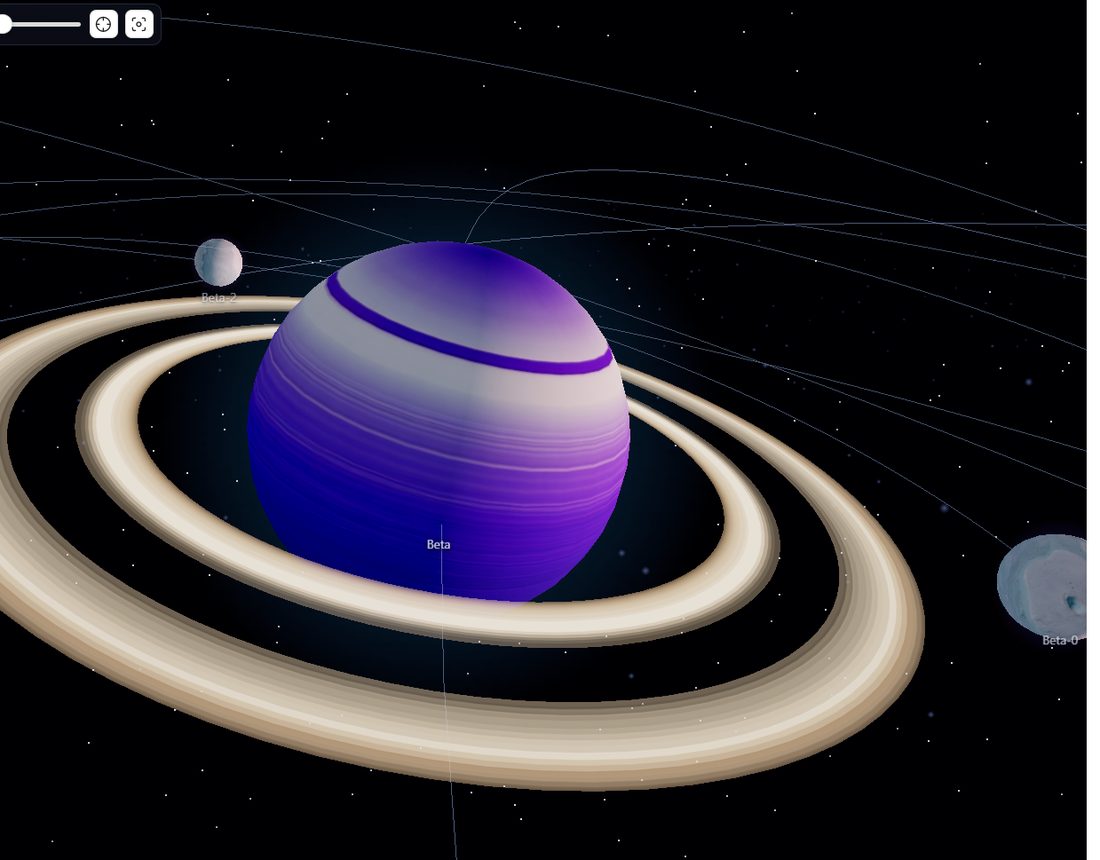
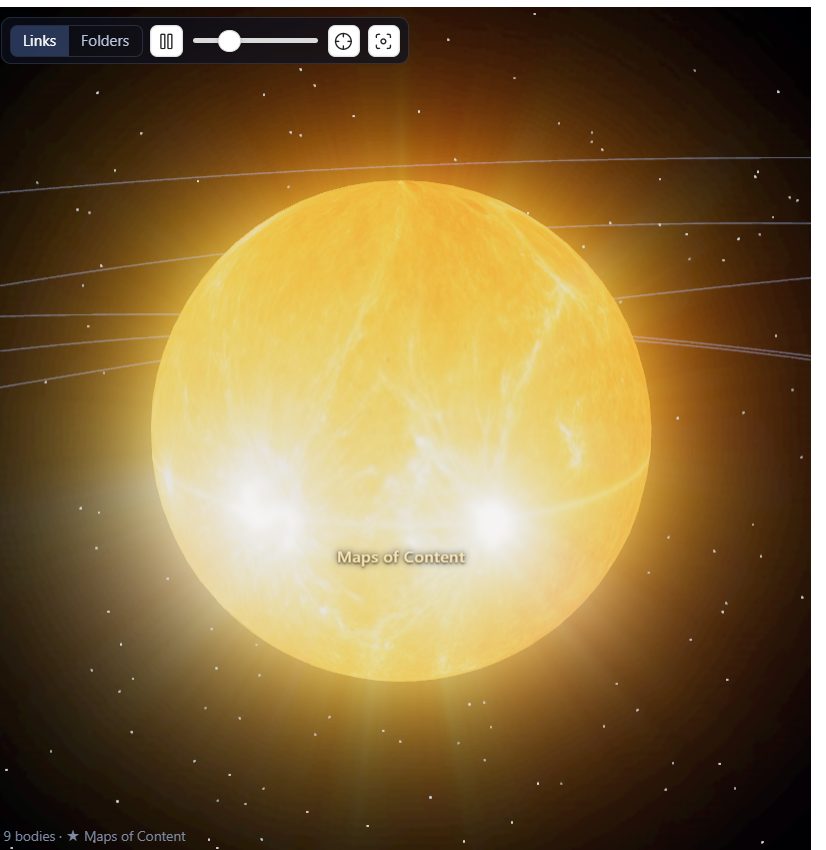
| Carries 14+ notes beneath it | A star | Burning plasma. It lights everything orbiting it |
| 8+ notes link off it | Gas giant, with rings | Jupiter's cloud bands |
| 5-7 | Ice giant, with rings | Neptune's blue-green bands |
| 3-4 | A world | Martian canyons, volcanic basalt, or desert dunes |
| 1-2 | Rocky world | Grey and cratered |
| Nothing links off it | An ice moon | Pale, cracked ice |
| Nothing links to it or off it | An asteroid | A dark lump tumbling in the belt |
A [[link]] to a note you haven't written |
A ghost | Dim and see-through |
So your biggest hub notes literally become suns with their own constellations around them, and a note that links nowhere and is linked from nowhere drifts in an asteroid belt with the rest of the loose ends. Notes that link to each other but not to anything else become their own separate star systems.
Every class has two or three different surfaces, picked from the note's name, so two ice moons side by side don't look like copies.
Links or folders
The toolbar switches what "belongs to" means:
- Links: built from your
[[wikilinks]]. Your most-linked note becomes the star and everything spreads out from there. Links that don't fit the orbits are drawn as faint chords. - Folders: built from your folder tree. Folders are worlds, the files inside them orbit, and every link becomes a chord.
Light and shadow
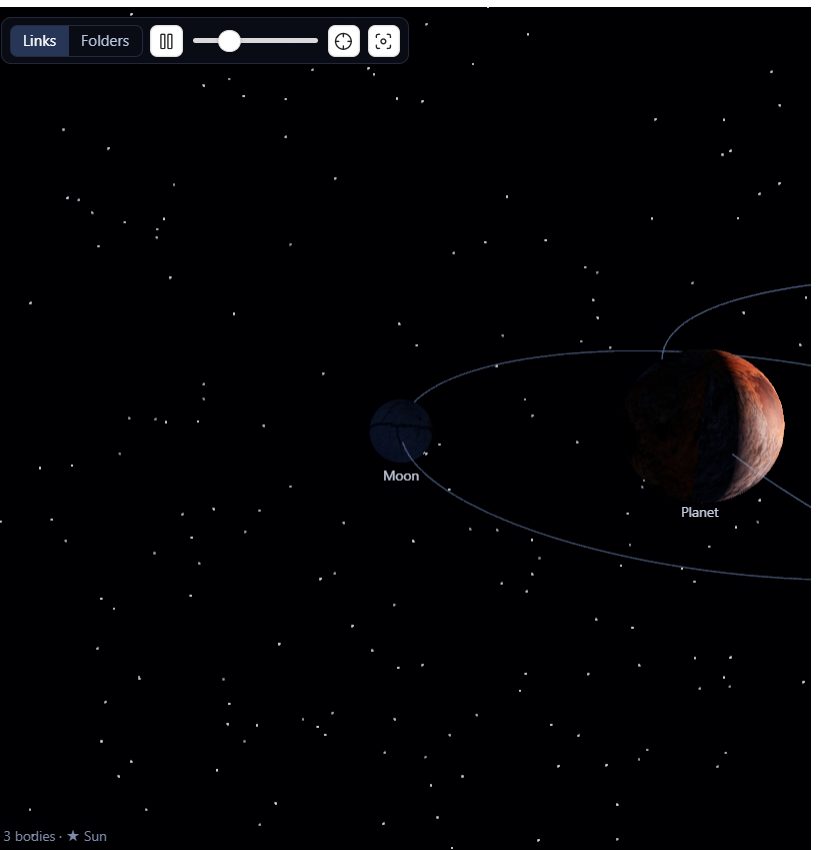
Each star lights its own system, so worlds show real phases: a crescent when you're looking at the night side, full when the star is behind you. Bodies cast shadows on each other, so a moon passing behind its planet is genuinely eclipsed, and a ringed planet punches a notch through its own rings.
Volumetric shafts stream out from the stars and break into beams around whatever drifts in front of them, through a faint interstellar haze.
Settings
Everything is in Settings → Community plugins → Solar Graph. The ones worth knowing about:
Hierarchy. Links or folders, which note is the star, and whether to show notes you haven't written yet.
Motion and scale. Orbital speed, spacing, body size, and how much the orbits tilt (set tilt to 0 for a flat, diagram-like system).
Stars. How many notes a note needs beneath it before it ignites into a star of its own. Lower it for more suns, set it to 1 for exactly one.
Light and shadow. Star brightness and falloff, shadow quality, how dark shadows go, light shafts, haze and glow.
Appearance. Surface textures, planetary rings, particle effects, orbit rings, cross-links and labels.
If something doesn't look right
Everything's too dark. That's real night-side lighting. Turn Shadow depth down. It controls how much light reaches an unlit face. Turning it right down gives you flat, evenly-lit bodies.
I don't see any rings, giants or an asteroid belt. Then no note in your vault has enough notes hanging off it, and nothing is fully unlinked. The thresholds are in the table above; the Stars slider is the one to lower if you want more drama in a small vault.
It's slow. Turn off Light shafts first, then Particle effects, then set Shadows to off. Surface textures off is the last resort, because it drops to plain coloured spheres. On very large vaults shadows switch themselves off automatically, and Maximum bodies caps how much is drawn at all.
My vault is huge. Raise Maximum bodies if you want more than 3,000 notes on screen, but expect it to cost you.
Development
npm install
npm run dev      # rebuild on save, then Ctrl+P → "Reload app without saving"
npm run build    # typecheck and build
npm run lint     # the same checks the plugin directory runs on submission
npm test         # headless checks for the tree building and the orbital layout
| File | Role |
|---|---|
src/main.ts |
Plugin entry: view, ribbon, commands, settings |
src/graph.ts |
Turns the vault into a tree (links or folders) |
src/classify.ts |
Decides what kind of body each note is |
src/layout.ts |
Sizes, orbits, tilts and speeds |
src/scene.ts |
The three.js scene: materials, lights, shadows, effects, picking |
src/view.ts |
The Obsidian view: toolbar, hover card, status line |
src/settings.ts |
Settings and the settings tab |
textures/ |
Surface maps and the scripts that build them |
To try a build in a real vault, copy the three runtime files across:
cp main.js manifest.json styles.css "<vault>/.obsidian/plugins/solar-graph/"
Releasing. Bump manifest.json, package.json and versions.json, then push
a matching tag (git tag 1.0.1 && git push origin 1.0.1). The workflow tests,
builds, and attaches main.js, manifest.json and styles.css to a release.
There are more detailed notes on how the orbits are packed, why the lighting works the way it does, and how the surfaces were generated, in docs/implementation-notes.md.
Credits
Rendering by three.js. Surface maps generated with
Stability AI models and post-processed by textures/process.py.