Search...Search plugins and themes...
⌘K
Sign in
  • Get started
  • Download
  • Pricing
  • Enterprise
  • Account
  • Obsidian
  • Overview
  • Sync
  • Publish
  • Canvas
  • Mobile
  • Web Clipper
  • CLI
  • Learn
  • Help
  • Developers
  • Changelog
  • About
  • Roadmap
  • Blog
  • Resources
  • System status
  • License overview
  • Terms of service
  • Privacy policy
  • Security
  • Community
  • Plugins
  • Themes
  • Discord
  • Forum / 中文论坛
  • Merch store
  • Brand guidelines
Follow us
DiscordTwitterBlueskyThreadsMastodonYouTubeGitHub
© 2026 Obsidian

Smooth Cursor

busyoggbusyogg1k downloads

Smooth Cursor

Add to Obsidian
  • Overview
  • Scorecard
  • Updates12

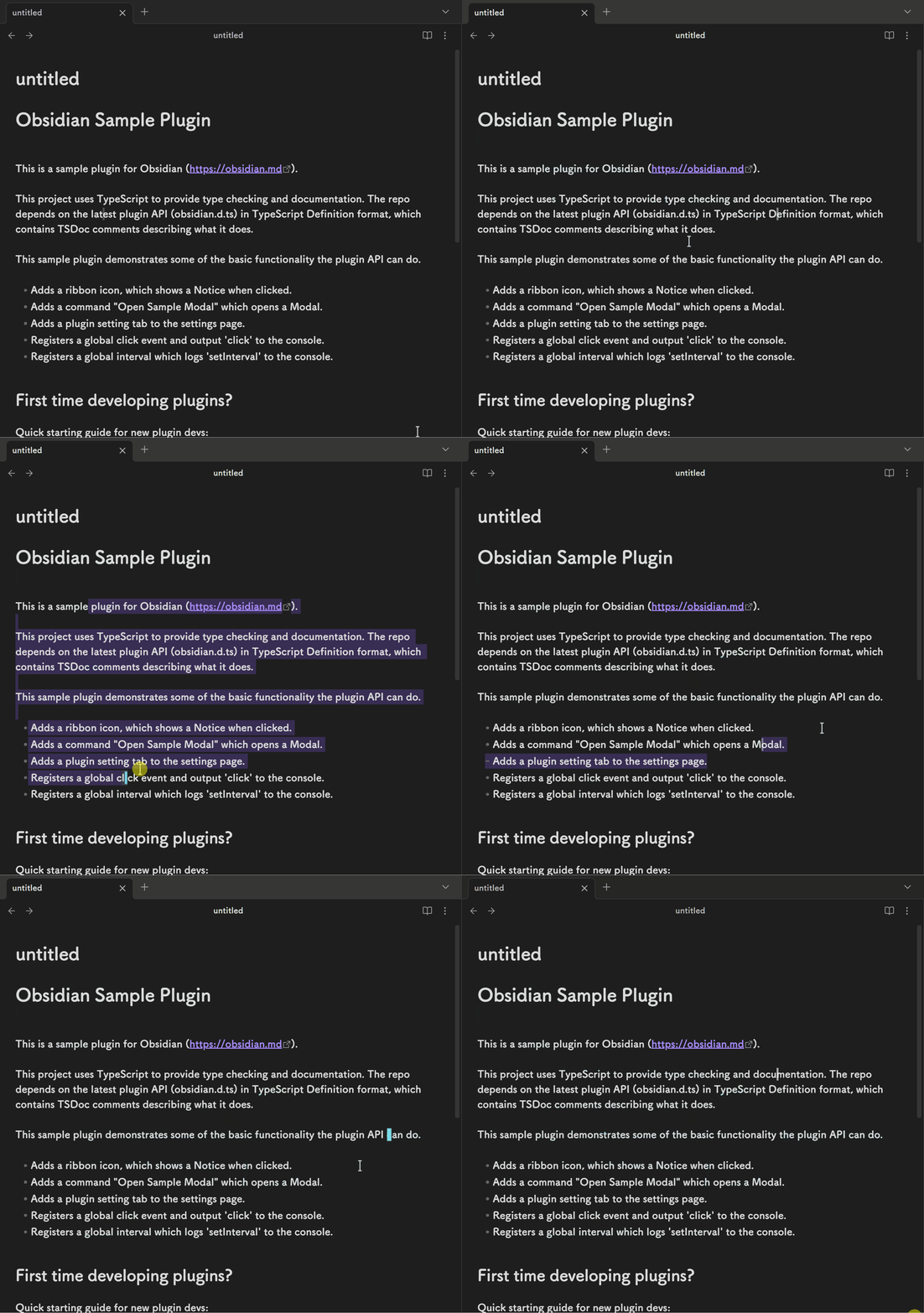
平滑光标是一个 Obsidian 插件,它可以让你的光标平滑地移动,而不是突然跳跃到目标位置。

该插件支持光标拖尾,在光标移动的时候显示移动的轨迹。

你可以设置是否开启拖尾。

自定义设置

你可以通过设置面板进行自定义,也可以通过修改 'styles.css' 文件进行自定义。css 文件修改需要重启 obsidian 才能生效。

  • 光标颜色(css)
  • 光标闪烁速度(css)
  • 开关拖尾
  • 拖尾颜色
  • 拖尾速度

演示

已知的问题

  • vim 模式下光标定位到标题的时候不是块状光标(因为在纯键盘操作的情况下无法监听到键位,无法进行合理的字符获取,所以直接设置为线型光标)
  • 表格单元如果是非纯文本的情况下会识别为跨单元选取,光标会隐藏

Smooth Cursor

Introduction

Smooth Cursor is an Obsidian plugin that makes your cursor move smoothly instead of jumping abruptly to the target position.

This plugin supports cursor trails, displaying a motion trail as the cursor moves.

You can enable or disable the trail effect as needed.

Customizable Settings

You can customize it through the settings panel, or by modifying the 'styles.css' file.Css file modifications require a restart of Obsidian.

  • Cursor color (css)
  • Cursor blink speed (css)
  • Toggle trail effect
  • Trail color
  • Trail speed

Demo

Known Issues

  • In Vim mode, when the cursor is positioned on a heading, it appears as a line cursor instead of a block cursor (since key events cannot be reliably detected during pure keyboard operation, making it difficult to accurately retrieve characters, a line cursor is used instead).

  • If a table cell contains non-plain text, it may be interpreted as a multi-cell selection, causing the cursor to be hidden.

74%
HealthGood
ReviewCaution
About
Smooth cursor movement and add an optional motion trail to visualize cursor motion. Customize cursor and trail color and speed via settings or CSS. Expect altered behavior in Vim mode and when editing complex table cells.
AppearanceEditingCSS
Details
Current version
2.0.6
Last updated
8 months ago
Created
Last year
Updates
12 releases
Downloads
1k
Compatible with
Obsidian 0.15.0+
Platforms
Desktop only
License
0BSD
Report bugRequest featureReport plugin
Author
busyoggbusyogg
github.com/busyoGG
GitHubbusyogg
  1. Community
  2. Plugins
  3. Appearance
  4. Smooth Cursor

Related plugins

Lapel

Show the heading levels in the gutter of the editor.

Show Whitespace

CSS styles and CM6 extensions to highlight whitespace in Source and Live Preview modes.

Style Settings

Adjust theme, plugin, and snippet CSS variables.

CSS Editor

Edit CSS snippet files.

Snippetor

Create and tweak common snippets.

Advanced Tables

Improved table navigation, formatting, and manipulation.

Minimal Theme Settings

Control the colors and fonts in Minimal Theme.

Hider

Hide interface elements such as tooltips, status bar, titlebar, and more.

Meta Bind

Make your notes interactive with inline input fields, metadata displays, and buttons.

Outliner

Work with your lists like in Workflowy or Roam Research.