
- Overview
- Scorecard
- Updates5
A high-performance, user-friendly smart task management plugin for Obsidian
Demo
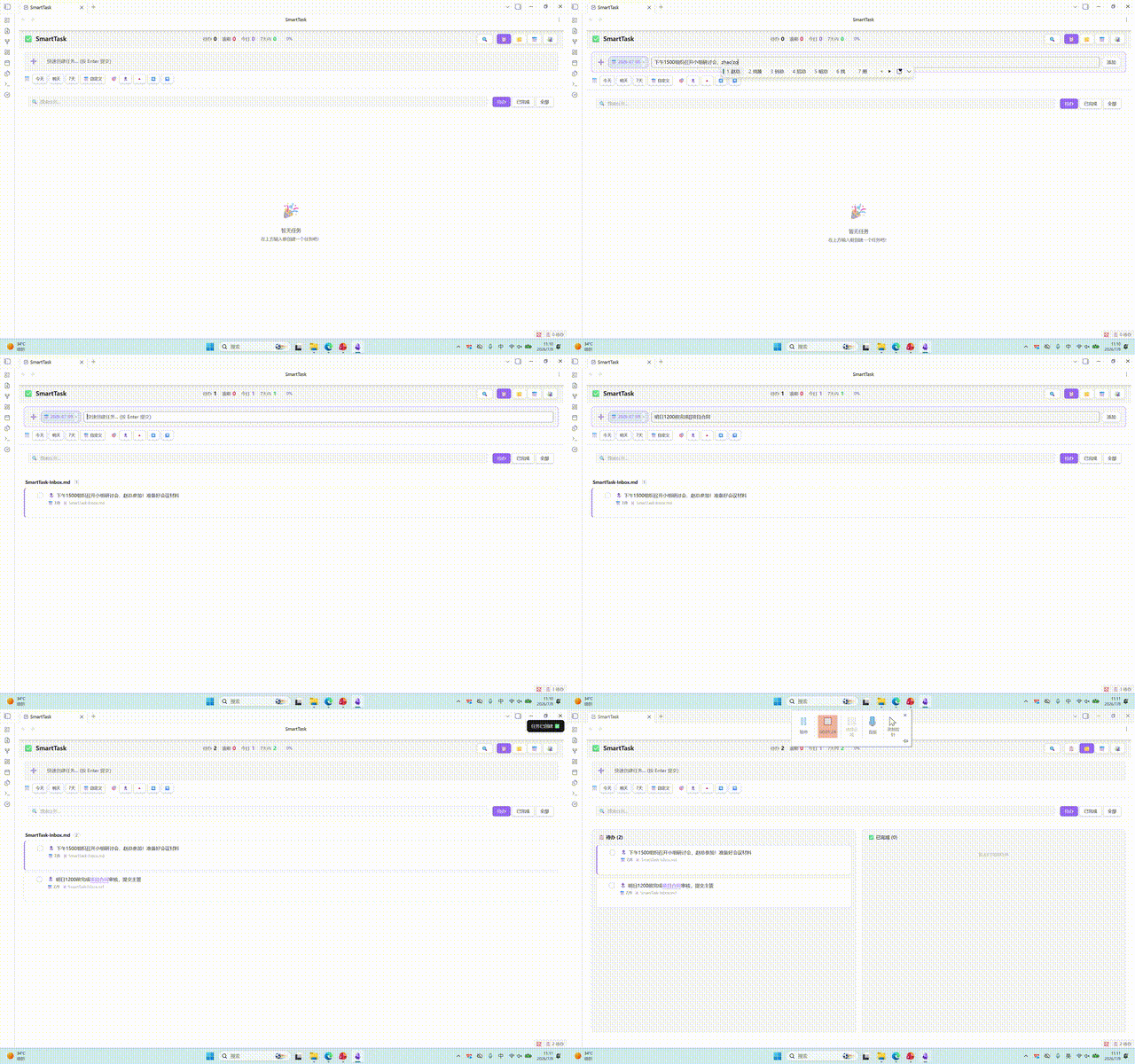
Features
Multiple Views
- List View: Classic task list with grouping, sorting, and collapsible sections
- Kanban View: Column-based display by priority or status with smooth drag-and-drop
- Calendar View: Date-based task distribution for intuitive schedule visualization
- Timeline View: Four styles available:
- Zigzag Timeline: Alternating left-right card layout
- Gantt Chart: Task bars displayed by day/week/month, spanning from creation to due date
Quick Task Creation
- Compact input toolbar with due date and priority displayed as inline chips
- Auto-record task creation time (🛫 start time) for easy tracking
- Three save modes:
- Inbox: Save to a specified file
- Current File: Save to the currently edited file
- Daily Note: Save to today's daily note
- Auto-add configured tags
Subtask Support
- Unlimited nesting levels for subtasks
- Subtask progress tracking
- Subtask support across all views
- Shortcut
Ctrl+Shift+Enterto add subtasks
Smart Query & Filter
- Filter by status (All / Uncompleted / Completed)
- Filter by priority (Highest / High / Medium / Low / Lowest)
- Filter by tags
- Filter by date range
- Text search
- Multi-field sorting (due date, priority, description, creation time, completion time)
- Multi-dimensional grouping (file, priority, due date, tag)
Obsidian Native Features
[[Wiki Links]]in task descriptions render as clickable links#Tagsin task descriptions render as clickable elements for quick filtering- Task data stored in Markdown format, preserving original file structure
Performance Optimization
- Incremental indexing based on file mtime + size
- Batch processing (10ms yield) to prevent UI blocking
- Virtual scrolling and debounced updates for large vaults
Installation
Method 1: Manual Installation (Recommended)
- Download the latest Release
- Copy
main.js,styles.css, andmanifest.jsonto your Vault:<YourVault>/.obsidian/plugins/smarttask/ - Open
Settings → Community pluginsin Obsidian and disable safe mode - Find SmartTask and enable it
Method 2: Build from Source
git clone https://github.com/fat-pumpkin/SmarTask.git
cd SmarTask
npm install
npm run build
Copy the built main.js and styles.css to the plugin directory.
Usage
Basic Operations
| Action | Method |
|---|---|
| Open SmartTask View | Click sidebar icon or run command Open SmartTask View |
| Quick Create Task | Command Palette → Quick Create Task, shortcut Ctrl+Shift+T |
| Toggle Task Status | Command Palette → Toggle Task Status, shortcut Ctrl+Enter |
| Add Subtask | Command Palette → Add Subtask, shortcut Ctrl+Shift+Enter |
Task Syntax
Tasks use standard Markdown Checkbox format with support for the following metadata:
- [ ] Task description [[Linked Note]] #tag 📅 2026-07-15 🛫 2026-07-02 🔺
| Marker | Meaning |
|---|---|
📅 |
Due date |
🛫 |
Start time (auto-added on creation) |
🔝 |
Highest priority |
🔺 |
High priority |
🔼 |
Medium priority |
🔽 |
Low priority |
⏬ |
Lowest priority |
[[Note Name]] |
Obsidian wiki link |
#tag |
Tag |
View Switching
Switch between four views using the toolbar at the top of the SmartTask view:
- 📋 List View
- 📌 Kanban View
- 📅 Calendar View
- 📊 Timeline View
Timeline view supports four styles: Classic, Zigzag, Card, and Gantt.
Settings
| Setting | Description | Default |
|---|---|---|
| Default Save Location | Inbox / Current File / Daily Note | Inbox |
| Inbox File Path | File path for inbox mode | SmartTask-Inbox.md |
| Auto-add Tags | Tags automatically added to new tasks | None |
| Default View | View shown on plugin open | List View |
| Default Priority | Priority for new tasks | Medium |
| Show Completed Tasks | Display completed tasks in list | Off |
| Timeline Grouping | Group by day/week/month | Day |
| Timeline Style | Classic/Gantt/Zigzag/Card | Classic |
Tech Stack
- TypeScript + esbuild for building
- Obsidian Plugin API for integration
- Native DOM manipulation for UI rendering
Project Structure
├── src/
│   ├── main.ts           # Plugin entry point
│   ├── view.ts           # View registration
│   ├── smartTaskView.ts  # View rendering logic
│   ├── settings.ts       # Settings panel
│   ├── types.ts          # Type definitions
│   ├── taskParser.ts     # Task parser
│   ├── taskIndex.ts      # Task indexing engine
│   └── queryEngine.ts    # Query engine
├── main.js               # Build output
├── styles.css            # Stylesheet
├── manifest.json         # Plugin manifest
└── esbuild.config.mjs    # Build configuration
Changelog
1.0.2
- Added: Stats and progress bar displayed in header row for quick overview
- Added: Tag input mode in filter panel (instead of enum list) for better tag management
- Added: Enhanced search functionality supporting description, file path, tags, and subtasks
- Fixed: Tag display consistency across all views (list, kanban, timeline zigzag, gantt)
- Fixed: Wiki link rendering consistency across all views
- Fixed: Progress bar layout - progress bar on left, percentage on right
- Removed: Unused Svelte component files for cleaner codebase
1.0.1
- Fixed: Gantt chart style clarity - improved bar visibility with enhanced colors, borders, and labels
- Fixed: Removed unused variables and imports for better code quality
- Fixed: Replaced
confirm()with Obsidian Modal for better UX - Fixed: Regex escape character issues
1.0.0
- Initial release
- Multiple views: List, Kanban, Calendar, Timeline
- Quick task creation with inline chips
- Subtask support with unlimited nesting
- Smart query & filter system
- Obsidian native features integration
- Performance optimization with incremental indexing
Version Release
This project uses GitHub Actions for automatic releases. Create a tag to trigger the release workflow:
git tag 1.0.0
git push origin 1.0.0
GitHub Actions will automatically build and create a Release with main.js, manifest.json, and styles.css, enabling Obsidian to perform online updates.
License
HealthExcellent
ReviewSatisfactory
About
Manage tasks in Obsidian with multi-view support: list, kanban, calendar, and timeline (classic, zigzag, card, Gantt). Create tasks quickly with inline metadata and automatic start timestamps; nest unlimited subtasks, filter and sort by status, priority, tags, or date, and keep native Markdown links and tags intact.Details
Current version
2.0.0
Last updated
2 months ago
Created
3 months ago
Updates
5 releases
Downloads
293
Compatible with
Obsidian 1.2.0+
Platforms
Desktop, Mobile
License
MIT