Search...Search plugins and themes...
⌘K
Sign in
  • Get started
  • Download
  • Pricing
  • Enterprise
  • Account
  • Obsidian
  • Overview
  • Sync
  • Publish
  • Canvas
  • Mobile
  • Web Clipper
  • CLI
  • Learn
  • Help
  • Developers
  • Changelog
  • About
  • Roadmap
  • Blog
  • Resources
  • System status
  • License overview
  • Terms of service
  • Privacy policy
  • Security
  • Community
  • Plugins
  • Themes
  • Discord
  • Forum / 中文论坛
  • Merch store
  • Brand guidelines
Follow us
DiscordTwitterBlueskyThreadsMastodonYouTubeGitHub
© 2026 Obsidian

Smart Text Mover

ankush-chanderankush-chander617 downloads

Intelligent way to arrange text/links in file.

Add to Obsidian
  • Overview
  • Scorecard
  • Updates4

Smart text mover helps in organizing text/external links in files by making smart suggestions around the headings under which the text can be moved. It supports three modalities:

  1. No classification: List target sections based on their position in the file
  2. LLM classification: List most likely target sections by using LLMs(gpt3.5 etc). Handy when you don"t have enough data in file.
  3. Naive bayes classifier(recommended): List most likely target sections by using Naive Bayes classifier. Self improves as you use it more and more.

Demo

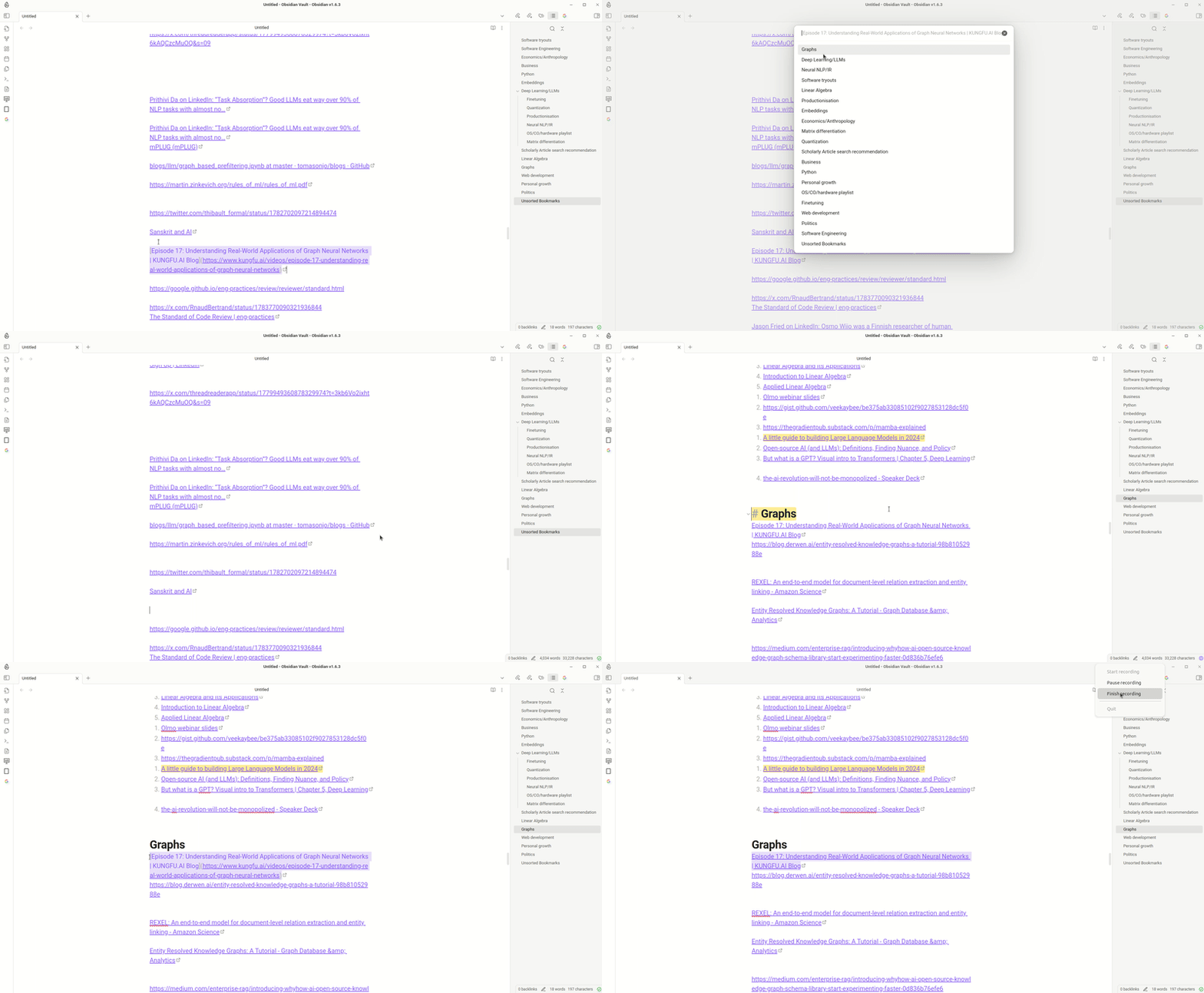
Move text in file
Alt Text

Settings

How it works

Select line you want to move else where in the file and invoke "smart-text-mover". It suggest headings under which it can be moved sorted by their proximity to the selected text. This proximity is calculated using a lightweight classical machine learning algorithm called (Naive Bayes Classifier). It does so by examining existing words distribution under different headings and then ranking them based on that. This ranked list of target location allows user to easily move/organize text in the file. Example usage includes sorting bookmarks based on different categories. Performs best when used with url-namer

For development

Compilation

  1. Clone this repo inside path/to/your/dev/vault/.obsidian/plugins.
  2. npm i or yarn to install dependencies
  3. npm run build to compile, or npm run dev to start compilation in watch mode.

Quick Installation

Search for smart-text-mover in obsidian community plugins and click install.
or
follow the installation link.

Checklist

  • First release
  • Add bulk classifier
67%
HealthFair
ReviewSatisfactory
About
Move and organize text or external links by getting smart suggestions for headings to relocate content under. Rank target sections by file position, LLM predictions, or a self-improving Naive Bayes classifier that analyzes word distributions and proximity.
EditingAIAutomation
Details
Current version
1.0.5
Last updated
2 years ago
Created
2 years ago
Updates
4 releases
Downloads
617
Compatible with
Obsidian 1.6.3+
Platforms
Desktop, Mobile
License
MIT
Report bugRequest featureReport plugin
Sponsor
Buy Me a Coffee
Author
ankush-chanderankush-chander
github.com/Ankush-Chander
GitHubankush-chander
  1. Community
  2. Plugins
  3. Editing
  4. Smart Text Mover

Related plugins

Gemini Scribe

Allows you to interact with Gemini and use your notes as context.

MetaEdit

Manage your metadata.

Advanced Tables

Improved table navigation, formatting, and manipulation.

QuickAdd

Quickly add new notes or content to your vault.

Templater

Create and use dynamic templates.

Homepage

Open a note, base, or workspace on startup, or set it for quick access later.

Copilot

Your AI Copilot: Chat with Your Second Brain, Learn Faster, Work Smarter.

Claudian

Embeds Claude Code/Codex as an AI collaborator in your vault. Your vault becomes agent's working directory, giving it full agentic capabilities: file read/write, search, bash commands, and multi-step workflows.

Smart Connections

AI link discovery copilot. See related notes as you write. Lookup using semantic (vector) search across your vault. Zero-setup local model for embeddings, no API keys, private.

BRAT

Easily install a beta version of a plugin for testing.