Search...Search plugins and themes...
⌘K
Sign in
  • Get started
  • Download
  • Pricing
  • Enterprise
  • Account
  • Obsidian
  • Overview
  • Sync
  • Publish
  • Canvas
  • Mobile
  • Web Clipper
  • CLI
  • Learn
  • Help
  • Developers
  • Changelog
  • About
  • Roadmap
  • Blog
  • Resources
  • System status
  • License overview
  • Terms of service
  • Privacy policy
  • Security
  • Community
  • Plugins
  • Themes
  • Discord
  • Forum / 中文论坛
  • Merch store
  • Brand guidelines
Follow us
DiscordTwitterBlueskyThreadsMastodonYouTubeGitHub
© 2026 Obsidian

Slackify Note

jeremyovermanjeremyoverman3k downloads

Convert a note to Slack-compliant Markdown.

Add to Obsidian
  • Overview
  • Scorecard
  • Updates2

This plugin adds the following commands:

  • Slackify Note: Copy note as Slack Markdown - Convert the note to Slack compliant markdown.
  • Slackify Note: Copy selection as Slack Markdown - Convert the current selection to Slack compliant markdown.

Install this plugin

Examples

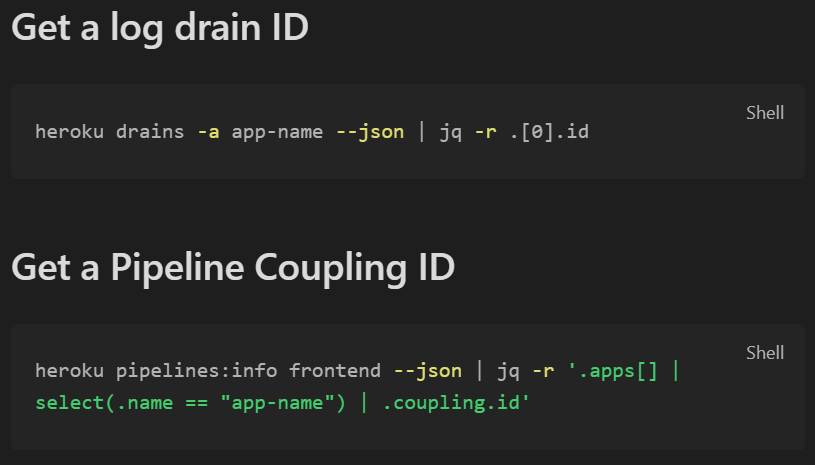
Obsidian Selection:

Example 1

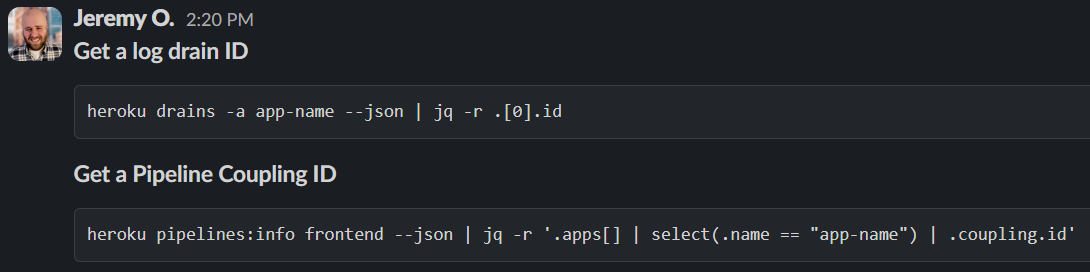
Slack Message:

Example 2

66%
HealthFair
ReviewRisks
About
Convert an entire note or the current selection to Slack-compliant Markdown. Copy the converted text to the clipboard for quick pasting into Slack.
MarkdownFormattingExport
Details
Current version
1.2.1
Last updated
3 years ago
Created
3 years ago
Updates
2 releases
Downloads
3k
Compatible with
Obsidian 1.4.16+
Platforms
Desktop, Mobile
License
MIT
Report bugRequest featureReport plugin
Sponsor
Buy Me a Coffee
Author
jeremyovermanjeremyoverman
github.com/jeremyoverman
GitHubjeremyoverman
  1. Community
  2. Plugins
  3. Markdown
  4. Slackify Note

Related plugins

Linter

Format and style your notes. Linter can be used to format YAML tags, aliases, arrays, and metadata; footnotes; headings; spacing; math blocks; regular Markdown contents like list, italics, and bold styles; and more with the use of custom rule options.

Blur

Create obfuscated blocks of text.

Columns

Create columns in Markdown.

Heading Level Indent

Indenting content under headers based on their level.

Image Captions

Add captions to images with inline Markdown and link support. The caption format is compatible with the Commonmark spec and other Markdown applications.

Marp Slides

Create Marp presentations.

Markdownlint

Use markdownlint to make the contents of your files more consistent.

Importer

Import data from Notion, Evernote, Apple Notes, Microsoft OneNote, Google Keep, Bear, Roam, and HTML files.

Outliner

Work with your lists like in Workflowy or Roam Research.

Various Complements

Complete words similar to auto-completion in an IDE.